Openbci_gui: Unable to connect to Cyton (MacOS/Processing 3.4/OpenBCI GUI 3.4.0)
Problem
My OpenBCI previously worked without issue on MacOS and Windows with OpenBCI up until v3.4.0. The OpenBCI now seems to have an initialization timeout when attempting to connect.
Problem thread on the OpenBCI forum here:
https://openbci.com/forum/index.php?p=/discussion/comment/9338
Processing console logs here:
- v3.4.0: https://gist.github.com/coreygo/949f49c7daf2689351514a33adb22d63
- v4.0.0-alpha.1: https://gist.github.com/coreygo/a06cea595e8bd4a8f1f0300682bc4367
Expected
Initialization and data acquisition from Cyton.
Operating System and Version
macOS 10.13.6
GUI Version
- v3.4.0 (stand alone and via Processing) w/Hub v1.4.5
- v4.0.0-alpha.1 w/Hub v2.0.0 via Processing
Running standalone app
Both stand alone and via Processing 3.4.0
Type of OpenBCI Board
Cyton
Are you using a WiFi Shield?
No, USB serial w/ftdi-vcp-driver v2.4.2
 coreygo
All 9 comments
Thank you for posting the full log files @coreygo!
Tagging @andrewjaykeller
 retiutut
on 10 Oct 2018
retiutut
on 10 Oct 2018
No problem at all. Thanks for investigating!
I've found the time to do some additional testing and am still stumped a bit.
Here's a new file containing both go/no go states (sorry it's truncated, Processing's console history isn't long enough):
- v4.0.0-alpha.1 in Processing: https://gist.github.com/coreygo/acfbe452819966708e9639d313d25bcb
- I was able to resolve the initialization timeout by disabling writing to the SD card.
- If I change the setting to write any maximum length of time the initialization fails.
Another, likely separate issue, is with detection of the USB serial port. I'm noticing that I often have to restart my MBP or switch to another USB port in order for Processing/OpenBCI to detect insertion of the dongle and refresh the port list.
Running either ioreg -p IOUSB -w0 -l or "System Information" with the dongle in any/all of my USB ports does show the device as present but OpenBCI doesn't necessarily refresh the port list to display the dongle unless I switch to a previously unused port or reboot the system.
Getting everything in sync seems to be somewhat finicky but when it does work… things are great :relaxed:
Here are the steps I take to reproduce a go state:
- Boot system.
- Open Processing and load OpenBCI GUI.
- Click Allow to run OpenBCI Hub.
- Insert USB serial dongle with switch set to GPIO_6.
- Power Cyton with switch set to PC.
- Refresh port list.
- Click Status. If system displays:
Refreshing port list...
Radios_Config: system_status
Radios_Config: connect_to_portName: attempting to open serial port: /dev/tty.usbserial-DN0096YR
Radios_Config: connect_to_portName: port is open!
S1299 Device ID: 0x3E
LIS3DH Device ID: 0x33
Then power cycle the Cyton board and repeat. System should now display:
Radios_Config: system_status
OpenBCI V3 16 channel
On Board ADS1299 Device ID: 0x3E
LIS3DH Device ID: 0x33
- Click Do not write to SD.
- Start System.
- Go for capturing data.
Hope that helps. Please let me know if I can be of any assistance.
coreygo
on 10 Oct 2018
Another, likely separate issue, is with detection of the USB serial port. I'm noticing that I often have to restart my MBP or switch to another USB port in order for Processing/OpenBCI to detect insertion of the dongle and refresh the port list.
This may be the entire issue.
Running either
ioreg -p IOUSB -w0 -lor "System Information" with the dongle in any/all of my USB ports does show the device as present but OpenBCI doesn't necessarily refresh the port list to display the dongle unless I switch to a previously unused port or reboot the system.
I've noticed this too sometimes with my iMac after waking from sleep.
More importantly.... the log files show exactly what you have described above!
_I see lots of this when you can't connect to the Cyton:_
RunttimeException: java.lang.RuntimeException: Error opening serial port /dev/tty.usbserial-DN0096YR: Port busy
I'm not an expert on USB ports, but I believe the error code that the port is busy and therefore we can't try to use it without "releasing" or "resetting" the USB port.
Combining two log files into one doesn't help a lot. I was hoping to see activity from within the GUI.
@coreygo So to clarify:
- When you get a connection, everything works properly?
- When you can't connect to Cyton, it says the port is busy?
retiutut
on 10 Oct 2018
I should also mention that I'm on macOS 10.14 (Mojave) now but was able to confirm the go state prior to upgrading from 10.13.6. I also ran brew cask reinstall ftdi-vcp-driver and rebooted post upgrade to be sure everything is okay to go. The latest log file is after all that jazz.
coreygo
on 10 Oct 2018
I should also mention that I'm on macOS 10.14 (Mojave) now but was able to confirm the go state prior to upgrading from 10.13.6. I also ran
brew cask reinstall ftdi-vcp-driverand rebooted post upgrade to be sure everything is okay to go. The latest log file is after all that jazz.
So you can confirm that the GUI can connect via Dongle with 10.14 (Mojave)?
retiutut
on 10 Oct 2018
Yep, as long as I do not write to the SD card.
Writing to the SD card still reproduces the no go initialization timeout as shown in the log here: https://gist.github.com/coreygo/acfbe452819966708e9639d313d25bcb#file-openbci-console-log-v4-gonogo-txt-L500
coreygo
on 10 Oct 2018
I just reproduced what you've mentioned here. Just a moment.
retiutut
on 10 Oct 2018
v4.0.0-alpha.2
When using SD card mode of any duration, the initialization timeout window passes and the system halts.
Here is a log file to document this bug:
https://gist.github.com/retiutut/a703325744e548beb153356038321322
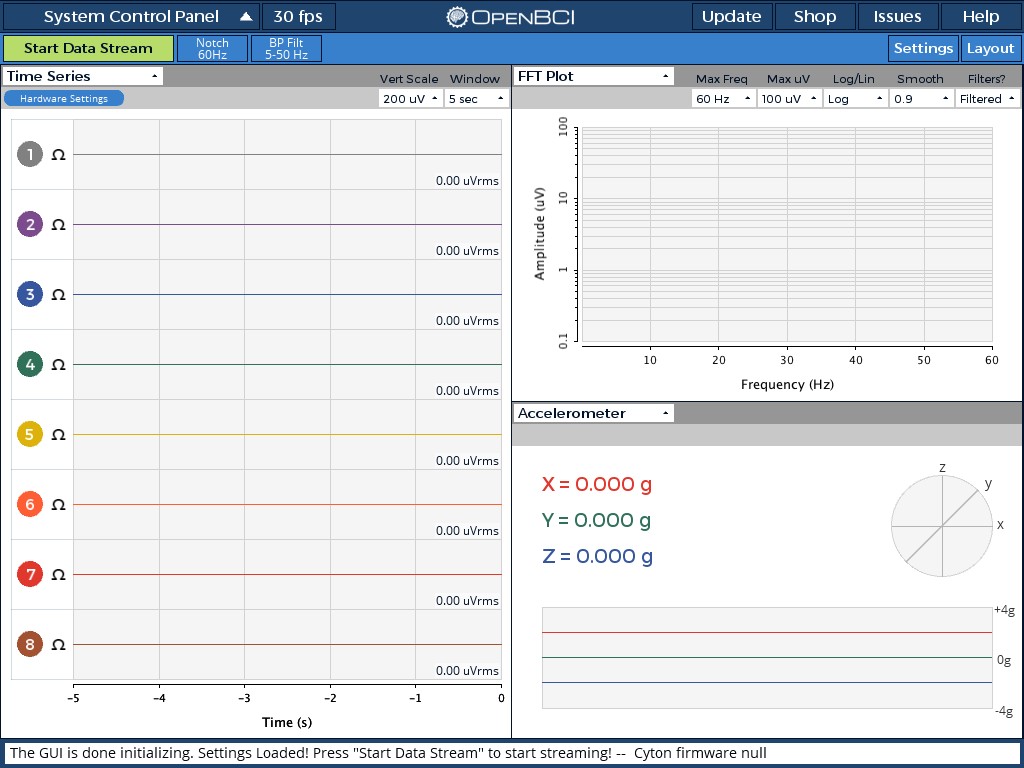
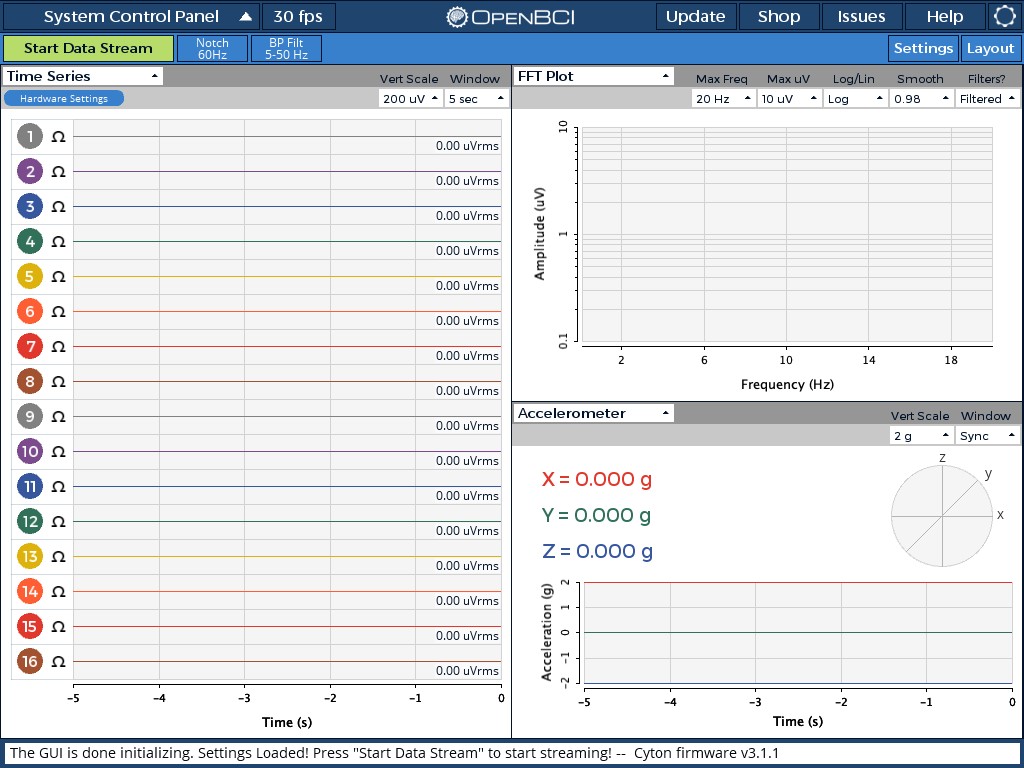
Also, Cyton firmware shows up null when able to connect.
retiutut
on 10 Oct 2018
Fixed in the Hub 💻
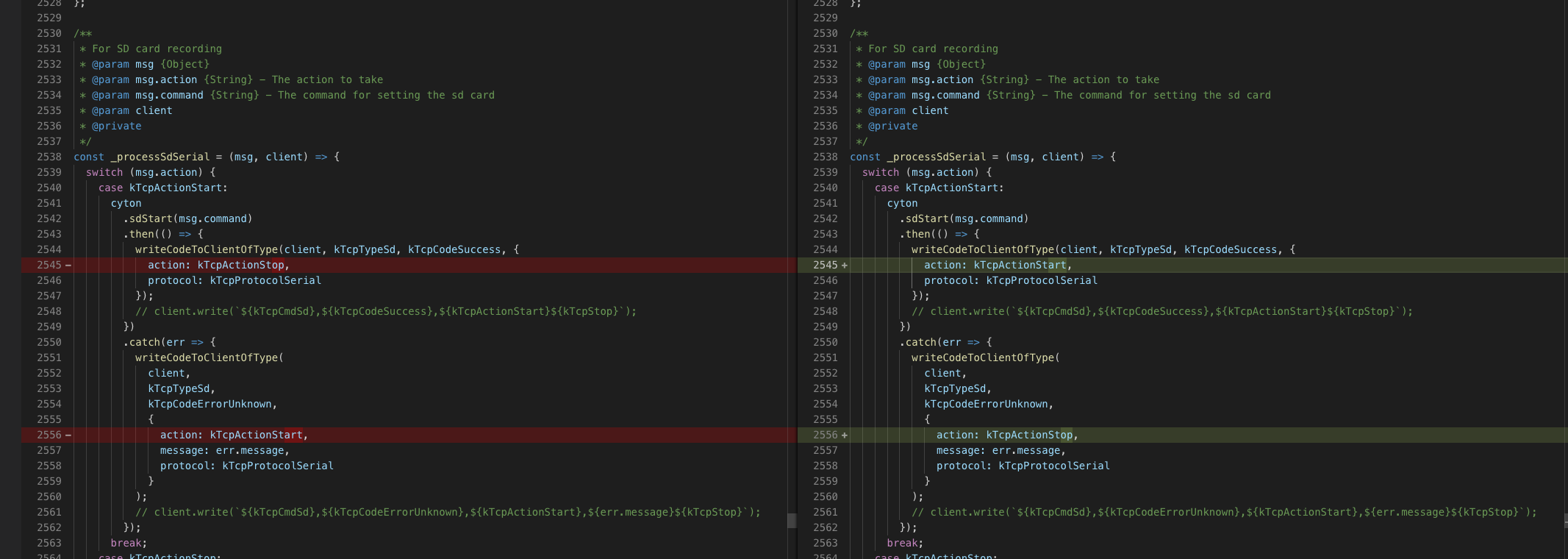
Hub: processBoardType: success, starting SD card now -- 29584
Hub: sdCardStart(): sending '30min' with value 3
sd card setting set so now attempting to sync channel settings
Hub: Log: Corresponding SD file OBCI_30.TXT
$$$
  3c -- 30432
retiutut
on 4 Mar 2019
Related issues
 pirelaurent
·
5Comments
pirelaurent
·
5Comments
 Elisabeth-github
·
3Comments
Elisabeth-github
·
3Comments
 lopezvaa
·
9Comments
lopezvaa
·
9Comments
 Otemo
·
7Comments
Otemo
·
7Comments
 jps2000
·
5Comments
jps2000
·
5Comments