Openbci_gui: Run it, But it show: please fix the size() line to continue.
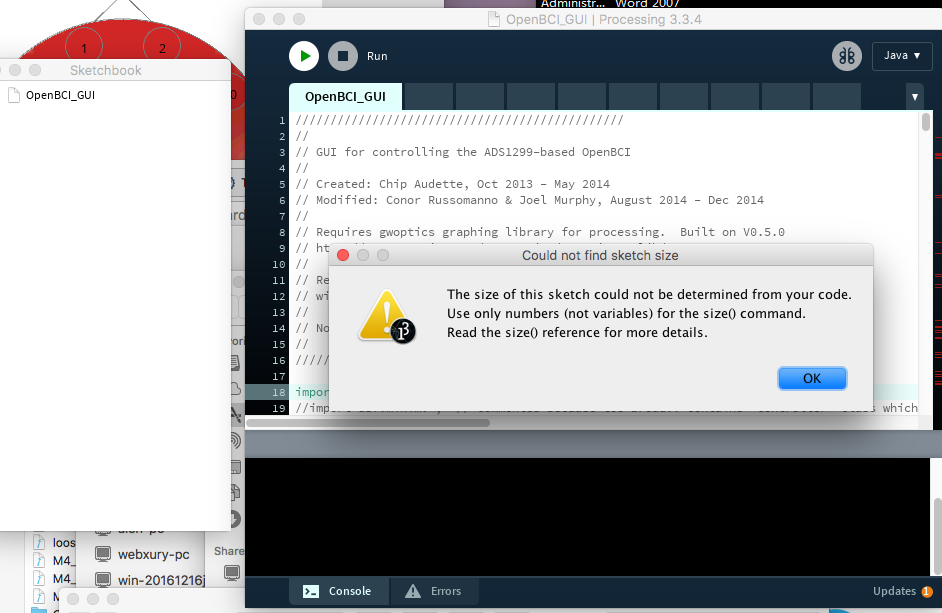
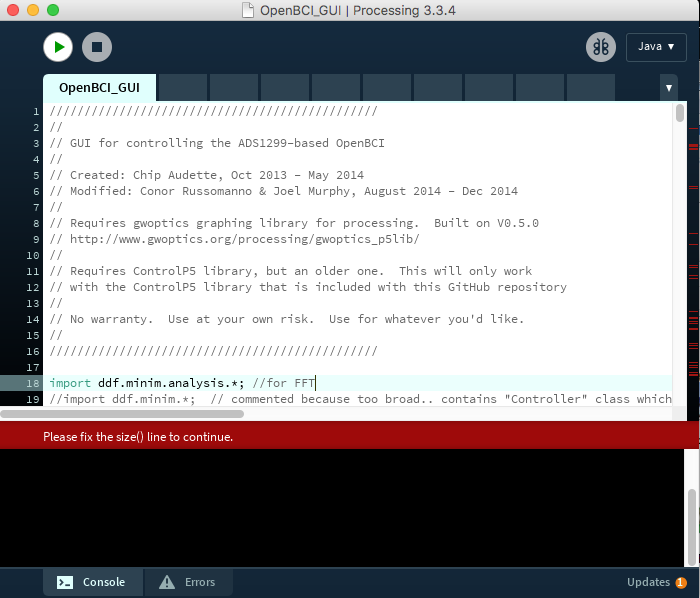
Run it, But it show: please fix the size() line to continue.
 NeoTim
All 13 comments
@neotim
Thanks for using and supporting the OpenBCI GUI!
_This issue seems like a missing dependency_
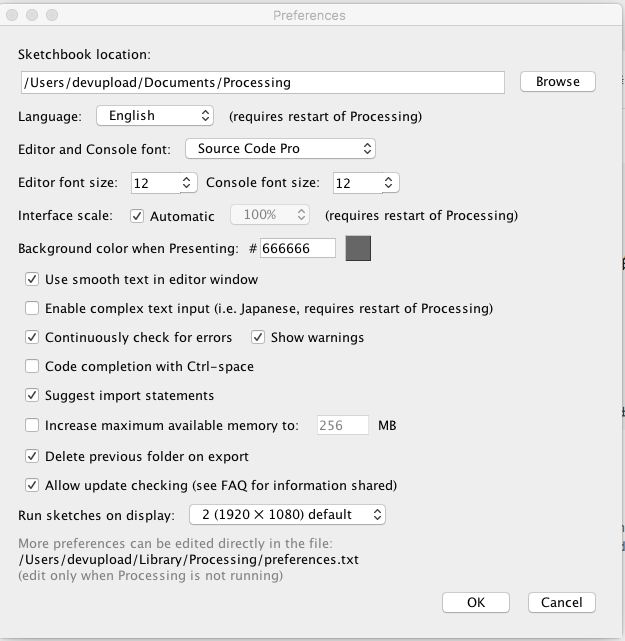
Did you configure the libraries correctly? (Show a screen shot of your preferences page in processing, I want to see your Sketchbook folder:. Then take a screen shot of that finder window where the Sketchbook folder is pointing to)
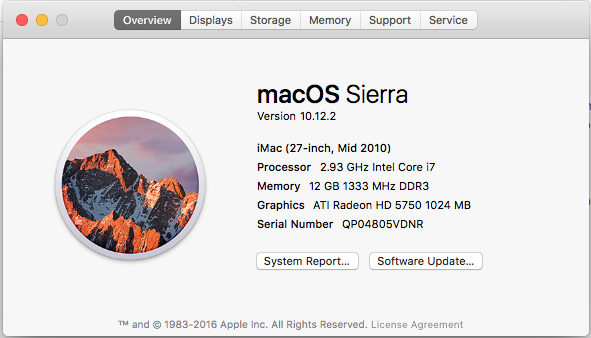
What version of Mac OS are you running?
What version of the GUI are you trying to run? (when did you download it?)
Thanks!
 andrewjaykeller
on 14 Jun 2017
andrewjaykeller
on 14 Jun 2017
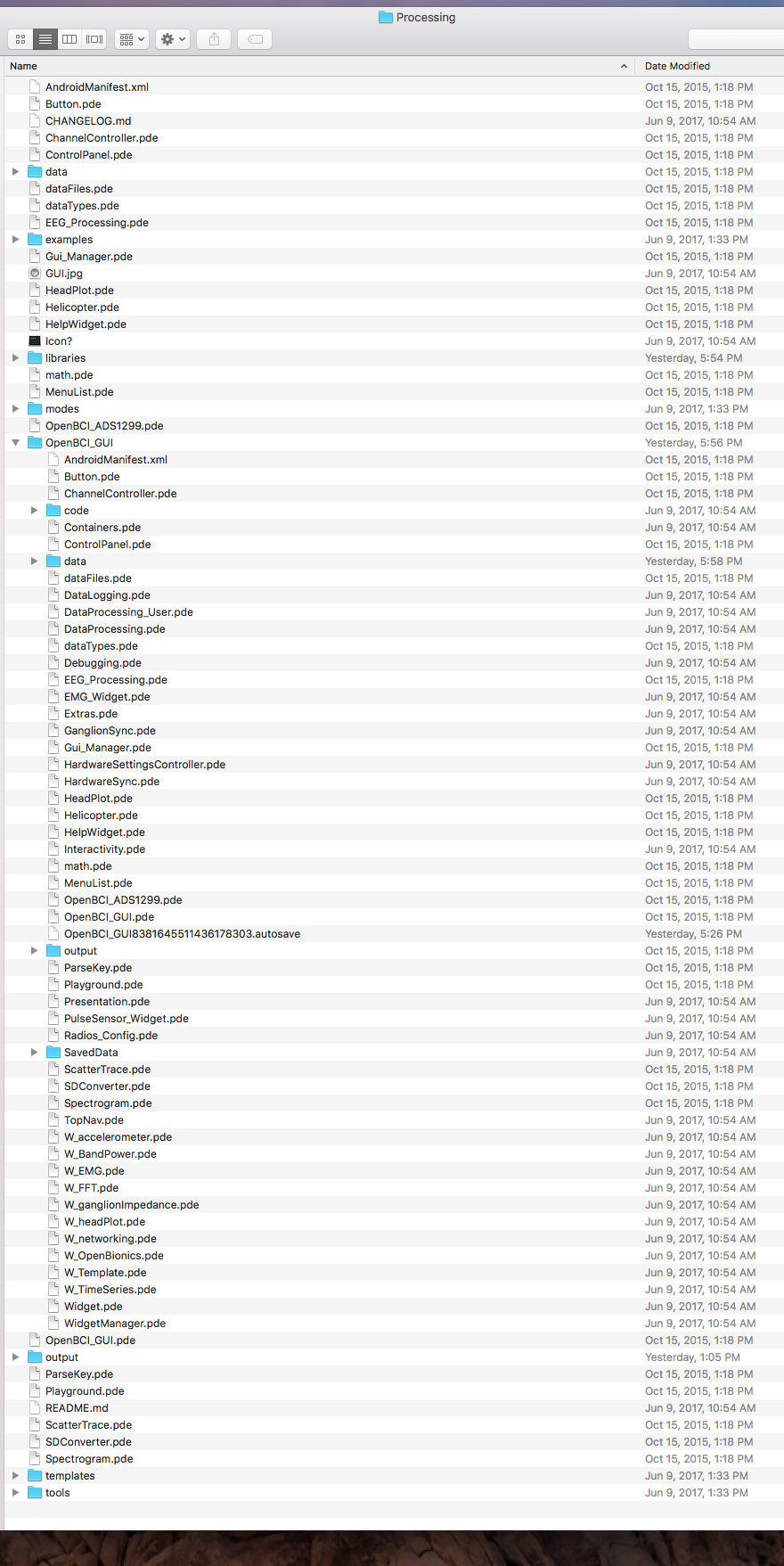
Thank you for your reply, these are screen shots:
// GUI for controlling the ADS1299-based OpenBCI
// Created: Chip Audette, Oct 2013 - May 2014
// Modified: Conor Russomanno & Joel Murphy, August 2014 - Dec 2014
NeoTim
on 14 Jun 2017
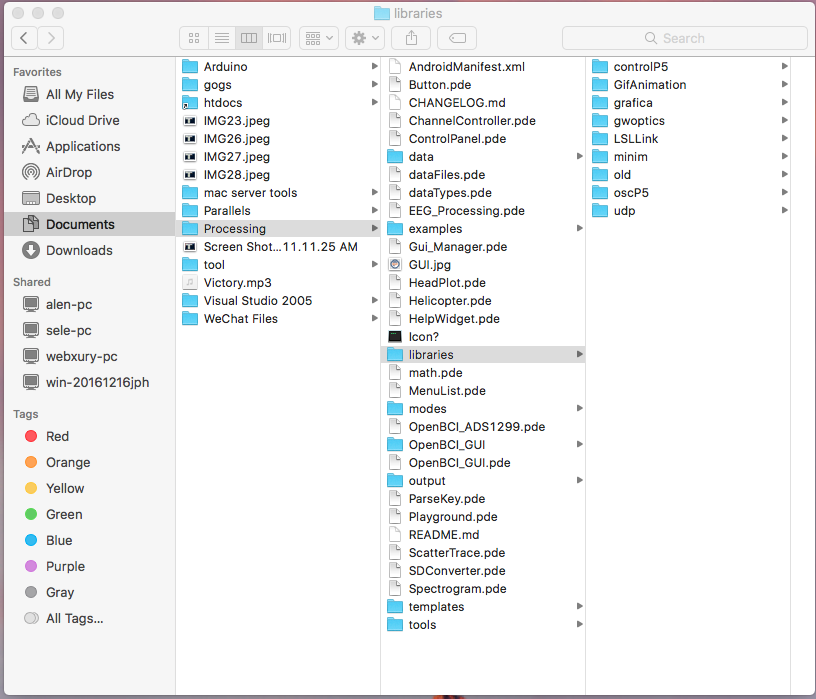
Can you please show me a screen shot of /Users/devupload/Documents/Processing
Mine looks like this:

andrewjaykeller
on 14 Jun 2017
ok, this is the screen shot of /Users/devupload/Documents/Processing:
NeoTim
on 15 Jun 2017
Can you please download processing 3.3 NOT 3.3.4 and let me know if that helps.
Your setup is correct...
andrewjaykeller
on 15 Jun 2017
now is processing 3.3, same error:

NeoTim
on 15 Jun 2017
So it looks like you have the new version of the GUI inside the old version the GUI. You should clone the gui into a new directory. The size error is coming from the old gui code...
andrewjaykeller
on 15 Jun 2017
yes, this old gui is from https://github.com/viguix/OpenBCI_GUI_Helicopter_Throttle
need to control copter.
NeoTim
on 15 Jun 2017
I think that was done using processing 2.x not 3.
Closing this issue
andrewjaykeller
on 15 Jun 2017
now is processing 2.2.1:

NeoTim
on 15 Jun 2017
Glad to see you opened on @biomurph repo. He's good and will help. Good luck!
andrewjaykeller
on 15 Jun 2017
Same error with Processing 3.5.2
 ronnyandre
on 24 Jan 2019
ronnyandre
on 24 Jan 2019
you just need to replace size () with surface.setSize () and for more information
https://github.com/processing/processing/wiki/Changes-in-3.0
 Redha-Ferradji
on 24 Mar 2019
Redha-Ferradji
on 24 Mar 2019
Related issues
 cfausn
·
3Comments
cfausn
·
3Comments
 rakansha
·
5Comments
rakansha
·
5Comments
 lopezvaa
·
9Comments
lopezvaa
·
9Comments
 jps2000
·
3Comments
jps2000
·
6Comments
jps2000
·
3Comments
jps2000
·
6Comments
Most helpful comment
you just need to replace size () with surface.setSize () and for more information
https://github.com/processing/processing/wiki/Changes-in-3.0