Open-event-server: Reset password feature isn't sending any email
Describe the bug
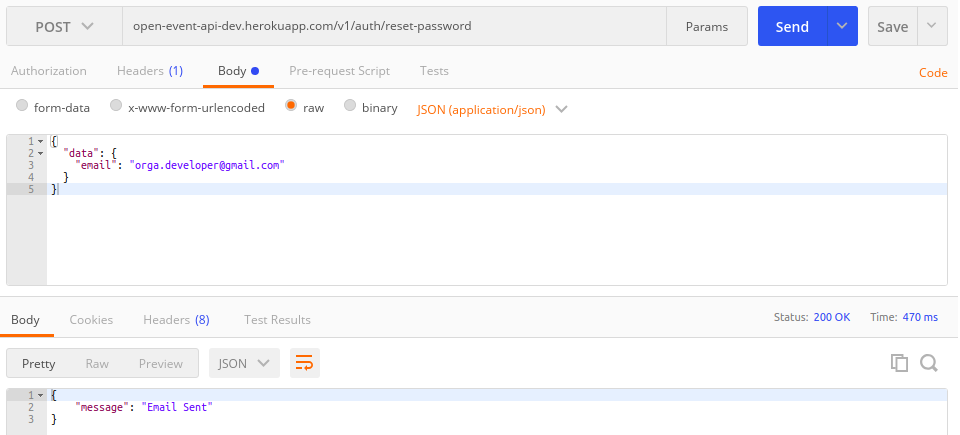
The endpoint open-event-api-dev.herokuapp.com/v1/auth/reset-password isn't working. Even though it shows "Email Sent"
To Reproduce
Steps to reproduce the behavior:
- Try sending a POST request to
open-event-api-dev.herokuapp.com/v1/auth/reset-password. - Open the email account, for the email address which was used in the body.
Expected behavior
A mail with a token should be sent.
Additional context
 softdev07
All 14 comments
Which email id is used to send this mail? Need to check Heroku app's configuration.
 schedutron
on 15 Jun 2018
schedutron
on 15 Jun 2018
@schedutron Any updates ? It was working fine around 2 weeks ago. Now the mails are not getting sent. Checked the spam folder as well.
 CosmicCoder96
on 26 Jun 2018
CosmicCoder96
on 26 Jun 2018
No, I'm stuck on a similar problem with email config in #4985. Once I figure it out, this will be solved as well.
schedutron
on 7 Jul 2018
I checked Heroku logs, and it's throwing Sendgrid key not defined error, so I need to define a Sendgrid key in Heroku's settings in its Postgres DB.
schedutron
on 12 Jul 2018
So what should I do - create a dummy email, create it's Sendgrid API key and post it to Heroku's settings? Or re-create the key for the existing email that is used?
schedutron
on 12 Jul 2018
Heroku wasn't logging useful information because exceptions were getting contained in the wrong manner, e.g, even if the email_from key was not defined, no error was raised. There were multiple keys undefined in Heroku settings, but I have fixed them now.
@srv-twry @mishuvs @CosmicCoder96 can you please confirm that email endpoints are working for you? I'll add proper exceptional handling by creating a different relevant issue and PR.
schedutron
on 14 Jul 2018
Heroku wasn't logging useful information because exceptions were getting contained in the wrong manner, e.g, even if the email_from key was not defined, no error was raised. There were multiple required keys undefined in Heroku settings, but I have fixed them now.
@srv-twry @mishuvs @CosmicCoder96 can you please confirm that email endpoints are working for you? I'll add proper exceptional handling by creating a different relevant issue and PR.
schedutron
on 14 Jul 2018
@schedutron I tried the same as in the screenshot above, again, but it didn't work. The response shows "Email Sent" but I can't find any email received. So it seems to be not working for me. Is it working for you?
softdev07
on 15 Jul 2018
@mishuvs Did you check in spam folder? It might go there, because initially I received the email in spam.
schedutron
on 15 Jul 2018
Got it! But the sender email is being shown as [email protected]. Shouldn't it be an eventyay email address?
softdev07
on 15 Jul 2018
@mishuvs Why ? You are using the development branch deployment. Not the production one.
 dr0pdb
on 15 Jul 2018
dr0pdb
on 15 Jul 2018
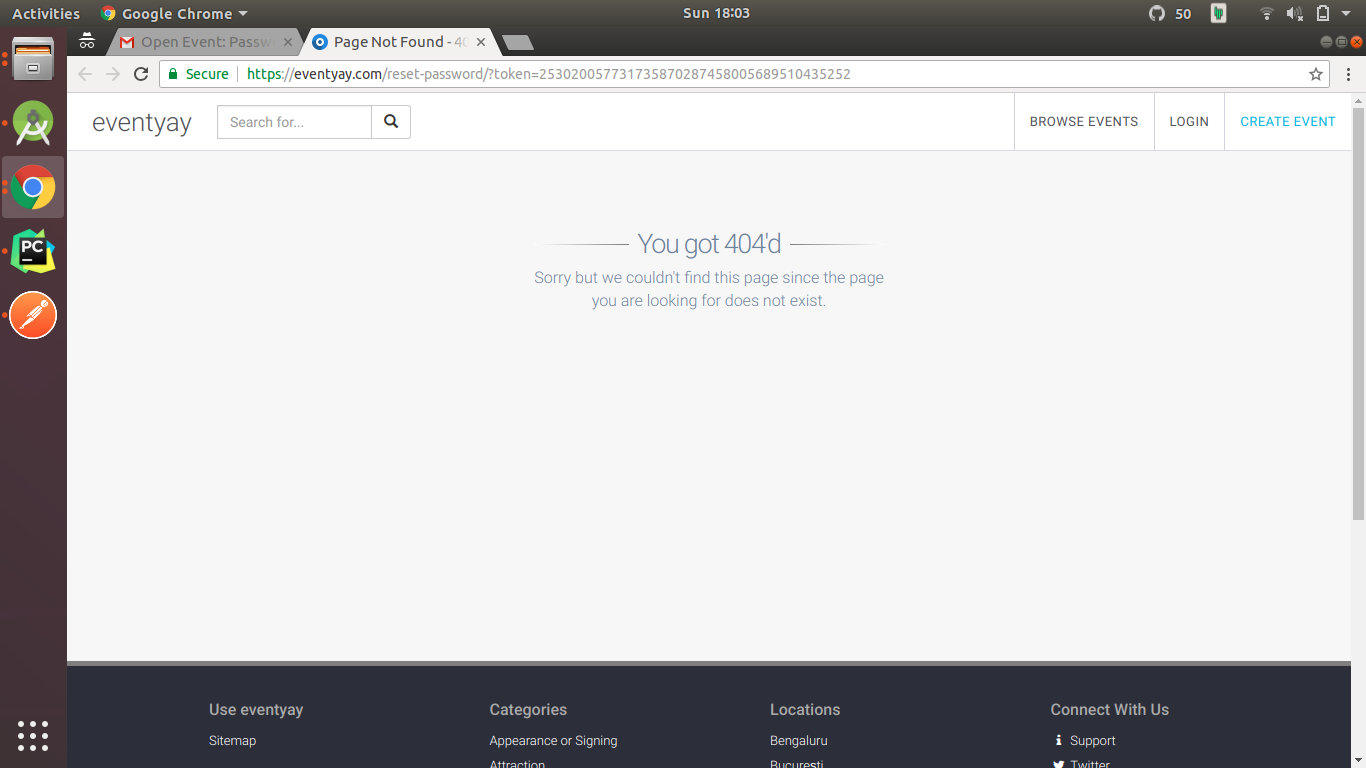
Also, one more thing: I am getting this on clicking a reset password link I just received. Is it working for you?
softdev07
on 15 Jul 2018
@mishuvs I'm getting that error too. Looking into it. It also popped up for email verification.
schedutron
on 15 Jul 2018
I have reconfigured Heroku dev server settings for front-end url, still 404 persists.
schedutron
on 22 Jul 2018
Related issues
schedutron
·
4Comments
 mariobehling
·
4Comments
CosmicCoder96
·
4Comments
mariobehling
·
4Comments
CosmicCoder96
·
4Comments
 rafalkowalski
·
3Comments
rafalkowalski
·
3Comments
 Masquerade0097
·
3Comments
Masquerade0097
·
3Comments