Open-event-frontend: Search Page: Add search filter "Images" to the left side menu and enable Image and Logo by default
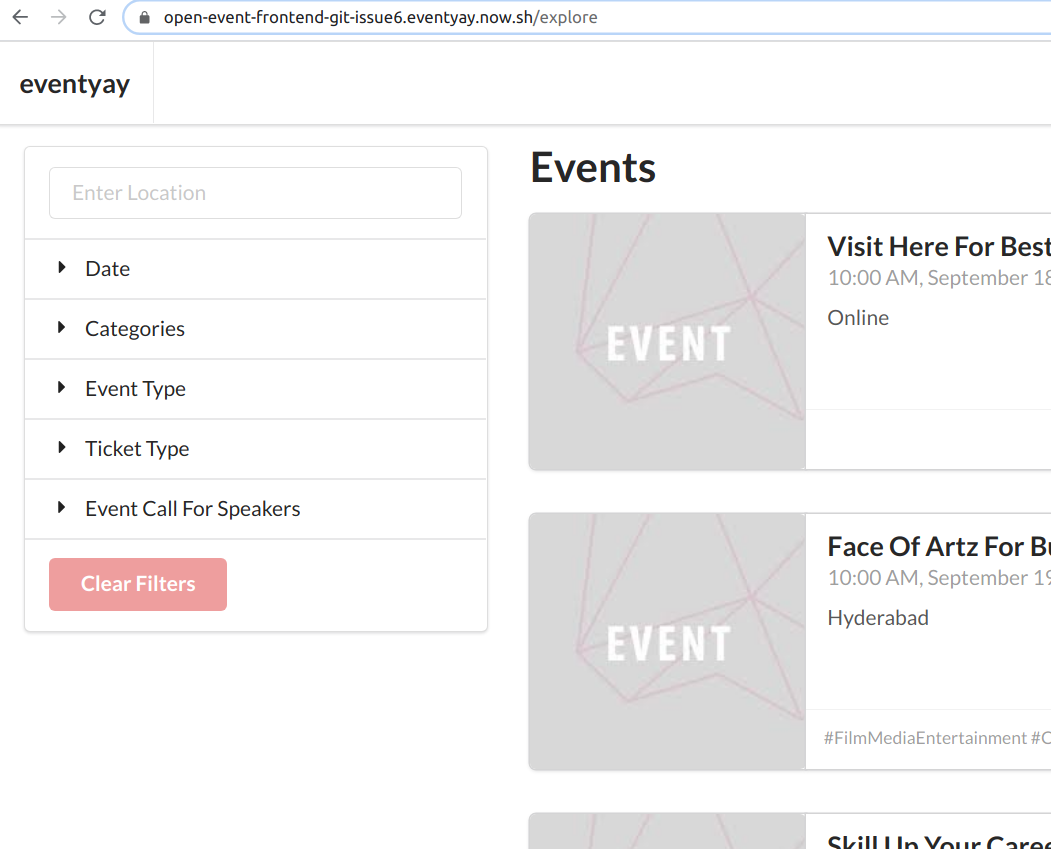
Please add filters for logo and image into the left side bar of the search page as follows:
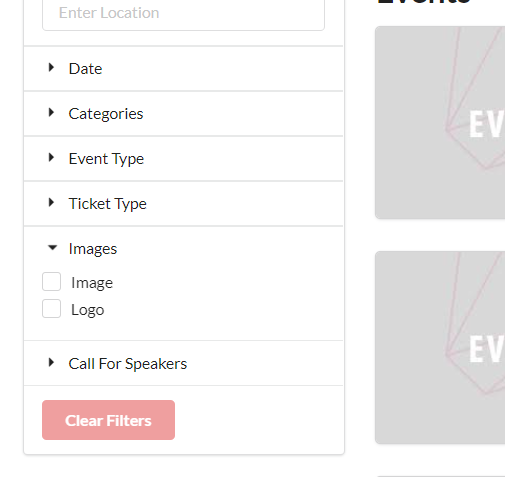
- Add filter option "Images"
- Add filters "Image" and "Logo" as filter options (enabled means the search only shows outputs of events with images and logos)
- Enable "Image" and "Logo" by default
Also
- Additionally change the filter "Event Call for Speakers" to "Call for Speakers"
 mariobehling
All 3 comments
taking this up
 MeghalBisht
on 25 Nov 2020
MeghalBisht
on 25 Nov 2020
👍2
Just wanted to confirm, we want to filter as shown in the image below?
MeghalBisht
on 25 Nov 2020
👍1
@MeghalBisht Yes, correct. Thank you!
mariobehling
on 25 Nov 2020
👍1
Was this page helpful?
0 / 5 - 0 ratings
Related issues
mariobehling
·
5Comments
mariobehling
·
5Comments
mariobehling
·
3Comments
mariobehling
·
4Comments
 hpdang
·
5Comments
hpdang
·
5Comments
Most helpful comment
taking this up