Open-event-frontend: Organizer Event Ticket Order Overview: Search not working, Date Sorting according to day instead of day, month, year
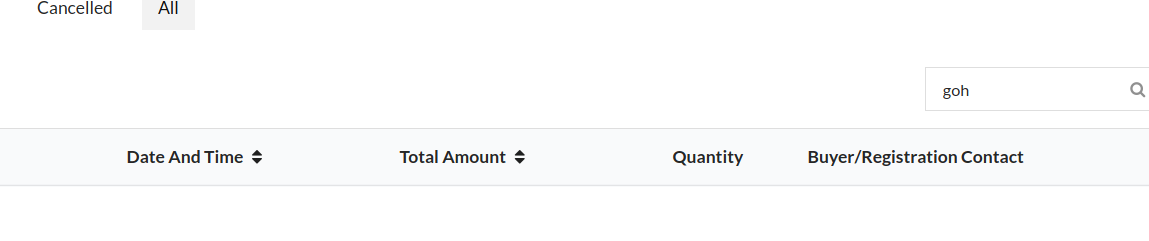
On the Organizer Event Ticket Order Overview page:
- the search not working
- the Date Sorting according is according to day instead of day, month, year. This means currently e.g. 18th February is in front of 15th of March.
 mariobehling
All 18 comments
@mariobehling Can I work on this?
 BLasan
on 16 Apr 2020
BLasan
on 16 Apr 2020
Yes
 iamareebjamal
on 16 Apr 2020
iamareebjamal
on 16 Apr 2020
@mariobehling Can you put the url?
BLasan
on 19 Apr 2020
You'll have to create an event and see the event management section
iamareebjamal
on 19 Apr 2020
Hii @iamareebjamal the searchbar seems to be working fine . what is the issue with search bar .
 ruhci28
on 29 Jul 2020
ruhci28
on 29 Jul 2020
Where are you checking the search bar?
iamareebjamal
on 29 Jul 2020
On the Organizer Event Ticket Order Overview page:
- the search not working
Actually, the search is working, rather than it's searching by identifier not by name.
 maze-runnar
on 25 Sep 2020
maze-runnar
on 25 Sep 2020
const searchField = 'identifier';
@iamareebjamal how can I use here const searchField = 'user.name'; something like this. As it is giving error.
maze-runnar
on 25 Sep 2020
What's the error
iamareebjamal
on 25 Sep 2020
When entering text in input box, it shows some thing went wrong and on console it shows ember data error. And also you have told me previously that user.name this kind of nesting is not supported in backend
maze-runnar
on 25 Sep 2020
Yes, it needs to have custom nested format to search for user name. Check how is it possible in ember tables
iamareebjamal
on 25 Sep 2020
@maze-runnar Now you know how it is to be done, so please take this up
iamareebjamal
on 6 Oct 2020
on adding any of other field here const searchField = 'identifier'; instead of identifier it throws error.
for example - const searchField='completedAt' it shows error 404.
maze-runnar
on 7 Oct 2020
I have also added following in models/order.js and added email in routes to search by email but again 404.
Email: computed('user.email', function() {
    return this.user.get('email');
  }),
Why do you want to search via completedAt? Makes no sense.
About searching via email, as discussed last time, to search through related relationships, you need to create the filter like { has : { user : { email ... } }. applySearchFilter function just adds scalar search fields. You have to add custom logic to add search filters for this table
Call me if you have doubts
iamareebjamal
on 7 Oct 2020
Can we simplify this date sorting? One click latest order goes on the top and vice versa. Currently we have to click twice in order to get to the latest order? @mariobehling @iamareebjamal
 hpdang
on 7 Dec 2020
hpdang
on 7 Dec 2020
@hpdang we can do it like, latest orders will on the top when first it loads and then sorting work in usual way?
maze-runnar
on 9 Dec 2020
Yes
iamareebjamal
on 9 Dec 2020
Related issues
 kushthedude
·
4Comments
kushthedude
·
4Comments
 codedsun
·
4Comments
mariobehling
·
3Comments
mariobehling
·
3Comments
hpdang
·
5Comments
codedsun
·
4Comments
mariobehling
·
3Comments
mariobehling
·
3Comments
hpdang
·
5Comments