Open-event-frontend: Tax Modal Overflows the page instead of re-adjusting for new elements
I'm submitting a ... (check one with "x")
- [x] bug report
- [ ] feature request
- [ ] support request => Please do not submit support requests here, instead ask your query in out Gitter channel at https://gitter.im/fossasia/open-event-frontend
Current behaviour:
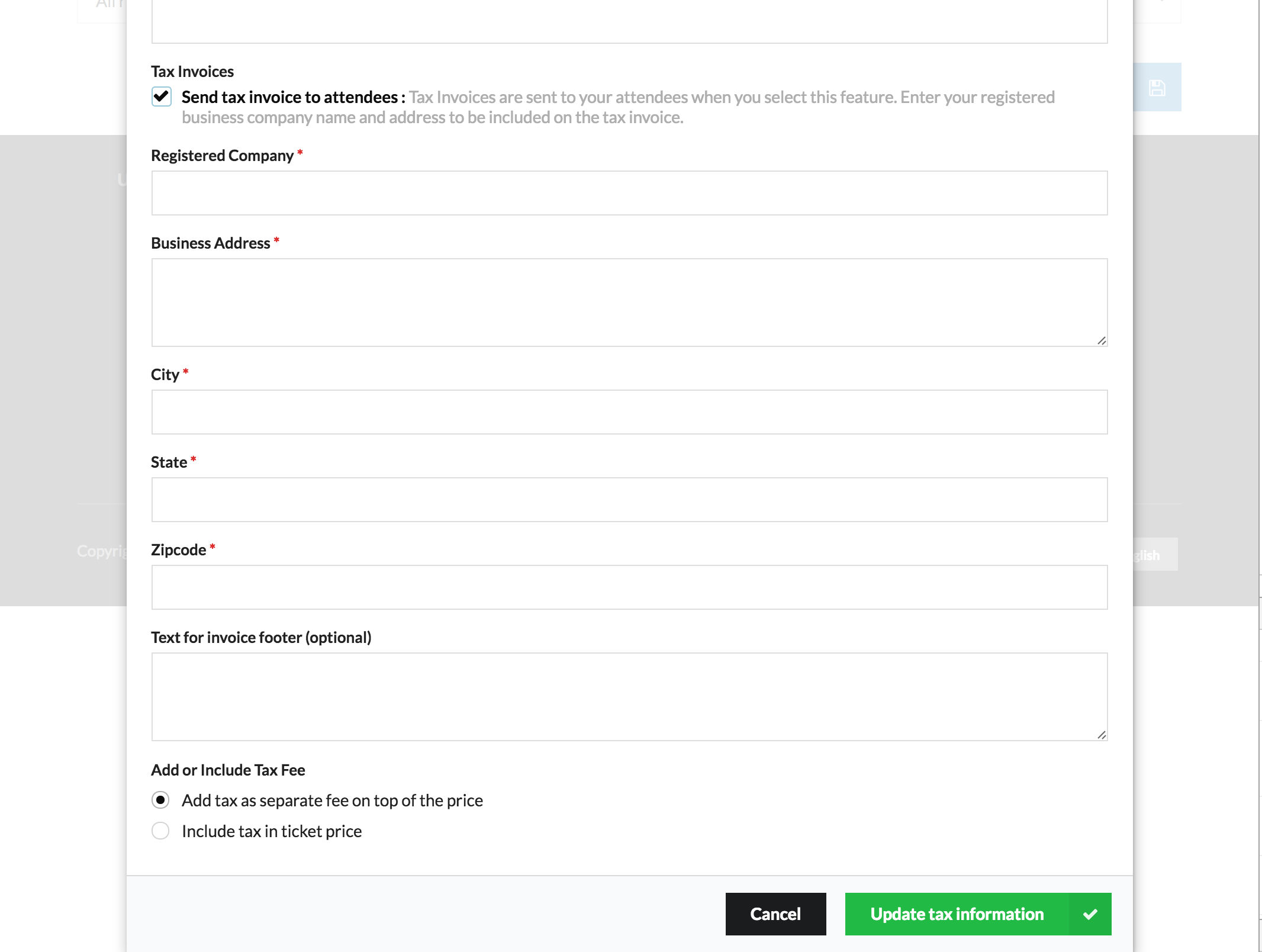
Expected Behaviour
It should adjust itself according to it's height
 CosmicCoder96
All 20 comments
@CosmicCoder96 Can I work on this?
 harshitagupta30
on 28 Jun 2017
harshitagupta30
on 28 Jun 2017
@harshitagupta30 yes, please go ahead
CosmicCoder96
on 28 Jun 2017
@CosmicCoder96 I have been working on this from yesterday but still couldn't find the reason why on pressing the tab or whenever the size of modal increases the modal itself scroll down and does not remain static. Can you please guide me how to proceed? I have inspected the CSS as well as semantic ui implemented in the modal but couldn't find any solution for the issue. Any help would be much appreciated.
Thanks.
harshitagupta30
on 29 Jun 2017
=@harshitagupta30 Please refer to the documentation of modal, settings tab > Modal settings
and use observeChanges Property
https://semantic-ui.com/modules/modal.html#/settings
CosmicCoder96
on 30 Jun 2017
@CosmicCoder96 i don't see what the issue here is. The model does become scrollable when the content is more. So, there is no _overflow_. The user just has to scroll and fill. I don't see an alternative to scroll. The model is long.
 niranjan94
on 1 Jul 2017
niranjan94
on 1 Jul 2017
@harshitagupta30 what we could do is, give a max height for the modal content and make the model content div alone scrollable. That works very well. Give it a try. Looks nice too.
niranjan94
on 1 Jul 2017
Please refer to the documentation of modal, settings tab > Modal settings
and use observeChanges Property
@CosmicCoder96 we already do this manually btw. See didRender method of the modal base.
niranjan94
on 1 Jul 2017
@niranjan94
When the modal is big and the user scrolls, the page behind the modal
scrolls with it, it would be much better if it follows default behaviour of
how modal should be scrollable and not the body, which is why I raised
this. For instance the scrolling modal at
https://semantic-ui.com/modules/modal.html#/examples
what we could do is, give a max height for the modal content and make the model content div alone scrollable. That works very well. Give it a try. Looks nice too.
Shouldn't this be by default, what might be preventing it?
On Sat, Jul 1, 2017 at 12:50 PM, Niranjan Rajendran <
[email protected]> wrote:
@CosmicCoder96 https://github.com/cosmiccoder96 i don't see what the
issue here is. The model does become scrollable when the content is more.
So, there is no overflow. The user just has to scroll and fill. I don't
see an alternative to scroll. The model is long.—
You are receiving this because you were mentioned.
Reply to this email directly, view it on GitHub
https://github.com/fossasia/open-event-frontend/issues/373#issuecomment-312416305,
or mute the thread
https://github.com/notifications/unsubscribe-auth/AQdBxZv1Gw21auMvDQrQIX6bnoVs1Hvvks5sJfNSgaJpZM4OHSLn
.
CosmicCoder96
on 1 Jul 2017
Shouldn't this be by default, what might be preventing it?
No. It's not the default. By model content I mean the section b/w the modal title and the buttons
For instance the scrolling modal at
https://semantic-ui.com/modules/modal.html#/examples
In those cases detachable=true. Which means, when the model is initialized, semantic UI moves the model to a different position on the dom to make it easier to handle certain things like this scrol. But, we force detachable=false because we don't want anything else (other ember) modifying our dom.
niranjan94
on 1 Jul 2017
okay so I guess manually setting the max-height will do that, other than
that, please do notice what happens when we do this,
Open the modal
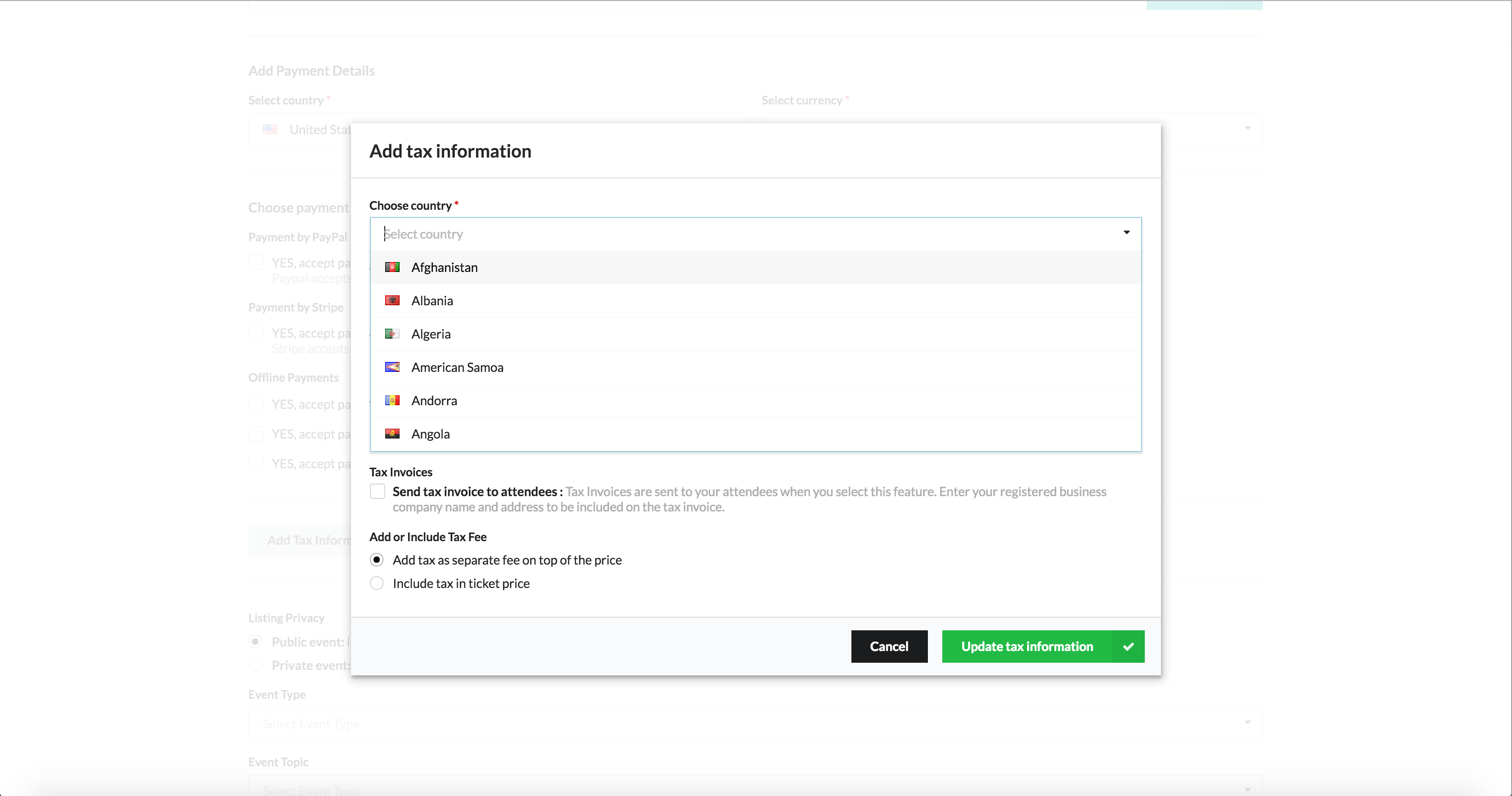
expand it
- close it
- open it
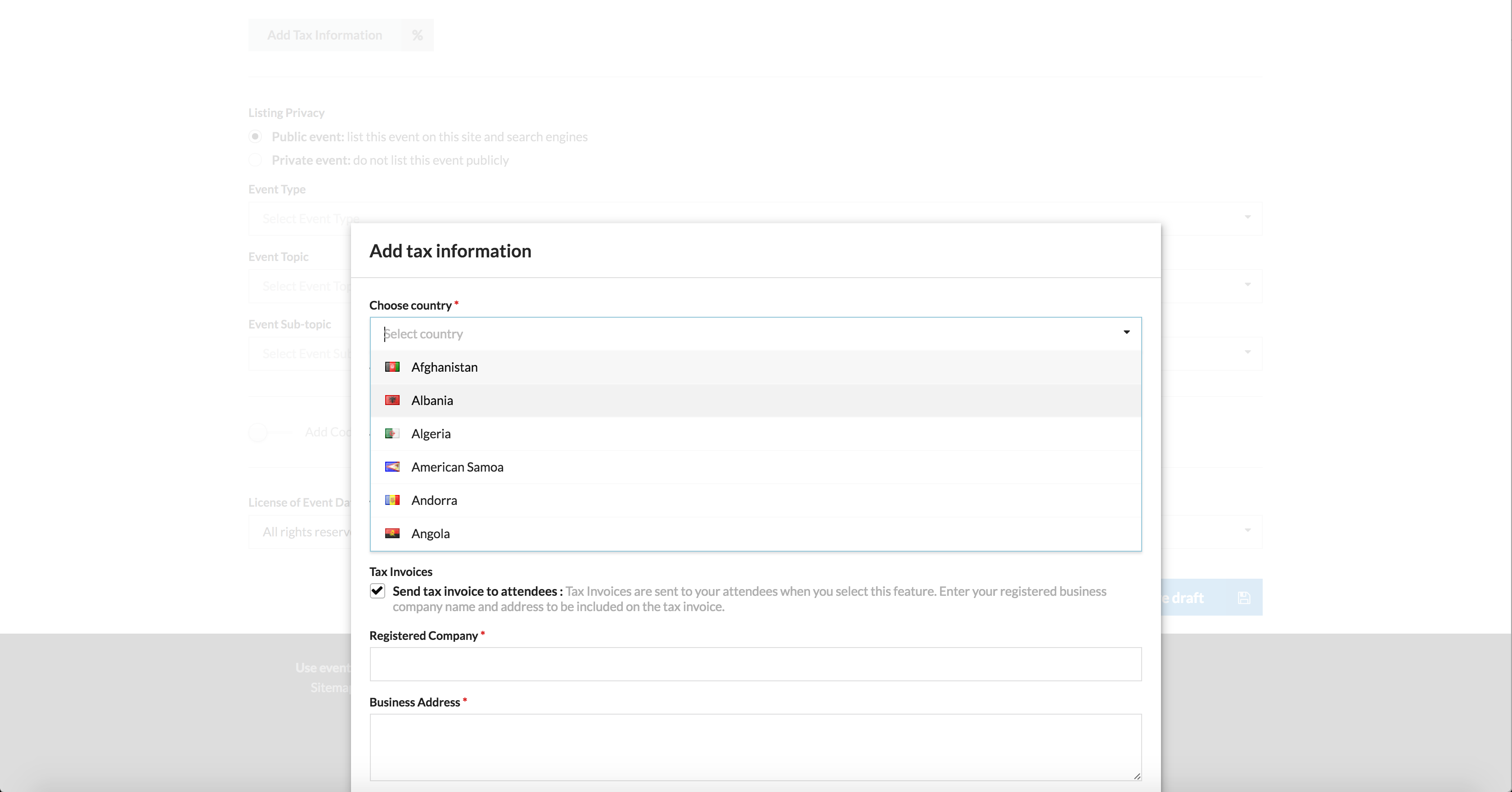
The modal has shifted downwards (more distance from the top instead of being
near to it)
On Sat, Jul 1, 2017 at 2:45 PM, Niranjan Rajendran <[email protected]
wrote:
Shouldn't this be by default, what might be preventing it?
No. It's not the default. By model content I mean the section b/w the
modal title and the buttonsFor instance the scrolling modal at
https://semantic-ui.com/modules/modal.html#/examplesIn those cases detachable=true. Which means, when the model is
initialized, semantic UI moves the model to a different position on the dom
to make it easier to handle certain things like this scrol. But, we force
detachable=false because we don't want anything else (other ember)
modifying our dom.—
You are receiving this because you were mentioned.
Reply to this email directly, view it on GitHub
https://github.com/fossasia/open-event-frontend/issues/373#issuecomment-312421060,
or mute the thread
https://github.com/notifications/unsubscribe-auth/AQdBxVFEVxcTZRexWUFqom_KS9O3Sz90ks5sJg48gaJpZM4OHSLn
.
CosmicCoder96
on 1 Jul 2017
@CosmicCoder96 just set a overflow-y: auto; max-height: 500px; to div.content. That fixes it.
niranjan94
on 1 Jul 2017
@harshitagupta30 Please see ^^
CosmicCoder96
on 1 Jul 2017
@niranjan94 @CosmicCoder96 Adding this overflow-y: auto; max-height: 500px; to div.content doesn't fixing it. The problem which is happening here is as soon as I click on the checkbox the modal scroll downwards for some height and then start scrolling itself even while filling the form and then finally it overflows the page.
I have deployed the code here : https://open-event-frontend-harshita.herokuapp.com/events/61b78efe/edit/basic-details
Please check
harshitagupta30
on 1 Jul 2017
@harshitagupta30 I'm not sure what you're doing here ... You seem to be doing an scroll to top for some reason. Please don't do all that. Just adding the css fixes it. I tried it.
niranjan94
on 1 Jul 2017
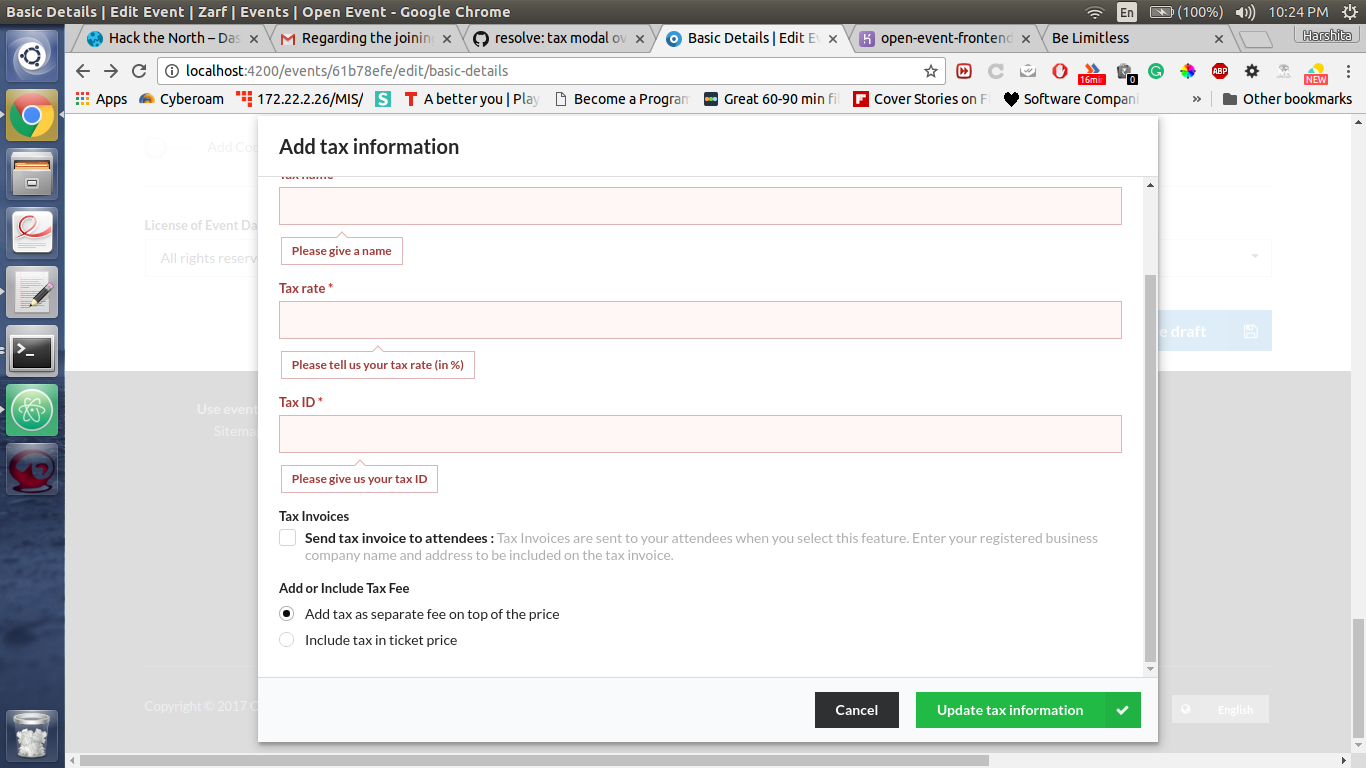
@niranjan94 I have updated according to your suggestion but it's not working for me.
harshitagupta30
on 1 Jul 2017
Looks like your screen resolution is smaller than mine. Set max height in
vh units. So that it adapts to screen height
On Sat, Jul 1, 2017, 10:32 PM Harshita Gupta notifications@github.com
wrote:
@niranjan94 https://github.com/niranjan94 I have updated according to
your suggestion but it's not working for me.
[image: screenshot from 2017-07-01 22 24 58]
https://user-images.githubusercontent.com/12701036/27764018-22216bca-5ead-11e7-8a20-c5aac87dea45.png—
You are receiving this because you were mentioned.Reply to this email directly, view it on GitHub
https://github.com/fossasia/open-event-frontend/issues/373#issuecomment-312443572,
or mute the thread
https://github.com/notifications/unsubscribe-auth/ACSwFAdBprrxz1mMVb9KCKPz1_nkgTDgks5sJnvCgaJpZM4OHSLn
.
niranjan94
on 1 Jul 2017
@niranjan94 Changed it to vh units still not working.
@CosmicCoder96 @geekyd Can you guys also check this out?
harshitagupta30
on 1 Jul 2017
@harshitagupta30 what values did you use ? did you experiment with different values to choose the suitable one ?
niranjan94
on 1 Jul 2017
Know how vh unit works. (1 vh is equal to 1% of the browser's viewport height)
Around 50-55vh should work in this case. 300vh doesn't make sense.
niranjan94
on 1 Jul 2017
@niranjan94 I was checking out with nearly 80-100vh but anyways it's working fine with 50vh and not overflowing. Thanks a lot! :) I will update the PR.
harshitagupta30
on 1 Jul 2017
Related issues
 mariobehling
·
5Comments
mariobehling
·
5Comments
 anu-007
·
6Comments
mariobehling
·
5Comments
anu-007
·
6Comments
mariobehling
·
5Comments
 codedsun
·
4Comments
codedsun
·
4Comments
 prateekj117
·
5Comments
prateekj117
·
5Comments
Most helpful comment
@CosmicCoder96 we already do this manually btw. See
didRendermethod of the modal base.