Onesignal-ios-sdk: iOS 14 Get Permission Issue
Description:
I'm using onesignal for push notifications and it was working well until the ios 14 upgrade. When I build the same app without any changes on Xcode 12, I got this warning in the console.
Notifications not accepted. You can turn them on later under your iOS settings
There was no problem on iOS 13, it happened when I update to iOS 14. I think it is an iOS14 bug. Normally when users install the app, the app is asking for notification permissions with an alert but it is not happening after iOS 14.
https://developer.apple.com/forums/thread/660715?login=true&page=1#634581022
Environment
- What version of the iOS SDK are you using?
- 2.15.3
- How did you add the SDK to your project (eg. cocoapods)
- Cocoapods
Steps to Reproduce Issue:
Install iOS SDK version 2.15.3 with Cocoapods into a project
Anything else:
My AppDelegate.swift is here:
https://stackoverflow.com/questions/63982889/how-can-i-solve-notifications-not-accepted-you-can-turn-them-on-later-under-yo
 halilyuce
All 3 comments
I am experiencing the same issue with iOS 14.
 adupkabe
on 24 Sep 2020
adupkabe
on 24 Sep 2020
@adupkabe I solved it! :) If your app name contains non-English characters, change your Product Name under Build Settings and build it again, that's it :)
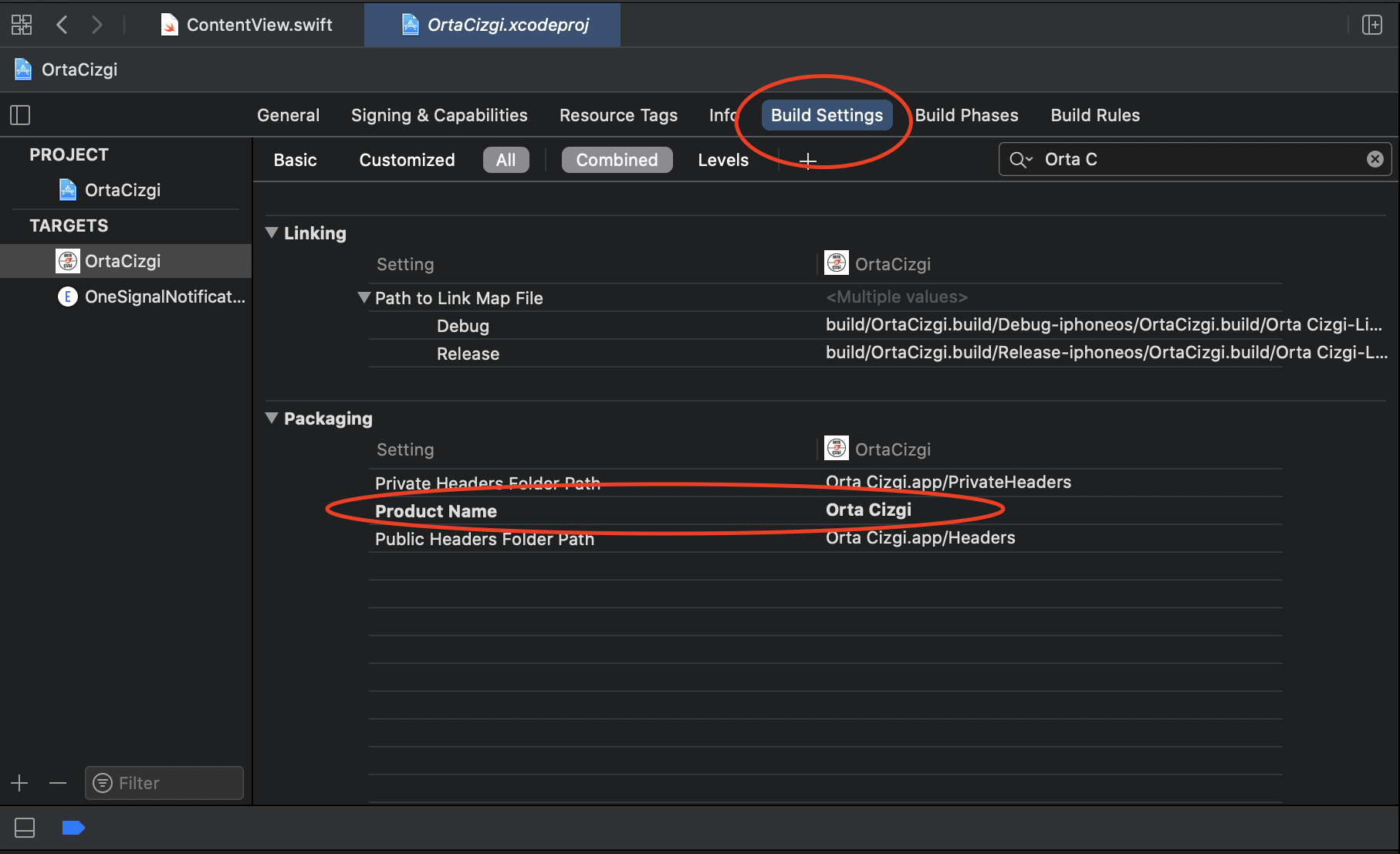
Then you can change 'Bundle display name' in info.plist.
halilyuce
on 24 Sep 2020
Great, it worked. Thank you so much for your help!
adupkabe
on 24 Sep 2020
Related issues
 appcelerate
·
3Comments
appcelerate
·
3Comments
 Tavernari
·
4Comments
Tavernari
·
4Comments
 dirkoswanepoel
·
5Comments
dirkoswanepoel
·
5Comments
 KishanVyas
·
6Comments
KishanVyas
·
6Comments
 basememara
·
4Comments
basememara
·
4Comments
Most helpful comment
Great, it worked. Thank you so much for your help!