Omnisharp-vscode: omnisharp broken on the mac :/
Command 'OmniSharp: Restart OmniSharp' resulted in an error (command 'o.restart' not found)

 leozhang1
All 19 comments
@leozhang1 Sorry you are running into this issue. Looks like this may be an incomplete installation. Could you try uninstalling the C# extension and reinstalling it?
 JoeRobich
on 22 Oct 2020
JoeRobich
on 22 Oct 2020
@leozhang1 Sorry you are running into this issue. Looks like this may be an incomplete installation. Could you try uninstalling the C# extension and reinstalling it?
Hello Joe. I did that multiple times but it didn't work :/
leozhang1
on 22 Oct 2020
@leozhang1 After reinstalling, is there any logs in the Output pane for C#, .NET, or OmniSharp? Could you share them?
JoeRobich
on 22 Oct 2020
@leozhang1 After reinstalling, is there any logs in the Output pane for C#, .NET, or OmniSharp? Could you share them?
yeah so restarting it works like before, but there are no "references" at the top of my functions....
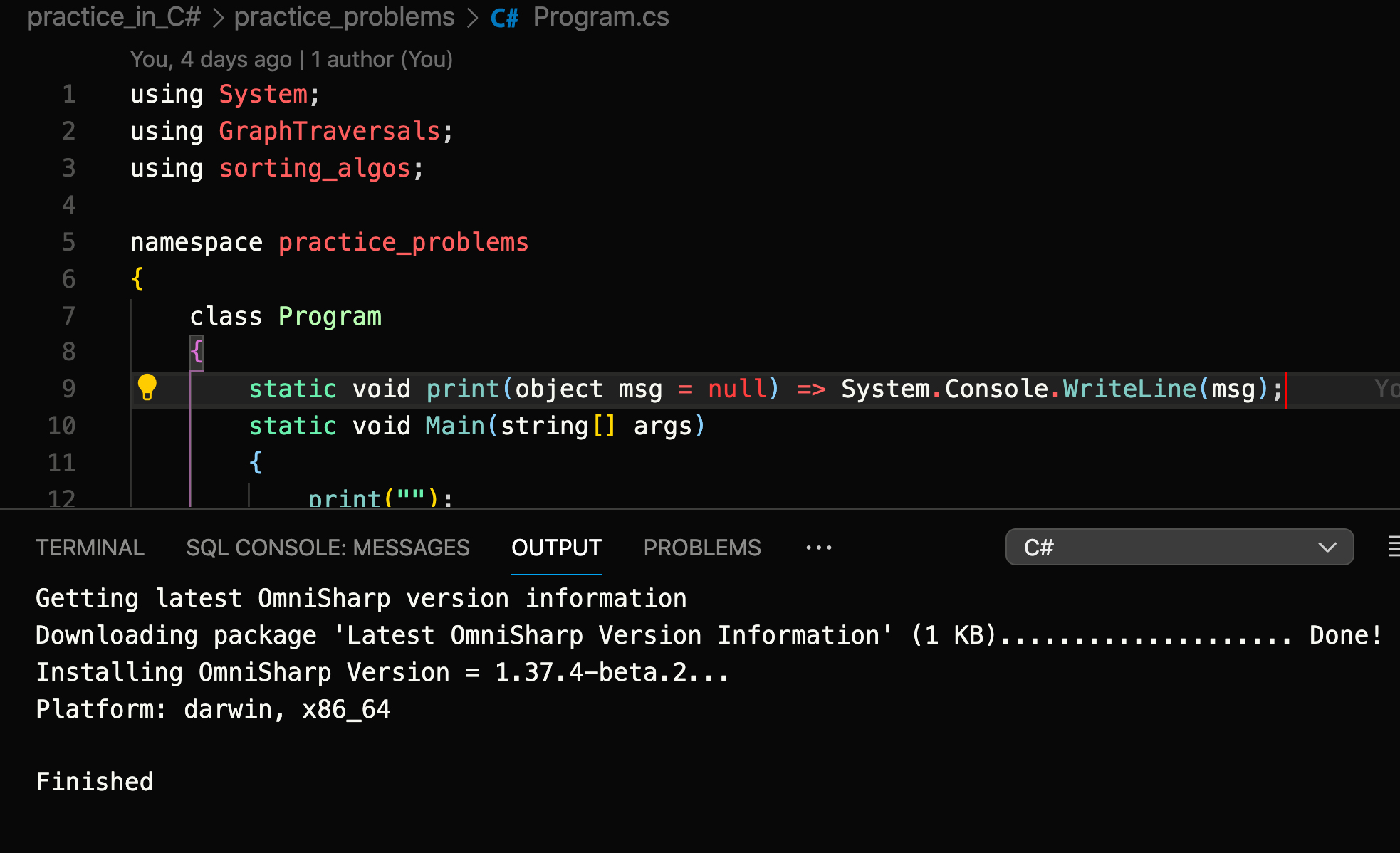
it should have references like this:

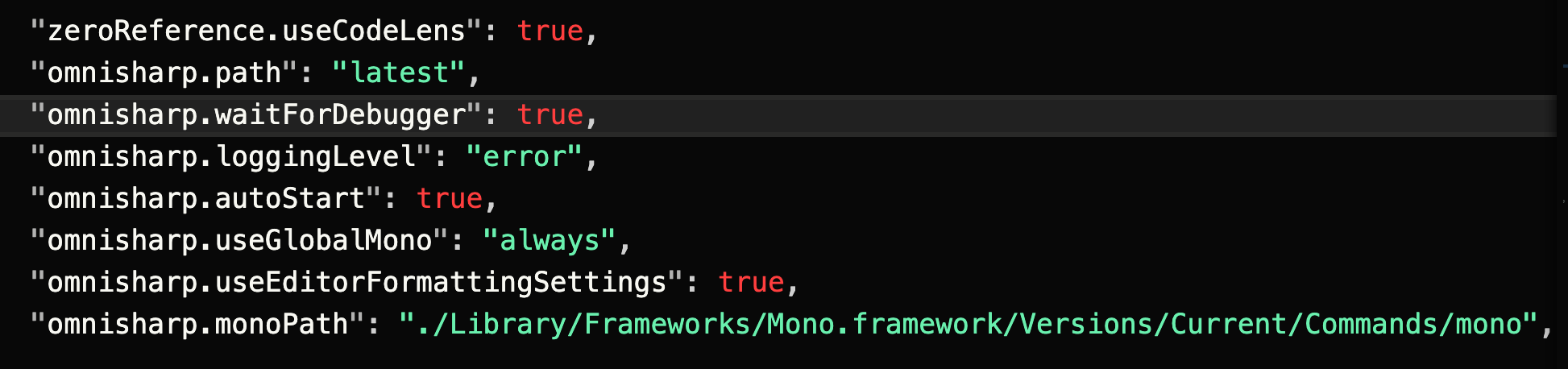
these are my vs code settings.json information for omnisharp. Please let me know if i am missing anything or having existing json items wrong (I dont think the first line is relevant, but eh, whatever. I hope this helps a little more 😊)
leozhang1
on 22 Oct 2020
@leozhang1 Looking good so far. Can you share the OmniSharp logging from the Output pane? It will have details about project loading that can point us at what is going on.
JoeRobich
on 22 Oct 2020
@leozhang1 Looking good so far. Can you share the OmniSharp logging from the Output pane? It will have details about project loading that can point us at what is going on.
oh my bad. I thought the first image from before was it. Is this it?

leozhang1
on 22 Oct 2020
@leozhang1 Oh, the 1.15.2 version of the C# extension is very old. Could you install the latest version from the Extension panel or manually update to the latest release available here - https://github.com/OmniSharp/omnisharp-vscode/releases/tag/v1.23.4
JoeRobich
on 23 Oct 2020
@leozhang1 Oh, the 1.15.2 version of the C# extension is very old. Could you install the latest version from the Extension panel or manually update to the latest release available here - https://github.com/OmniSharp/omnisharp-vscode/releases/tag/v1.23.4
What I had was the C# vs code extension by microsoft though? Do I just uninstall that extension?
Also I downloaded the zip file from your link. what do I do with it next? @JoeRobich
leozhang1
on 23 Oct 2020
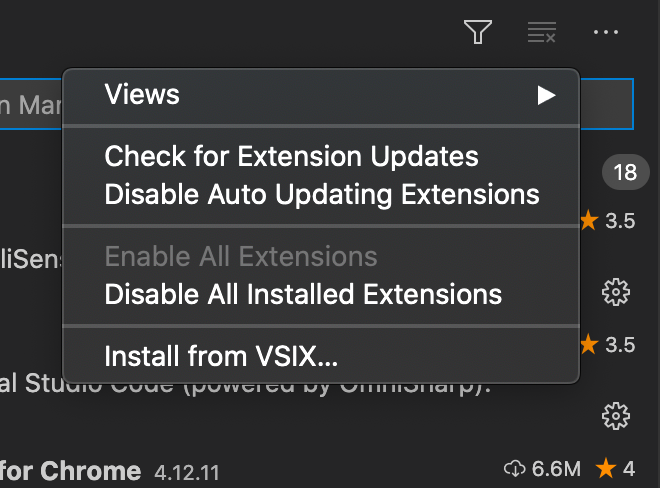
@leozhang1 I'm not sure why it was installing such an old (May 2018) release for you. First uninstall the old C# extension and then you can either drag the .vsix into the extension panel or you can use this dropdown to Install from .VSIX.
JoeRobich
on 23 Oct 2020
@leozhang1 I'm not sure why it was installing such an old (May 2018) release for you. First uninstall the old C# extension and then you can either drag the .vsix into the extension panel or you can use this dropdown to Install from .VSIX.
@JoeRobich Okay. This last one is taking forever to download tho. Is that normal?

leozhang1
on 23 Oct 2020
@JoeRobich
So...it didn't work 😭

leozhang1
on 23 Oct 2020
@leozhang1 Can you remove your configuration for "omnisharp.monoPath" it should be able to locate it on its own and that is one less potential issue, also remove "omnisharp.waitForDebugger" which may have caused the timeout, and "omnisharp.autostart" as the default value is already true.
JoeRobich
on 23 Oct 2020
@JoeRobich Okay. Removing those, now this:


And the "System" namespace isn't recognized anymore 😭
leozhang1
on 23 Oct 2020
@leozhang1 I've only seen that error when there are multiple VS Code windows open. One is running C# extension and the other installed and upgraded C# extension causing there two be two instances running. If you have multiple VS Code instances running close them all and start a single instance.
JoeRobich
on 23 Oct 2020
@leozhang1 I've only seen that error when there are multiple VS Code windows open. One is running C# extension and the other installed and upgraded C# extension causing there two be two instances running. If you have multiple VS Code instances running close them all and start a single instance.
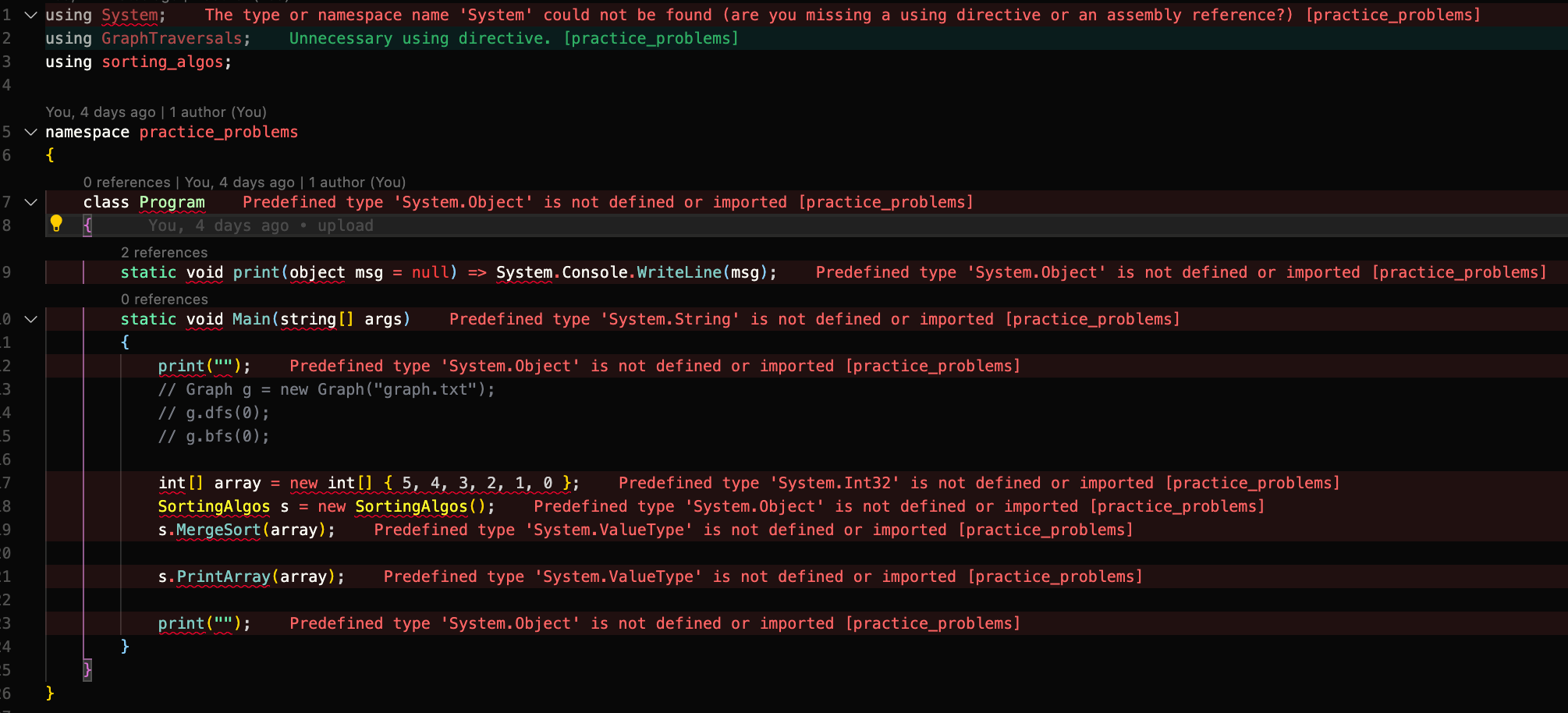
Okay. @JoeRobich Yup. I had another one open, but now, with these settings

I have this problem. I think we're getting closer though. Thank you so far :)
leozhang1
on 23 Oct 2020
I had the same problem and it seemed to have been fixed with
 "omnisharp.path": "latest",
 "omnisharp.useGlobalMono": "never"
 royshouvik
on 23 Oct 2020
royshouvik
on 23 Oct 2020
I had the same problem and it seemed to have been fixed with
 "omnisharp.path": "latest",
 "omnisharp.useGlobalMono": "never"
Hey @royshouvik ! Thank you so much! After days, it's finally working again! 🙌 That did it! How did you know that we should never use global mono? If we set the value to "never", then which mono are we using?
leozhang1
on 23 Oct 2020
I have updated the Readme with instruction for developing against the .NET Core 3.1.40x and .NET 5 SDKs - https://github.com/OmniSharp/omnisharp-vscode#note-about-using-net-core-3140x-sdks
Unfortunately Mono 6.12.0 still ships with an older version of MSBuild that does not support these SDKS.
JoeRobich
on 23 Oct 2020
@leozhang1 Glad things are working for you now. Going to close this one.
JoeRobich
on 23 Oct 2020
Related issues
 slevengood
·
3Comments
slevengood
·
3Comments
 mentoreet
·
3Comments
mentoreet
·
3Comments
 jwbay
·
3Comments
jwbay
·
3Comments
 ghost
·
3Comments
ghost
·
3Comments
 greghroberts
·
3Comments
greghroberts
·
3Comments