Olive: Incorrect Windows version, audio issues, and suggestions
_The Versioning Issue_
The downloads page says it provides December 2018 binaries. However, the site provides the unreleased January 2019 build.
_Audio Issues (January 2019 build for Windows)_
Note: None of these issues affect video files with audio tracks. These issues affect individual audio files with no video track whatsoever.
- Wave-forms do not render
- The green audio strip is not properly inserted into the timeline. No matter where you scrub, the audio strip plays back wherever it was left off.
_Feature Requests/Improvements_
- The ability to link/un-link and "un-nest" strips through the context-menu. No more #267
- Nested strips from multiple sequences should form one strip, similar to Blender's meta-strip function. This should reduce clutter.
- Currently, the transform effect's uniform-scale inserts both X and Y-axis keyframes into the graph-editor. In uniform-scale, the user should only insert X-axis keyframes. The Y-Axis (green) is redundant for uniform scaling.
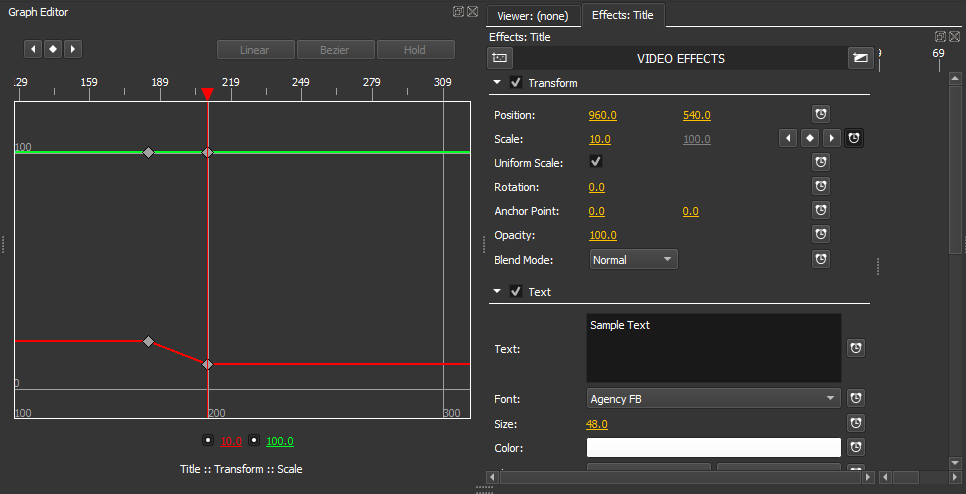
- Markers and the time-line scrubber need to separate. The issue affect the timeline, graph editor, and node editor. Here is an example of a common conflict:
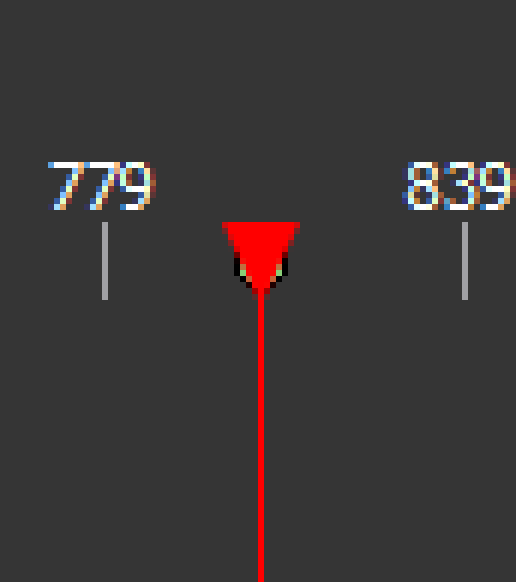
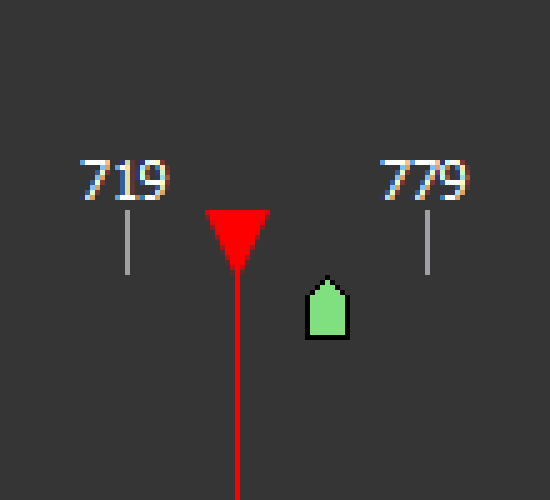
This makes it difficult to interact with the marker or scrubber. My idea is that the marker should mirror the scrubber like this:
I also hope the issues from #300 were considered. The OP did many works on his fork and I don't want this project to die out :v
 Brimson
All 10 comments
- Wave-forms do not render
- The green audio strip is not properly inserted into the timeline. No matter where you scrub, the audio strip plays back wherever it was left off.
You may need to send a sample of this audio file - this doesn't occur for me and sounds like perhaps there's a codec incompatibility of some kind.
- The ability to link/un-link and "un-nest" strips through the context-menu. No more #267
So adding Link/Unlink to the context menu? That should be easy. Olive doesn't yet have an "un-nest" feature.
- Nested strips from multiple sequences should form one strip, similar to Blender's meta-strip function. This should reduce clutter.
Does nesting clips not squash them into one sequence for you? You may need to clarify what you mean by this.
 itsmattkc
on 17 Jan 2019
itsmattkc
on 17 Jan 2019
Please, split this multitask issue into separate issues per each task (it would be useful for prevent creating duplicates)
 Symbian9
on 17 Jan 2019
Symbian9
on 17 Jan 2019
@itsmattkc
- Okay, here are some examples I got from here
This is how it looks on the January Alpha (Windows x64)
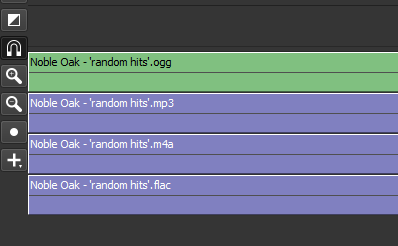
It still happens even when I re-encode the audio samples with FFmpeg
Yeah, adding unlink/link abilities to the context menu would be great feature to have
The current nested sequence is like this, with two strips.
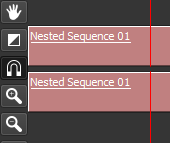
I thought it would be a sound idea to remove the bottom strip because you can't alter it. However, I just realized that the bottom strip is for the audio. I am scrapping this proposed idea altogether since it does not make sense (my mistake).
@Symbian9 I will keep this issue as it is because the developer already responded to the multiple points I made. Thanks, I will keep this in mind for the future 👍
Brimson
on 17 Jan 2019
I'm not able to recreate your audio missing waveforms bug. I've updated the website builds so could you try those and see if they solve the audio issue?
itsmattkc
on 18 Jan 2019
@itsmattkc
The issues are still there when I tried Alpha b2ff4db (both installer and portable versions). I have discovered that the issues I am experiencing on my end also affects audio recordings as well. This is odd since audio tracks from imported videos work as intended.
This is my workaround to my issue:
- Export a blank video clip with no audio
- Use MKVToolNix to merge desired audio track + blank video into a Matroska file
- Profit. Wave-forms render and playback runs fine
Brimson
on 18 Jan 2019
@BrimsonBhin They're still working on my end. Can you check Help > Debug Log for any error messages surrounding the importing and inserting of said audio files?
itsmattkc
on 20 Jan 2019
@itsmattkc I received no errors from the debug log. I am testing with the portable build.
Brimson
on 20 Jan 2019
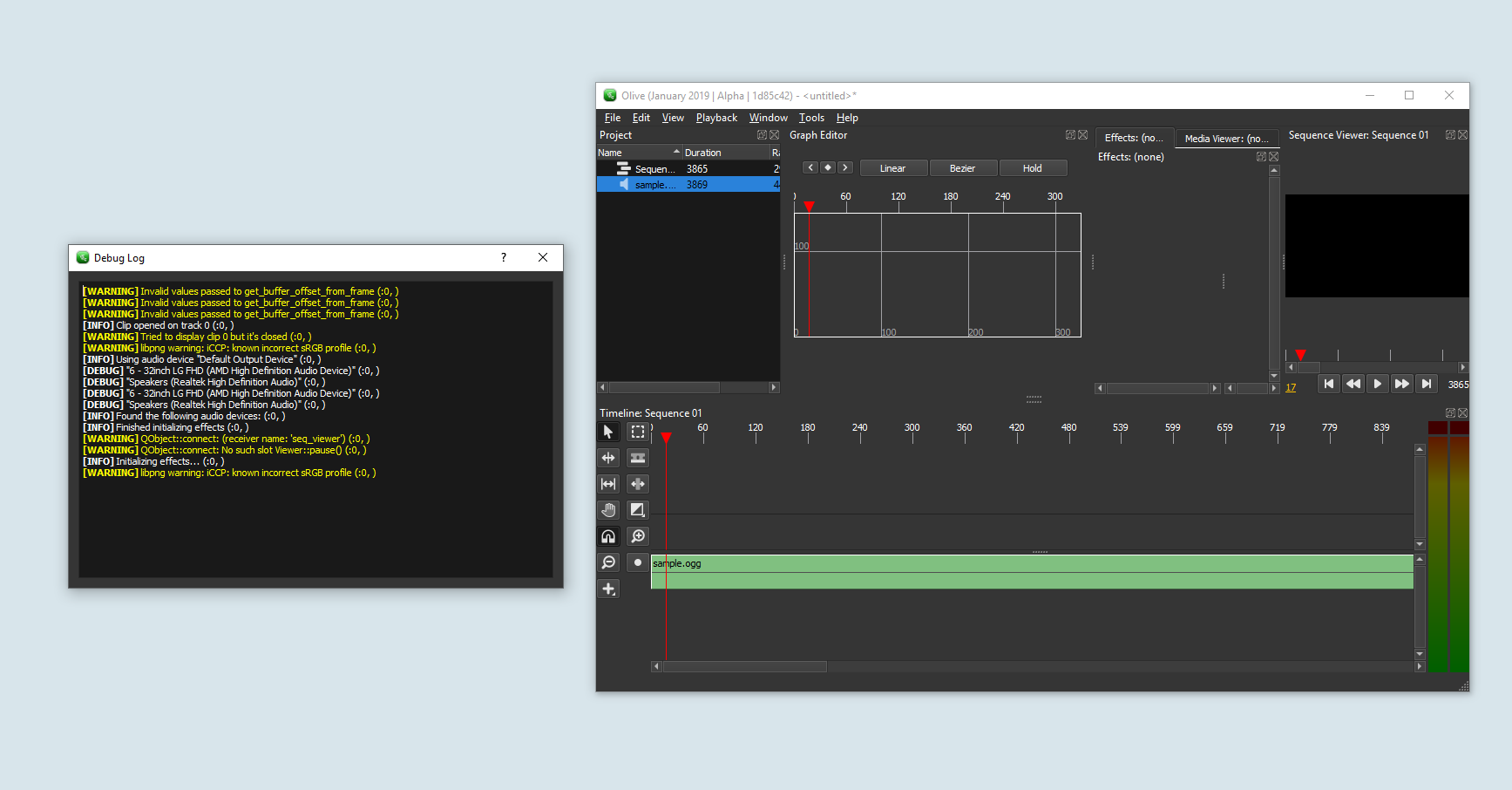
@itsmattkc Okay, debug now works in 1d85c42, here is what I get whenever I scrub/play the audio
The [WARNING] Tried to display clip 0 but it's closed (:0, ) happens after I imported the sample audio into the timeline
Brimson
on 23 Jan 2019
I believe 32479b1b8395004e06d46e5289b19632fed8a6d5 should fix this, let me know if it does! (the latest Windows build should be up to date)
itsmattkc
on 24 Jan 2019
It works! thank you :)
Brimson
on 24 Jan 2019
Related issues
itsmattkc
·
18Comments
 prokoudine
·
38Comments
prokoudine
·
38Comments
 Efenstor
·
22Comments
Efenstor
·
22Comments
 Reaper10
·
31Comments
Reaper10
·
31Comments
 SebastianTheFish
·
28Comments
SebastianTheFish
·
28Comments
Most helpful comment
Please, split this multitask issue into separate issues per each task (it would be useful for prevent creating duplicates)