Okd: OKD 4.4 bootstrap hangs if manifests customized
Problem Statement: When editing the CVO or Ingress Controller manifests, the bootstrap hangs on reboot.
Environment: Libvirt using bare metal Fedora CoreOS initramfs and kernel image
Technologies for Infrastructure: DNSMasq, HAProxy, Firewalld, Apache 2.4.37, PXE Boot
OpenShift Versions:
[root@gateway ignition]# openshift-install version
openshift-install 4.4.0-0.okd-2020-01-28-022517
built from commit 7ca0817244033e5f543541def5b18ea1bac440f7
release image registry.svc.ci.openshift.org/origin/release@sha256:2350fee6c0d8a980d499b7bbb3ba20137ffa58416bc1381304596772957f7836

[root@gateway ignition]# oc version
Client Version: 4.4.0-0.okd-2020-01-28-022517
Fedora CoreOS Images:
fedora-coreos-31.20200210.3.0-live-initramfs.x86_64.img
fedora-coreos-31.20200210.3.0-live-kernel-x86_64
fedora-coreos-31.20200210.3.0-metal.x86_64.raw.xz
fedora-coreos-31.20200210.3.0-metal.x86_64.raw.xz.sig
Bootstrap hangs like this after the initial reboot:

Attempted updates:
cvo manifest:
apiVersion: config.openshift.io/v1
kind: ClusterVersion
metadata:
  creationTimestamp: "2020-03-11T00:04:31Z"
  generation: 3
  name: version
  resourceVersion: "219704"
  selfLink: /apis/config.openshift.io/v1/clusterversions/version
  uid: 9e43c10d-9b3f-4f13-8a25-2e13f9b3ff34
spec:
  channel: stable-4.3
  clusterID: e8ed9a0e-a25c-45c0-a800-963fe9050774
  overrides:
  - group: apps/v1
    kind: Deployment
    name: etcd-quorum-guard
    namespace: openshift-machine-config-operator
    unmanaged: true
  upstream: https://api.openshift.com/api/upgrades_info/v1/graph
ingress operator
apiVersion: config.openshift.io/v1
kind: Ingress
metadata:
  creationTimestamp: null
  name: cluster
spec:
  domain: ${INGRESS_WILDCARD}
  nodePlacement:
    nodeSelector:
      matchLabels:
        node-role.kubernetes.io/infra: "true"
Steps to reproduce:
- download the oc client locally
- run the extract command
oc adm release extract --tools registry.svc.ci.openshift.org/origin/release:4.4.0-0.okd-2020-01-28-022517
- make a unique dir and create the install-config.yaml
mkdir $(date %+F)
cd $(date %+F)

cat << EOF > install-config.yaml.bak
apiVersion: v1
baseDomain: ${BASE_DOMAIN}
compute:
- hyperthreading: Enabled
  name: worker
  replicas: ${NUMBER_OF_WORKER_VMS}
controlPlane:
  hyperthreading: Enabled
  name: master
  replicas: ${NUMBER_OF_MASTER_VMS}
metadata:
  name: ${CLUSTER_NAME}
networking:
  clusterNetwork:
  - cidr: ${CLUSTER_NETWORK}
    hostPrefix: 23
  networkType: OpenShiftSDN
  serviceNetwork:
  - ${SERVICE_NETWORK}
platform:
  none: {}
fips: false
pullSecret: ${PULL_SECRET}
sshKey: ${SSH_KEY}
EOF
- generate the manifests
openshift-install create manifests
- make edits
- create the ignition configs
openshift-install create ignition-configs
- put the files in the apache directory
cp *.ign /var/www/html/ignition
- set the ownership and selinux contexts
chown -R apache. /var/www/html
restorecon -Rvv /var/www/html
- launch the vm and wait for it to hang.
I cannot run must-gather as the vm doesn't respond to SSH and hasn't started pulling pods or bringing up the API yet.
I have tried first one manifest edit, then the other, then both at the same time. This issue is not present in OpenShift Container Platform 4.3. I have run the same process using documented process for OCP4.
In addition, with the exact same setup, simply running
openshift-install create ignition-configs
instead of even creating the manifests allows the bootstrap to install as expected
 stratus-ss
All 13 comments
Can you check if bootstrap node ever requests bootstrap.ign from apache?
 vrutkovs
on 11 Mar 2020
vrutkovs
on 11 Mar 2020
I do indeed see initial GETs to the apache server before the bootstrap hangs
10.120.120.99 - - [11/Mar/2020:12:50:55 -0400] "GET /fedcos/installer-kernel HTTP/1.1" 200 10293960 "-" "iPXE/1.0.0+ (de45)"
10.120.120.99 - - [11/Mar/2020:12:50:55 -0400] "GET /fedcos/installer-initramfs.img HTTP/1.1" 200 643005729 "-" "iPXE/1.0.0+ (de45)"
10.120.120.99 - - [11/Mar/2020:12:51:17 -0400] "GET /ignition/bootstrap.ign HTTP/1.1" 200 292072 "-" "curl/7.66.0"
10.120.120.99 - - [11/Mar/2020:12:51:17 -0400] "GET /fedcos/metal.raw.gz.sig HTTP/1.1" 200 543 "-" "reqwest/0.9.24"
10.120.120.99 - - [11/Mar/2020:12:51:17 -0400] "GET /fedcos/metal.raw.gz HTTP/1.1" 200 469157248 "-" "reqwest/0.9.24"
Interesting
@dustymabe @cgwalters any ideas how to debug a hanging FCOS machine?
vrutkovs
on 11 Mar 2020
This happens to me as well.
We install okd on a vsphere infrastructure though, so I guess this is a provider independent problem. Installing ocp with the exact same configuration works flawlessly.
We are happy to help debugging the issue.
 timbrd
on 18 Mar 2020
timbrd
on 18 Mar 2020
This seems to be a FCOS issue, few steps to try:
Use latest stable FCOS from https://getfedora.org/en/coreos/download/
OKD is using an older image, but we can bump if that fixes the issueAdd
rd.debugkernel arg
This should make dracut to output more informationCheck previous output in the console (preferably from serial console)
Previous units may have produced some useful info
vrutkovs
on 18 Mar 2020
This seems to be a FCOS issue, few steps to try:
* Use latest stable FCOS from https://getfedora.org/en/coreos/download/
  OKD is using an older image, but we can bump if that fixes the issue
Same problem when using the current fcos image (VMware, 31.20200223.3.0).
* Add `rd.debug` kernel arg
  This should make dracut to output more information
I added the kernel parameters rd.shell and rd.debug
There are a few error messages, but I could not find anything interesting (I guess the emergency service is not relevant for the issue).
* Check previous output in the console (preferably from serial console)
  Previous units may have produced some useful info
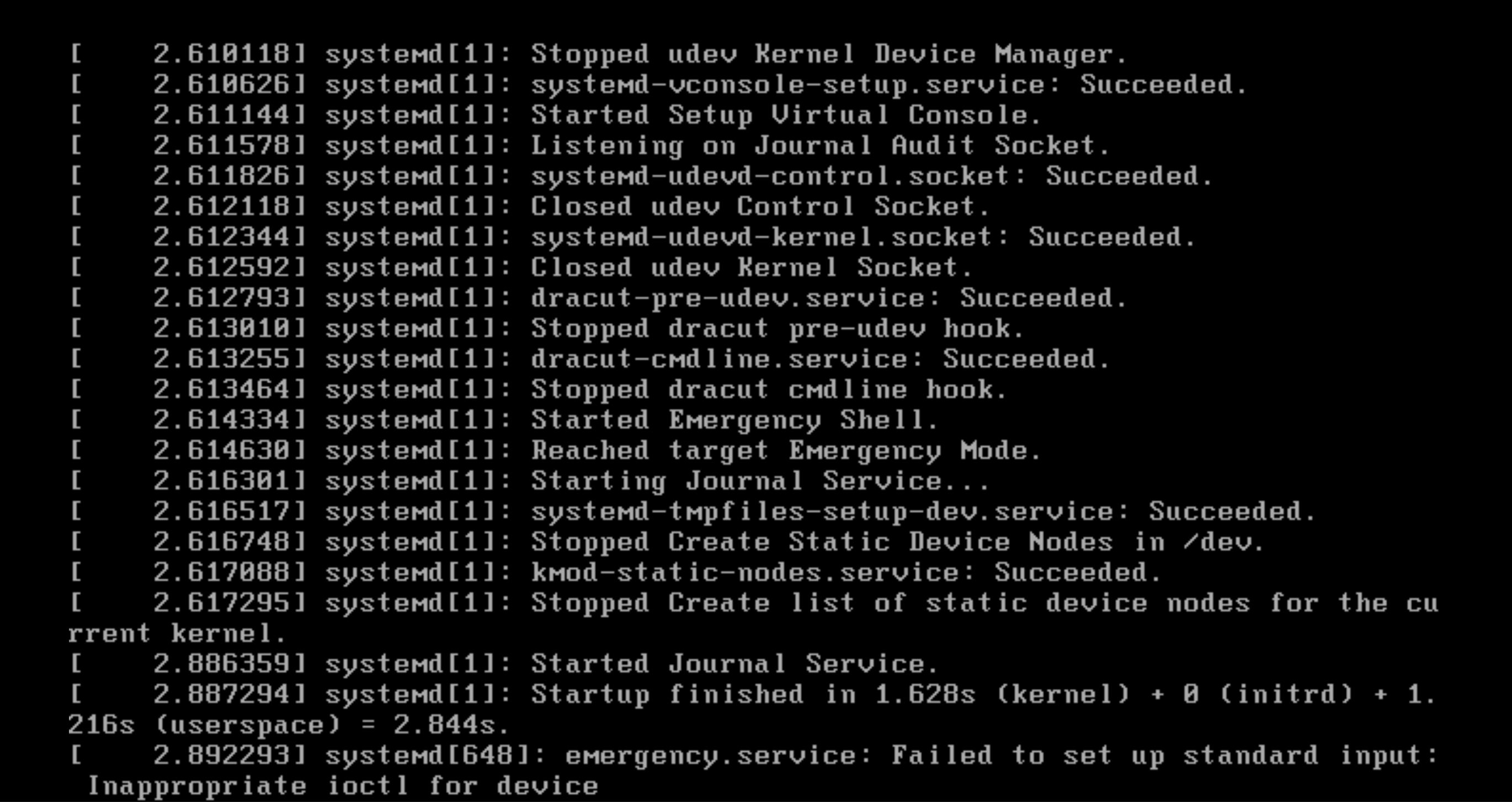
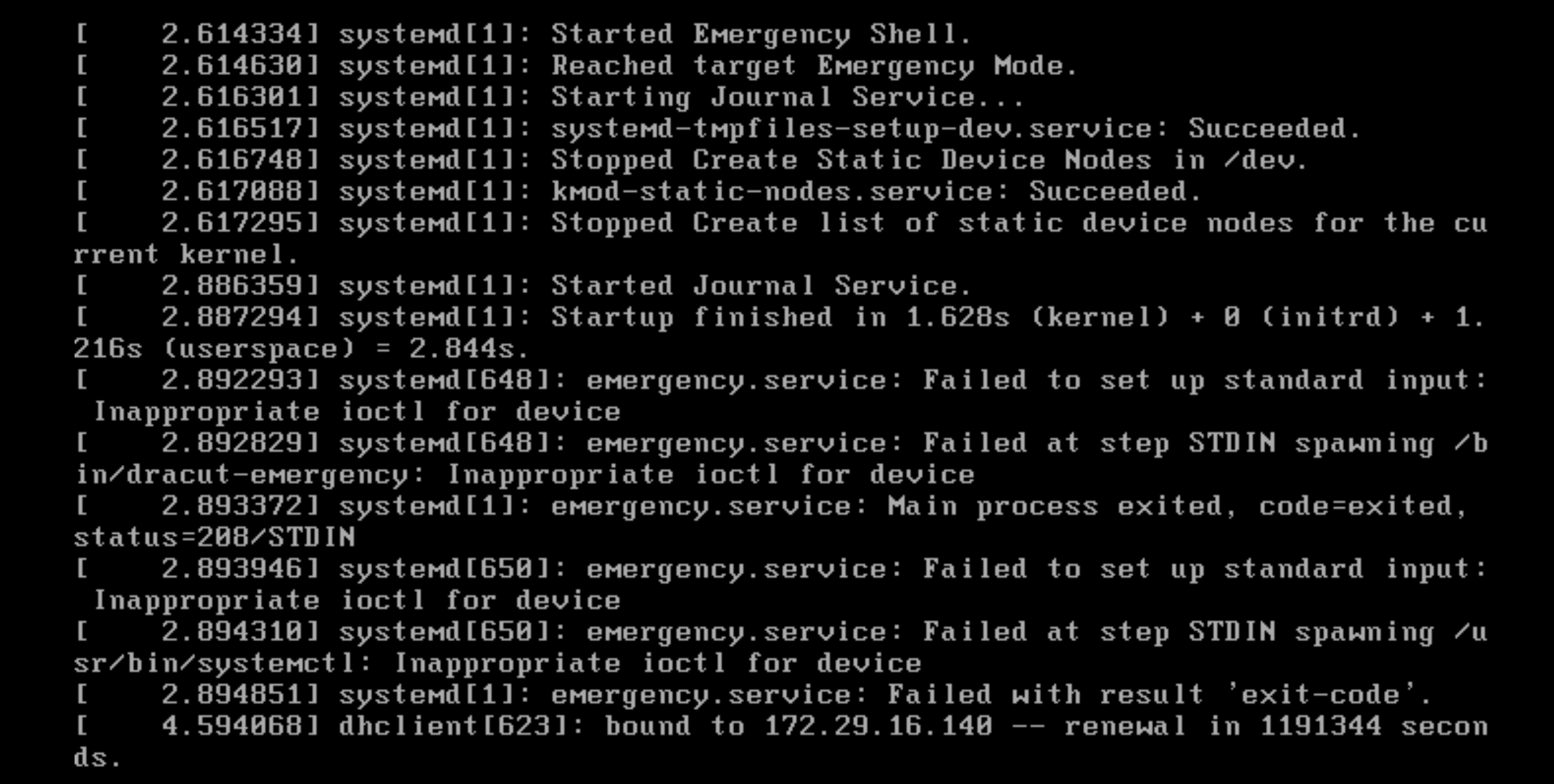
timbrd
on 18 Mar 2020
Any output before these screens? Seems all services are stopped at 2.6.0118, but what happens before that?
vrutkovs
on 19 Mar 2020
Sorry, there were some messages missing indeed.
You find the full debug log attached. Since the issue might be caused by a ignition config version mismatch, I also uploaded the ignition config of the machine.
[ 5.8720[ 6.141473] ignition[637]: failed to fetch config: unsupported config version
https://gist.github.com/timbrd/9e4408b4188dddb03ae48c81b4918c24
timbrd
on 19 Mar 2020
Well, right, "version": "2.1.0" is not valid.
Make sure you're using OKD installer, no other files are in the destination directory and produced ignition files have "version": "3.0.0"
vrutkovs
on 19 Mar 2020
Hi @vrutkovs,
because of limitations in VMware vSphere (limited number of characters in guestinfo.ignition.config.data) there is no way to way to directly use the Ignition config from the installer (at least the one for the boostrap node). Instead you have to create a shorter version, which includes the installer ignition config via HTTP, hosted on your external webserver.
{
  "ignition": {
    "config": {
      "append": [
        {
          "source": "http://webserver.example.com/worker.ign",
          "verification": {}
        }
      ]
    },
    "timeouts": {},
    "version": "2.1.0"
  },
Thats the way how i currently deploy OCP 4.3 on vSphere with UPI. This is also the way how you would set a static hostname or ip address (see https://github.com/openshift/installer/blob/master/docs/user/vsphere/install_upi.md#hostname).
How should such a configuration look like for ignition version 3.0.0? I could't find any docs for this. Could you give us a short hint?
 slauger
on 19 Mar 2020
slauger
on 19 Mar 2020
See https://github.com/coreos/ignition spec
Two things different from OCP 4.4 (which is on Ignition v2):
- version 3.0.0
ignition.config.appendis replaced withignition.config.merge
Other than that it should work identically
vrutkovs
on 19 Mar 2020
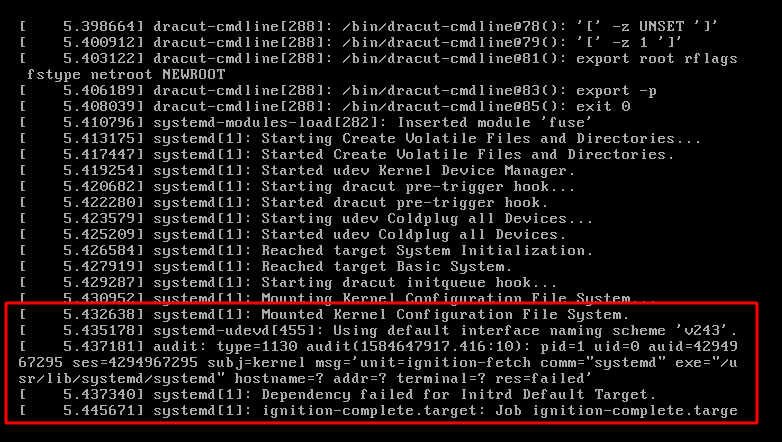
Using the latest images with rd.debug:
stratus-ss
on 19 Mar 2020
Using the latest images with rd.debug:
A failed unit "unit-ignition-fetch" sounds like that the download of the ignition file failed.
I could confirm that FCOS gets stuck during bootup if either the ignition file is inaccessible (HTTP errors, missing CA certificate when using HTTPS) or invalid (broken json, invalid or unkown fields in the ignition config). This also applies to RHCOS. You should double check your access logs and ignition configuration here.
After fixing my ignition config (2.1.0 to 3.0.0 and ignition.config.append to ignition.config.merge) the bootstrap finished.
slauger
on 1 Apr 2020
Related issues
 LorbusChris
·
11Comments
LorbusChris
·
11Comments
 mangelajo
·
6Comments
vrutkovs
·
12Comments
mangelajo
·
6Comments
vrutkovs
·
12Comments
 kai-uwe-rommel
·
12Comments
kai-uwe-rommel
·
12Comments
 rkujawa
·
4Comments
rkujawa
·
4Comments