Oidc-client-js: CORS Issues
Anybody has any idea why I might be getting this kind of error:
Failed to load https://login.microsoftonline.com/common/discovery/keys: No 'Access-Control-Allow-Origin' header is present on the requested resource. Origin 'http://localhost:1337' is therefore not allowed access.
I am using Microsoft Azure Authentication Directory and I have set my callback on my registered app.
 Hyjaz
Hyjaz
All 18 comments
They don't support CORS. Contact support and let them know you want this feature.
 brockallen
on 15 Oct 2017
brockallen
on 15 Oct 2017
Wow what a bummer.
Hyjaz
on 15 Oct 2017
@Hyjaz How did you solve this issue?
 g-guth
on 17 Oct 2017
g-guth
on 17 Oct 2017
@g-guth You need to add metadata and signInKeys in your settings section.
Here is the actual closed issue that resolves this issue.
Hyjaz
on 17 Oct 2017
Is this 29 days ago refers to the latest docs state?
.... And CORS again, whey for the sake of God, we always have that CORS.
My Bot registered via https://dev.botframework.com/
My MS App crated via https://apps.dev.microsoft.com
I have successfully deployed Bot to Heroku and communicate with Bot via Skype chat and in private dialogs. And now I need simple sing - send REST request to API, and reflect Bot behavior by sending message to the Skype chat. Simple as **... BUt.
Yes, I know and tried both variants of Authentication, and in fact as I understand, I need GET+GET way - "_Authenticate requests from the Bot Connector service to your bot_", because in fact I plan to use Python or JavaScript code to send REST request to Bot Connector, to trigger Bot action/activity/dialog and so that trigger Bot send a message back into Skype chat. So it's kinda one-way, _non-reply message_.
I'm struggling with this doc a few days, and I can't login normally to Skype Bot API. I can install Chrome Extension for CORS on/off, but then subsequent request fail.
So again? Why CORS?
PS. My variant of code: Simple javascript $.ajax with method POST call to https://login.microsoftonline.com/botframework.com/oauth2/v2.0/token as it's written in docs regarding Auth in docs,
And I in both cases have
Failed to load https://login.microsoftonline.com/botframework.com/oauth2/v2.0/token: Response to preflight request doesn't pass access control check: No 'Access-Control-Allow-Origin' header is present on the requested resource. Origin 'http://localhost:5000' is therefore not allowed access.
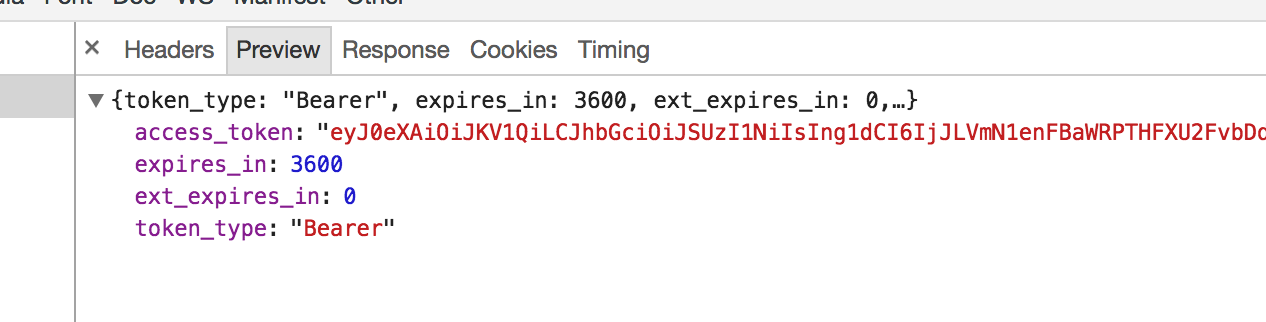
And very oddly, POST request in Chrome Dev Consocle shows data response, but promise is failed in AJAX call anyway.
Here is my Request Headers:
POST /botframework.com/oauth2/v2.0/token HTTP/1.1
Host: login.microsoftonline.com
Connection: keep-alive
Content-Length: 166
Pragma: no-cache
Cache-Control: no-cache
Accept: */*
Origin: http://localhost:5000
User-Agent: Mozilla/5.0 (Macintosh; Intel Mac OS X 10_12_6) AppleWebKit/537.36 (KHTML, like Gecko) Chrome/64.0.3265.0 Safari/537.36
Content-Type: application/x-www-form-urlencoded; charset=UTF-8
Referer: http://localhost:5000/
Accept-Encoding: gzip, deflate, br
Accept-Language: en-US,en;q=0.9,pl;q=0.8,uk;q=0.7,ru;q=0.6
And here is MS server Response Headers:
HTTP/1.1 200 OK
Cache-Control: no-cache, no-store
Pragma: no-cache
Content-Type: application/json; charset=utf-8
Expires: -1
Server: Microsoft-IIS/8.5
Strict-Transport-Security: max-age=31536000; includeSubDomains
X-Content-Type-Options: nosniff
x-ms-request-id: b14fc73b-e36b-4b8a-8a8f-235943d00000
P3P: CP="DSP CUR OTPi IND OTRi ONL FIN"
Set-Cookie: esctx=AQABAAAAAABHh4kmS_aKT5XrjzxRAtHz0yZNiK4cVL0kTt98PU8anDXX0O1AfMPhgmrfZDi8XM6UiWSYpCB0w9k1n6OrqvI5N5MuA3apmLWp_SH15WownwHOVPKAjWVB2S_y8KvuZoGcpm8Fe4mQgr2HCOESX42h4J9gJrCGUFLN5iECjIzDbEEV80m7pPSs-JnjDfPstp0gAA; domain=.login.microsoftonline.com; path=/; secure; HttpOnly
Set-Cookie: x-ms-gateway-slice=002; path=/; secure; HttpOnly
Set-Cookie: stsservicecookie=ests; path=/; secure; HttpOnly
X-Powered-By: ASP.NET
Date: Wed, 15 Nov 2017 23:48:33 GMT
Content-Length: 1073
So where I get something wrong?
here is btw, my simple code:
$.ajax('https://login.microsoftonline.com/botframework.com/oauth2/v2.0/token', {
    method: 'post',
    data: {
        grant_type: 'client_credentials',
        client_id: MICROSOFT_APP_ID,
        client_secret: MICROSOFT_APP_PASSWORD,
        scope: 'https://api.botframework.com/.default'
    },
    _contentType: 'application/json', // tried. no effect
    _crossDomain: true, // tried. no effect
    _beforeSend: function(xhr) { // tried. no effect
        xhr.setRequestHeader('Access-Control-Allow-Origin', '*');
    },
    _headers: { // tried. no effect
        'Content-Type': 'application/json',
        'Access-Control-Allow-Origin': '*',
        // 'Access-Control-Allow-Methods': 'GET, POST, PATCH, PUT, DELETE, OPTIONS',
        // 'Access-Control-Allow-Headers': 'Origin, Content-Type, X-Auth-Token',
        // 'Access-Control-Allow-Credentials': 'true'
    },
    complete: function(xhr, textStatus) {
        console.log(xhr, textStatus)
    },
    success: function(data, textStatus, xhr) {
        console.log(data, textStatus, xhr)
    },
    error: function(xhr, textStatus, errorThrown) {
        console.log(xhr, textStatus, errorThrown);
    }
})
My localhost is simple http server configured using builtin NodeJS http + express or even simply running http-server - no diff. And in fact I understand, that CORS issue here is NOT with my server or even not with my Request, but with MS Response from server.
But if somone doubt, I even tried to configure my localhost server using CORS stuff:
server.js
var http = require('http');
var cors = require('cors')
var express = require('express');
var app = express();

var corsOptions = {
  origin: 'http://localhost:5000',
  optionsSuccessStatus: 200
}

// tried - no effect
app.use(cors(corsOptions)) // with options or without

// tried - no effect
app.use(function (req, res, next) {

    // Website you wish to allow to connect
    res.setHeader('Access-Control-Allow-Origin', '*');

    // Request methods you wish to allow
    res.setHeader('Access-Control-Allow-Methods', 'GET, POST, OPTIONS, PUT, PATCH, DELETE');

    // Request headers you wish to allow
    res.setHeader('Access-Control-Allow-Headers', 'X-Requested-With,content-type');

    // Set to true if you need the website to include cookies in the requests sent
    // to the API (e.g. in case you use sessions)
    res.setHeader('Access-Control-Allow-Credentials', true);

    // Pass to next layer of middleware
    next();
});
And btw, here is Python 3 code:
#
# Original code from here https://github.com/Microsoft/BotBuilder/issues/2691 and it was most
#

import os
from dotenv import load_dotenv, find_dotenv

load_dotenv(find_dotenv())

MICROSOFT_APP_ID = os.environ.get("MICROSOFT_APP_ID")
MICROSOFT_APP_PASSWORD = os.environ.get("MICROSOFT_APP_PASSWORD")

import requests
import urllib

def register():
    url = "https://login.microsoftonline.com/common/oauth2/v2.0/token HTTP/1.1"

    req_data = {
        "grant_type":    "client_credentials",
        "scope":         "https://api.botframework.com/.default",
        "client_id":     MICROSOFT_APP_ID,
        "client_secret": MICROSOFT_APP_PASSWORD
    }

    res = requests.post(
        url,
        data = urllib.parse.urlencode(req_data)
    )

    print(res.status_code)
    print(res.headers)
    print(res.text)

if __name__ == '__main__':
    register()
And the response is 404:
{
    'Cache-Control': 'private',
    'Server': 'Microsoft-IIS/8.5',
    'Strict-Transport-Security': 'max-age=31536000; includeSubDomains',
    'X-Content-Type-Options': 'nosniff',
    'x-ms-request-id': '718713b0-b3f8-47e4-87a4-5df7d92c0100',
    'P3P': 'CP="DSP CUR OTPi IND OTRi ONL FIN"',
    'Set-Cookie': 'x-ms-gateway-slice=007; path=/; secure; HttpOnly',
    'X-Powered-By': 'ASP.NET',
    'Date': 'Thu, 16 Nov 2017 01:01:25 GMT',
    'Content-Length': '0'
}
People, plz help, I'm lost...
PS. As of #275 - I tried with enabled cache, disabled, reopened Chrome browser, etc. No effect.
 alundiak
on 16 Nov 2017
alundiak
on 16 Nov 2017
People, plz help, I'm lost...
If MSFT doesn't support CORS, they don't support CORS.
brockallen
on 16 Nov 2017
Since Microsoft does not support cors, you need to add metadata in your request. I have added the issue number in my previous answer. That should work. So you are missing your metadata and signinkeys.
Hyjaz
on 16 Nov 2017
@brockallen but why docs don't say anything about it? And how other people deal with this? Is the ngrok the only solution? I don't believe I'm first who faced with this during Auth, so how people solved it?
@Hyjaz if u mean this snippet:
 metadata: {
            issuer: 'https://login.microsoftonline.com/{tenant}/v2.0',
            jwks_uri: 'https://login.microsoftonline.com/{tenant}/discovery/v2.0/keys',
            end_session_endpoint: 'https://login.microsoftonline.com/{tenant}/oauth2/v2.0/logout"',
            authorization_endpoint: 'https://login.microsoftonline.com/{tenant}/oauth2/v2.0/authorize'
        }
Then I don't get where I should add it it?
Should I extend my object I pass as payload to POST?:
data: {
        grant_type: 'client_credentials',
        client_id: MICROSOFT_APP_ID,
        client_secret: MICROSOFT_APP_PASSWORD,
        scope: 'https://api.botframework.com/.default'
    },
In docs there is no direct usage of field metadata, and I see only type/technology of Auth:
OpenID metadata | The Bot Connector service publishes a list of valid tokens that it uses to sign its own JWT tokens to OpenID metadata at a well-known, static endpoint.
And then in section _Get the MSA OpenID metadata document_
The OpenID metadata document specifies the location of a second document that lists the valid signing keys. To get the MSA OpenID metadata document, issue this request via HTTPS
But it's GET request, and I don't see how to pass metadata field?
And in fact, I also tried GET+ GET approach. And when I fetch request to get metadata via GET, I have similar error:
Failed to load https://login.botframework.com/v1/.well-known/openidconfiguration: No 'Access-Control-Allow-Origin' header is present on the requested resource. Origin 'http://localhost:5000' is therefore not allowed access.
alundiak
on 16 Nov 2017
@brockallen but why docs don't say anything about it?
No clue. Ask Microsoft (not me).
brockallen
on 16 Nov 2017
@alundiak try adding it in the data.
Do not forget the signin keys, because without the signin keys you will get another cors issue after you get through the first server call.
Hyjaz
on 16 Nov 2017
@Hyjaz
Here is my "data" object:
var dataObject = {
    metadata: {
        // {tenant} based/replaced, look like in GET+GET approach
        // from #275 per @Hyjaz
        issuer: 'https://login.microsoftonline.com/common/v2.0',
        jwks_uri: 'https://login.microsoftonline.com/common/discovery/v2.0/keys',
        end_session_endpoint: 'https://login.microsoftonline.com/common/oauth2/v2.0/logout',
        authorization_endpoint: 'https://login.microsoftonline.com/common/oauth2/v2.0/authorize'
    },
    grant_type: 'client_credentials',
    client_id: MICROSOFT_APP_ID,
    client_secret: MICROSOFT_APP_PASSWORD,
    scope: 'https://api.botframework.com/.default'
}
Didn't help. The same CORS error:
localhost/:1 Failed to load https://login.microsoftonline.com/botframework.com/oauth2/v2.0/token: No 'Access-Control-Allow-Origin' header is present on the requested resource. Origin 'http://localhost:8080' is therefore not allowed access.
And regarding yours
signin keys
I'm sorry, but I don't know/guess what is this.
If u meant these:
var getWellKnownKeysUrl_aka_jwks_uri = 'https://login.botframework.com/v1/.well-known/keys';
var getWellKnownKeysUrl_aka_jwks_uri_ForEmulator = 'https://login.microsoftonline.com/common/discovery/v2.0/keys';
then afaik, this is for second request, and CORS happens before first even succeed. So what do u mean under "sign keys"?
alundiak
on 17 Nov 2017
@alundiak
var dataObject= {
    authority: 'https://login.microsoftonline.com/{tenant_id}',
  client_id: '{client_id',
  redirect_uri: `${window.location.protocol}//${window.location.hostname}${window.location.port ? `:${window.location.port}` : ''}/callback`,
  response_type: 'id_token',
  scope: 'openid profile',
  post_logout_redirect_uri: `${window.location.protocol}//${window.location.hostname}${window.location.port ? `:${window.location.port}` : ''}/`,
  filterProtocolClaims: true,
  loadUserInfo: true,
  metadata: {
    issuer: 'https://sts.windows.net/{tenant_id}/',
    jwks_uri: 'https://login.microsoftonline.com/{tenant_id}/discovery/keys',
    end_session_endpoint: 'https://login.microsoftonline.com/{tenant_id}/oauth2/logout',
    authorization_endpoint: 'https://login.microsoftonline.com/{tenant_id}/oauth2/authorize'
  },
  signingKeys: [{}]
}
Replace those that are in brackets with your own values.
Hyjaz
on 17 Nov 2017
@Hyjaz this is kinda different type os usage Bot Connector. I don't want to use redirect to any page and get back then. I simply send $.ajax() POST request (https://login.microsoftonline.com/common/oauth2/v2.0/token) to get token, and then use the token in JavaScript code to do second request $.ajax() POST to Skype API (https://smba.trafficmanager.net/apis/v3/conversations/" + conversationId + "/activities)
So no UI interaction at all.
This is REST approach, which is documented on docs.
https://docs.microsoft.com/en-us/bot-framework/rest-api/bot-framework-rest-overview
But thanks for that code snippet, now I at least understand u was talking about different things :) than I was thinking.
PS. I don't use any kind of replacement of {tenant_id} because per documentations common can be used by default, and it's enough to successed.
alundiak
on 17 Nov 2017
So no UI interaction at all.
Then why are you using this oidc-client library?
brockallen
on 17 Nov 2017
@brockallen in fact I don't use it. AFAIK. I simply spotted on CORS issue on Google/github, and as soon it's related to MS APP/Skype Bot / IdentityModel, I sought it's issue deep down.
So far, instead of JavaScript, I resolved my needs using Bash/Pythin script, where nio ** CORS happens so far.
So thanks and sorry. @Hyjaz u 2 thanks :)
PS. PS, but my CORS issue with MS App/Bot platform, I will move to BotBuilder github for further research.
alundiak
on 17 Nov 2017
PS. PS, but my CORS issue with MS App/Bot platform, I will move to BotBuilder github for further research.
FWIW there's much Microsoft's token service does not fully and/or properly support. G'dluck.
brockallen
on 18 Nov 2017
@alundiak, I'm wanting to take the same approach (hit the auth service, and then use that token directly in my code to hit the DirectLine chat service). Did you ever figure out the right headers to use to make that happen? If so, can you paste them here?
 nathanlogan
on 3 Jul 2018
nathanlogan
on 3 Jul 2018
@nathanlogan I'm a bit away from this stuff these months. I will try get back later maybe.
alundiak
on 30 Aug 2018
Related issues
 mode777
·
3Comments
mode777
·
3Comments
 iXmonvi33
·
4Comments
iXmonvi33
·
4Comments
 bialabs
·
3Comments
bialabs
·
3Comments
 arnaldo-infinite
·
4Comments
arnaldo-infinite
·
4Comments
 rmja
·
3Comments
rmja
·
3Comments
Most helpful comment
@g-guth You need to add metadata and signInKeys in your settings section.
Here is the actual closed issue that resolves this issue.
https://github.com/IdentityModel/oidc-client-js/issues/275