Oh-my-posh3: Background colors on segments not rendering in MacOS during manual execution
Prerequisites
- [x] I have read and understand the
CONTRIBUTINGguide - [x] I looked for duplicate issues before submitting this one
Description
Using the example theme from the documentation and running oh-my-posh manually, I don't see background colors rendered.
I'm not sure if this is an artifact of trying to execute it manually or if this means there's something else I need to set. I was trying to do some testing to verify JanDeDobbeleer/oh-my-posh#177 and try converting my custom v2 theme to v3, but I'm not willing to mess up my existing prompt environment if I can't tell if this is going to work the same.
Environment
- Oh my Posh version: 3.14.2
- Theme: Example from docs.
- Operating System: MacOS
- Shell: PowerShell Core
- Terminal: Mac Terminal
Steps to Reproduce
First, create example.json with the theme from the docs. Note it has a foreground and background color.
Theme:
{
"final_space": true,
"blocks": [
{
"type": "prompt",
"alignment": "left",
"segments": [
{
"type": "path",
"style": "powerline",
"powerline_symbol": "",
"foreground": "#ffffff",
"background": "#61AFEF",
"properties": {
"prefix": " ",
"style": "folder"
}
}
]
}
]
}
Next, run the oh-my-posh executable and pass it the example.json as the configuration, like:
posh-darwin-amd64 -config ./example.json
Expected behavior: I expected to see the current folder shown with a white foreground and a light blue background.
Actual behavior:

Note there's no light blue background and the foreground color is not white.
 tillig
All 8 comments
My first bet is that the default terminal doesn't accept the colors. Because apart from that it renders what it should. Do me a favor and check iterm2, I'll check how to enable a full color profile in the default terminal later today.
 JanDeDobbeleer
on 12 Oct 2020
JanDeDobbeleer
on 12 Oct 2020
Yup, iTerm does seem to render correctly. I mean, I don't have the font set up right, but the colors are correct.

tillig
on 12 Oct 2020
According to the interwebs in regards to Terminal:
Under Terminal > Preferences... > (Profile) > Advanced, "Declare terminal as:" should be set to xterm-256color
JanDeDobbeleer
on 12 Oct 2020
I already have that set.
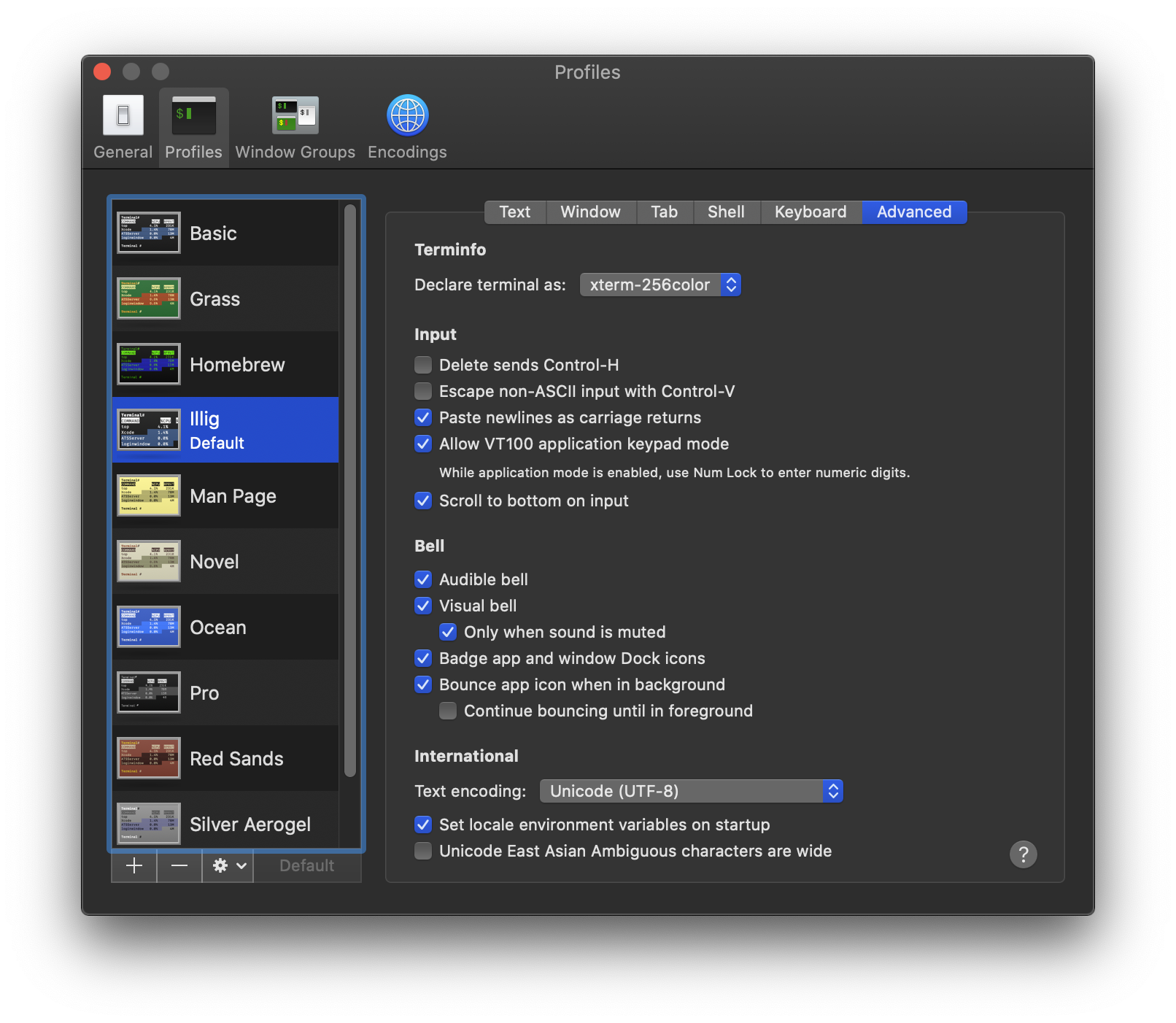
I also have text set as "display ANSI colors"... however, now I'm wondering if there's some limitation around which colors are allowed or something based on the fact there are only 16 colors shown here.

The colors displaying in my existing PowerShell Core prompt (shown in the initial issue) are part of the ANSI palette shown in this preference box.
I did consider that it might have been some PowerShell Core issue, so I started a fresh bash shell without PowerShell Core in the mix and got the same results as when PowerShell Core was there - folder shown in gray text, no background.
tillig
on 12 Oct 2020
It's not related to PowerShell but the terminal. I'll try to check which setting is causing this but it's definitely a Terminal issue and not related to oh-my-posh.
JanDeDobbeleer
on 12 Oct 2020
The way I see this, it just can't ever work in Terminal. Everything I tried to set doesn't work so I'll add that context to the docs.
JanDeDobbeleer
on 12 Oct 2020
Fair enough. I definitely appreciate your looking into it!
tillig
on 12 Oct 2020
I I ever find a solution I'll make sure to provide it though.
JanDeDobbeleer
on 12 Oct 2020
Related issues
 fedeiglesias
·
10Comments
fedeiglesias
·
10Comments
 otaconjh
·
6Comments
otaconjh
·
6Comments
 DotNetSparky
·
4Comments
DotNetSparky
·
4Comments
 firlus
·
10Comments
firlus
·
10Comments
 meakbiyik
·
9Comments
meakbiyik
·
9Comments