Officedocs-skypeforbusiness: Include Version Info
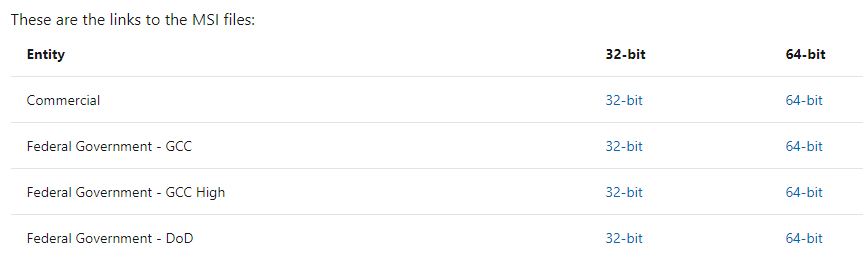
Can you please include the version number for the Teams MSI? Those of us in VDI environments need to keep Teams updated, but the MSI installs don't auto-update. So we have to constantly come back to check this page for the update. Basically every few days I have to download this MSI just to compare it to the MSIs we keep to know which version it is.
It would also be helpful if there was a way to subscribe to receive notifications when updates are released.
I am currently waiting for the MSI to update to 1.3.00.9267.
Thanks!
Document Details
⚠ Do not edit this section. It is required for docs.microsoft.com ➟ GitHub issue linking.
- ID: b2f71d9c-6b35-72c9-dd94-7f62319c1656
- Version Independent ID: 86172986-6cc8-eee5-1309-704d9de0dcd0
- Content: Install Teams using Microsoft Endpoint Configuration Manager - Microsoft Teams
- Content Source: Teams/msi-deployment.md
- Service: msteams
- GitHub Login: @LanaChin
- Microsoft Alias: v-lanac
 JBHorne
All 10 comments
@JBHorne Thank you for submitting feedback and contributing to the docs. We are currently investigating this.
 scanum
on 28 Apr 2020
scanum
on 28 Apr 2020
How is investigating going?
It can't be to hard, I think, to include the version number.
Thanks.
 mjverbeek
on 30 Apr 2020
mjverbeek
on 30 Apr 2020
I agree, this is definitely needed.
 chris-dma
on 6 May 2020
chris-dma
on 6 May 2020
Agree. We need an easy way to know when a new version is available.
 maorlevy
on 12 May 2020
maorlevy
on 12 May 2020
Current MSI is 1.3.0.12058
 amartin253
on 12 May 2020
amartin253
on 12 May 2020
Current MSI is 1.3.0.12058
That I know. It is/was at the time you posted your comment.
But is it as one reads this document?
mjverbeek
on 13 May 2020
Current MSI is 1.3.0.12058
That I know. It is/was at the time you posted your comment.
But is it as one reads this document?
Therein lies the problem and why this needs to be addressed. I had to download the MSI, package it to pull the version info just to be able to confirm what version it was.
amartin253
on 13 May 2020
@mjverbeek Thank you for submitting feedback. We understand that this issue has been resolved.
Please feel free to re-open this issue if there is a specific area of the docs that we can improve or make better. Thank you.
scanum
on 17 Sep 2020
@scanum Why was this closed when the issue is clearly not fixed? The version numbers have not been added to the requested page. Downloading the MSI and having to run a powershell script to extract the version number every time is not an acceptable solution. Please advise once truly resolved. Thanks!
JBHorne
on 17 Sep 2020
Not only that but the version currently available from https://teams.microsoft.com/downloads/desktopurl?env=production&plat=windows&arch=x64&managedInstaller=true&download=true isn't even the latest Machine-Wide Installer. The version currently downloading from the URL above is 1.3.0.21759 and the latest is 1.3.0.24755 which I was only able to acquire via a 3rd party update tool called RuckZuck as shown here: https://ruckzuck.tools/Home/Repository
Please fix this ASAP. It is getting very difficult to acquire the proper files we need to manage this application
amartin253
on 17 Sep 2020
Related issues
 webash
·
6Comments
webash
·
6Comments
 BSiefferman
·
4Comments
BSiefferman
·
4Comments
 TotallyInformation
·
5Comments
TotallyInformation
·
5Comments
 jspcstl
·
6Comments
jspcstl
·
6Comments
 bsdmad
·
6Comments
bsdmad
·
6Comments