Officedocs-skypeforbusiness: Cannot enable guest access at the tenant level!
Turn Microsoft Teams on or off is now greyed out! So, Guest Access in Teams falls at the first hurdle!
Document details
⚠ Do not edit this section. It is required for docs.microsoft.com ➟ GitHub issue linking.
- ID: f737e278-7c89-e048-b60b-287615a829fb
- Version Independent ID: 1df35258-7360-74c4-680a-e154c54291fe
- Content: Microsoft Teams Guest Access checklist
- Content Source: Teams/guest-access-checklist.md
- Service: msteams
- GitHub Login: @romanma
- Microsoft Alias: romanma
 spalmstr
All 9 comments
Same issue here. Microsoft Teams option for guest access is greyed out with unclear information about whether it being enabled is now forced on by default and/or when and where the option will be available in the Teams Admin Portal. Unfortunate side of constant change...stale documentation. Please assist.
 d-tothe-j
on 6 Sep 2018
d-tothe-j
on 6 Sep 2018
I am having the exact same issue as d-tothe-j described. I have fiddled around different settings for the entire day and could not get it working. Please fix the problem. Thank you~
 jackc00
on 6 Sep 2018
jackc00
on 6 Sep 2018
I spent an hour and a half with O365 support last night. They walked me through all the AAD, SharePoint Online, OneDrive, O365 Groups, Teams sharing settings on our production and my lab tenant. All are set properly other than the ability to enable the greyed out Guest access. After about an hour, they mentioned that this option should be deprecated and not needed, but they were unable to explain why adding guests is not working. They wanted the issue to be that I had made a change that would take up to 24 hours to replicate, but I have not made any changes. Sharing has been enabled for months.
They ended the call with running the mythical 'health check that can take 4-6 hours to complete, so I'll need to call you back tomorrow' method, which was fine since I was tired anyway.
My assumption is that the feature was deprecated with the ability to add Guests turned off and no GUI method for turning it back on. Hoping their is an undocumented or at least non-public method of enabling guest access via powershell.
I'll post any resolution I find. Hopefully the creators of the instructions have time to update the steps.
d-tothe-j
on 6 Sep 2018
@d-tothe-j Thanks for taking the time to share the troubleshooting experience. I would love to hear the follow-up and hopefully they have a solution for all of us :)
jackc00
on 6 Sep 2018
Well...we made the Powershell change explained in the link below, and no luck 2 hours later. Then, we ended up back on a Microsoft support call, happened to check the Services & add-ins Microsoft Teams page, and bam! The option to turn Teams on for Guests was no longer greyed out, and there was no longer a notice about the add-in being deprecated.
I thought that maybe the Powershell change had unlocked the setting, but I have access to 3 other tenants where AllowGuestUser was still set to False, and they are all no longer showing the add-in option to be greyed out. This appears more likely to be a service update made by Microsoft.
Either way, we're now able to add Guests. @NebularCloud , the assistance was much appreciated!
https://github.com/MicrosoftDocs/OfficeDocs-SkypeForBusiness/issues/739
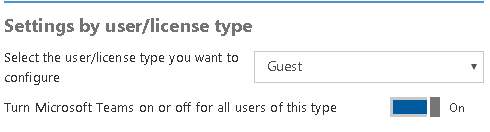
d-tothe-j
on 7 Sep 2018
@spalmstr Thank you for submitting this Feedback.
From my understanding the issue of not being able to add guests to teams has been resolved. If the issue is not resolved please re-open this issue.
 AndreaBarr
on 10 Sep 2018
AndreaBarr
on 10 Sep 2018
@d-tothe-j I found the option wasn't greyed out, but the toggle button wouldn't move in edge or firefox, but did in Chrome. Might be some javascript involved as well - try another browser if you hit this issue again.
 Mike-Crowley
on 26 Sep 2018
Mike-Crowley
on 26 Sep 2018
Closing resolved again.
AndreaBarr
on 26 Sep 2018
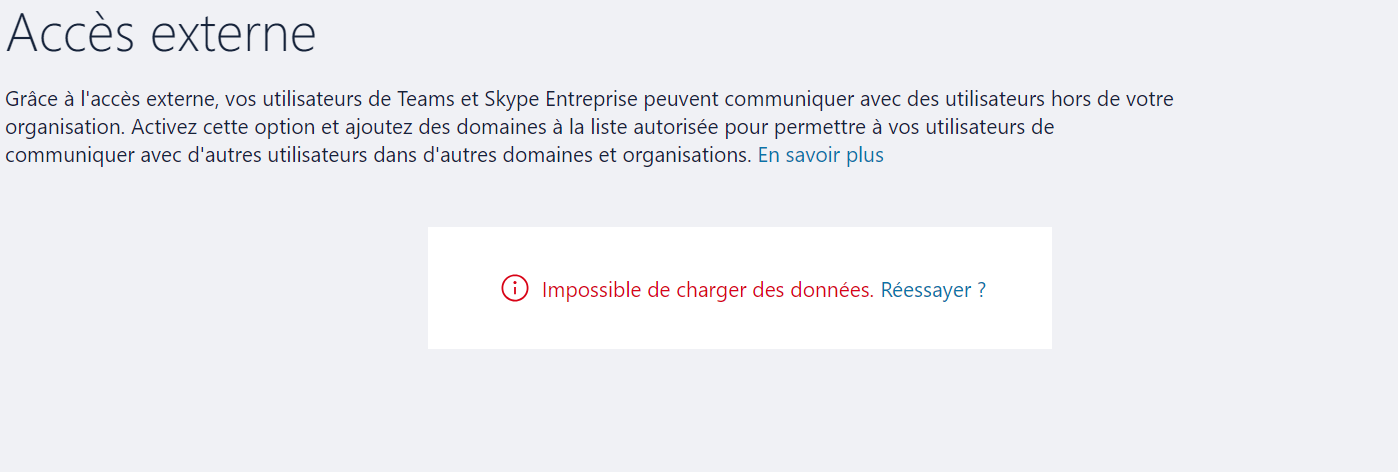
Hi, I'm trying to configure the Guest Access feature in Microsoft Teams based on this article: https://docs.microsoft.com/en-us/MicrosoftTeams/guest-access-checklist, but when I got to Step 3, accessing to Teams & Skype for Business Admin Center and configuring the Guest access settings, the page turns blank or I've this message... Can anyone help me with this?!
Thanks in advance,
 conceicao-christophe
on 4 Dec 2018
conceicao-christophe
on 4 Dec 2018
Related issues
 pyoungberg
·
5Comments
pyoungberg
·
5Comments
 N8dog021
·
3Comments
N8dog021
·
3Comments
 erik365online
·
6Comments
erik365online
·
6Comments
 bsdmad
·
6Comments
bsdmad
·
6Comments
 warleygr
·
4Comments
warleygr
·
4Comments
Most helpful comment
I spent an hour and a half with O365 support last night. They walked me through all the AAD, SharePoint Online, OneDrive, O365 Groups, Teams sharing settings on our production and my lab tenant. All are set properly other than the ability to enable the greyed out Guest access. After about an hour, they mentioned that this option should be deprecated and not needed, but they were unable to explain why adding guests is not working. They wanted the issue to be that I had made a change that would take up to 24 hours to replicate, but I have not made any changes. Sharing has been enabled for months.
They ended the call with running the mythical 'health check that can take 4-6 hours to complete, so I'll need to call you back tomorrow' method, which was fine since I was tired anyway.
My assumption is that the feature was deprecated with the ability to add Guests turned off and no GUI method for turning it back on. Hoping their is an undocumented or at least non-public method of enabling guest access via powershell.
I'll post any resolution I find. Hopefully the creators of the instructions have time to update the steps.