Officedocs-deployoffice: How to forcibly enable Optional Connected Experience (OCE) for all users?
Hello Microsoft,
The question below is related to this : https://docs.microsoft.com/en-us/deployoffice/privacy/manage-privacy-controls
I just wanted to inquire if there is any way where I can enable Optional Connected Experience for all users under the same domain. From this documentation, we have :
Allow the use of connected experiences in Office that analyze content
Allow the use of connected experiences in Office that download online content
Allow the use of additional optional connected experiences in Office
Allow the use of connected experiences in Office
The above settings simply "allows" them but our users can still enable them manually in their machines correct? So is there any way, any registry we can set to "force enabling" of OCE? I understand that disallowing these settings will effectively "force disable" the OCE facility for all our users. But again, how about "force enabling"?
I hope the above makes sense. Thank you and more power.
Document Details
⚠ Do not edit this section. It is required for docs.microsoft.com ➟ GitHub issue linking.
- ID: ef4debee-6a1e-53c7-7bec-2dbd208f4f2d
- Version Independent ID: b93ad6a2-0976-6f5f-7aae-1756079bdc1d
- Content: Use policy settings to manage privacy controls for Microsoft 365 Apps for enterprise - Deploy Office
- Content Source: DeployOffice/privacy/manage-privacy-controls.md
- Service: o365-proplus-itpro
- GitHub Login: @DHB-MSFT
- Microsoft Alias: danbrown
 glr0221
All 8 comments
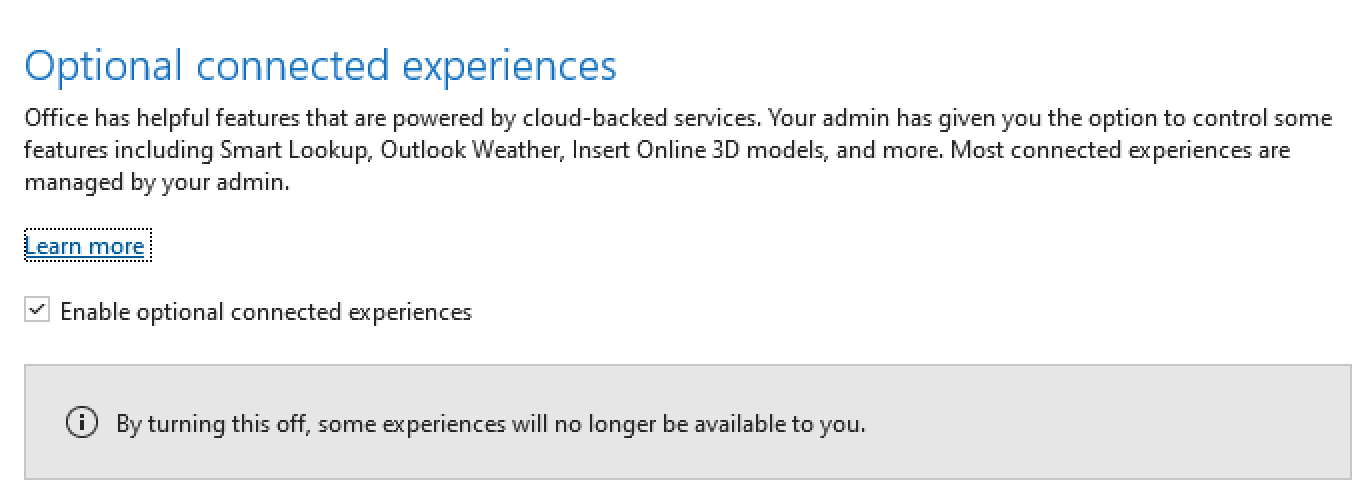
@glr0221 -- Are you asking if you can prevent your end users from unchecking the "Enable optional connected experiences" box (under File > Account > Account Privacy > Manage Settings)?
If so, the answer is No, you can't prevent that. That's because of this statement in the optional connected experiences article:
It is important to know that these optional cloud-backed services are not covered by your organization's license with Microsoft. Instead, they are licensed directly to you. By using these optional cloud-backed services, you also agree to the terms of the Microsoft Services Agreement and privacy statement.
Since these optional connected experiences are licensed directly to the user, not the organization (as part of the organization's license with Microsoft), the admin (organization) can't accept on behalf of the end users.
 DHB-MSFT
on 8 Jul 2020
DHB-MSFT
on 8 Jul 2020
Thank you very much for the quick response @DHB-MSFT .
I understand the reason now why end users have the ability (and will continue to have the ability) to set/unset the OCE checkbox.
Also, it is correct to say that this direct-to-user agreement is also the reason why there is no registry which will forcibly set the "Enable optional Connected Experiences" in File-> Account -> Account Privacy -> manage settings to "ENABLED" in an entire organization. Correct?
Thanks. Just making sure my understanding is right.
glr0221
on 9 Jul 2020
@glr0221 , Also OCE can be enabled by group policy editor, for that purpose you need latest admx templates for office
 RAJU2529
on 9 Jul 2020
RAJU2529
on 9 Jul 2020
@RAJU2529 thank you for the assist.
So by using the latest admx templates for office, and the group policy editor, i can enable the following for all our users in the same domain?
And although if we enable it via group policy editor, the end users can still disable it right?
My apologies for these basic questions. But I appreciate all the help.
Thank you very much.
glr0221
on 9 Jul 2020
@glr0221 . Yes you said is correct, End users cannot be able to disable unless if you blocked access of registry editor and GPO.
RAJU2529
on 9 Jul 2020
@glr0221 -- The user will always be able to uncheck the "Enable optional connected experiences" box (as long as the check box is visible).
By the way, the default setting for that check box is checked. So there is nothing you need to do as an admin to have the check box selected when you first install Office..
The only time the check box isn't shown to users in your organization is if you've set a policy to not allow the use of optional connected experiences (which will hide the check box and essentially "uncheck" the box). For example, for devices running Windows, you can do this by using Group Policy and setting the "Allow the use of additional optional connected experiences in Office" policy setting to Disabled.
macOS, iOS, and Android platforms use slightly different ways to turn off optional connected experiences/hide the check box, but the idea is the same.
All of the different ways are documented if you go to https://docs.microsoft.com/deployoffice/privacy. Look under the "Manage privacy controls" section in the Table of Contents on the left side of the screen.
Hope this information helps. Thanks for the question.
DHB-MSFT
on 9 Jul 2020
@DHB-MSFT . Thanks for the hidden secrets information. It will be useful to me also.
RAJU2529
on 9 Jul 2020
@DHB-MSFT @RAJU2529
Thank you both for taking time to answer my questions. Sorry for the late reply.
glr0221
on 13 Jul 2020
Related issues
 tinfever
·
3Comments
tinfever
·
3Comments
 AsaIt32
·
4Comments
AsaIt32
·
4Comments
 asjimene
·
4Comments
asjimene
·
4Comments
 marypcbuk
·
4Comments
marypcbuk
·
4Comments
 brockettc
·
4Comments
brockettc
·
4Comments
Most helpful comment
@DHB-MSFT . Thanks for the hidden secrets information. It will be useful to me also.