Office-docs-powershell: New-ComplianceTag -FilePlanProperty
I would like to add new File Plan Properties and configure these as a bulk import the powershell seems to be partly there but it is hard to work out what it is expecting.
I have tried entering the fileplanpropertydepartment and adding a new department but this crashes the powershell?
[Enter feedback here]
Document Details
⚠ Do not edit this section. It is required for docs.microsoft.com ➟ GitHub issue linking.
- ID: 92aaa6d0-68c3-57b6-7f87-0f954ef252f1
- Version Independent ID: 984fcc50-f5fc-548e-fb50-f818a1bcf564
- Content: New-ComplianceTag (exchange)
- Content Source: exchange/exchange-ps/exchange/policy-and-compliance-retention/New-ComplianceTag.md
- Service: exchange-powershell
- GitHub Login: @chrisda
- Microsoft Alias: chrisda
 beigewell
All 12 comments
We have been trying to get this to work for sometime and the fileplan functionality is undocumented and fails to work as expected. Add items via UI, export using powershell and try to run to. Import same data fails its own validation. This needs fixing.
 bongo-ho
on 1 Apr 2019
bongo-ho
on 1 Apr 2019
@officedocsbot assign @yogkumgit
 yogkumgit
on 2 Apr 2019
yogkumgit
on 2 Apr 2019
Thank you @chrisda!!
Do we have some information to add in the description area?
 dariomws
on 11 Apr 2019
dariomws
on 11 Apr 2019
can this be documented with examples as I am still getting failures on my tenant? We need to powershell all the fileplan properties and add descriptions
Name: Administration
WARNING: An unexpected error has occurred and a Watson dump is being generated: Failed to parse File plan
metadata value.
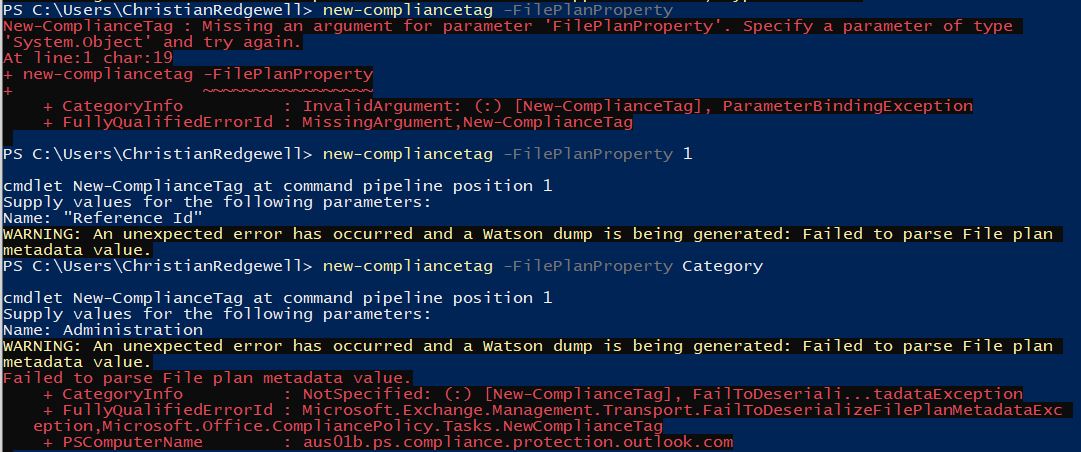
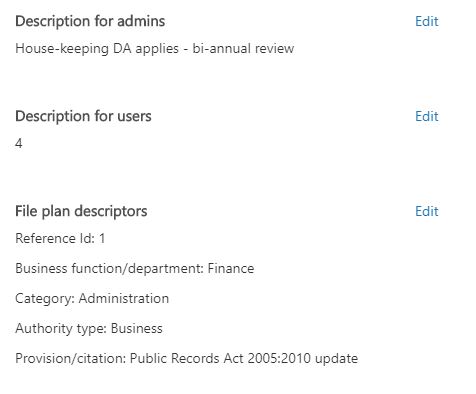
beigewell
on 12 Apr 2019
Seeing same - where can add in properties (as per the @beigewell's screenshot) via UI but there's no apparent way to manage via powershell for fileplan properties. Any news, details, description would be useful.
bongo-ho
on 12 Apr 2019
@chrisda - I've systematically been trying every variation of switches, parameter variables and strings based on -FilePlanProperty flag. Export of a tag which has the FilePlanMetadata added via the ComplianceCentre UI shows pared Descriptor and Value e.g.
{"Settings":[{"Key":"FilePlanPropertyDepartment","Value":"Finance"},{"Key":"FilePlanPropertyCitation","Value":"Commodity Exchange Act"},{"Key":"FilePlanPropertyReferenceId","Value":"1"},
{"Key":"FilePlanPropertyAuthority","Value":"Business"},{"Key":"FilePlanPropertyCategory","Value":"Administration"}]}
- but there is apparently no combination with which to create/update these on a ComplianceTag using PowerShell. The documentation in gitHub is the same as on docs - neither of which have accurate, or useful examples or explanation on how to use this flag. Is there any progress on atleast updating the documentation to be more complete - or even working example of how to utilise it?
bongo-ho
on 18 Apr 2019
@beigewell, @bongo-ho, I received information about valid values for FilePlanProperty, and I've updated the topic. The syntax is very complex.
 chrisda
on 18 Apr 2019
chrisda
on 18 Apr 2019
Thanks @chrisda Is it possible to get one example? I can see the update to -FilePlanProperty
{{ Fill FilePlanProperty Description }} on the docs page or have you updated the valid values somewhere else?
beigewell
on 18 Apr 2019
@beigewell, the description is basically an example. Use the Get-FilePlanProperty* cmdlets to get the name values, then use the two commands as descfribed to store the values in a variable to use for the parameter.
I realize the cmdlet reference topics for the 27 file plan property cmdlets aren't live yet; I'm looking into it. When those publish, they will contain examples of how to create the file plan properties themselves.
chrisda
on 18 Apr 2019
@chrisda @bongo-ho brilliant thanks I’ll check it out happy Easter
beigewell
on 19 Apr 2019
Thanks @chrisda .
I understand that were missing documentation, but all the commands are available when run them. I've been working on script for while, so slotting in the -FilePlanProperty wasn't difficult. Have found an issue with -ReferenceId attribute.
Adding metadata via UI for ReferenceId will block the user adding duplicates:
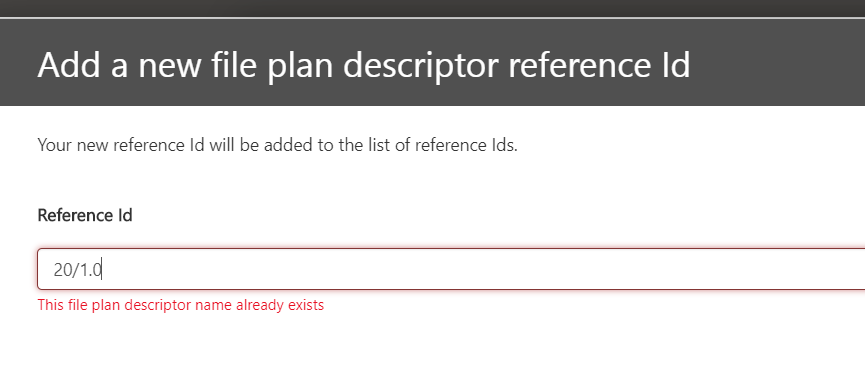
The ComplianceCentre FilePlan UI guides you to create an unique ReferenceId per item, although no constraints on format (its a string). This is acceptable when using number-referencing convention.
Via powershell the command errors if you DONT use an existing ReferenceId when creating a new label, or when update using "Set-"
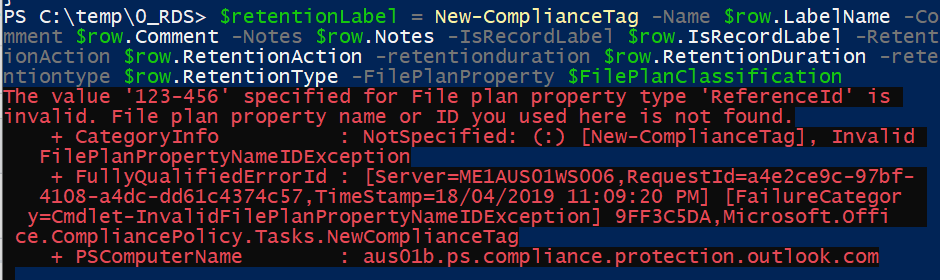
I have tried multiple variations this morning and proven it's not script reference, but the command and incorrect validation on service.
Q: Do we raise a bug here? Or is this a separate issue?
bongo-ho
on 19 Apr 2019
@chrisda @beigewell I've gone ahead and posted a new issue with bit more detail about reproducing issues. See: https://github.com/MicrosoftDocs/office-docs-powershell/issues/3251.
Thanks for help with this Chris
bongo-ho
on 19 Apr 2019
Related issues
 TobieFysh
·
3Comments
TobieFysh
·
3Comments
 mrik23
·
5Comments
mrik23
·
5Comments
 savusca
·
4Comments
savusca
·
4Comments
 Staffanb88
·
3Comments
Staffanb88
·
3Comments
 tomresing
·
5Comments
tomresing
·
5Comments
Most helpful comment
@beigewell, the description is basically an example. Use the Get-FilePlanProperty* cmdlets to get the name values, then use the two commands as descfribed to store the values in a variable to use for the parameter.
I realize the cmdlet reference topics for the 27 file plan property cmdlets aren't live yet; I'm looking into it. When those publish, they will contain examples of how to create the file plan properties themselves.