Odoo: [9.0] Report of Request for Quotation doesn't show the Vendor Product Name and the Vendor Product Code.
Impacted versions:
9.0
Steps to reproduce:
- Go to a Product -> Inventory -> Vendors, add a vendor with Vendor Product Name and Vendor Product Code.
- Create a request for quotation with the vendor and the product configured previously.
- Print the Request for Quotation.
Current behavior:
The report of Request for Quotation doesn't show the Vendor Product Name and the Vendor Product Code.
Expected behavior:
The report of Request for Quotation should show the Vendor Product Name and the Vendor Product Code.
 MouTio
All 3 comments
Hello @MouTio
You can inherit the report itself and make a custom change if you want to be mandatory on that behavior.
The current behavior is print what you see (which is taking propely what you write in the line).
This is not a bug it is a customization very easily done.
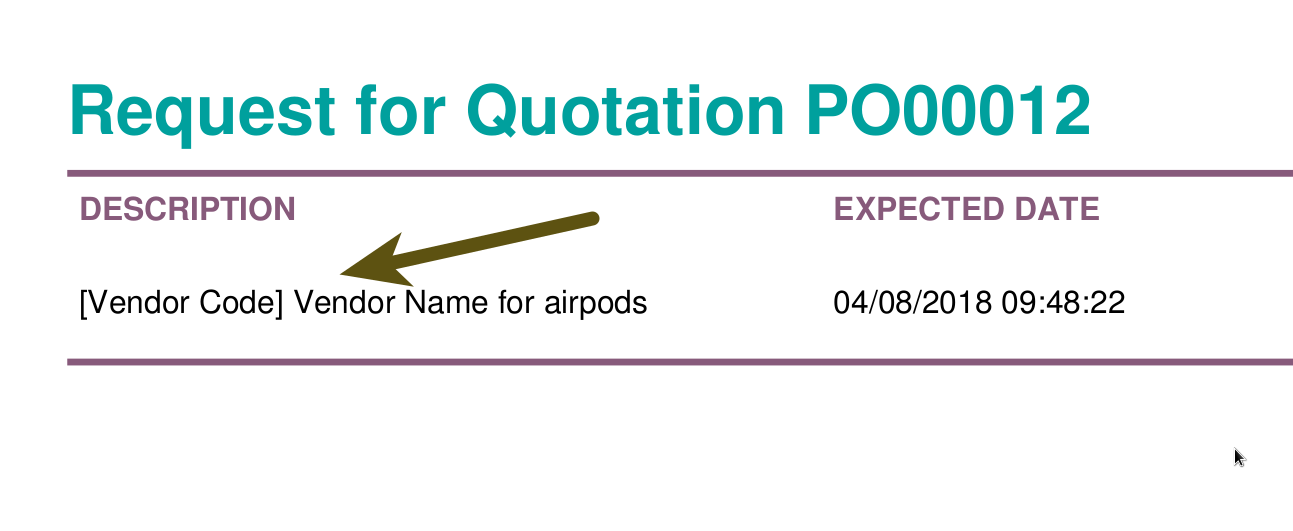
Tested on 11.0:
- Printed what you see.
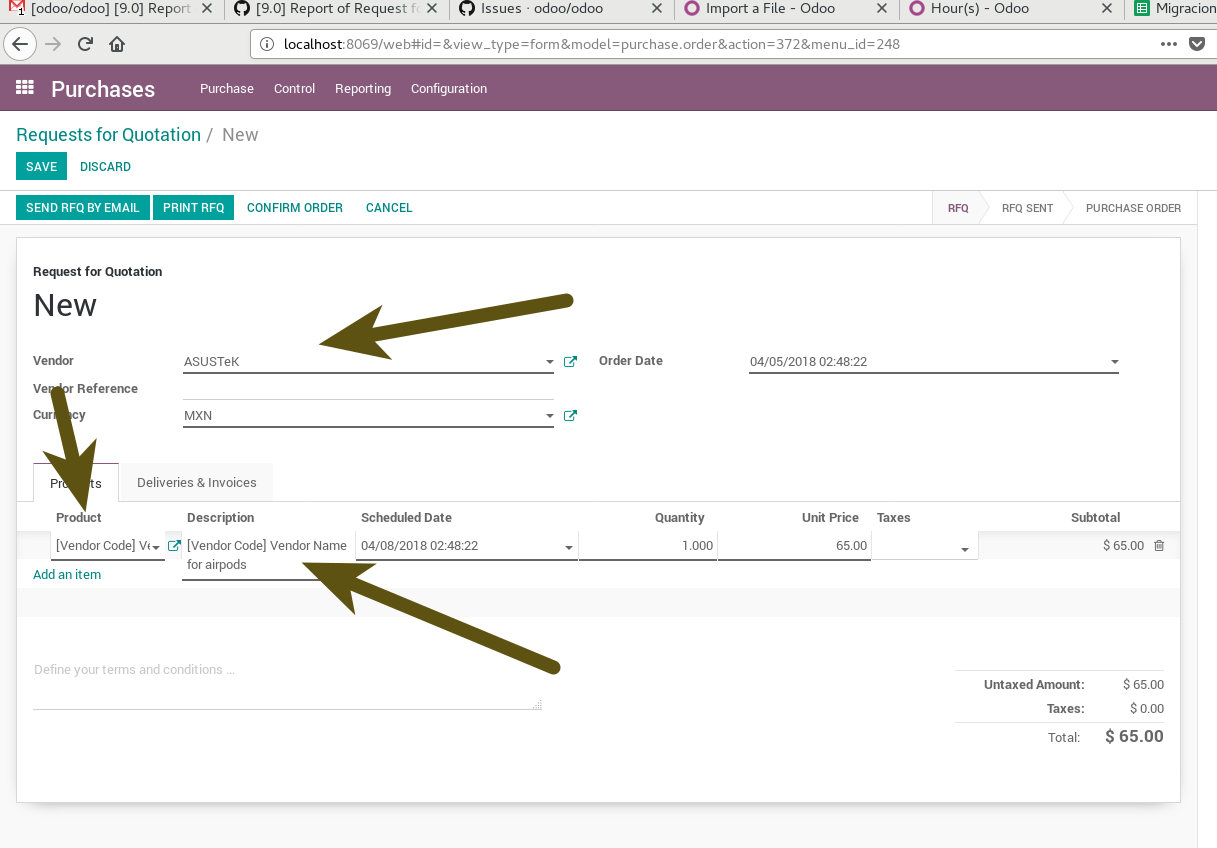
- Retreived from the onchange if the proper supplier is added.
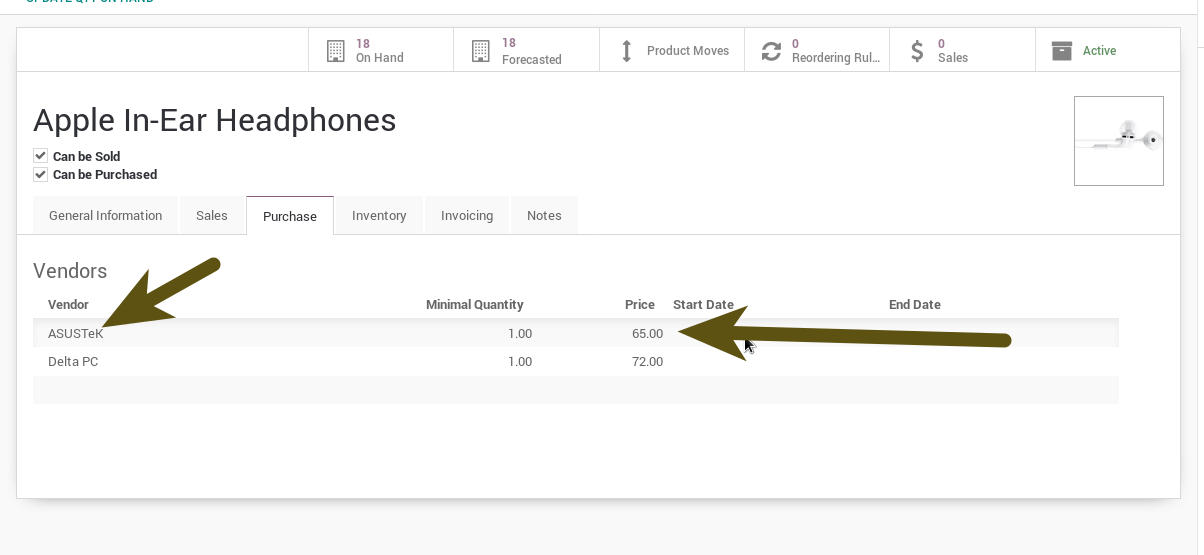
- Which should be into the list of suppliers.
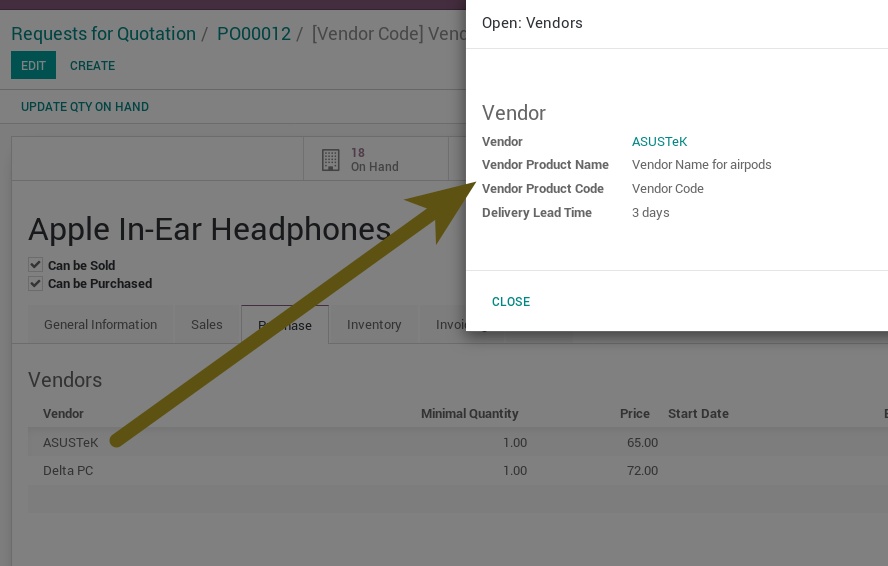
- Which has the name.
Tested on v9.0:
- The same flow on v9.0:
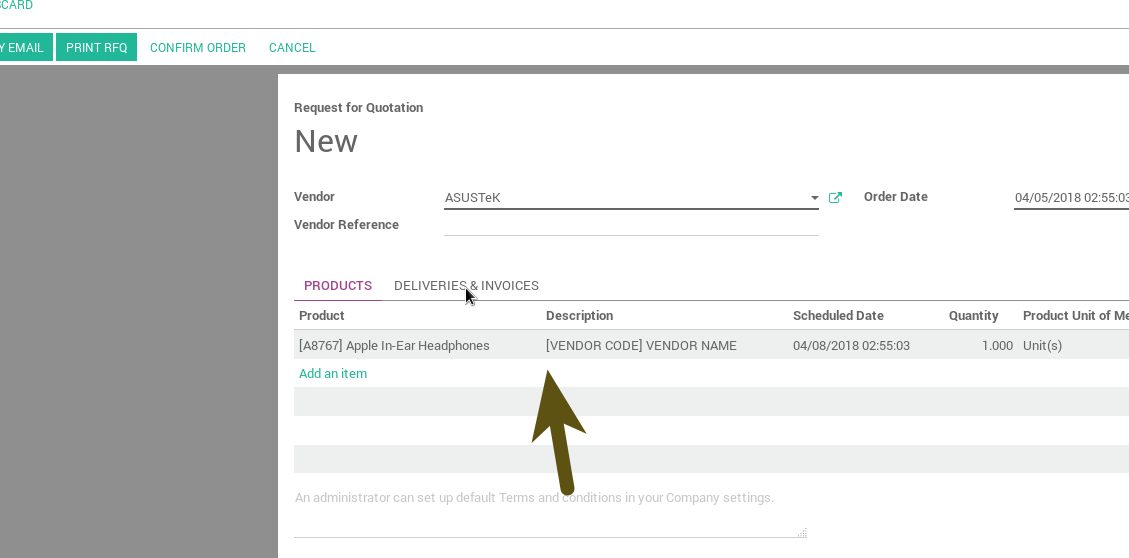
Thanks for your issue, but this is a customization, the current behavior is what it is expected for.
 nhomar
on 5 Apr 2018
nhomar
on 5 Apr 2018
Great answer @nhomar - good job!
 Yenthe666
on 5 Apr 2018
Yenthe666
on 5 Apr 2018
@nhomar Thanks for the answer.
I updated and reinstalled the purchase module and now it works as expected (I installed it around 2 years ago).
Sorry for the inconveniences
MouTio
on 5 Apr 2018
Related issues
 yung-wang
·
3Comments
yung-wang
·
3Comments
 sswapnesh
·
3Comments
sswapnesh
·
3Comments
 BoubakerAB
·
3Comments
BoubakerAB
·
3Comments
 tebanep
·
3Comments
tebanep
·
3Comments
 AlexandruCiobanu
·
3Comments
AlexandruCiobanu
·
3Comments