Odm: Scale image width for tie-point extraction
How did you install OpenDroneMap? (Docker, natively, ...)?
Docker
What's your browser and operating system? (Copy/paste the output of https://www.whatismybrowser.com/)
Firefox 67 on Linux
What is the problem?
Scale image width for tie-point extraction does not respect standard in other photogrammetry software
What should be the expected behavior? If this is a feature request, please describe in detail the changes you think should be made to the code, citing files and lines where changes should be made, if possible.
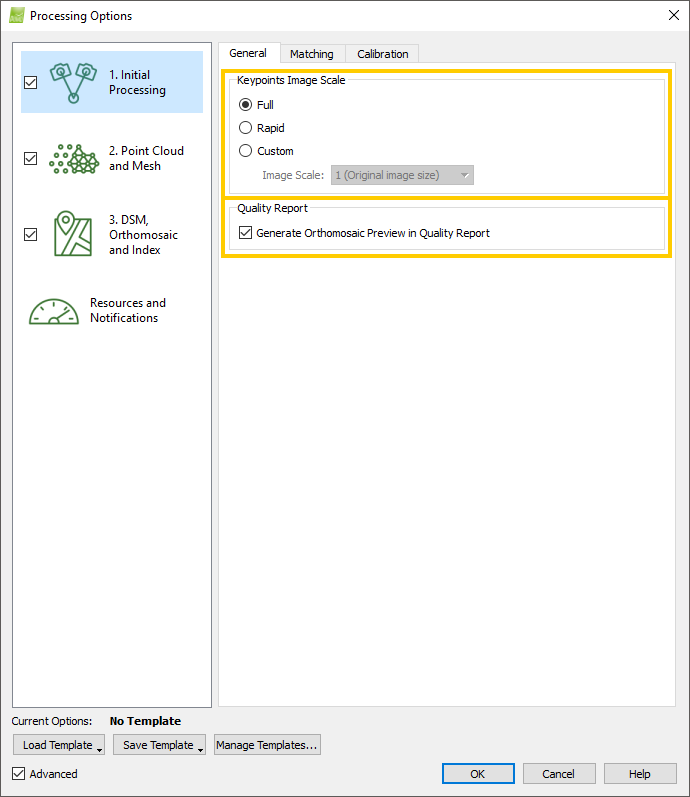
Default image size is 800px ! So why it's 800px when in others popular software like Photoscan or Pix4d it's like that :
High : original image / 2
Medium : original image / 4
Low : original image / 8
Note : May be it was discussed before but didn't find topic about it !
How can we reproduce this? (What steps did you do to trigger the problem? What parameters are you using for processing? If possible please include a copy of your dataset uploaded on Google Drive or Dropbox. Be detailed)
Default settings
 kikislater
All 12 comments
Hey @kikislater, can you expand on the default image size? Are you referring to the --resize-to parameter? (By default it's actually 2048 so you have me confused there).
 pierotofy
on 24 May 2019
pierotofy
on 24 May 2019
Here : https://github.com/dronemapper-io/NodeMICMAC/pull/6/files#diff-843711f7393fe9a6e9f11ba1c8132afb
"help": "Scale image width for tie-point extraction. Default: 800
odm_options.json, I thought it was inherit from ODM ! Even 2048, why this choice and not image size / 2 or whatever ... ?!
kikislater
on 25 May 2019
Well, you raise a good point. I think 2048 is the default resolution based on _nuisance preventative development_, i.e. most users get a pretty good result on the less than adequate hardware they bring to bear for running ODM. We get lots fewer bug reports from folks running out of memory at 2048.
So, do we make an API change to comply with the general standard? If so, this becomes a feature request.
 smathermather
on 25 May 2019
smathermather
on 25 May 2019
And then we may have a separate standard for NodeMICMAC based on best practices with that... .
smathermather
on 25 May 2019
I'm not that kind of user but if you think user : they don't care about pixels to set in photogrammetry software. They watch high, medium and low and most are pretty happy with that ... That's the minding of my post
kikislater
on 25 May 2019
Ah yes, makes sense. Wonder if this should have been opened under the NodeMICMAC repo then.
pierotofy
on 25 May 2019
Well, it applies to both. :)
smathermather
on 25 May 2019
I see.
One problem is that ODM accepts images, from multiple cameras (which might be of different resolution) but OpenSfM wants to know a value in pixels. We could take a maximum I suppose.
pierotofy
on 25 May 2019
Hum ok for OpenSfM.
Watch what they do in Pix4d (image frome internet) =>
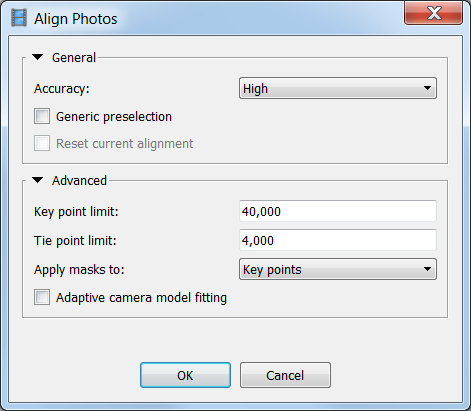
In Photoscan (high, medium, low told before) :
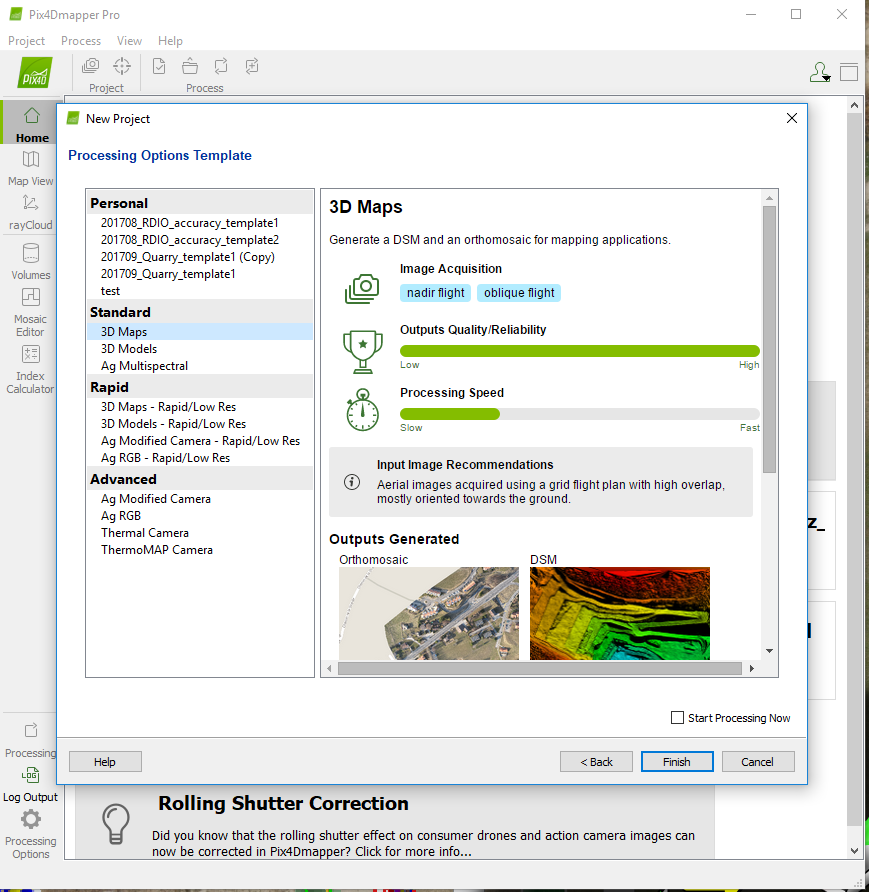
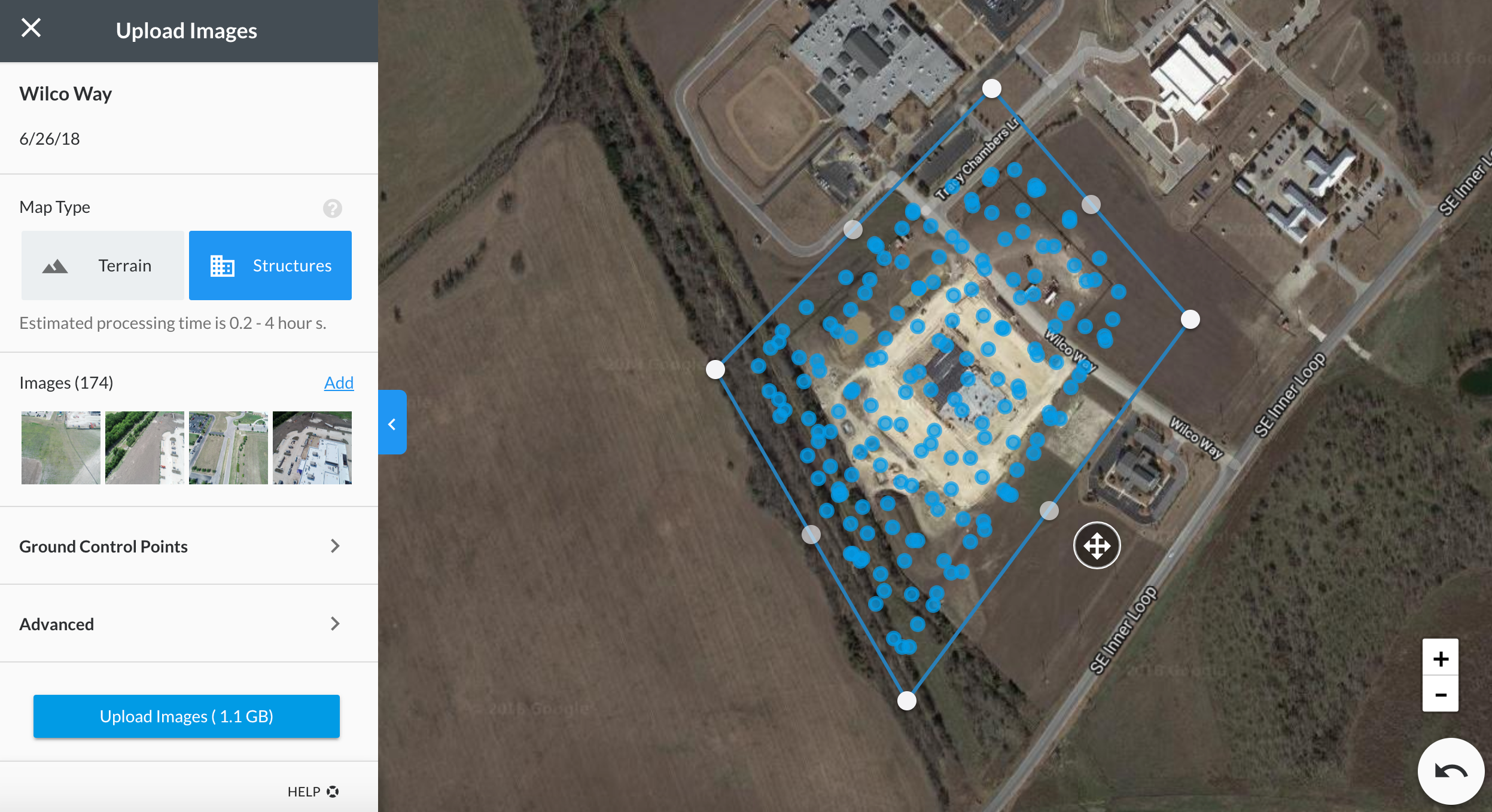
And it's a purpose also for another thing : most photogrammetric technics differ from Dem/Ortho computation vs "pure" 3D model. Users like not to worry about parameters and others software purpose some interactive interface to process without knowing anything. I like 2 first images from ODM feature list. Just a purpose to process Ortho/DEM only or 3 models like others do (Photoscan is the same but less interactive, intuitive interface with icon is nice I think : could be discuss. I guess my thread is about discussing not "a do that !" or missing thing) :
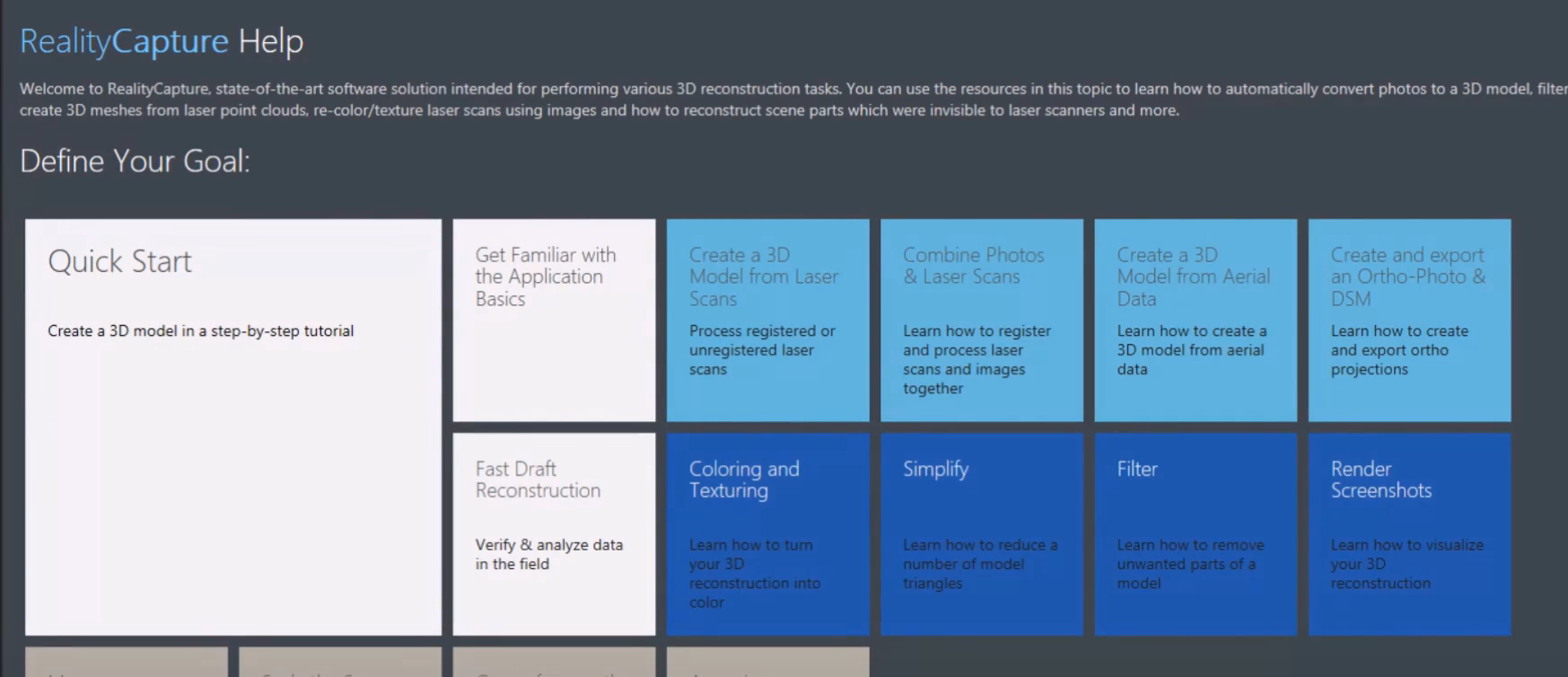
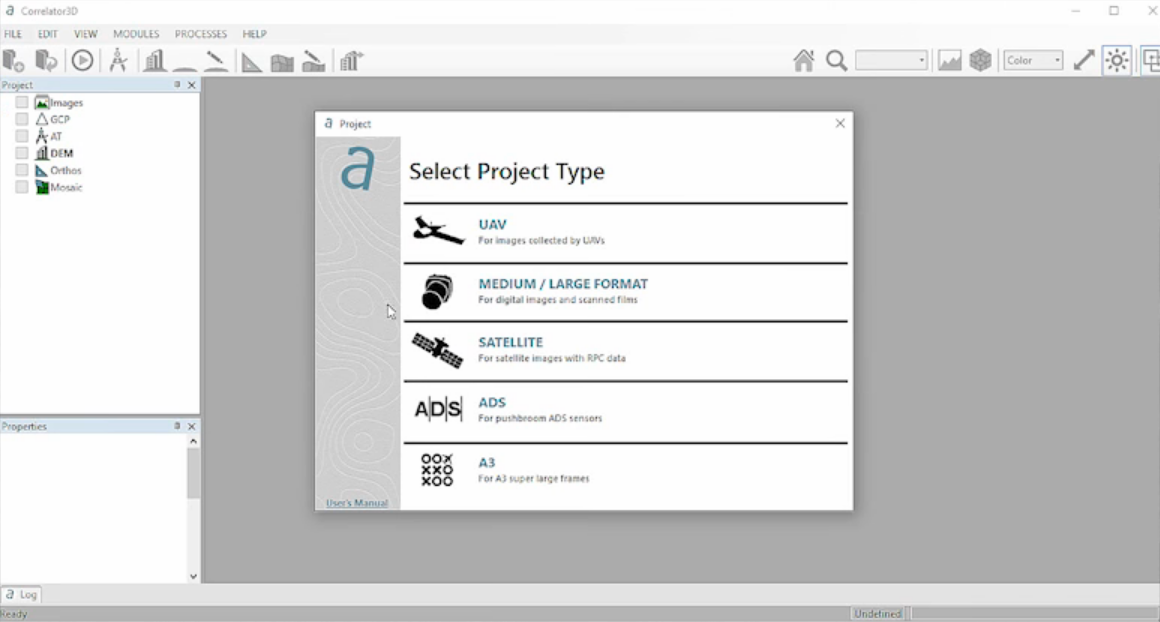
kikislater
on 26 May 2019
OpenSfM may want a specific resolution, but the idea of _high_, _medium_, _low_ choices could be a wrapper for that, and perform similarly to other software as above:
High : original image / 2
Medium : original image / 4
Low : original image / 8
I never new what these meant for Agisoft or Pix4D, but it makes sense.
smathermather
on 27 May 2019
If you want reference for Agisoft high, medium, low ...
https://www.agisoft.com/forum/index.php?topic=1741.0
Images are downscaled corresponding to the target quality selected:
Ultra High - no scaling
High - images are downscaled two times by each side
Medium - downscaling four times by each side
Low - eight times
Lowest - sixteen times
In others words :
Ultra = full size
High = Downscaled to 50%
Medium = Downscaled to 25%
Low = Downscaled to 12,5%
Lowest = Downscaled to 6,75%
kikislater
on 27 May 2019
This will be included as part of #1156
pierotofy
on 11 Sep 2020
Related issues
 syehorov
·
5Comments
pierotofy
·
3Comments
syehorov
·
5Comments
pierotofy
·
3Comments
 nyinyinyanlin
·
3Comments
nyinyinyanlin
·
3Comments
 thomas-bamford
·
3Comments
thomas-bamford
·
3Comments
 x-ancin
·
3Comments
x-ancin
·
3Comments
Most helpful comment
This will be included as part of #1156