Octoprint: Temperature is configured with hot-end & bed but set independently.
In the settings dialog, we create temperature "profiles" which specify a name, hot-end temperature and bed temperature. But there is no place that allows us to choose that profile to set both the hot-end and bed temperature to the "profile" at the same time.
 JoshMcCullough
All 31 comments
I realise this is an old issue and only cosmetic but could it be looked at. It's pointless having two temperatures in the settings when you still have to select them separately on the temperatures tab. I'm surprised no-one else has brought it up since 2013.
 tekkydave
on 4 Mar 2017
tekkydave
on 4 Mar 2017
But I often heat the nozzle without the bed to change filament.
 nophead
on 4 Mar 2017
nophead
on 4 Mar 2017
That's a good point. Maybe the settings need to be a single temperature rather than a pair.
Alternatively I would like to select a profile for the filament I'm using so it sets both temperatures. I may just implement custom controls to achieve the same result.
I'm starting to learn Python so I can have a shot at some plugins.
tekkydave
on 4 Mar 2017
When I am printing my gcode sets the temperatures, so I only use manual control for changing filament, or using the bed heater to cure glue / dry things out, etc. I never manually set up for printing, so have never needed to set them as a pair.
nophead
on 4 Mar 2017
We will all have different workflows. I usually get the bed and hotend to working temp manually before starting a print. When you pick a hotend temperature there are 2 temps listed in the dropdown when you only need one.
tekkydave
on 4 Mar 2017
I couldn't find the requested "thumbs up" so I'll leave my comment: I would use this also. While I often use temperature settings independently I would definitely use a single button to set both temps when I needed it.
 ctgreybeard
on 18 Apr 2017
ctgreybeard
on 18 Apr 2017
Right now it takes four clicks to set up temperatures for a material. I have to use the drop down on the bed and the extruder to set the termpatures. In the empty space under this dialog, I would like buttons that select the material and set that as the temperature. It would be cool if they had a check mark or turned into a btn-success(green) when they were selected.
Here is my terrible artists impression.

 light24bulbs
on 18 Apr 2017
light24bulbs
on 18 Apr 2017
Old request, but I think I can contribute.
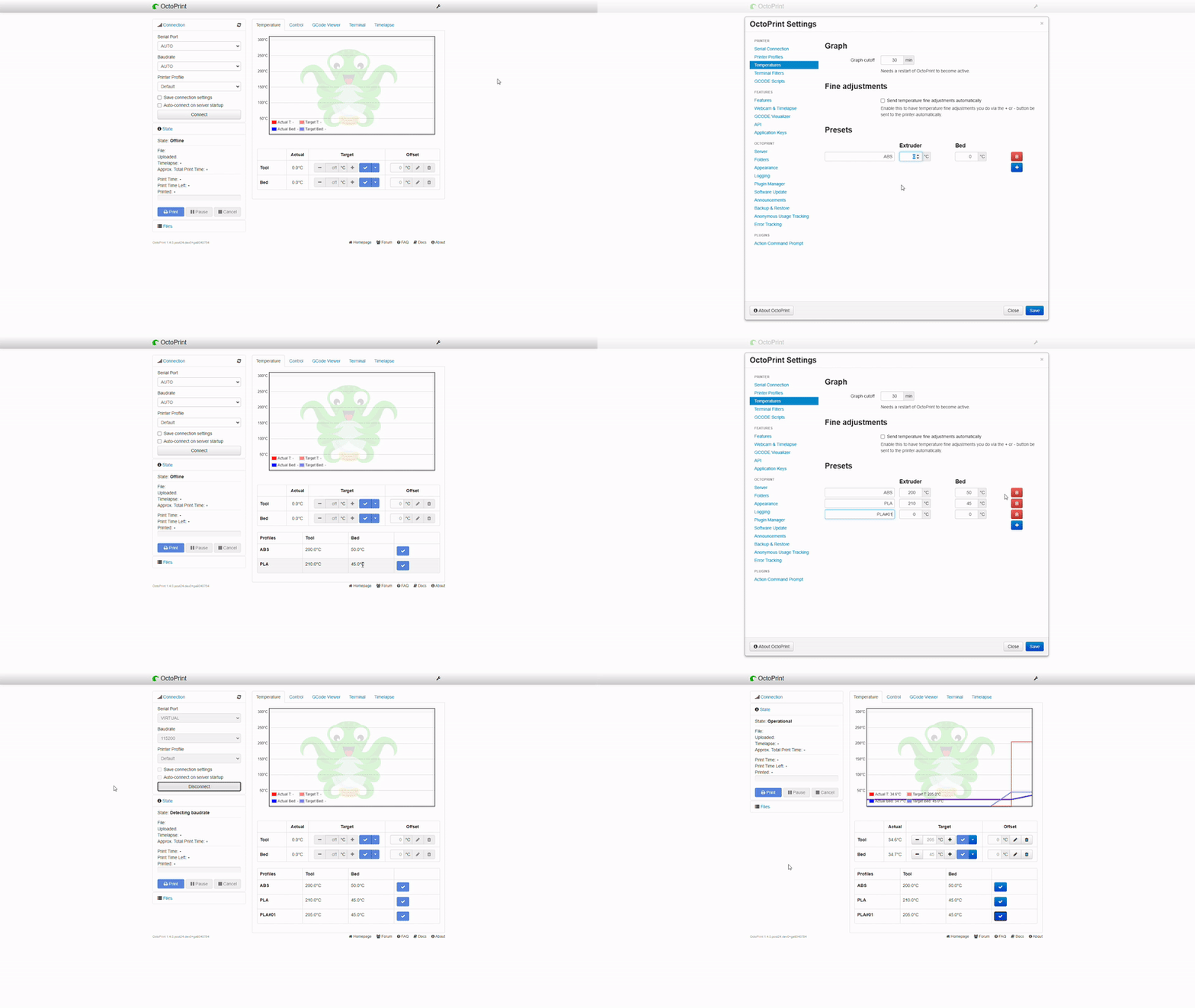
Could something like this be fine? (Haven't added styles yet)
 FedericoNembrini
on 7 Jun 2020
FedericoNembrini
on 7 Jun 2020
@FedericoNembrini I think that's exactly how we are imagining it. In the interest of keeping the UI uncluttered, I think just buttons with the profile names on them would also work. Temperature could be in a tooltip. But what you built also looks great.
I think a good name for the box that contains the profile buttons could be "preheat". That way it uses the same terminology and worjs exactly the same as many printer controllers, like Prusas.
light24bulbs
on 7 Jun 2020
@light24bulbs I'm working on it. I will post updates as soon as I have fixed the last things.
For the layout with only the buttons and profile names: this could create inconsistency in the UI because the buttons could all be of different size, unless we decide to set them with a fixed width, risking having to truncate the profile name.
Example:

Once the first layout is finished I will try the one you suggested. In case you have other considerations don't hesitate to let me know.
FedericoNembrini
on 8 Jun 2020
Final Version:
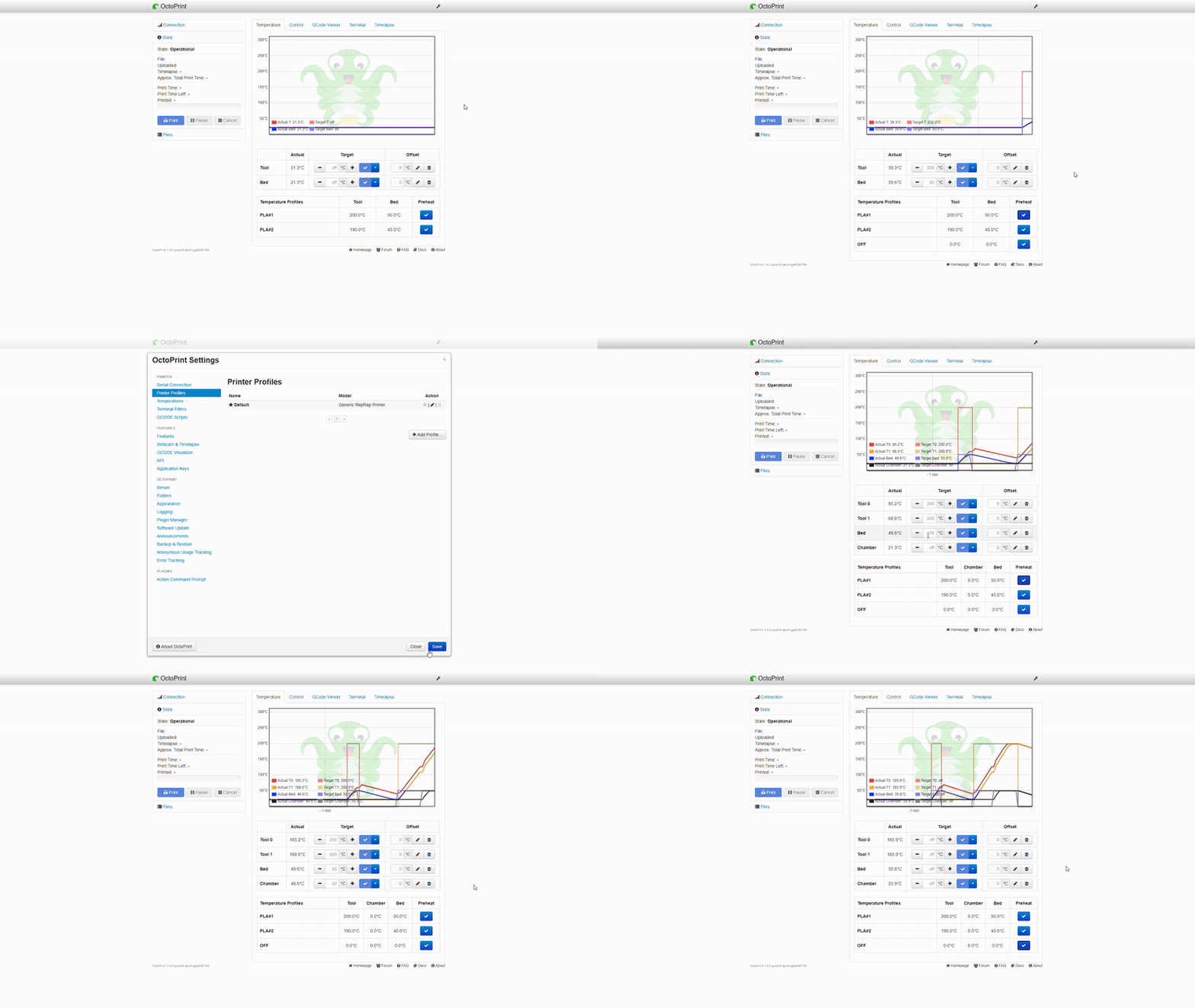
The layout with buttons only is a bit more complex because it requires to add a virtual grouping. (To display row of fixed numbers of elements). IMHO the "table" version is the easiest solution and require very few changes.
As you can see from the GIF, the profile is applied to all the extruders present. It is applied to the chamber (from what I know at the moment, in the profiles it is not possible to specify it so it will always be set to off) and for the heated bed.
The only doubt I have left is: if the printer has multiple extruders, will the power supply manage to deliver enough power to bring the temperature for all of them at the same time? We need to think about this?
I look forward to feedback. Thanks.
FedericoNembrini
on 11 Jun 2020
Nice work!
Regarding the "table" vs. buttons options, I think it can be done with a drop-down button below the existing Target inputs/buttons, crude mockup of this button:
[ Use Preset    ▼ ]
| PLA 1           |
| PLA 2           |
| ...             |
| ABS             |
-------------------
The temps could be displayed in a tooltip, on hover of each option.
And the presets should really allow for setting all things, sound like it does not currently?
JoshMcCullough
on 12 Jun 2020
What about something like Terminal Commands Extended for the temperature tab?
 jneilliii
on 12 Jun 2020
jneilliii
on 12 Jun 2020
@JoshMcCullough you mean under the table?
For what I have seen the profiles have a property called "chamber" but it is always set to zero, with no possibility of modification. I might be wrong.
@jneilliii if you are referring to the layout, it can be done, personally I prefer the version with the table as it requires few changes and the risk of error is really low. If, on the other hand, you are referring to the idea of plugins itself, I would say that this should be a basic functionality since it is the same OctoPrint that allows you to specify presets.
FedericoNembrini
on 12 Jun 2020
My point was definitely relative to this being a plugin rather than built into core. Having as a plugin allows for the user to choose if they want it or not. Referencing settings in core octoprint is a non issue.
jneilliii
on 12 Jun 2020
@FedericoNembrini I am revising my statement a bit. IMO the table in your screenshots, while useful, is a bit too much on the UI. I'm suggesting a very simple button. Hacked this in...
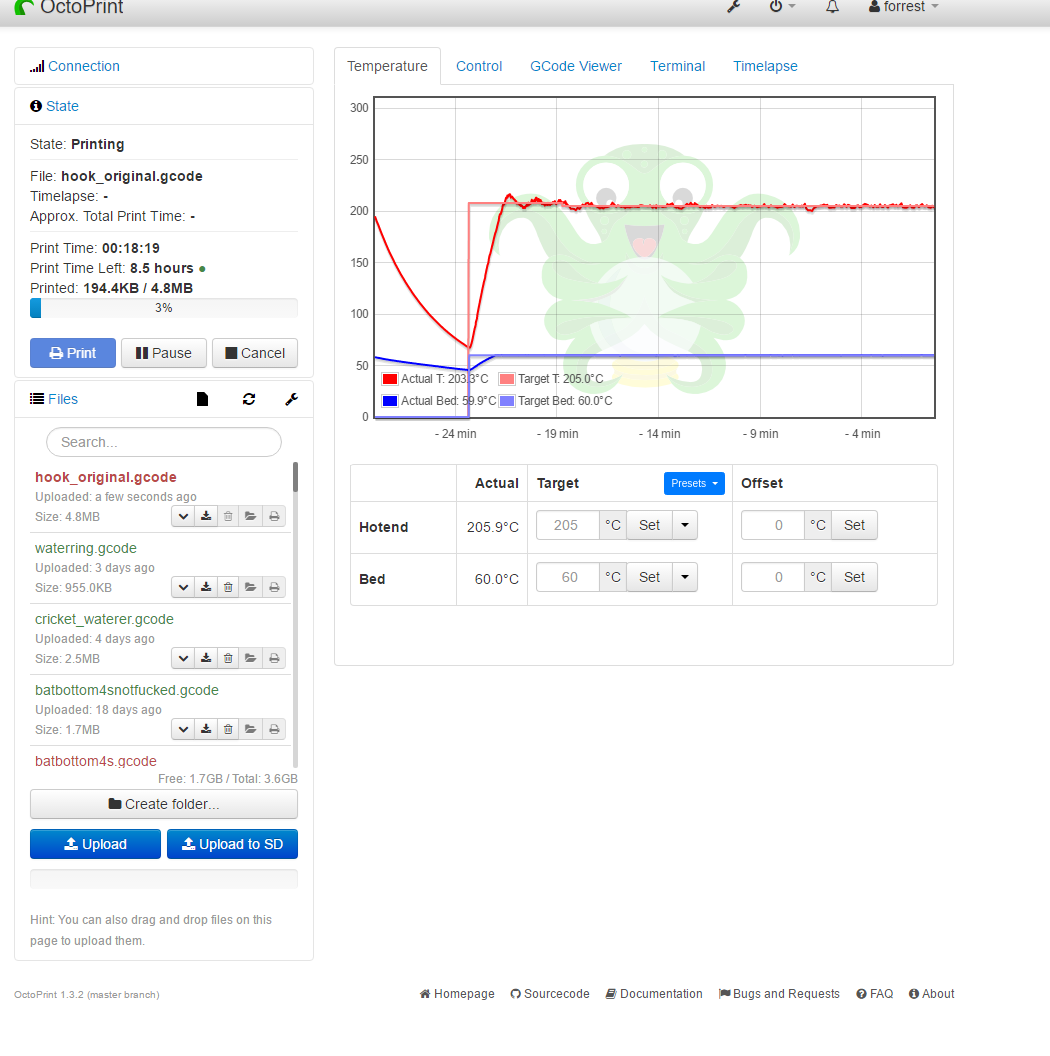
JoshMcCullough
on 12 Jun 2020
@jneilliii I understand your point of view, but IMHO why have the ability to create profiles if I can't apply them (i.e. without going to select the temperatures individually?). I think it's something that should be included in the core.
@JoshMcCullough understood. I like it, as soon as I have a moment I will try to implement it.
FedericoNembrini
on 12 Jun 2020
I guess it depends on implementation. As mentioned before several people have different workflows, so using the drop-down to set temps in existing UI makes sense and doesn't clutter the interface, but also introduces other questions. Do the commands spawn off simultaneously or do you get to choose options like wait for bed temperature to be reached prior to heating up nozzle to prevent oozing related issues, etc? I think that was the reasoning behind the current implementation best I can tell.
Would it make more sense to leave the UI as is, and just change the behavior? For example click either of the presets in any of the temp drop downs and it automatically changes the others to match the same profile and has some hierarchy setting to know which temp to wait for, if at all, before heating up the other. I could see something like Chamber and Bed temps wanting to be reached prior to the nozzle even starting to heat up.
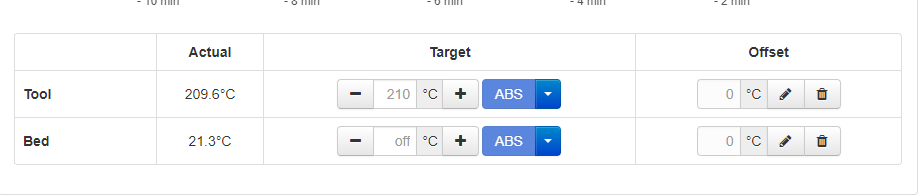
jneilliii
on 12 Jun 2020
I agree on what you say. From my point of view I was aiming for something relatively simple to get a profile (set of temperatures) applied quickly without too many controls or ordering settings or anything else.
With the implementation of a plugin there would be more customization on the settings, consequently more workflows could be considered.
Idk for change in behaviour, it could be misunderstood.
FedericoNembrini
on 12 Jun 2020
@jneilliii I agree with the setting of other temps within the same profile when you make the initial temp selection from _any_ temp dropdown. But it's only useful, I think, if the temps were all previously set to _off_. I hope that makes sense -- still need to support tweaking temps even after you select the profile to use for a given print-run.
JoshMcCullough
on 15 Jun 2020
@JoshMcCullough @jneilliii I feel that could be a bit obtuse, as the user would not expect a dropdown for one temperature to set the temperature for the other field. Also, you're changing the behavior of an existing control for real world robots in which heating is the most critical and dangerous function.
I feel a seperate button under the field "Preheat" is much more clear. Again, that is exactly how most built-in 3d printer interfaces work.
Also, I could understand wanting to heat the bed before the nozzle, but most modern printer beds are faster than they used to be, and simultaneous heating is a good default. It's more of an edge case. After all, the built in controls on most printers set both simultaneously, as far as I know. Doesn't yours work that way?
light24bulbs
on 22 Jun 2020
@light24bulbs Sure, I think this is probably the better option: https://github.com/OctoPrint/OctoPrint/issues/216#issuecomment-643419856
JoshMcCullough
on 22 Jun 2020
Update
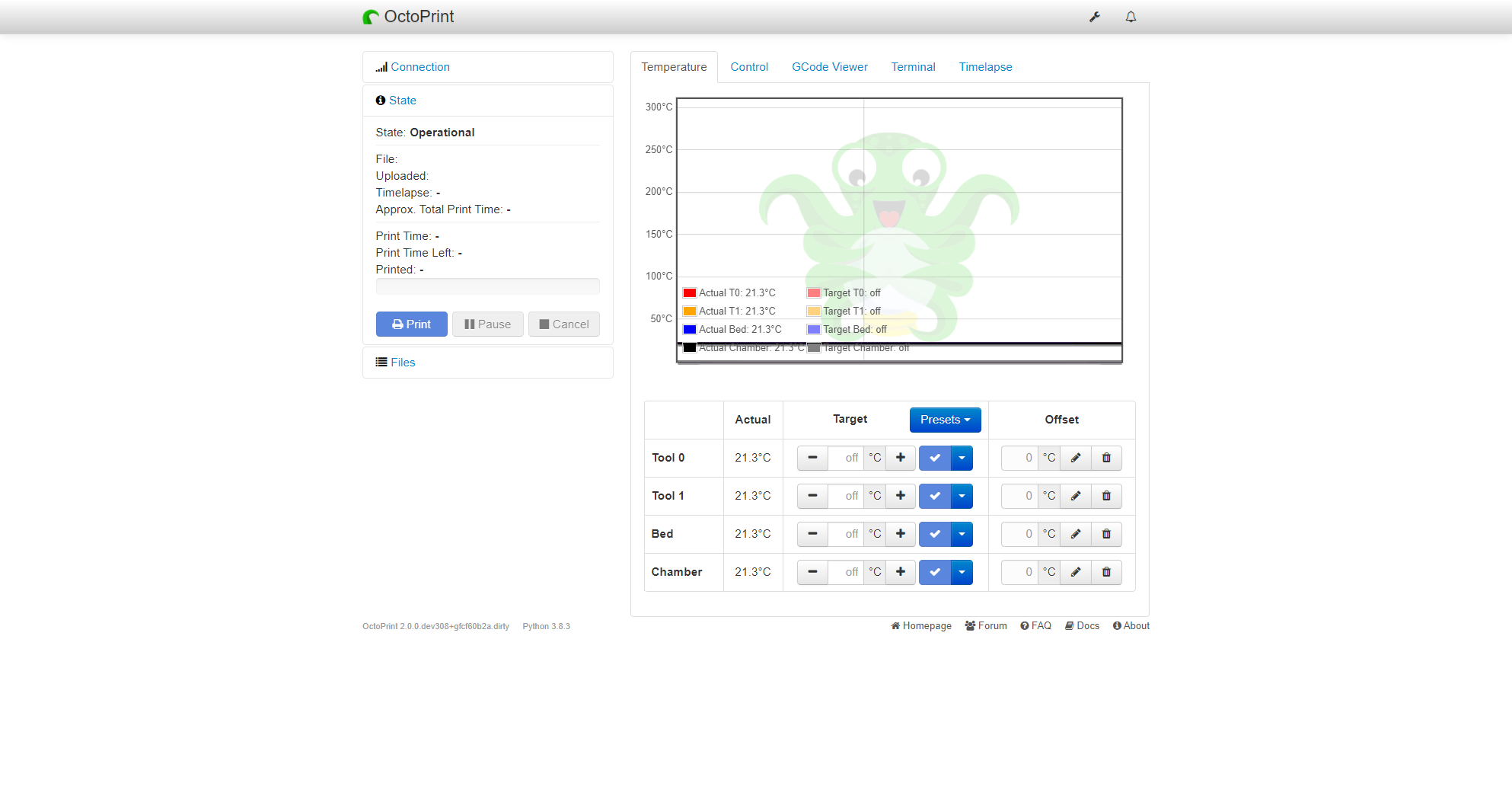
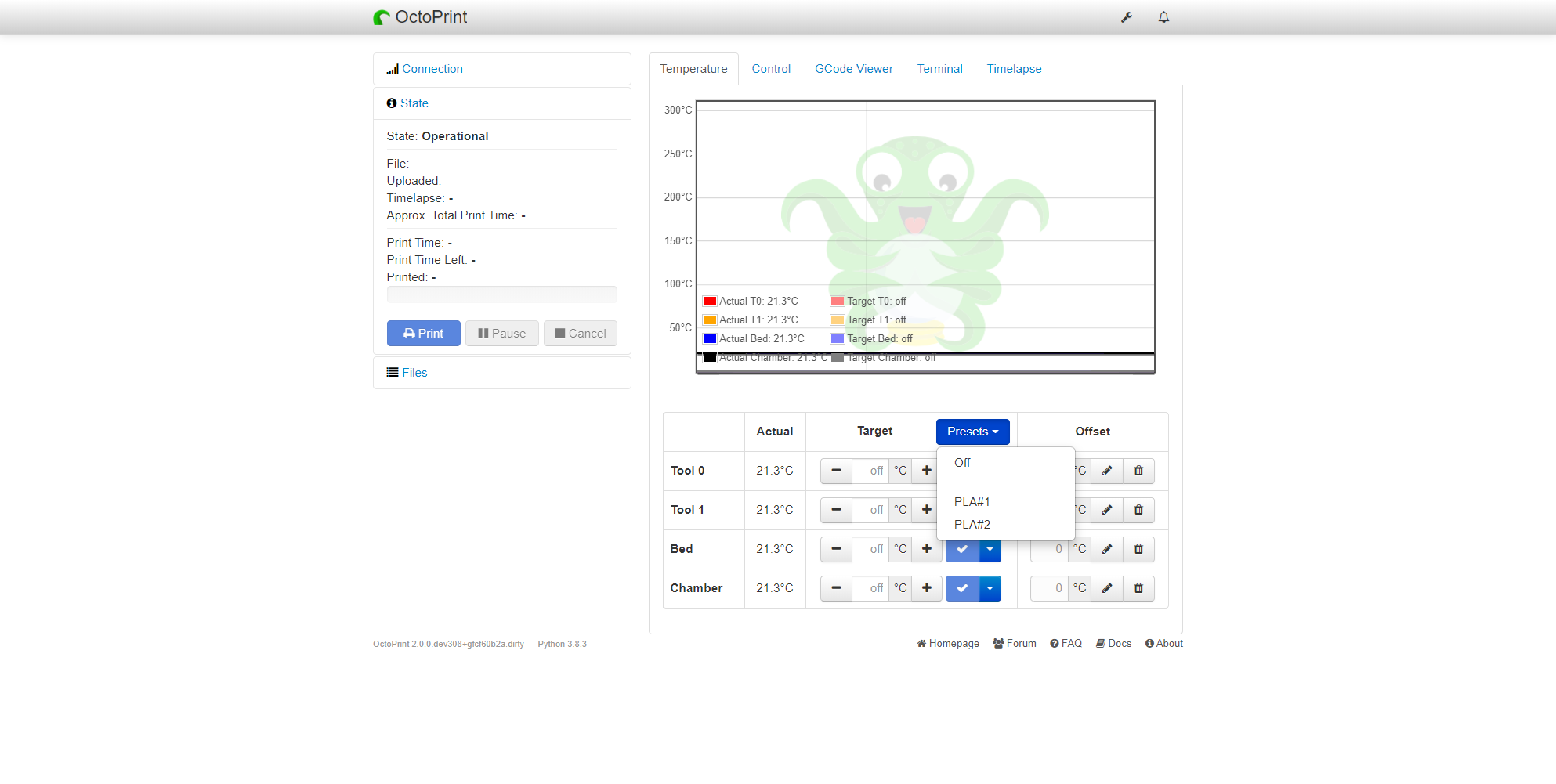
FedericoNembrini
on 24 Jun 2020
Now make it non primary and a right floated icon button like the file list settings and similar and we have a deal 👍
 foosel
on 24 Jun 2020
foosel
on 24 Jun 2020
I don't know if I understand correctly, but do you mean this?
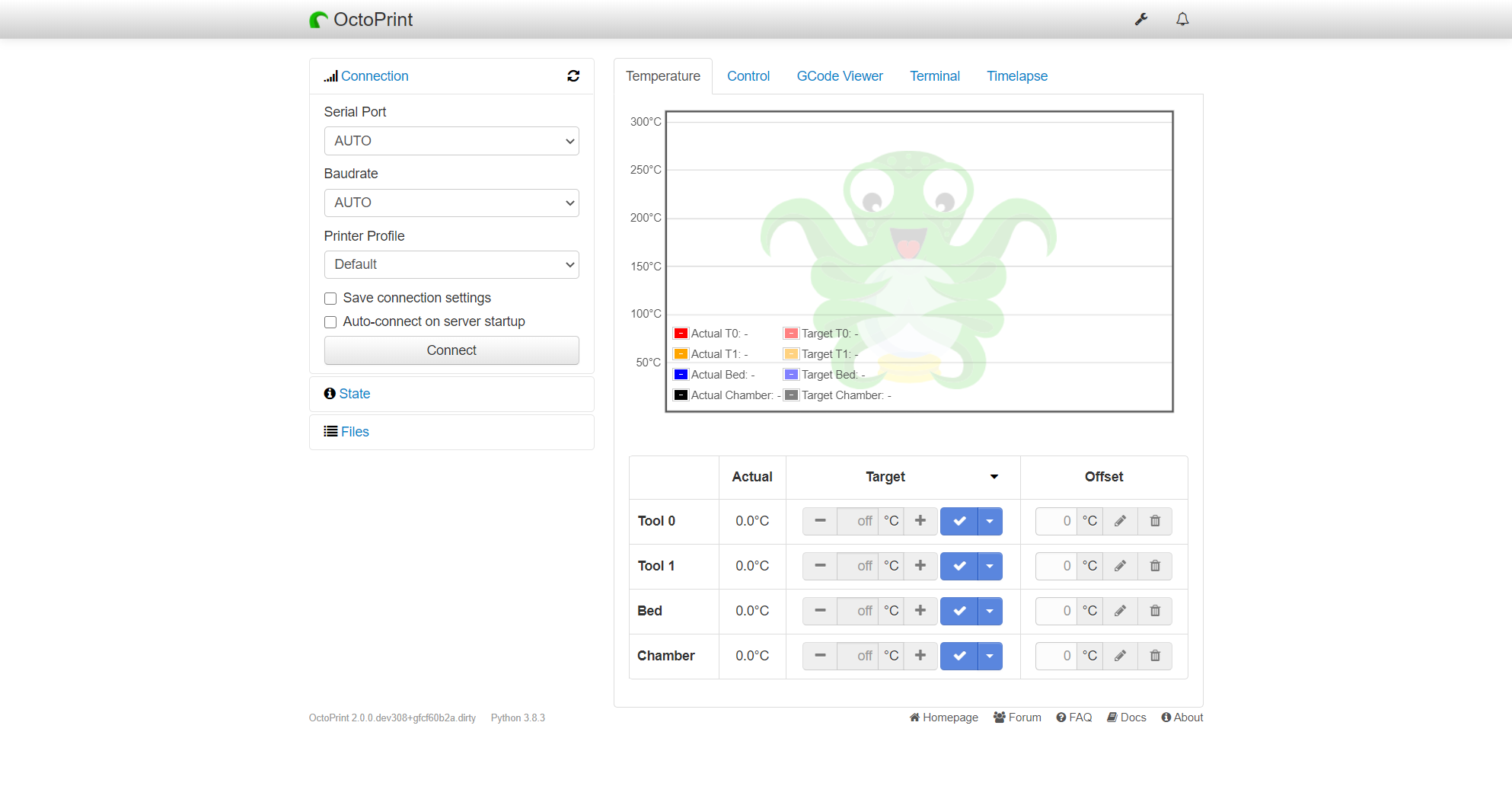
FedericoNembrini
on 26 Jun 2020
Almost:
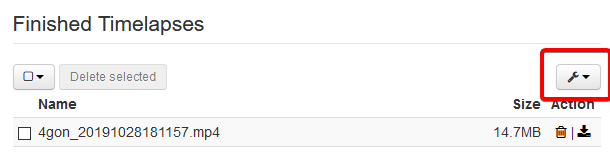
foosel
on 26 Jun 2020
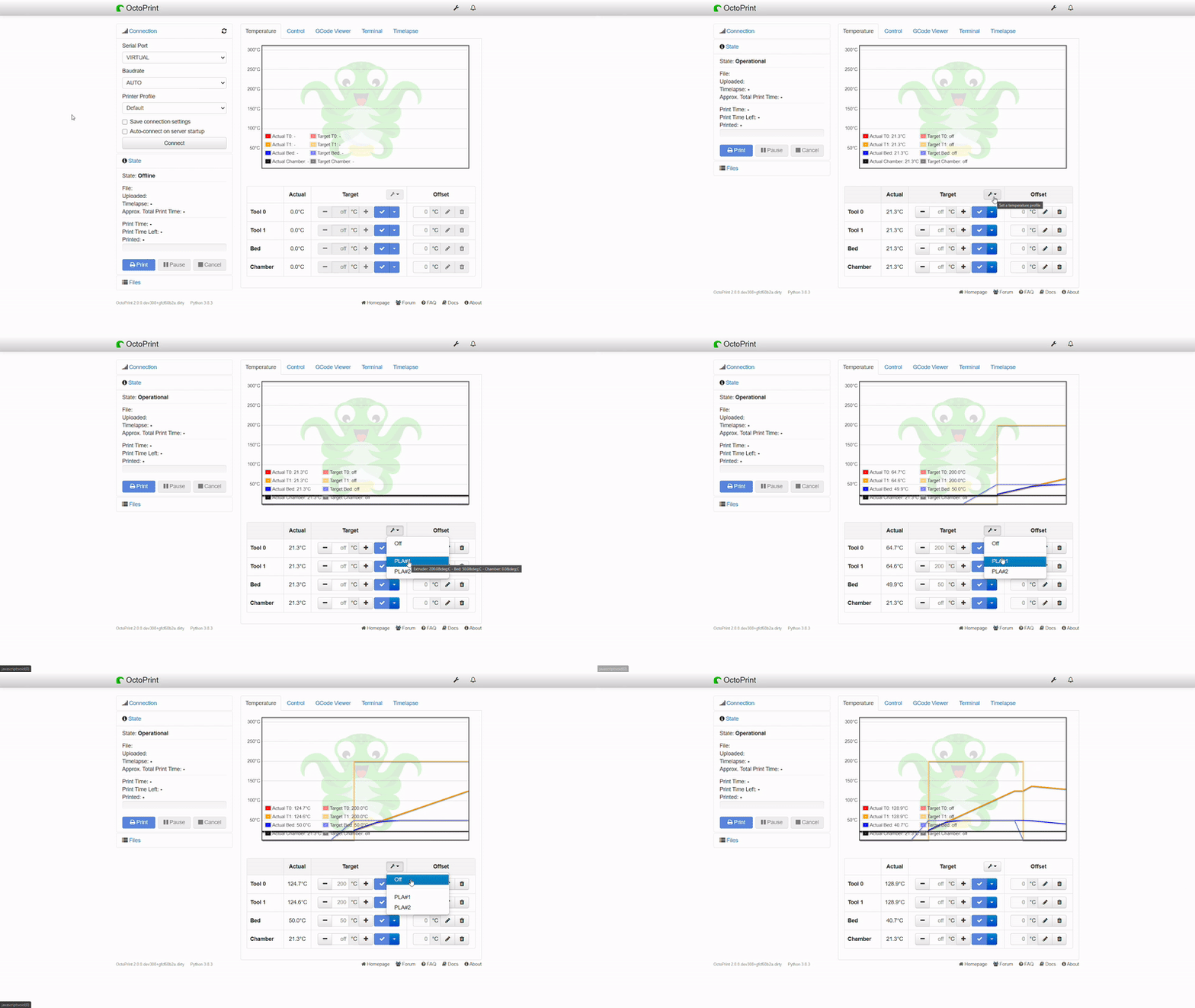
If this is correct, I can proceed with the pull request.
FedericoNembrini
on 27 Jun 2020
That looks right to me, based on @foosel's screenshot.
jneilliii
on 27 Jun 2020
Yep 👍 pull request against the maintenance branch please, then I can still get it into the 1.4.1 release, first RC should land early next week.
foosel
on 27 Jun 2020
Implemented by #3617, to be released as part of 1.4.1. First RC is currently delayed however, might take until next week after all.
foosel
on 30 Jun 2020
1.4.1 has just been released
foosel
on 4 Aug 2020
Related issues
 halkeye
·
4Comments
halkeye
·
4Comments
 JohnOCFII
·
5Comments
JohnOCFII
·
5Comments
 cp2004
·
4Comments
cp2004
·
4Comments
 coldtobi
·
4Comments
coldtobi
·
4Comments
 Lino77
·
4Comments
Lino77
·
4Comments