October: Form setting for Input.trigger.js does not accept null
When in your form setting is something like this:
trigger:
    action: disable
    field: common_text_or_number_field
    condition: value[]
...everything works as expected. "" value is compared with empty text field "" and result is true.
But in this case:
trigger:
    action: disable
    field: dropdown_field
    condition: value[]
... "" is compared with null returned by dropdown and result is false.
I did not find way how to impose null to form field condition setting.
Possible solution
When Input.trigger.js self.triggerConditionValue contains "", add automatically null value too.
 Rike-cz
All 13 comments
@Rike-cz do you think you could submit a PR to https://github.com/octobercms/october/blob/develop/modules/system/assets/ui/js/input.trigger.js#L67-L91 to handle dropdown null values better?
 LukeTowers
on 8 Oct 2020
LukeTowers
on 8 Oct 2020
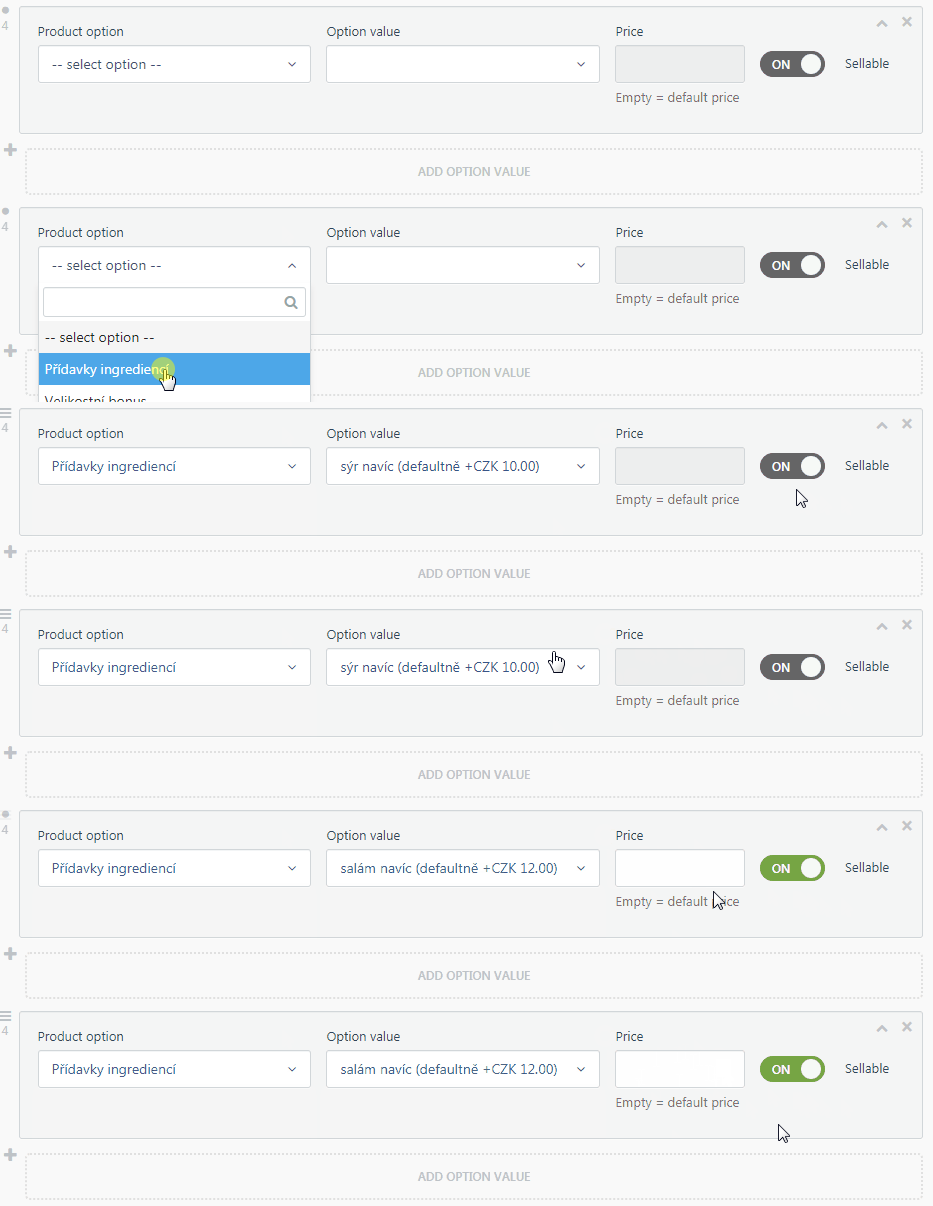
@LukeTowers I found very simple way to achieve what I want.
What is another problem - automatically changed dropdowns (via dependsOn) does not trigger any event. It's more complex I think, maybe for @bennothommo eyes and brain.
Rike-cz
on 9 Oct 2020
@Rike-cz can't you set the price field to automatically trigger based on the product option field as well as the option value field?
LukeTowers
on 12 Oct 2020
@LukeTowers If every _Product option_ has one or more _Option value_, yes, I can. But in marginal case with no option values for product option I will optain enabled _Price_ too. But it's a detail I think.
Rike-cz
on 12 Oct 2020
If @bennothommo would make some changes in dropdowns, I think this is not correct behavior too:
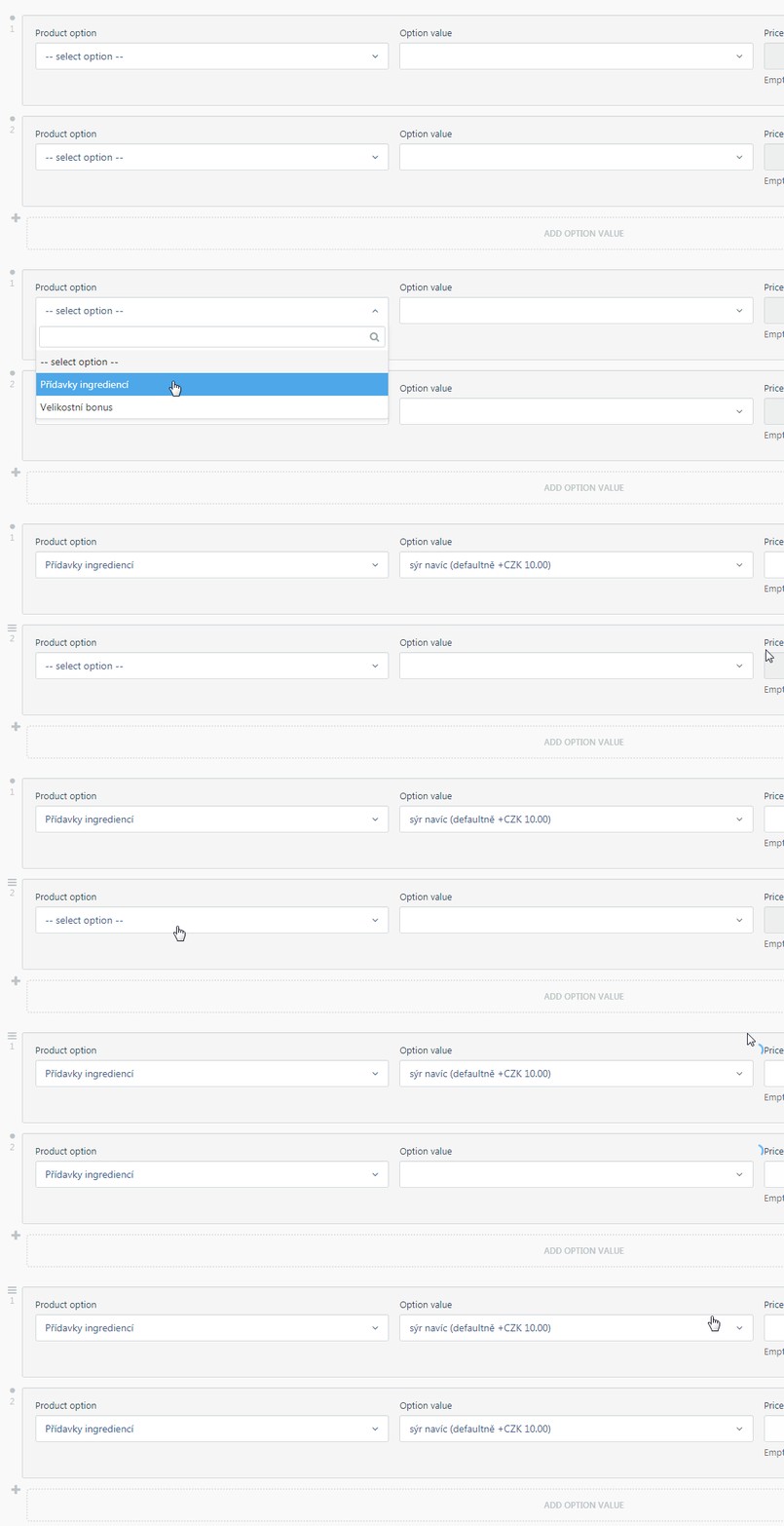
Changing of value in dropdown fires loading indicators not only in his own dependents.
Rike-cz
on 13 Oct 2020
@Rike-cz could you make a separate issue for that, so it doesn't get lost here? I assume that's based on dependsOn.
 bennothommo
on 13 Oct 2020
bennothommo
on 13 Oct 2020
Sorry! #5311
Rike-cz
on 13 Oct 2020
I tried reproducing the behavior you describe and couldn't do it. It's working as I would expect, disabling the field using the trigger on another field of type dropdown.
Maybe branch 1.1 does not exhibit this problem?
 mjauvin
on 24 Oct 2020
mjauvin
on 24 Oct 2020
@mjauvin Have you the second dropdown depending on first one? And trigger of third field focused on second dropdown (cascade)? Yes, you can focus them on first dropdown and it would work until the second dropdown returns null, because this setup enables third field too and it's unintended.
I tried it in 1.0.469, but 1.0 was the same.
Rike-cz
on 24 Oct 2020
@Rike-cz I don't understand why you're talking about cascade here, that was never mentioned in the original issue description. And yes, my dropdown field depends on the other dropdown.
Also, note that 1.0.469 is the same as 1.0. can you try to reproduce on 1.1 branch without applying this PR?
mjauvin
on 25 Oct 2020
@mjauvin is right. I cannot reproduce this issue on 1.1 branch. I tried it only on 1.0.469, where that problem was detected. On monday I will try to upgrade whole project on 1.1 and find, what fixed that issue.
Rike-cz
on 25 Oct 2020
@Rike-cz we'll wait for your results upon upgrading to 1.1 before reviewing this further.
bennothommo
on 26 Oct 2020
@bennothommo, @mjauvin Please forget it. After upgrade to 1.1 it works as expected without my PR. I am sorry for making problems :-(
Rike-cz
on 27 Oct 2020
Related issues
 lukaszbanas-extremecoding
·
3Comments
lukaszbanas-extremecoding
·
3Comments
 mittultechnobrave
·
3Comments
mittultechnobrave
·
3Comments
mittultechnobrave
·
3Comments
mittultechnobrave
·
3Comments
 gergo85
·
3Comments
gergo85
·
3Comments
 m49n
·
3Comments
m49n
·
3Comments
Most helpful comment
@mjauvin is right. I cannot reproduce this issue on 1.1 branch. I tried it only on 1.0.469, where that problem was detected. On monday I will try to upgrade whole project on 1.1 and find, what fixed that issue.