October: Read & Write database connections problem
- OctoberCMS Build: 465
- PHP Version: 7.3.10
- Database Engine: MySQL
Description:
We use Read & Write connections in our project. And we faced with a problem in the Backend. When we create the model in the Backend and press "Create and close" button, it redirects us to the list but this list doesn't contain our newly created model. We need to refresh the page again to see the newly created model. This is because there is a small delay (about 20ms) between "Read" and "Write" databases synchronization. When we press "Create and close" button, OctoberCMS stores the record to the "master" database (using "Write" database connection) and immediately redirects us to the list view which uses the "slave" database and "Read" database connection. But at this stage, the "slave" database has not yet synchronized with the "master" database and therefore we don't see the newly created model in the list. So, we need to refresh the page again to see changes.
There is a sticky option which we use:
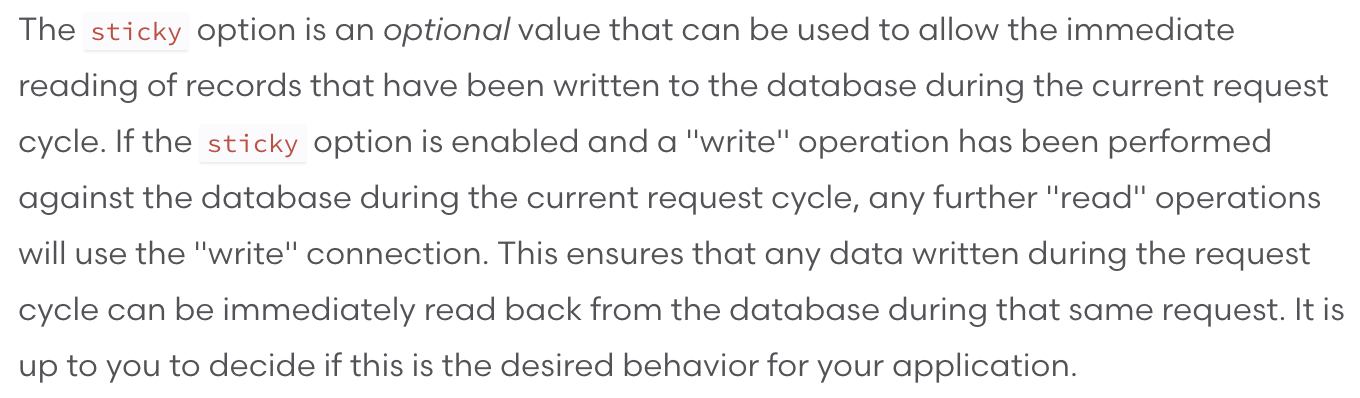
But it doesn't help. To make it work, we should use the _current request cycle (the same request)_. But to make the redirect to the list, OctoberCMS needs an additional request (so it is not the same request). Therefore, after the redirect it reads data from the "Read" connection and not from the "Write".
Is it possible to use "Write" connection only on Backend and "Read" connection on Frontend? Or how to solve this problem?
Thanks for any help.
 iboved
All 8 comments
@iboved what does your database.php look like?
 LukeTowers
on 25 Jun 2020
LukeTowers
on 25 Jun 2020
@iboved That is unfortunately a side effect of using read/write splitting and MySQL replication - there will always be a small delay.
You could possibly cheat by introducing a usleep(20000); call within a callback for the list.extendQuery event, which will delay the List widget before making the database query - it just means that you're effectively adding 20ms to your load time on lists.
 bennothommo
on 26 Jun 2020
bennothommo
on 26 Jun 2020
@iboved if the write DB config is setup with a separate database connection then you can have a plugin dynamically change the configured database connection by checking App::runningInBackend()
LukeTowers
on 26 Jun 2020
you can have a plugin dynamically change the configured database connection by checking App::runningInBackend()
@LukeTowers thanks for your answer. This is what I need. How to do so? And where to do this? Thanks a lot!
iboved
on 26 Jun 2020
Here is my database.php "connections" definition:
    'connections' => [
        'mysql' => [
            'read' => [
                'host' => env('DB_HOST_R'),
            ],
            'write' => [
                'host' => env('DB_HOST_W'),
            ],
            'sticky'    => true,
            'driver'    => 'mysql',
            'port' => env('DB_PORT', 3306),
            'database' => env('DB_DATABASE', 'database'),
            'username' => env('DB_USERNAME', ''),
            'password' => env('DB_PASSWORD', ''),
            'charset'   => 'utf8mb4',
            'collation' => 'utf8mb4_unicode_ci',
            'prefix'    => '',
            'options' => [
                 PDO::ATTR_PERSISTENT => true
            ],
            'strict'    => false,
        ],
        'sqlite' => [
            'driver'   => 'sqlite',
            'database' => 'storage/database.sqlite',
            'prefix'   => '',
        ],
    ],
@iboved try something like this in your plugin's boot() method:
public function register()
{
    if (\App::runningInBackend()) {
        Config::set('database.connections.mysql.host', env('DB_HOST_W'));
        Config::set('database.connections.mysql.read', null)
        Config::set('database.connections.mysql.write', null);
    }
}
@LukeTowers thanks for your help!
But there are two corrections:
- We should use register method instead of boot. It is impossible to change the database connection in the boot method, because it is too late.
- We can not use boolean values (true / false) in read and write options. It throws a fatal error. We should use null values.
iboved
on 10 Aug 2020
Updated for future reference @iboved, thanks!
LukeTowers
on 10 Aug 2020
Related issues
 kdoonboli
·
3Comments
kdoonboli
·
3Comments
 d3monfiend
·
3Comments
d3monfiend
·
3Comments
 dunets
·
3Comments
dunets
·
3Comments
 mittultechnobrave
·
3Comments
mittultechnobrave
·
3Comments
 lukaszbanas-extremecoding
·
3Comments
lukaszbanas-extremecoding
·
3Comments