October: Additional Block::placeholder() causing backend views to render incorrectly
- OctoberCMS Build: ###
- PHP Version: 7.4
- Plugins Installed: October\Test
Description:
When trying to add additional Block placeholders to the default.htm layout, the page is rendered incorrectly.
Steps To Reproduce:
- Install the Test plugin if not done so already
- Update
backend/layouts/default.htmto add the following after the breadcrumb block placeholder on lines 45-50:
<?php if ($testBlock = Block::placeholder('test-block')): ?>
<!-- Test block -->
<div class="control-breadcrumb">
<?= $testBlock ?>
</div>
<?php endif ?>
- Add the following to
plugins/october/test/controllers/people/create.htm:
<?php Block::put('test-block') ?>
    <ul>
        <li>Test</li>
        <li>Block</li>
    </ul>
<?php Block::endPut() ?>
- Notice that the form and/or body is rendered outside of the page, and that the page source shows the element is rendered in the middle of the page:
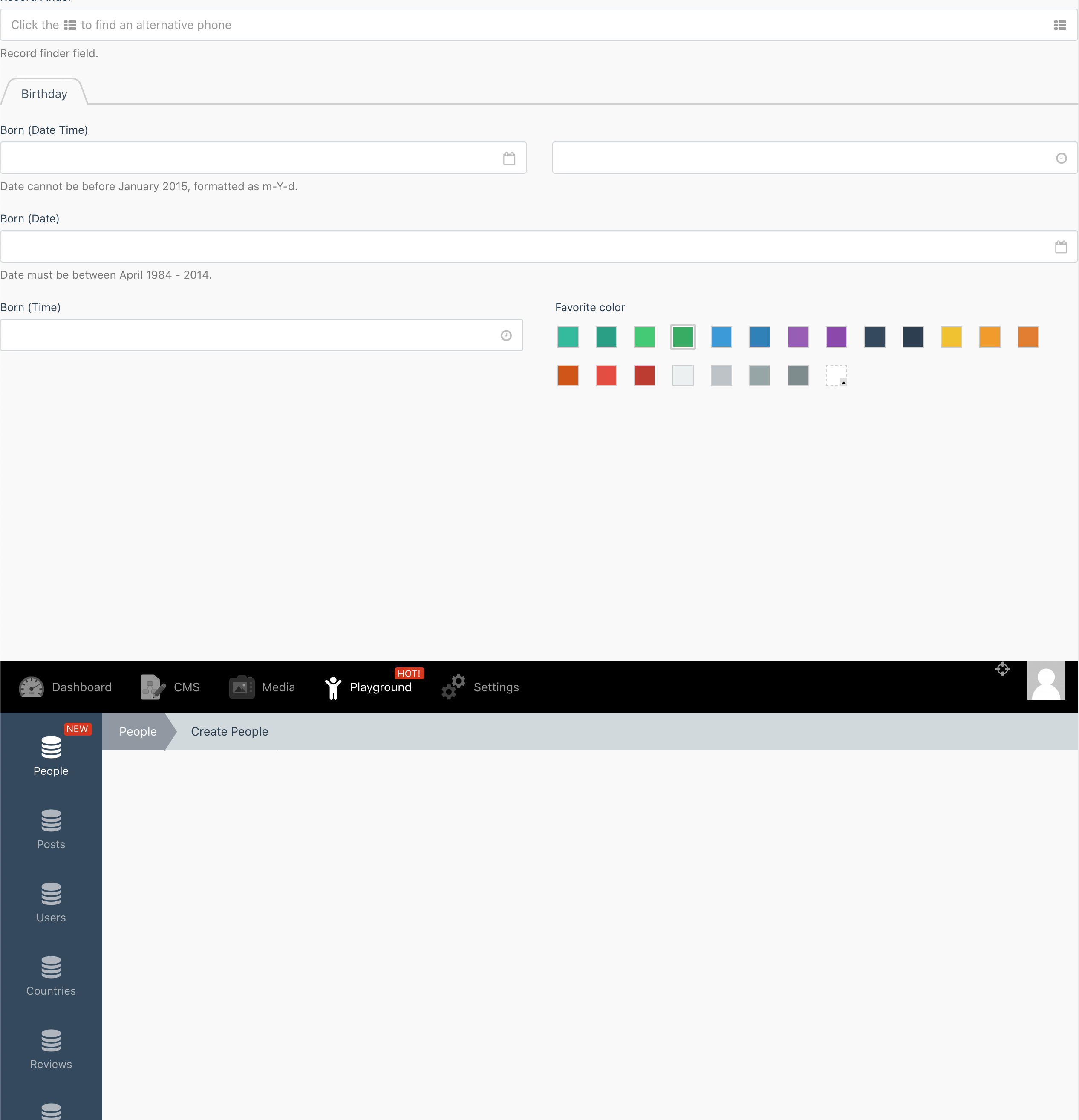
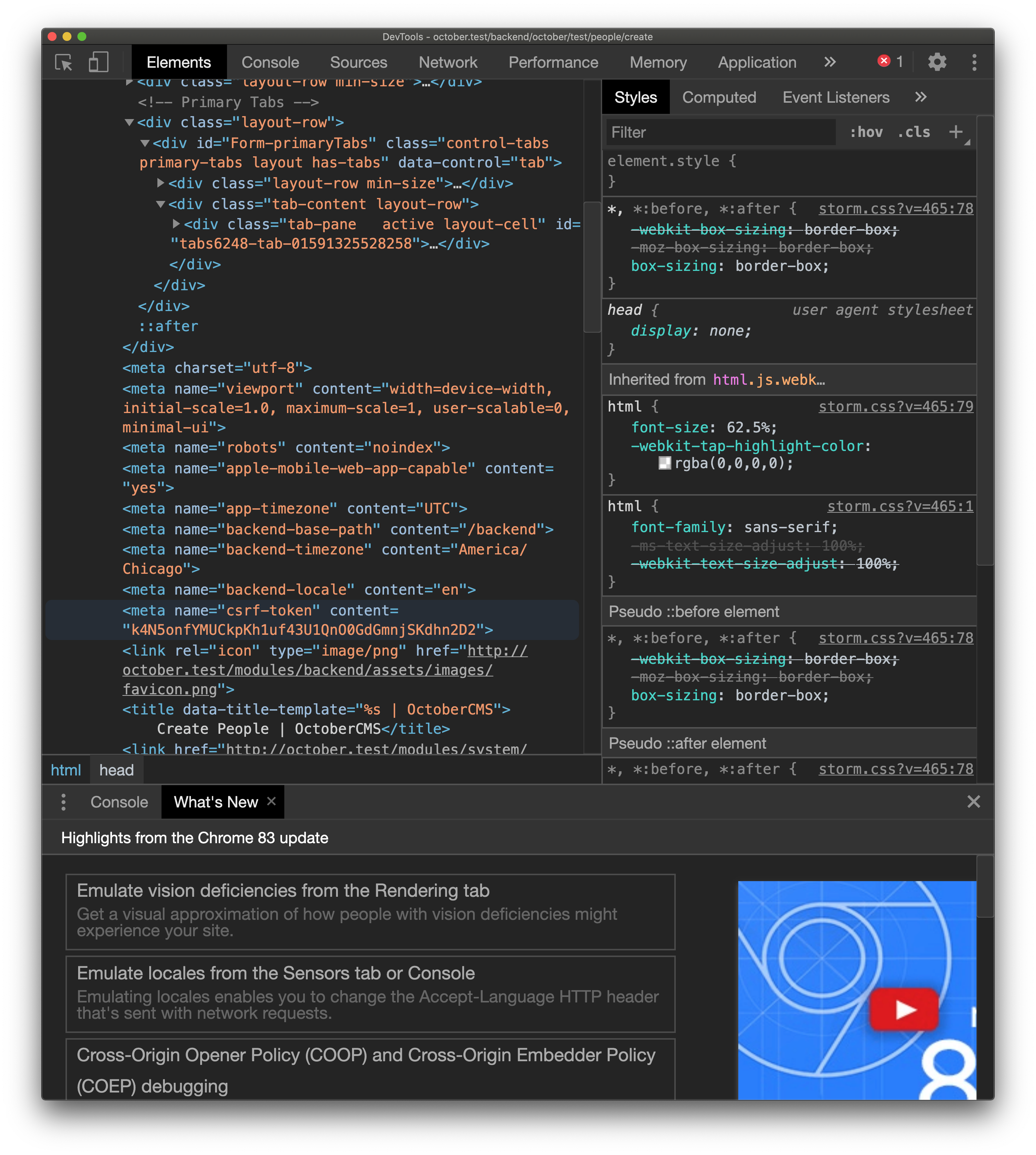
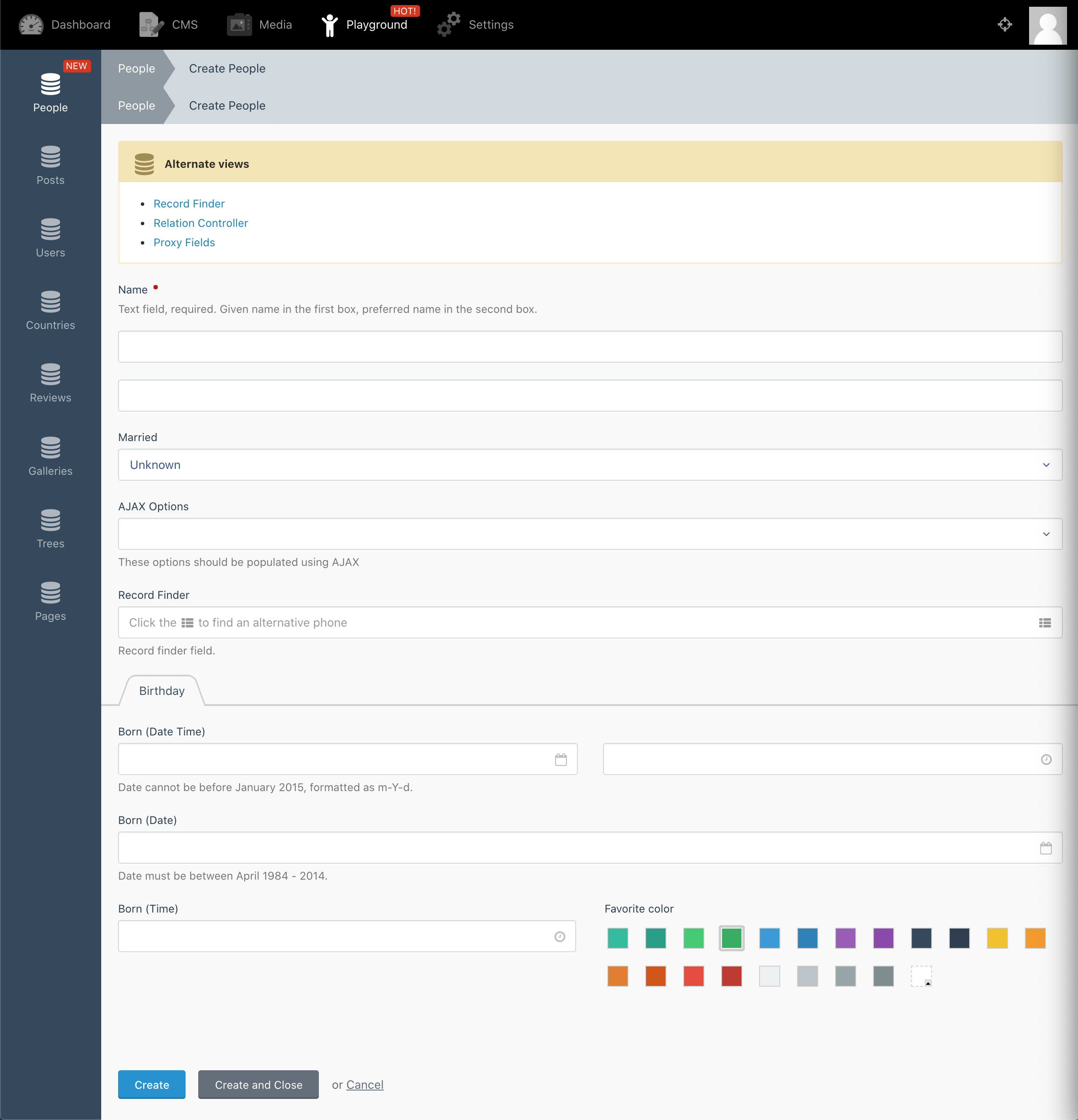
As an example, the expected output would be something like this:
 LarryBarker
All 5 comments
UPDATE
I took a look at the HtmlBlock class in the library to see if I could understand better what is going on. I'm still not entirely sure I understand, but I looked at some other views where I have multiple Block::put() references. In these views, I am actually wrapping the content of the view inside Block::put('body') and it works. So, I thought I would do the same here, and sure enough, it renders as expected!
I will abbreviate some code to save for space, but here is the bulk of the default.htm layout with an additional block placeholder:
<!-- Content Body -->
<div class="layout-cell layout-container" id="layout-body">
    <div class="layout-relative">

        <div class="layout">
            <?php if ($breadcrumbContent = Block::placeholder('breadcrumb')): ?>
                <!-- Breadcrumb -->
                <div class="control-breadcrumb">
                    <?= $breadcrumbContent ?>
                </div>
            <?php endif ?>

            <?php if ($testBlock = Block::placeholder('test-block')): ?>
                <!-- Test block -->
                <div class="control-breadcrumb">
                    <?= $testBlock ?>
                </div>
            <?php endif ?>

            <!-- Content -->
            <div class="layout-row">
                <?= Block::placeholder('body') ?>
            </div>
        </div>

    </div>
</div>
And here is the redacted version of create.htm for the People controller in the Test plugin:
<?php Block::put('breadcrumb') ?>
    <ul>
        <li><a href="<?= Backend::url('october/test/people') ?>">People</a></li>
        <li><?= e(trans($this->pageTitle)) ?></li>
    </ul>
<?php Block::endPut() ?>

<?php Block::put('test-block') ?>
    <ul>
        <li>Test</li>
        <li>Block</li>
    </ul>
<?php Block::endPut() ?>

<?php Block::put('body') ?>
<?php if (!$this->fatalError): ?>

    <!-- form or other content would normally go here -->

<?php else: ?>

    <p class="flash-message static error"><?= e(trans($this->fatalError)) ?></p>
    <p><a href="<?= Backend::url('october/test/people') ?>" class="btn btn-default">Return to people list</a></p>

<?php endif ?>
<?php Block::endPut() ?>
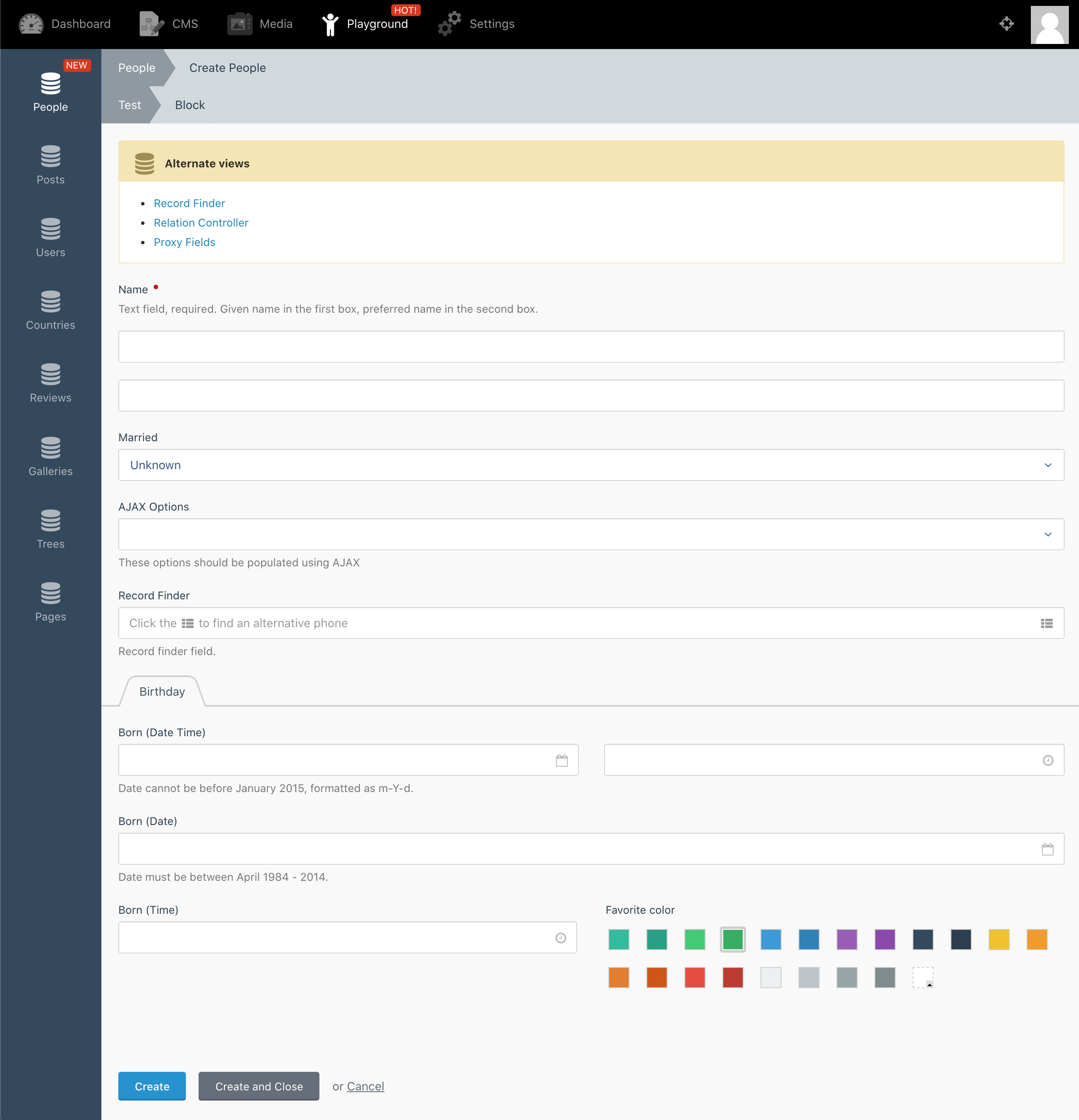
And voila, here is the expected output:
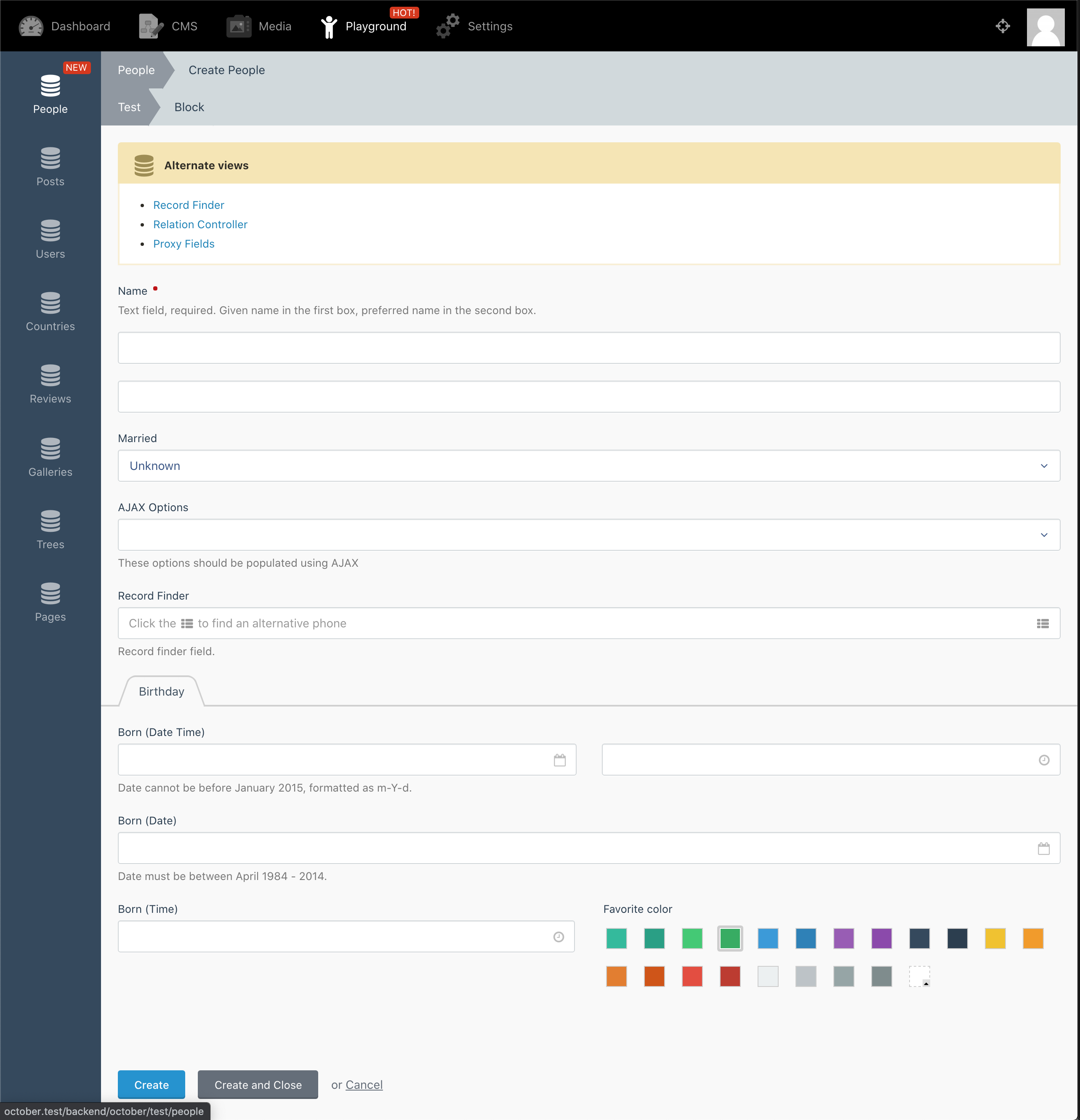
Now after all of that is said and done, I'm still not sure why exactly this works, and whether or not this is the intended behavior. At this point, I'm more on a rambling spree than anything, but I would be curious what some of the seasoned vets around here think?
Thanks much as always!
LarryBarker
on 5 Jun 2020
This issue will be closed and archived in 3 days, as there has been no activity in the last 60 days.
If this issue is still relevant or you would like to see it actioned, please respond and we will re-open this issue.
If this issue is critical to your business, consider joining the Premium Support Program where a Service Level Agreement is offered.
![github-actions[bot] picture](https://avatars.githubusercontent.com/in/15368?v=4&s=40) github-actions[bot]
on 5 Aug 2020
github-actions[bot]
on 5 Aug 2020
So this is still an issue. I spoke to @daftspunk about it when I first encountered it, and while he agreed this is not the intended behavior, he wasn't sure the cause.
Like I said, originally I was trying to add a placeholder to '_default.htm' layout to place some buttons outside of the form area.
What I ended up discovering is that when doing this, all content in the partial/view must be inside of a 'Block::put()' section, and specifically, the main content needs to be inside 'Block::put(body)'.
I have been able to fix areas I have full control over, but other areas like system settings, are being affected. Specifically, any settings page that contains a list is now rendering the list outside of the page layout:
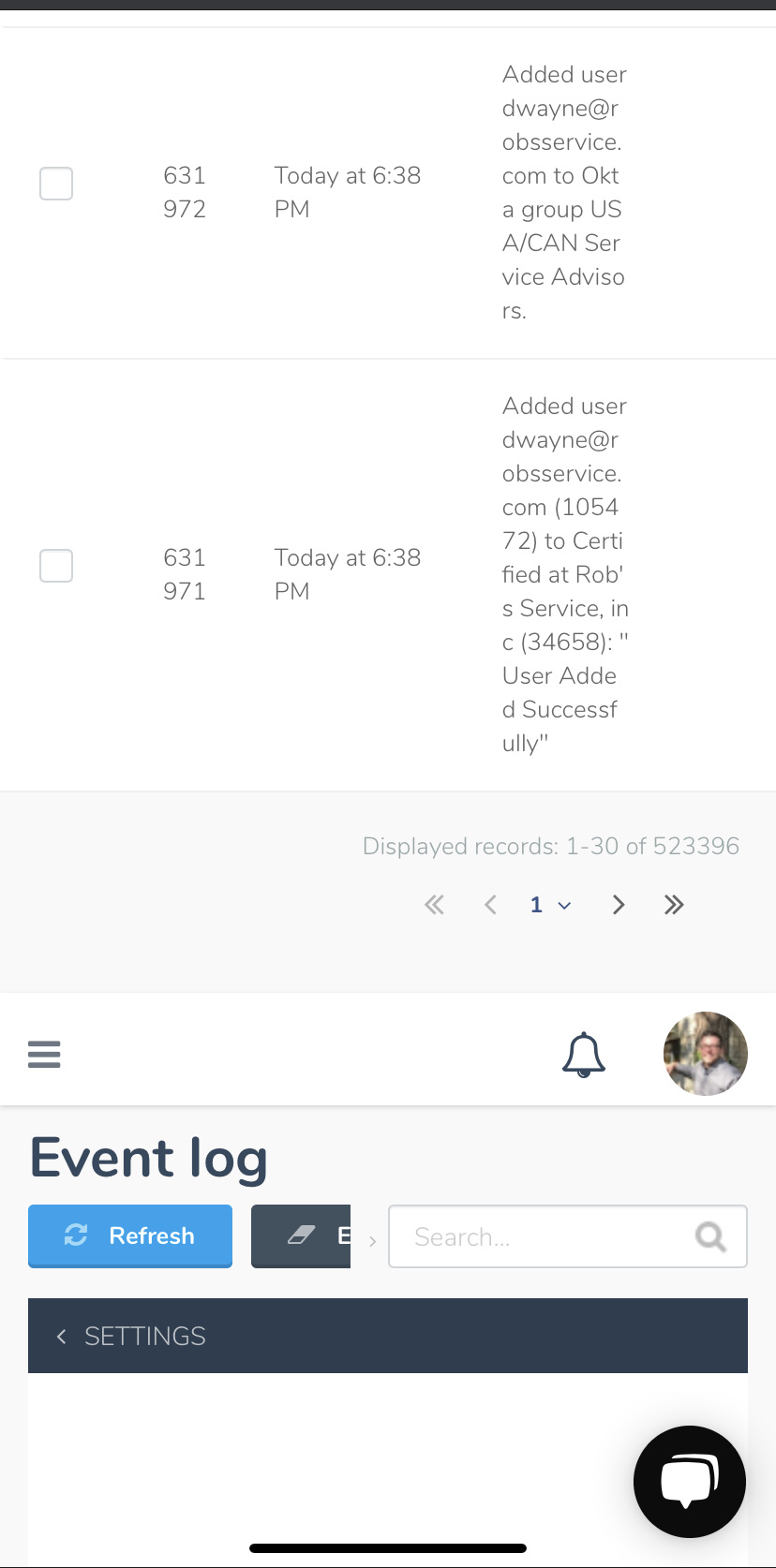
This is on mobile so it's not the best shot of the issue, but you should still be able to tell that the main content (the list of events) is being rendered outside of the page layout.
LarryBarker
on 5 Aug 2020
@LarryBarker I've been able to figure this out.
These 3 lines in the BlockBuilder are basically breaking out of a parent output buffer in the scenario you mentioned above:
https://github.com/octobercms/library/blob/develop/src/Html/BlockBuilder.php#L47-L49
Essentially, if there's any output between the two blocks (such as some normal content, or even just whitespace), those lines will do another ob_end_clean, which actually breaks out of the parent buffer (in your case, the body buffer, which is delivered here: https://github.com/octobercms/october/blob/develop/modules/system/traits/ViewMaker.php#L126-L127). This is what causes the content to end up at the top of the page if you use multiple blocks.
I've submitted a PR here for this: https://github.com/octobercms/library/pull/517 - feel free to give it a try and let me know if that works for you.
 bennothommo
on 25 Aug 2020
bennothommo
on 25 Aug 2020
This issue will be closed and archived in 3 days, as there has been no activity in the last 60 days.
If this issue is still relevant or you would like to see it actioned, please respond and we will re-open this issue.
If this issue is critical to your business, consider joining the Premium Support Program where a Service Level Agreement is offered.
github-actions[bot]
on 25 Oct 2020
Related issues
 Flynsarmy
·
3Comments
Flynsarmy
·
3Comments
 jvanremoortere
·
3Comments
jvanremoortere
·
3Comments
 atrauzzi
·
3Comments
atrauzzi
·
3Comments
 lukaszbanas-extremecoding
·
3Comments
lukaszbanas-extremecoding
·
3Comments
 kdoonboli
·
3Comments
kdoonboli
·
3Comments
Most helpful comment
So this is still an issue. I spoke to @daftspunk about it when I first encountered it, and while he agreed this is not the intended behavior, he wasn't sure the cause.
Like I said, originally I was trying to add a placeholder to '_default.htm' layout to place some buttons outside of the form area.
What I ended up discovering is that when doing this, all content in the partial/view must be inside of a 'Block::put()' section, and specifically, the main content needs to be inside 'Block::put(body)'.
I have been able to fix areas I have full control over, but other areas like system settings, are being affected. Specifically, any settings page that contains a list is now rendering the list outside of the page layout:
This is on mobile so it's not the best shot of the issue, but you should still be able to tell that the main content (the list of events) is being rendered outside of the page layout.