October: How to override plugin translations
- OctoberCMS Build: 465
- PHP Version:
- Database Engine:
- Plugins Installed: RainLab.User 1.5.3
Description:
Overriding localization files won't work for plugins. I've created a folder lang/nl/rainlab/user/lang.php with the overrides. October still uses the language strings in the RainLab.User plugin.
Used the documentation at https://octobercms.com/docs/plugin/localization#overriding.
Steps To Reproduce:
Create a plugin and create a localization override file. I've tested it by copy pasting the contents of /plugins/rainlab/user/lang/nl/lang.php to /plugins/myname/myplugin/lang/nl/rainlab/user/lang.php.
 SebastiaanKloos
All 11 comments
The documentation you references mentions the app's lang directory NOT the plugin's lang directory
 mjauvin
on 22 Apr 2020
mjauvin
on 22 Apr 2020
Please, look at this post:
https://octobertricks.com/tricks/override-translations-with-a-plugin
mjauvin
on 22 Apr 2020
You can also use the following method to do what you initially wanted:
    public function __construct($app)
    {
        parent::__construct($app);

        $app->singleton('translation.loader', function ($app) {
            $langPath = plugins_path('author/plugin/lang');
            return new \October\Rain\Translation\FileLoader($app['files'], $langPath);
        });
    }
The documentation you references mentions the app's lang directory NOT the plugin's lang directory
Ahh. My bad. I will try your suggestion! Thanks!
SebastiaanKloos
on 22 Apr 2020
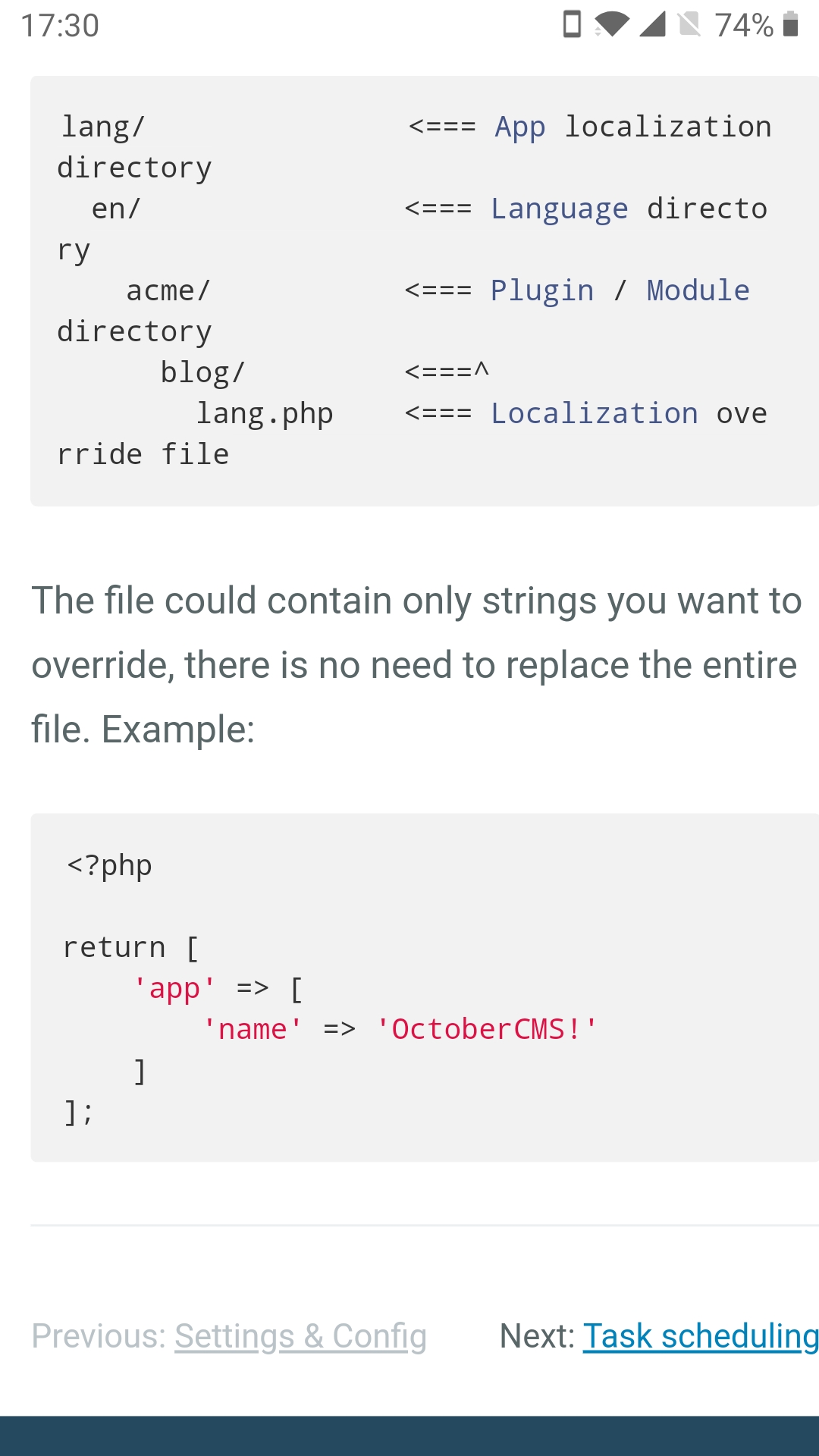
@mjauvin The example in the docs shows how to override a plugins localization. So it should work...
SebastiaanKloos
on 22 Apr 2020
@mjauvin The example in the docs shows how to override a plugins localization. So it should work...
No, it's showing the "App localization directory", see attached screenshot of the Documentation
mjauvin
on 22 Apr 2020
@mjauvin Ahh. Thanks. Will add the override to the applications lang. I think I was sleeping...
SebastiaanKloos
on 23 Apr 2020
You can also use the following method to do what you initially wanted:
    public function __construct($app)
    {
        parent::__construct($app);

        $app->singleton('translation.loader', function ($app) {
            $langPath = plugins_path('author/plugin/lang');
            return new \October\Rain\Translation\FileLoader($app['files'], $langPath);
        });
    }
@SebastiaanKloos try this, it will allow you to put overrides within your plugin lang folder.
mjauvin
on 23 Apr 2020
@mjauvin that's not what he was trying to do, he just wanted to override the RainLab.User plugin translations for his specific project.
Note that my official recommendation would be to avoid the constructor solution as much as possible because it does not play nice with any other plugins at all. If you need to override a language string from your plugin and have it play nice with other plugins I highly recommend you use the translator.beforeResolve event instead. Your example will as you posted, but it doesn't play nice with October's core principles.
 LukeTowers
on 23 Apr 2020
LukeTowers
on 23 Apr 2020
@LukeTowers his initial request was to override the localization strings under his plugin's lang folder (and not the application's lang folder)
mjauvin
on 24 Apr 2020
@mjauvin You are right, however it doesn’t really matter how to do the translations. If I can add the translations to the project, that’s fine.
In my spare time, I will create a plugin where you can define the translations which will be using the translation event. I’ve used that event before.
Thank you for your clear answers @mjauvin @LukeTowers.
SebastiaanKloos
on 24 Apr 2020
Related issues
 kdoonboli
·
3Comments
kdoonboli
·
3Comments
 jvanremoortere
·
3Comments
jvanremoortere
·
3Comments
 mittultechnobrave
·
3Comments
mittultechnobrave
·
3Comments
mittultechnobrave
·
3Comments
mittultechnobrave
·
3Comments
 axomat
·
3Comments
axomat
·
3Comments
Most helpful comment
@mjauvin that's not what he was trying to do, he just wanted to override the RainLab.User plugin translations for his specific project.
Note that my official recommendation would be to avoid the constructor solution as much as possible because it does not play nice with any other plugins at all. If you need to override a language string from your plugin and have it play nice with other plugins I highly recommend you use the
translator.beforeResolveevent instead. Your example will as you posted, but it doesn't play nice with October's core principles.