October: When using Rule objects, the error message is not used
I am trying to add a rule to validate a reCAPTCHA response, and I copied the code under the section "Using Rule objects" from https://octobercms.com/docs/services/validation#custom-validation-rules. I can tell that the validate() and passes() methods are being executed because when I do dd() inside these messages, it works. However this is not so with the message() method in that class, which is not being executed at all. In the ajax response, it has a generic error message:
g-recaptcha-response: ["validation.recaptcha"]
instead of using the custom error message.
 multiwebinc
All 26 comments
@multiwebinc I believe the message() method is required purely for ensuring that the custom Rule classes include all required methods of the Illuminate\Contracts\Validation\Rule interface. We don't actually use the message specified there though.
It's something we can look at down the track, but in the mean time, you'll have to use the other methods for specifying messages.
 bennothommo
on 22 Nov 2019
bennothommo
on 22 Nov 2019
@bennothommo Thanks for the reply. I did it another way, but it is a bit uglier since I put a lot of logic in my Plugin.php file instead of it being a separate class. If you could maybe point me in the right direction, I might be able to get a PR for this.
multiwebinc
on 22 Nov 2019
@multiwebinc Sure thing, will be happy to take a look at a PR.
The main file handling model validation is this one:
https://github.com/octobercms/library/blob/master/src/Database/Traits/Validation.php
That's where you'll want to look if you want to bring in support for the message() method.
bennothommo
on 22 Nov 2019
I get the same error, see screenshot:
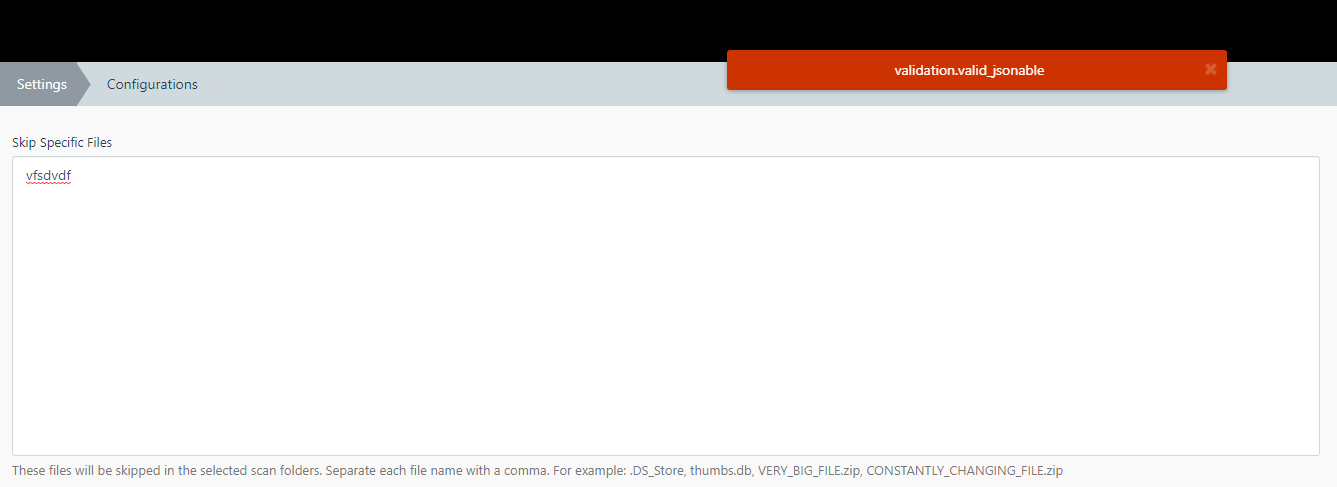
Even though my rules file says this:
    public function message()
    {
        return 'The :attribute must be a valid array.';
    }
@LukeTowers @bennothommo I think this is a bug (not an Type: Conceptual Enhancement)
- Laravel pull request: https://github.com/laravel/framework/pull/19155/files
 ayumi-cloud
on 25 Nov 2019
ayumi-cloud
on 25 Nov 2019
I looked into this, and the file @bennothommo mentions above is actually not used at all in my case. I'm assuming it's because the rule is not related to database queries. However everything else to do with validation appears to be just stock Laravel, so comparing the Laravel docs with the October docs, we can see that custom rule objects are loaded differently; Laravel recommends passing an instance of the rule object directly in the rules parameter of Validator::make() whereas October recommends extending the validator with the class name of the custom rule.
Doing it the Laravel way in October, actually works just as intended and calls the Rule object's message() method to get the custom message:
$rules = [
    'g-recaptcha-response' => [new RecaptchaValidator],
];
$validation = Validator::make(Input::all(), $rules);
So perhaps it's just something we could add to the October documentation.
multiwebinc
on 25 Nov 2019
@ayumi-cloud The Laravel pull request you mention has already been merged into October.
multiwebinc
on 25 Nov 2019
@multiwebinc
It seems like October's trait is missing the logic to process the public function message() in the https://github.com/octobercms/library/blob/master/src/Database/Traits/Validation.php
You should not need to use the Validator::make() if everything is working correctly. The doc's are correct.
See this video how to create a custom Validation and how simple the method is: https://www.youtube.com/watch?v=bsKOhgflCmI
October just needs to be modified to grab the custom error message instead of the displaying the $attribute which it's doing right now.
ayumi-cloud
on 25 Nov 2019
@ayumi-cloud In my case, https://github.com/octobercms/library/blob/master/src/Database/Traits/Validation.php is not being executed. I literally saved this as the entire file, and it has no effect, I would assume because I am not validating database values:
<?php namespace October\Rain\Database\Traits;

trait Validation
{
    protected static function makeValidator($data, $rules, $customMessages, $attributeNames, $connection = null) { }
}
You should not need to use the
Validator::make()if everything is working correctly.
I'm not sure what you mean here. You have to validate the input somehow. Either by doing Request::validate() as in the Youtube video you linked, or by doing Validator::make(). I have a hunch that one of these methods probably just calls the other one anyway.
multiwebinc
on 25 Nov 2019
@multiwebinc I meant you only need call it once.
Going to share my code:
Plugin.php file
use Validator;
use Acme\Example\Rules\Uppercase;

class Plugin extends PluginBase
{
    public function boot()
    {
        Validator::extend('uppercase', Uppercase::class);
    }
}
Models File:
class Example extends Model
{
    use \October\Rain\Database\Traits\Validation;

    public $rules = [
        'something' => 'uppercase'
    ]
}
The Trait is not passing the $message, instead its passing: validation.$attribute or in the above example code it would say: validation.uppercase
ayumi-cloud
on 26 Nov 2019
@ayumi-cloud Thanks for the assistance, but I believe he is talking about running a Validator instance manually - ie. not saving to a database.
@multiwebinc My comment was in reference to the Database trait, so if you are running your own instance of Validator, then yes, you should be able to do it the Laravel way and it should work fine as I believe the Validator that October uses is completely untouched Laravel code.
The Database trait is missing the ability to extract the message from the message() method. As I said, it could be added down the track.
I will look into improving the docs to highlight the difference between using the Trait and using your own Validator instance.
bennothommo
on 26 Nov 2019
@bennothommo I'm saying the saving to database method is also broken, unless my code in my previous comment is wrong. Any suggestions are always welcome 👍
Also the doc's need updating to add this users request see their forum post: https://octobercms.com/forum/post/custom-validation-messages
ayumi-cloud
on 26 Nov 2019
@ayumi-cloud Ah right - yeah, the Database trait doesn't read the message() method of a Rule class, however, you can use $customMessages in the model to specify a custom message. I'll update the docs now if that's not the case.
bennothommo
on 26 Nov 2019
@bennothommo @LukeTowers
By the way, I tried doing this also, but October won't allow $customMessages when using a Rules file. So right now there seems to be no way to display the custom message using a rules file using October's Trait, by either $message or $customMessages out of the box.
Models File:
class Example extends Model
{
    use \October\Rain\Database\Traits\Validation;

    public $customMessages = [
        'something' => 'The field needs to be uppercase.',
    ];

    public $rules = [
        'something' => 'uppercase'
    ]
}
- Needs more invesigating.
ayumi-cloud
on 26 Nov 2019
@ayumi-cloud there is a way - it may not be the most elegant way, but I used a Rule class and custom translatable message for the Builder plugin. See the files edited in this PR: https://github.com/rainlab/builder-plugin/pull/269
bennothommo
on 26 Nov 2019
@ayumi-cloud try 'something.uppercase' => 'The field needs to be uppercase.',
 LukeTowers
on 26 Nov 2019
LukeTowers
on 26 Nov 2019
Perfect thanks.
@LukeTowers suggestion didn't work for me.
@bennothommo event listener method worked for me.
ayumi-cloud
on 26 Nov 2019
@bennothommo
Want to ask you something about your code line here: https://github.com/rainlab/builder-plugin/blob/8a0d6789501cae5fb5d27fb571de049c28559d46/Plugin.php#L135
You're written: translator.beforeResolve
Would I be correct in thinking that uses the Rainlab.Translator plugin?
If so would the Builder Plugin then require the Rainlab.Translator to work.
e.g.
public $require = [
        'RainLab.Translate'
];
[edit] Is there a more generic way to over-ride it (without using the translator)?
ayumi-cloud
on 27 Nov 2019
@ayumi-cloud the translator event is provided by the Translator class in OctoberRain. https://octobercms.com/docs/api/translator/beforeresolve
LukeTowers
on 27 Nov 2019
@LukeTowers Thanks, I thought I'd double check. 👍
ayumi-cloud
on 27 Nov 2019
@ayumi-cloud I pinged you on slack, take a look please
LukeTowers
on 27 Nov 2019
@LukeTowers Ok will open slack in a bit.
p.s. The website search didn't work for me (this is why I asked here), see screenshot:
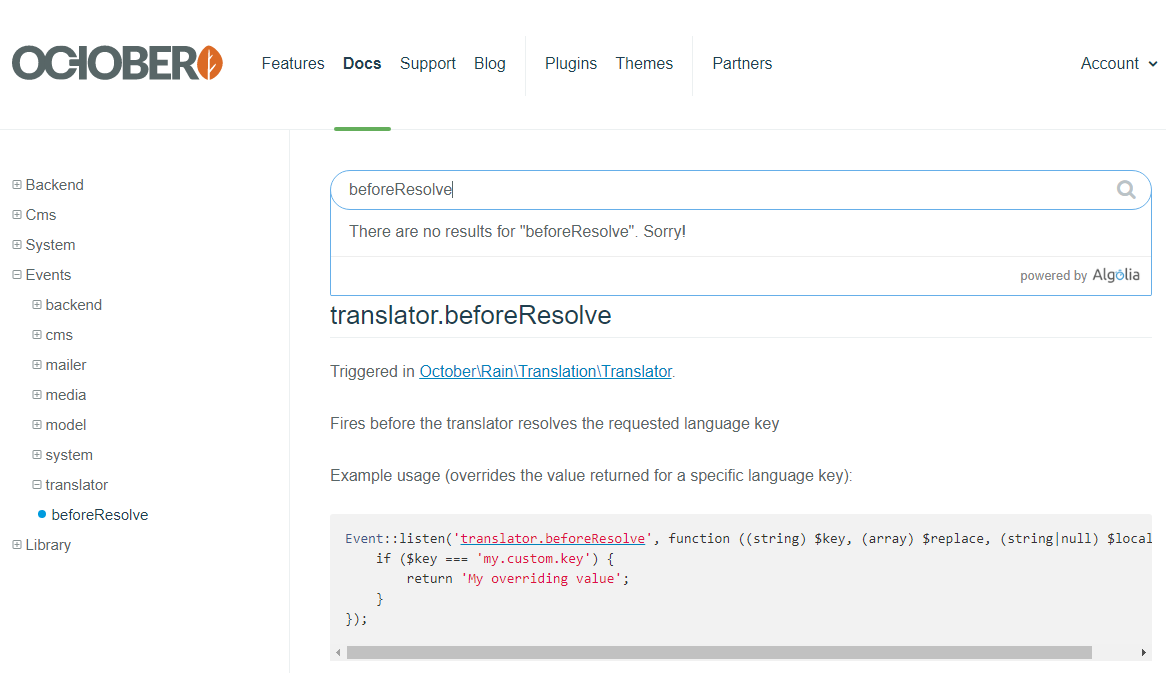
ayumi-cloud
on 27 Nov 2019
@ayumi-cloud I've never had much luck searching events through it as well, unfortunately. Unless those events are mentioned in a page in the normal docs.
bennothommo
on 28 Nov 2019
This issue will be closed and archived in 3 days, as there has been no activity in the last 30 days. If this issue is still relevant or you would like to see it actioned, please respond and we will re-open this issue.
![github-actions[bot] picture](https://avatars.githubusercontent.com/in/15368?v=4&s=40) github-actions[bot]
on 7 Jan 2020
github-actions[bot]
on 7 Jan 2020
This issue will be closed and archived in 3 days, as there has been no activity in the last 60 days.
If this issue is still relevant or you would like to see it actioned, please respond and we will re-open this issue.
If this issue is critical to your business, consider joining the Premium Support Program where a Service Level Agreement is offered.
github-actions[bot]
on 2 May 2020
Hi,
any news about this? I have the same problem.
 goldmont
on 19 Jun 2020
goldmont
on 19 Jun 2020
@goldmont There is a PR here to improve Rule object handling, but it is targeting our Laravel 6 upgrade. We'll hopefully have the L6 upgrade out shortly.
bennothommo
on 21 Jun 2020
Related issues
 mittultechnobrave
·
3Comments
LukeTowers
·
3Comments
mittultechnobrave
·
3Comments
LukeTowers
·
3Comments
 SeekAndPwn
·
3Comments
SeekAndPwn
·
3Comments
 kdoonboli
·
3Comments
kdoonboli
·
3Comments
 d3monfiend
·
3Comments
d3monfiend
·
3Comments