October: DataTable Dropdown/Autocomplete column(s) options handler not working
- OctoberCMS Build: 459
- PHP Version: 7.3
- Database Engine: MySQL 5.7
- Plugins Installed: RainLab.Builder
Description:
According to the pending docs for datatables, autocomplete and dropdown columns can specify a custom AJAX handler for returning options. There are a couple different scenarios which I will outline the steps below.
Steps To Reproduce:
Basic Setup
- Add a
datatablefield to a form config definition:
data:
        type: datatable
        adding: true
        btnAddRowLabel: Add Above
        btnAddRowBelowLabel: Add Below
        btnDeleteRowLabel: Delete Below
        columns:
            name:
                title: Name
                type: dropdown
                validation:
                    required:
                        message: Please enter a name
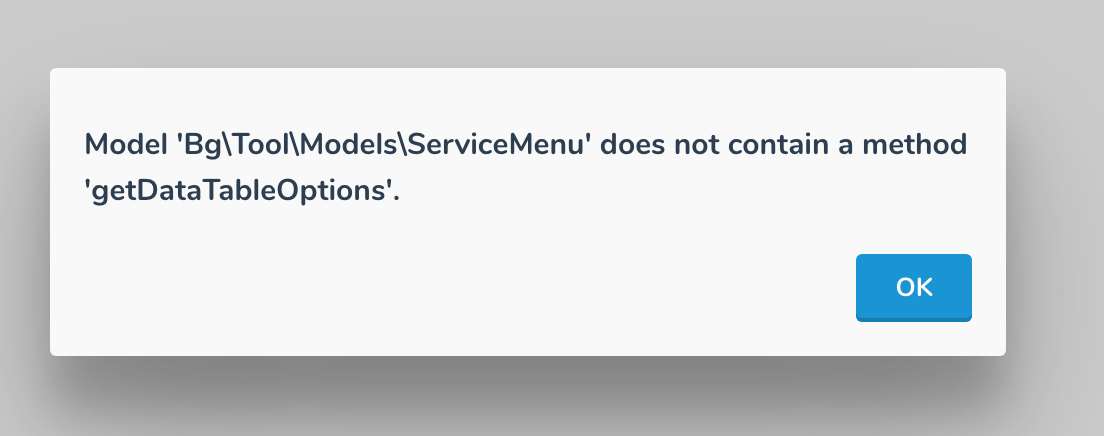
Load the form. This produces an error that the
getDataTableOptionsmethod is not defined on the model, which is to be expected because no options are defined.Add
optionsto the column definition with a custom handler:
name:
                title: Name
                type: dropdown
               options: getNameOptions
                validation:
                    required:
                        message: Please enter a name
- Add the
getNameOptionsmethod to the model. - Refresh the form. The same error is thrown, however, the dropdown is listing the name of the handler as if it has been exploded into an array:
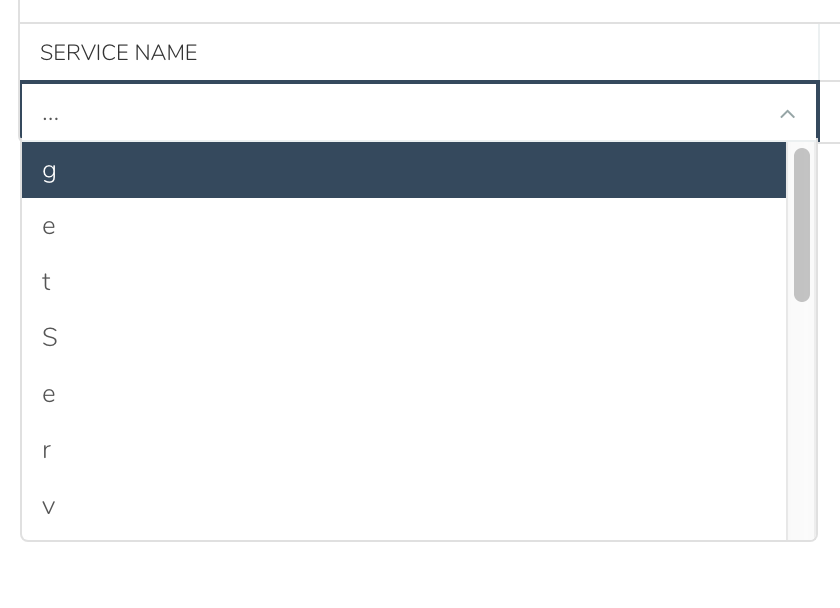
A solution here, if only one dropdown with custom handler is defined, is to just add the getDataTableOptions method to the model, which works as expected. However, this will not work for our requirements.
After some digging, it appears the widget is looking for a specific handler format. That being said, I went ahead and modified the handler to match the expected format:
- Update the options handler name on the model:
public function getNameDataTableOptions()
{
return ['foo'=>'bar'];
}
This returns the custom options. However, if more than one dropdown wants to define a custom options handler, it returns the options from the first handler.
- Add a second dropdown column:
secondName:
                title: Second name
                type: dropdown
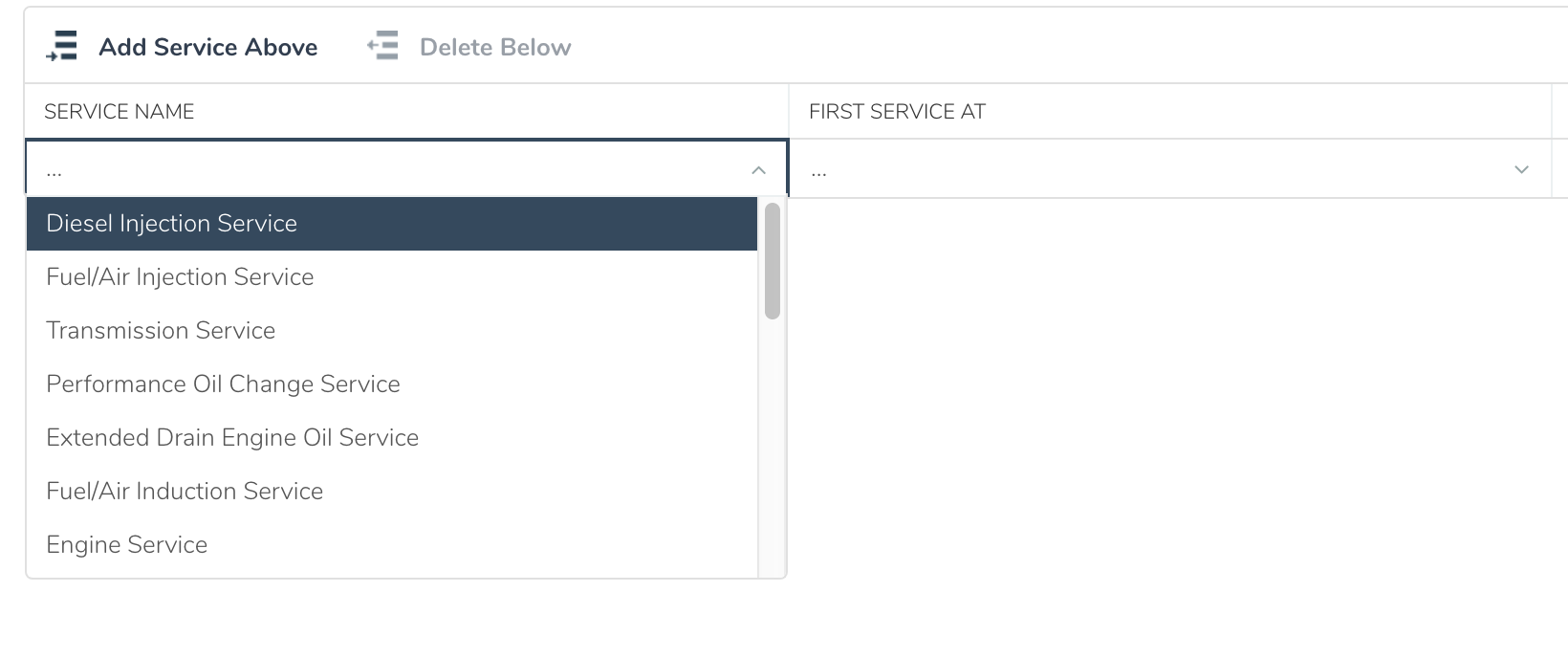

As you can see, both dropdowns are returning the same options. I believe this is because it is checking for the model's field name, not the column name.
Also, I've noticed that autocomplete columns are not using the options at all. I will be digging into this a bit more, but wanted to log the issue for reference. If anyone has experience working with datatables or these types of columns, I would appreciate feedback or suggestions.
 LarryBarker
>All comments
@LarBearrr I'll have to find some way of including this in docs, but I've managed to find out the intention of the callback functionality.
So it appears that the callback works on the idea that you can have a callback method that applies across an entire model (ie. getDataTableOptions) and can basically apply to any datatable, and a callback method that applies for a single datatable (ie. getFieldDataTableOptions).
When you use the getDataTableOptions method, it passes three parameters:
$this->field- Represents the field that the datatable is for. In your example, this would bedata.$field- This actually represents the column, not the field as specified by the variable name. So in your example, this could be eithernameorsecondName.$data- Represents a single row of data in the table. The callback is applied for each row in a datatable, and allows you the flexibility of changing options in a dropdown depending on data in other columns.
With the getFieldDataTableOptions type of method, the first property is excluded (as it's already implied from the name of the method), so only the column name and data are provided in the callback.
What I would suggest is having a single callback method, and using conditions to pass it to callback methods for each column, for example, using your example above:
public function getDataDataTableOptions($column, $row)
{
    if ($column === 'name') {
        return $this->getNameOptionsForDataTable($row);
    } elseif ($column === 'secondName') {
        return $this->getSecondNameOptionsForDataTable($row);
    }

    return [];
}

public function getNameOptionsForDataTable($row)
{
    return [
        'Option 1' => 'Option 1'
        ...
    ];
}

public function getSecondNameOptionsForDataTable($row)
{
    return [
        'Foo' => 'Bar'
        ...
    ];
}
I hope that makes sense. Let me know if you need any further pointers.
 bennothommo
on 7 Oct 2019
bennothommo
on 7 Oct 2019
Related issues
 mittultechnobrave
·
3Comments
mittultechnobrave
·
3Comments
mittultechnobrave
·
3Comments
mittultechnobrave
·
3Comments
 sozonovalexey
·
3Comments
sozonovalexey
·
3Comments
 oppin
·
3Comments
oppin
·
3Comments
 atrauzzi
·
3Comments
atrauzzi
·
3Comments
Most helpful comment
@LarBearrr I'll have to find some way of including this in docs, but I've managed to find out the intention of the callback functionality.
So it appears that the callback works on the idea that you can have a callback method that applies across an entire model (ie.
getDataTableOptions) and can basically apply to any datatable, and a callback method that applies for a single datatable (ie.getFieldDataTableOptions).When you use the
getDataTableOptionsmethod, it passes three parameters:$this->field- Represents the field that the datatable is for. In your example, this would bedata.$field- This actually represents the column, not the field as specified by the variable name. So in your example, this could be eithernameorsecondName.$data- Represents a single row of data in the table. The callback is applied for each row in a datatable, and allows you the flexibility of changing options in a dropdown depending on data in other columns.With the
getFieldDataTableOptionstype of method, the first property is excluded (as it's already implied from the name of the method), so only the column name and data are provided in the callback.What I would suggest is having a single callback method, and using conditions to pass it to callback methods for each column, for example, using your example above:
I hope that makes sense. Let me know if you need any further pointers.