October: Widget not been found after using repeater - RainLab.Pages
- OctoberCMS Build: ### 458
- PHP Version: 7.1.3
- Database Engine: phpMyAdmin
- Plugins Installed: staticPages
Description:
After creating new static page and clicking to add new image using repeater, I get this error.
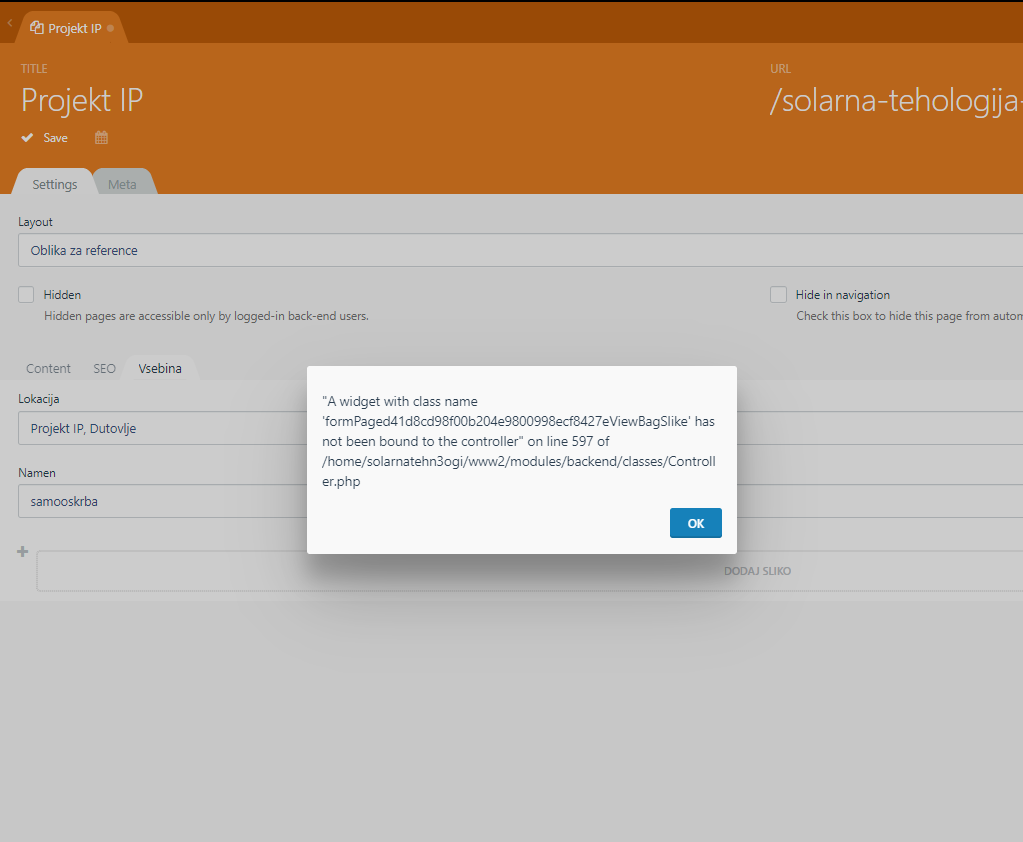
If the page is saved, right after is created, repeater works fine.
If I use this image upload without repeater works fine too. I'm not using any .yaml files or anything special.
Repeater code
{repeater name="slike" tab="Vsebina" prompt="Dodaj sliko"}
  {variable type="mediafinder" mode="image" name="image" label="Slika"}{/variable}
  {variable type="text" name="alt" label="alt"}{/variable}
{/repeater}
Steps To Reproduce:
- Install OctoberCMS
- Install staticPages plugin
- Add repeater code to your layout
 mskraban
All 31 comments
I'm having the same issue...
 weinde
on 19 Sep 2019
weinde
on 19 Sep 2019
@mskraban @weinde what version of Static Pages are you using? This should be fixed in v1.2.21. Related: #4230, #4158, https://github.com/rainlab/pages-plugin/issues/254, https://github.com/rainlab/pages-plugin/commit/eee885c0c7c136665af40b6e68e3f59f749eea5f
 LukeTowers
on 19 Sep 2019
LukeTowers
on 19 Sep 2019
@LukeTowers i'm using the latest version of static pages 1.3.0. It works only if you first save page when you create it, and then close page and reopen. Then repeater works. Is there any workaround for this bug?
mskraban
on 20 Sep 2019
@mskraban Would you mind testing the fix in https://github.com/rainlab/pages-plugin/pull/421 and let me know if that resolves the issue for you?
 bennothommo
on 3 Oct 2019
bennothommo
on 3 Oct 2019
@bennothommo I just tested, but error is still here. I'm using Rainlab static pages plugin 1.3.1
mskraban
on 4 Oct 2019
@mskraban Just to check, did you test by simply updating the plugin, or by implementing the changes made in that PR I linked?
bennothommo
on 4 Oct 2019
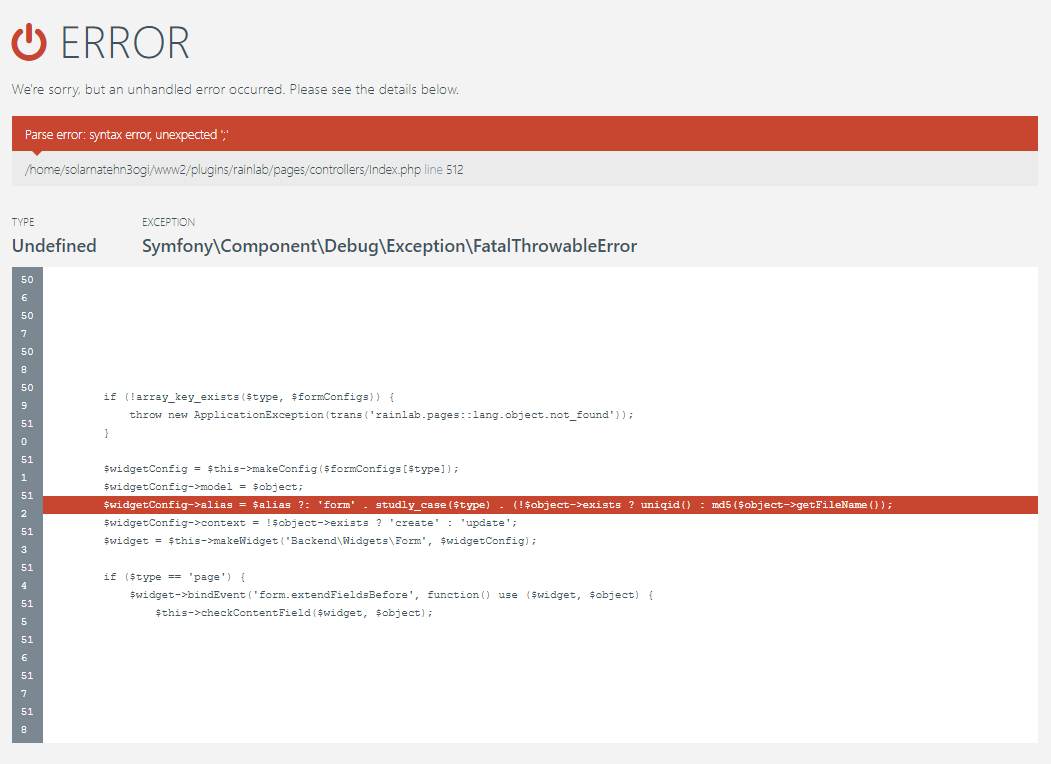
@BenjaVR At first, I tested it by just updating the plugin, now I tested with implementing the changes made in the linked PR, but now I get new error.
mskraban
on 4 Oct 2019
@mskraban Whoops, can you try adding an extra ) at the end of that line before the semi-colon. I will roll out a fix for that now.
bennothommo
on 4 Oct 2019
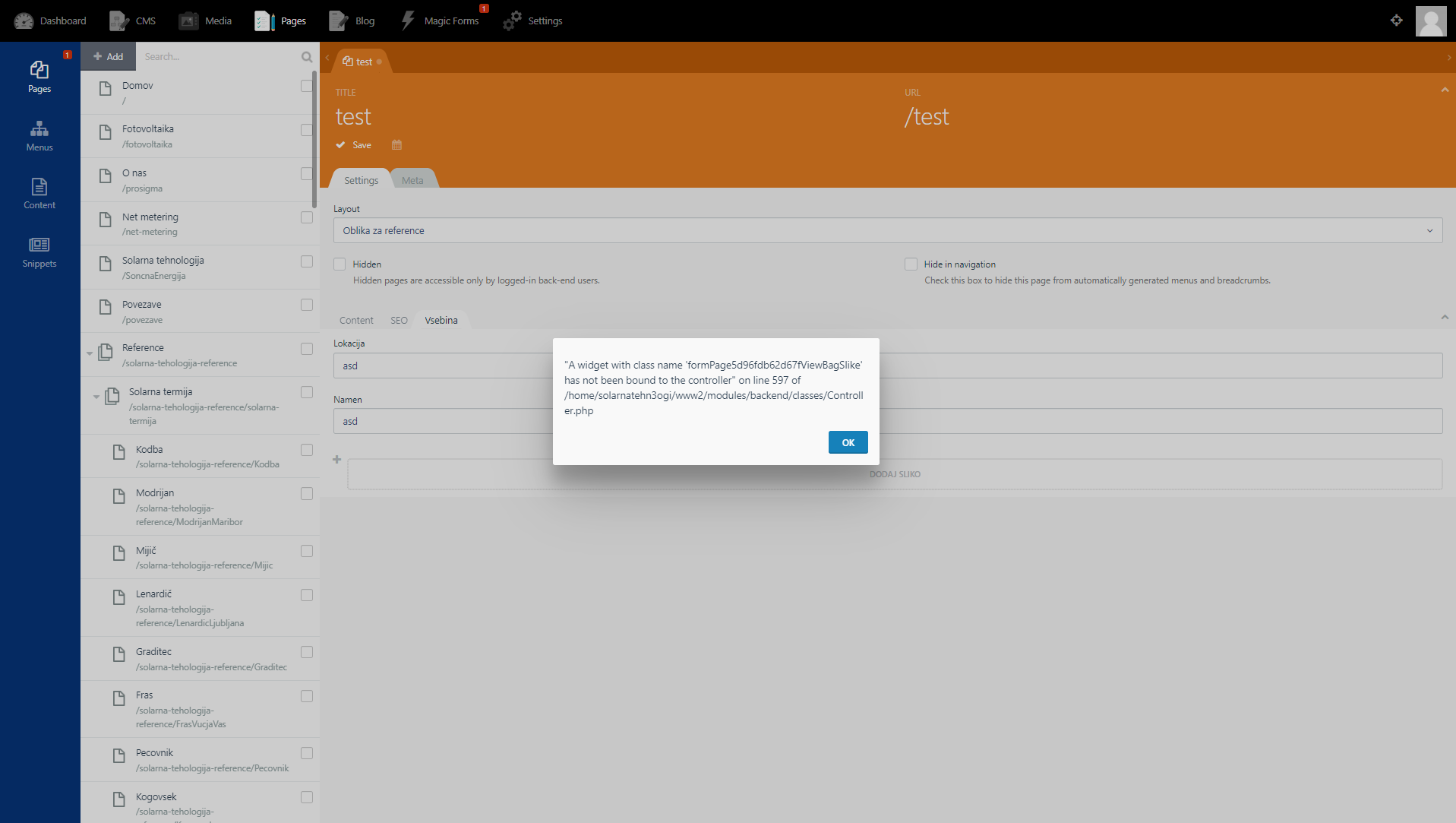
@bennothommo Yep, I added extra bracket at the end, but still same problem.
mskraban
on 4 Oct 2019
LukeTowers
on 2 Apr 2020
Hi there,
I'm still having the same issue.
Using a custom template with two tabs and many repeaters, if I don't save the new page before add one item I get this error:
A widget with class name 'formPage3ec59d3bd70c04f2a60e79e78626f893ViewBagElements' has not been bound to the controller" on line 605 of C:\laragon2\www\TTTTT\modules\backend\classes\Controller.php
Plugin version : 1.3.5
October build : 469
 ivang76
on 21 Sep 2020
ivang76
on 21 Sep 2020
@ivang76 please post your field config .yaml file where this error is occuring and we'll try and replicate.
bennothommo
on 22 Sep 2020
Hi @bennothommo
the field conf isn't in the yaml but I used the "variable" definition directly into the template page.
Something like this:
{variable name="main_title" label="Titolo pagina" placeholder="Titolo della pagina" tab="Titolo pagina" type="text"}{/variable}
{variable name="google_noindex" label="Non indicizzare la pagina in Google" tab="No index" type="checkbox" placement="primary"}{/variable}
{variable name="generic_noindex" label="Non indicizzare la pagina in altri motori di ricerca" tab="No index" type="checkbox" placement="primary"}{/variable}{repeater name="images" prompt="Aggiungi immagini o url video" tab="Slider"}
{variable name="banner" label="Banner" type="mediafinder" mode="image"}{/variable}
{variable name="video" label="Video" placeholder="Youtube or Vimeo link" type="text"}{/variable}
{/repeater}{repeater name="elements" prompt="Aggiungi un blocco testo" tab="Blocchi testo"}
{variable type="text" name="title" label="Titolo"}{/variable}
{# variable type="textarea" name="panel_content" label="Content"}Content{/variable} #}
{variable type="richeditor" name="body" label="Descrizione"}{/variable}
{variable type="mediafinder" name="photo" mode="image" label="Foto" imageWidth="200" imageHeight="200"}{/variable}
{variable type="radio" name="type" label="Tipo di blocco" options="0:Blocco testo con filetto|1:Blocco testo con cornice|2:Accordion|3:Blocco testo con immagine"}{/variable}
{/repeater}{variable type="radio" name="dx_column" label="Colonna di destra" options="1:On|0:Off" tab="Colonna a destra"}{/variable}
{repeater name="quicklinks" prompt="Aggiungi un quicklink" tab="Colonna a destra"}
{variable type="text" name="title" label="Title"}{/variable}
{variable type="text" name="url" label="Url"}{/variable}
{variable type="checkbox" name="target" label="Apri in una nuova scheda"}{/variable}
{/repeater}{repeater name="attachments" prompt="Aggiungi un allegato" tab="Colonna a destra"}
{variable type="text" name="name" label="Nome dell’etichetta"}{/variable}
{variable type="mediafinder" name="mediafinder" mode="file" label="Allega o seleziona un file"}{/variable}
{/repeater}
Let me know please if you can replicate and fix it. Thank you!
ivang76
on 23 Sep 2020
did you find time to investigate?
thank you!
ivang76
on 28 Sep 2020
@ivang76 sorry, I have been away for the past couple of days and have not yet had a chance to have a look. I will give it a look in the next day or so.
bennothommo
on 28 Sep 2020
Hi @bennothommo, in the meantime that you will find time to check it out, may I ask you another thing related to these "Custom page fields" please?
How and where can I manage the validations of that _{repeaters}_ and _{variables}_ before to save them and, if it fails, to alert the user?
On a my custom model I normally use the beforeSave function, maybe can I do something similar?
Thanks for all as usual!
ivang76
on 7 Oct 2020
@ivang76 I believe it's possible through the plugin architecture.
You could potentially create your own plugin and then implement a listener for the model.beforeValidate event to programatically insert the validation rules. @seanthepottingshed has an example in this old issue which you could give a try: https://github.com/octobercms/october/issues/4327#issuecomment-491704920
bennothommo
on 8 Oct 2020
You may have to try the following adjustment as well: https://github.com/octobercms/october/issues/4327#issuecomment-495677694.
bennothommo
on 8 Oct 2020
@ivang76 I've finally gotten around to testing your template code (with the latest develop version of October CMS) and I cannot replicate the error you encountered. It potentially may have been fixed in the Laravel 6 update for October.
If possible, please try and update October CMS to version 1.1.0 and re-test.
bennothommo
on 8 Oct 2020
Hi @bennothommo,
thanks for the advices about the validation of custom fields, I'm gonna make some test.
Instead unfortunately even with the Laravel 6 update I still get that _"A widget with class name 'formPage04cc1efcf2a6200b8326a39b207098e0ViewBagElements' has not been bound to the controller" on line 605 of [...]"_ error when I click to add a new repeater item on a new (not yet saved) page.
ivang76
on 12 Oct 2020
@bennothommo I encountered that too on the latest develop branch but haven't dug into what's causing it.
LukeTowers
on 12 Oct 2020
@LukeTowers the only way I've been able to replicate this is when I made another layout available to the Static Pages plugin. Interestingly, the default layout worked before this new layout was made available, but started showing the same issue after the layout was made available.
@ivang76 Are you using multiple layouts?
bennothommo
on 13 Oct 2020
@bennothommo that sounds about right, I usually have a number of different layouts that I make available to the RainLab.Pages plugin
LukeTowers
on 13 Oct 2020
@bennothommo yes sure, there are different layouts from basic to complex (using custom fields with _variables_ and _repeaters_) that the editor can select.
Sorry if I didn't mention this case before.
ivang76
on 13 Oct 2020
@ivang76 @LukeTowers would you mind trying the fix in https://github.com/rainlab/pages-plugin/commit/d2ff05e8b8a6815a34c71f91b06eacc91fbe79f5 and see if that resolves the issue for you both?
bennothommo
on 13 Oct 2020
thank you @bennothommo, this fix seems to work, but now I noticed a new strange behaviour: there isn't anymore the popup alert with the error, but the repeater fields are not saved.
Let me explain... if I create a new page and fill the repeater (no more blocking error) and save the page, and after that I reload it, the repeater fields won't be there anymore. The repeater block in the form is empty.
To store the page and keep the data I have to save twice.
ivang76
on 13 Oct 2020
@ivang76 yeah I've seen the same - will investigate further. I'd dare say it's the same issue, just happening at another point (ie. on the initial save)
bennothommo
on 15 Oct 2020
hi there @bennothommo, did you find time to investigate again a bit about the issue?
thank you
ivang76
on 22 Oct 2020
excuse me guys, are there maybe some updates on this issue?
thanks
ivang76
on 9 Nov 2020
@ivang76 we've had to re-prioritise other work. If you would like this to be expedited, please consider putting a bounty on it.
bennothommo
on 10 Nov 2020
Hi @bennothommo, in the meantime the issue isn't fixed I would like to add simply a check to prevent the problem and advice the user with a message like "please save the page before to add elements".
Could you give me some tips how and where insert this workaround maybe? I guess should be in the plugin.php under a \Event::listen...
thanks!
ivang76
on 9 Dec 2020
Related issues
 d3monfiend
·
3Comments
d3monfiend
·
3Comments
 jvanremoortere
·
3Comments
jvanremoortere
·
3Comments
 mittultechnobrave
·
3Comments
mittultechnobrave
·
3Comments
 oppin
·
3Comments
oppin
·
3Comments
 dunets
·
3Comments
dunets
·
3Comments
Most helpful comment
@ivang76 yeah I've seen the same - will investigate further. I'd dare say it's the same issue, just happening at another point (ie. on the initial save)