October: Rules for Updating Third-Party Modules in October CMS
Hi Luke,
I written some rules that maybe useful, when updating vendor modules, these are the lessons I have learnt from updating a few modules now. I just wondered if they are useful to put in the notes section etc.
Rules for Updating Third-Party Modules in October CMS:
Only use the Official Github Releases Repo or an Official CDN.
If getting the updated files from an Official CDN, be careful of any 'map' files linked in the bottom of the files. You may need to remove them or create a new link - to avoid creating a 404 error.
If there is a minified and un-minified version of the same file. Don't add the minified version! Because the files need to be tested when the Pull Request is submitted.
Scan the Files before trying to add the Update for any forms of Malware.
You can also check the 'known vulnerabilities' database at Snyk before adding the updated files, to see if that version number has any issues, see link: https://snyk.io/vuln
Add all the files in the release, because there maybe new files and features that can enhance October CMS.
Add the Version number to the top of all the updated files in a commented out section, to make it easier for other people to do future updates!
Create a Github Patch, it makes testing easier. Please note your email address maybe displayed inside the patch and you may want to edit that bit out - to avoid possible spam from the internet. Note: Add the Patch File Separate and not inside the commit.
Check the Doc's for the October CMS website, as there maybe a mention of the library in the doc's, so do a quick check by visiting the github repo found here: https://github.com/octobercms/docs
The Process of Updating Third-Party Modules in October CMS:
Create the commit with the updates and create a Pull Request into the 'developer' section in October CMS github repo. (Never into the 'master' section).
Submit for testing, to find any conflicts and issues this new update may pose on October CMS Core Files.
If everything is fine the Pull Request will get a 'Status: Completed' label.
Don't 'close' the github issue, because it will auto-close itself once the Pull Request has been 'merged'.
Other Helpful Tips Updating Third-Party Modules in October CMS:
All packages should use 'Semantic Versioning', this is useful to know when updating third-party packages and knowing how big the Testing/Updating process will be.
Take the following two examples:
Example 1:
Current Version: 1.2.0
Updated Version: 1.5.1
Both Versions are 'Version One' and therefore will require little effort for the Testing/Updating process.
Example 2:
Current Version: 1.2.0
Updated Version: 2.4.3
The Current Version is 'Version One' and the New Version will be 'Version Two'. This means there will be MAJOR Changes to the code for the Testing/Updating process.
To learn more about Semantic Versioning you can see the spec found here: https://semver.org/
 ghost
ghost
All 5 comments
@ayumihamsaki these are great, thanks! I'd like to get a new repo started (octobercms/meta) where we could put this sort of stuff, but I'll need to talk to @daftspunk more about that first.
 LukeTowers
on 1 Dec 2018
LukeTowers
on 1 Dec 2018
@LukeTowers You welcome! Agree would be useful to have a separate place to store all these types of information.
ghost
on 1 Dec 2018
LukeTowers
on 28 Mar 2019
@LukeTowers Thanks for adding it there. I would like to ask, the most common method of adding such information to many github repo's is to add information like this to the wiki section of the repo, in regards to October CMS that location would be here: https://github.com/octobercms/october/wiki
Totally up to you where you want to place this type of information, I just thought I'd mention it - just in case it's a good idea or not?
Maybe could add a title screen in the wiki section to point to the octoberrain repo pages ?
ghost
on 28 Mar 2019
I will try to write it and update it for you - If you could Check it and allow the updates that would be great.
This is what I have done:
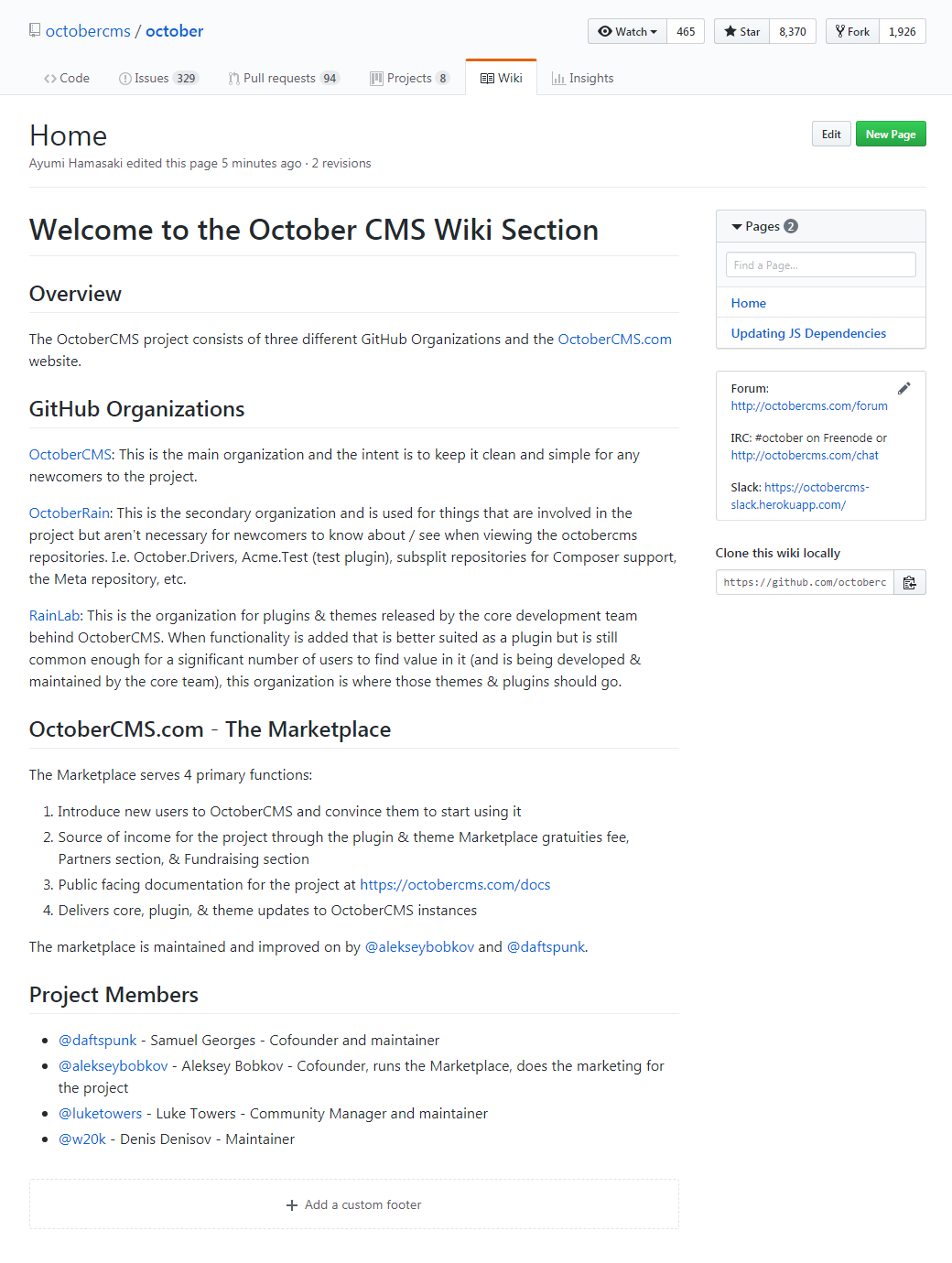
Added two pages and a custom sidebar of useful links.
For Review: @LukeTowers @w20k @daftspunk
ghost
on 28 Mar 2019
Related issues
 dunets
·
3Comments
dunets
·
3Comments
 mittultechnobrave
·
3Comments
mittultechnobrave
·
3Comments
 Flynsarmy
·
3Comments
Flynsarmy
·
3Comments
 jvanremoortere
·
3Comments
jvanremoortere
·
3Comments
 gergo85
·
3Comments
gergo85
·
3Comments