October: Field option "stretch: true" causes overflow / doesn't work for rich editor
Expected behaviour
The field option stretch should stretch the given form element (in this case type: richeditor) to match the parent's height (/stretch to the bottom of the screen).
In normal fields:
fields:
    field_name:
        type: richeditor
        stretch: true

The field option stretch should stretch the given form element (in this case type: richeditor) to match the parent's height (/stretch to the bottom of the screen).
In tabs:
tabs:
    fields:
        field_name:
            type: richeditor
            stretch: true

Actual behaviour
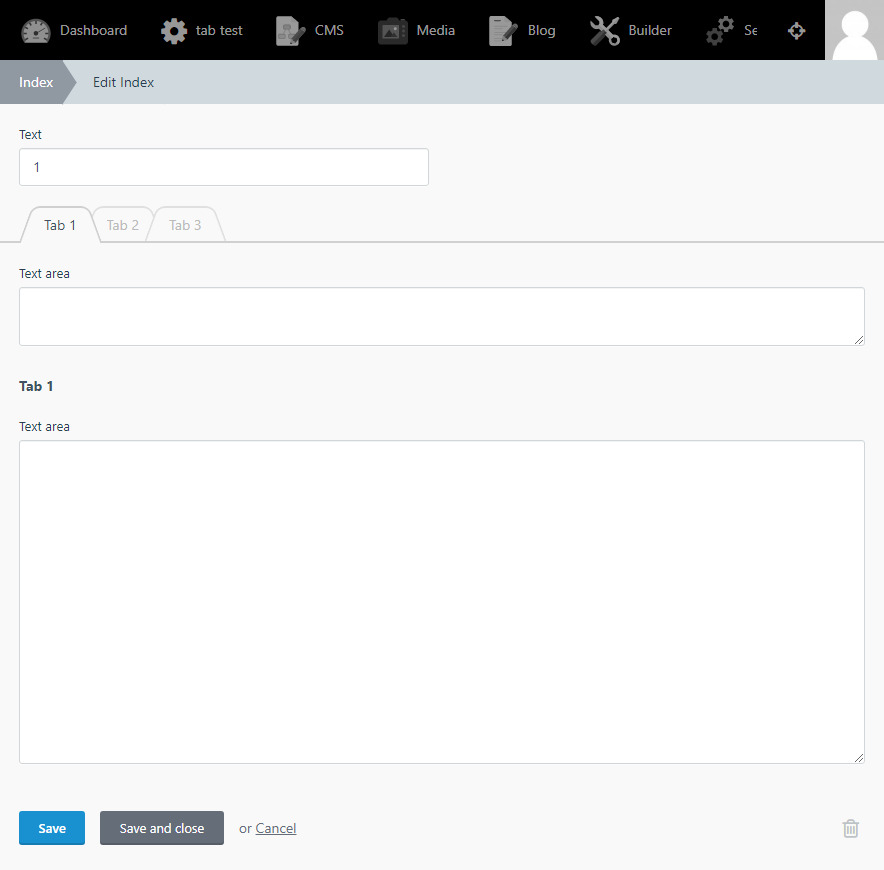
The field option stretch removes the ability to use the WYSIWYG, as the height seems to match normal inputs.
fields:
    field_name:
        type: richeditor
        stretch: true

The field option stretch stretches the WYSiWYG over the save/cancel buttons.
In tabs:
tabs:
    fields:
        field_name:
            type: richeditor
            stretch: true

Reproduce steps
in fields.yaml
fields:
    field_name:
        type: richeditor
        stretch: true

tabs:
    fields:
        field_name:
            type: richeditor
            stretch: true
October build
Build 351
 CptMeatball
All 29 comments
Confirmed this using the test plugin models/review/fields.yaml
fields:
    content:
        label: Content
        type: richeditor
        stretch: true
 daftspunk
on 13 Aug 2016
daftspunk
on 13 Aug 2016
@CptMeatball is this still an issue in the latest build?
 LukeTowers
on 18 Oct 2017
LukeTowers
on 18 Oct 2017
@LukeTowers
Current Behavior
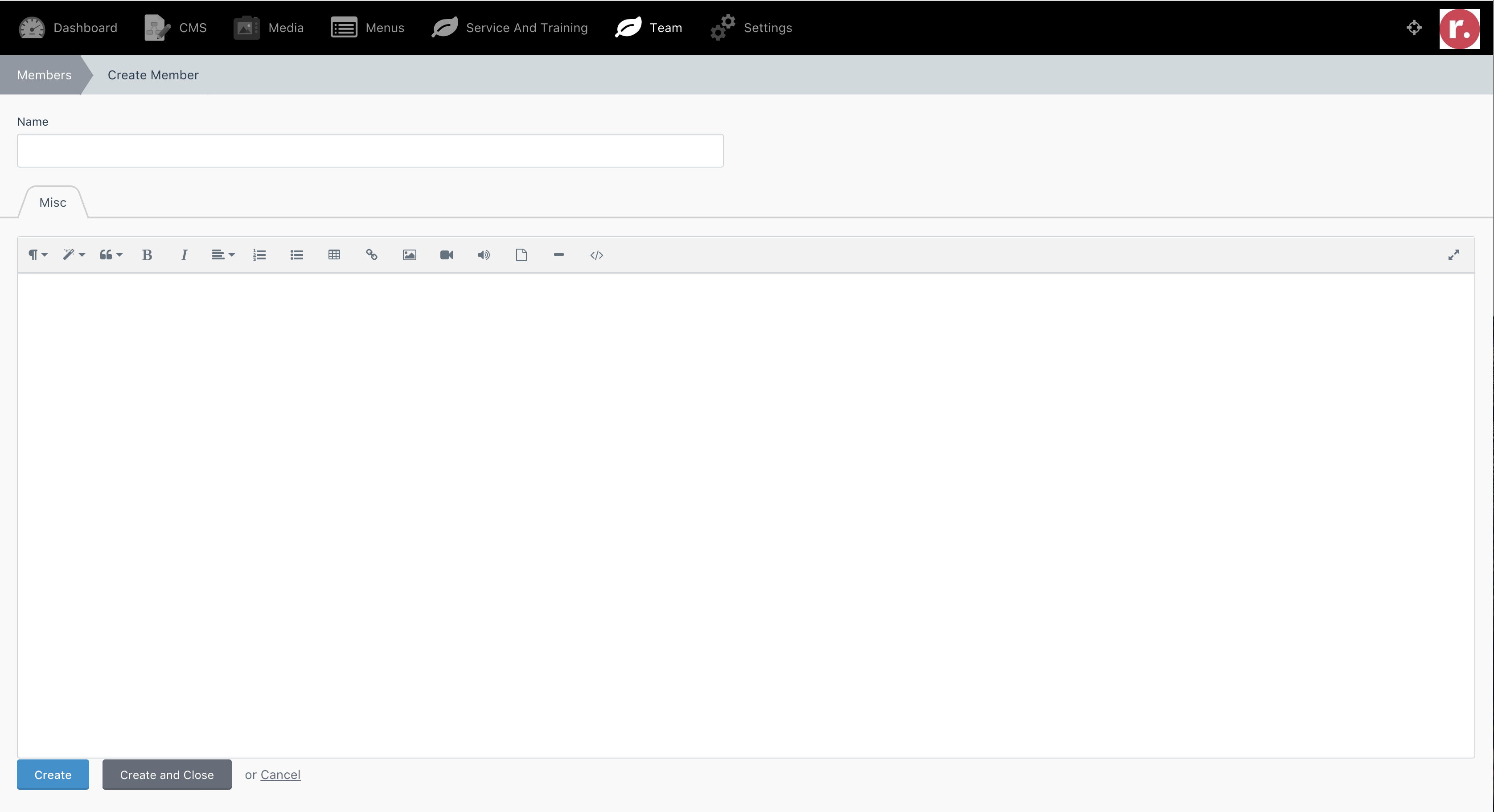
It does stretch, but UI/UX wise it stretches a bit _too far_. A bit of margin-bottom should be included I guess.
CptMeatball
on 19 Oct 2017
@CptMeatball feel free to make a PR with the fixes. Include before and after screenshots but not the compiled assets please.
LukeTowers
on 19 Oct 2017
@w20k @ayumihamsaki @Teranode anyone want to try their hand at this? Note that it's tricky to fully support because form outside fields container has a height based on the content (only tabbed fields have 100% height) and stretch = height: 100% doesn't really work because it doesn't take into account any labels or previous fields that are in the same container. Stretch should stretch to fill the remaining space in my mind.
LukeTowers
on 27 Dec 2018
@LukeTowers, could you explain a bit more. How should the stretch work? For example, if you have a small screen? Where half of your fields don't even fit? Should it have a min-height and max - should be dynamic, based on your screen size?
 w20k
on 27 Dec 2018
w20k
on 27 Dec 2018
stretch should only really work on the last field in the container, and it should stretch to fit the available height. I'm fine if outside form fields still require an explicit height to be set on the outside form fields container before stretch fills the remaining height.
LukeTowers
on 27 Dec 2018
i have a general idea on how to fix this, but my first question would be is "layout-relative" needed on the form group?
 Teranode
on 28 Dec 2018
Teranode
on 28 Dec 2018
If I can remove the layout-relative from the form group then we can have this:

the class itself removes the padding separation from the bottom so it looks weird
@LukeTowers thoughts?
Actually i found another way so give me a sec
I assume stretch would be for the "editor" to be able to stretch beyond it's max height set by the yaml size parameter - at least that should be the expected behavior as seen by this gif from their website:

I dont think stretch should extend to the remaining height, that seems completely unnecessary and fullscreen already accomplishes this for whatever reason you need a large richeditor for.
Teranode
on 28 Dec 2018
@Teranode the example you provided looks good, what does removing the layout-relative do? Also, if we had it stretch based on the content then it should be able to specify a maxHeight.
Here's an example of where the stretch property comes in handy:
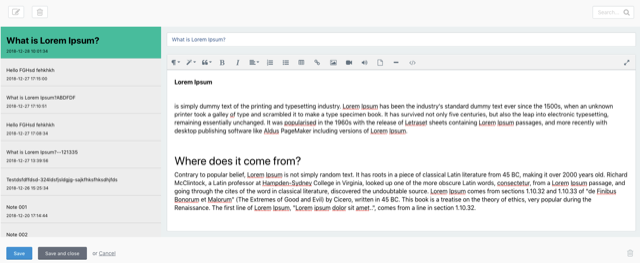
See how the richeditor expands to fill the form space on the right? That's where it's useful
LukeTowers
on 28 Dec 2018
@CptMeatball could you test https://github.com/octobercms/october/pull/4016?
LukeTowers
on 20 Apr 2019
@ayumihamsaki feel free to help out @Teranode with making a fix
LukeTowers
on 22 Apr 2019
Hmm, can we have both stretch (if last) and dynamic height (on more content) implementations?
 Eoler
on 19 Jul 2019
Eoler
on 19 Jul 2019
@ayumihamsaki I like the idea but grow isn't going to be applicable to every field type. For example, any single line text input (text, date, colour, password, number, etc) isn't going to need grow, only multiline inputs like richeditor, markdown, textarea need to support those options. Stretch can apply to slightly more (partial & hint perhaps)
LukeTowers
on 20 Jul 2019
@ayumihamsaki Don't bother with the fullscreen unless you have a specific project that actually uses it, text areas shouldn't really be used for super long form content anyways. Builder stuff is fine with me as long as it's just the fields that actually use it that get the option.
LukeTowers
on 21 Jul 2019
@LukeTowers I will leave out the fullscreen option. My reason behind it was because both the Rich Editor and Textarea use the same mysql function of text which allow a 65,535 character limit. So I thought many people may add large amounts of text to the textarea. I know I do in many cases.
 ghost
on 21 Jul 2019
ghost
on 21 Jul 2019
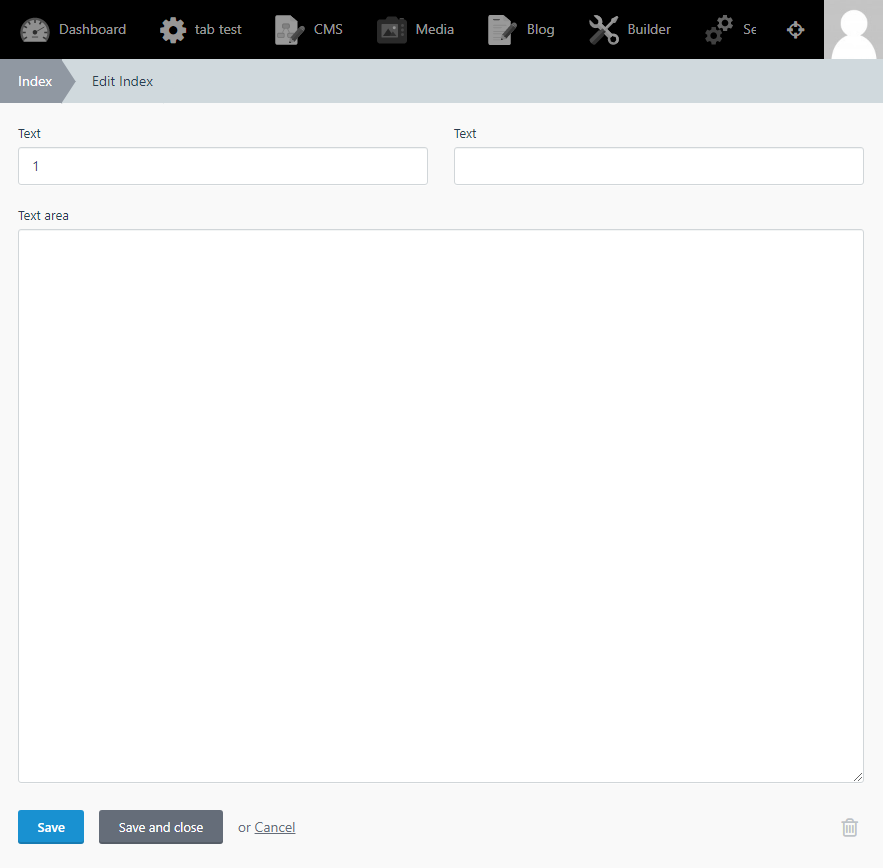
PR results:
Textarea Stretch
Outside Tabs
Primary Tabs
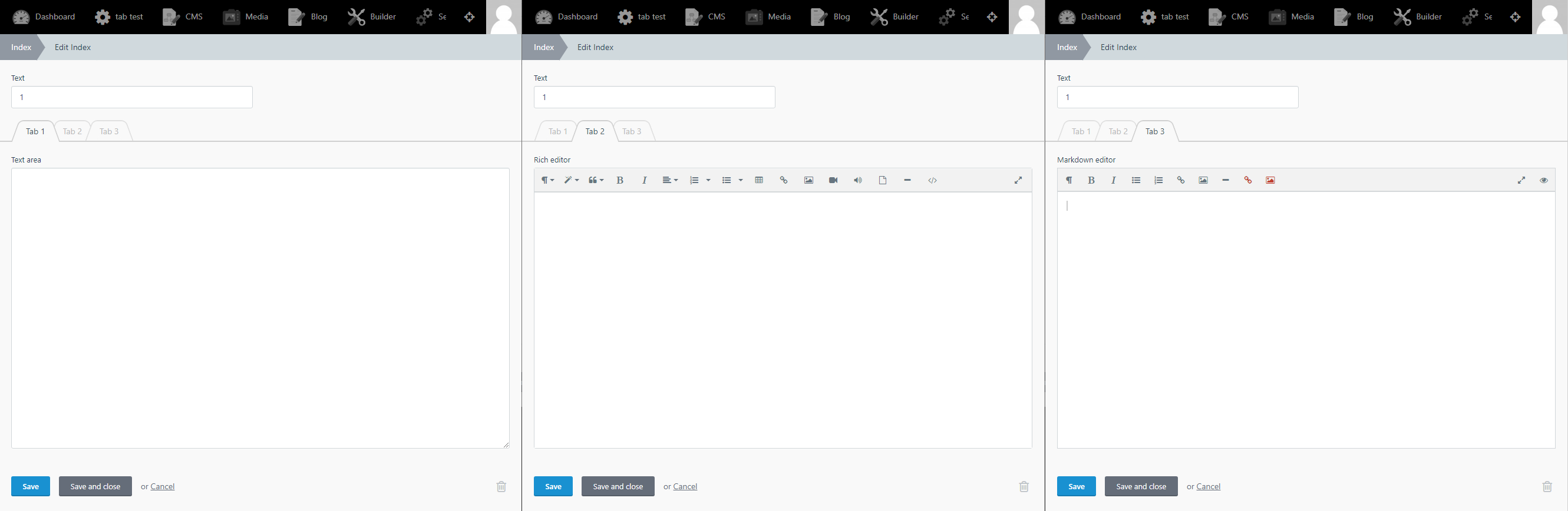
Secondary Tabs
ghost
on 21 Jul 2019
@ayumihamsaki I'm curious to hear more about use cases where you would put long form text into a text area. I almost always find that it's better to use markdown or richeditor when dealing with long form text.
LukeTowers
on 21 Jul 2019
@LukeTowers I have major issues when I try to put HTML in the rich editor or markdown. The simple reason is because there are new attributes all the time and these editors remove the new attributes. Secondary they add a bunch of crazy HTML code in the source view, for example a line break comes up like this:
I add the source:
<p>something</p>

<p>more text</p>
I click save and the source code becomes this:
<p>something</p>
   <p>   </p>
<p>more text</p>
I don't use them for HTML code at all and paste my HTML code directly into textarea boxes so what I see is what I get. Then I use html purifier to display the textarea onto the frontend.
That's my personal use cases.
ghost
on 21 Jul 2019
Ah, gotcha. Yeah, I don't think that's a super common one so I think we're fine without a full screen button supported in the textarea.
LukeTowers
on 21 Jul 2019
I'm fine not adding it, I was worried add the icon in the textarea causing issues.
ghost
on 21 Jul 2019
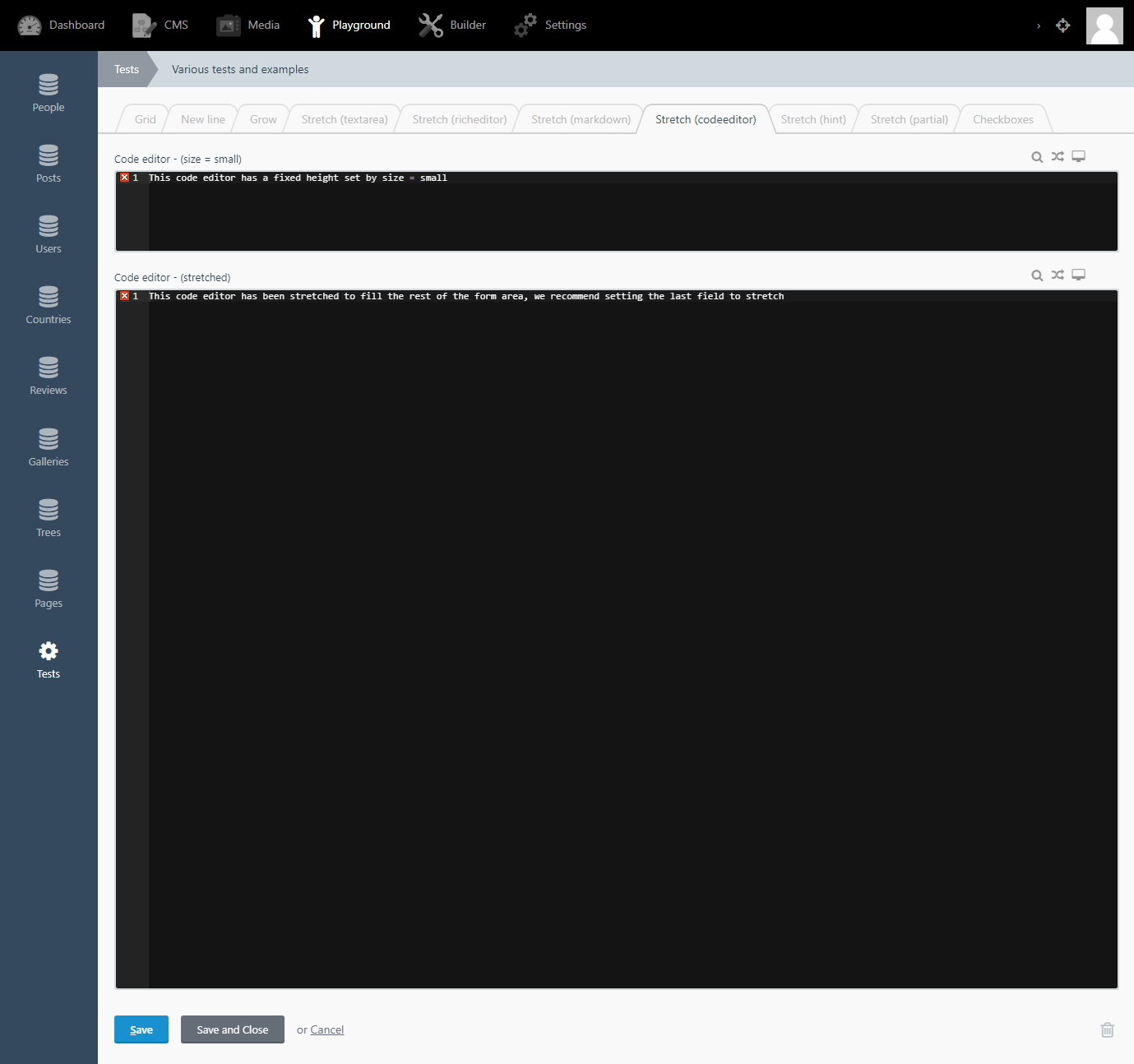
As per Luke's comment, I decided to code his request.
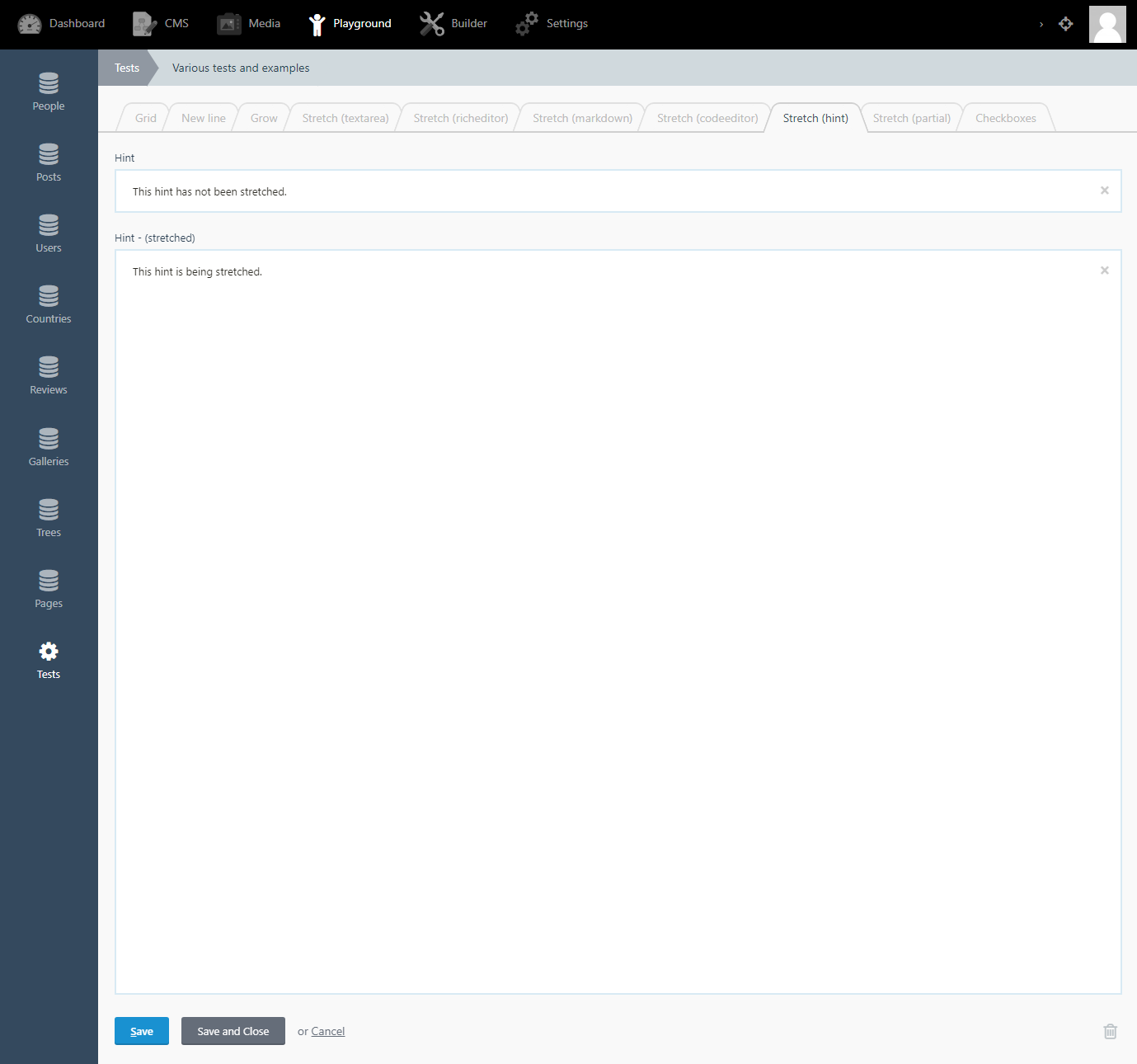
Stretch feature to hint fields:

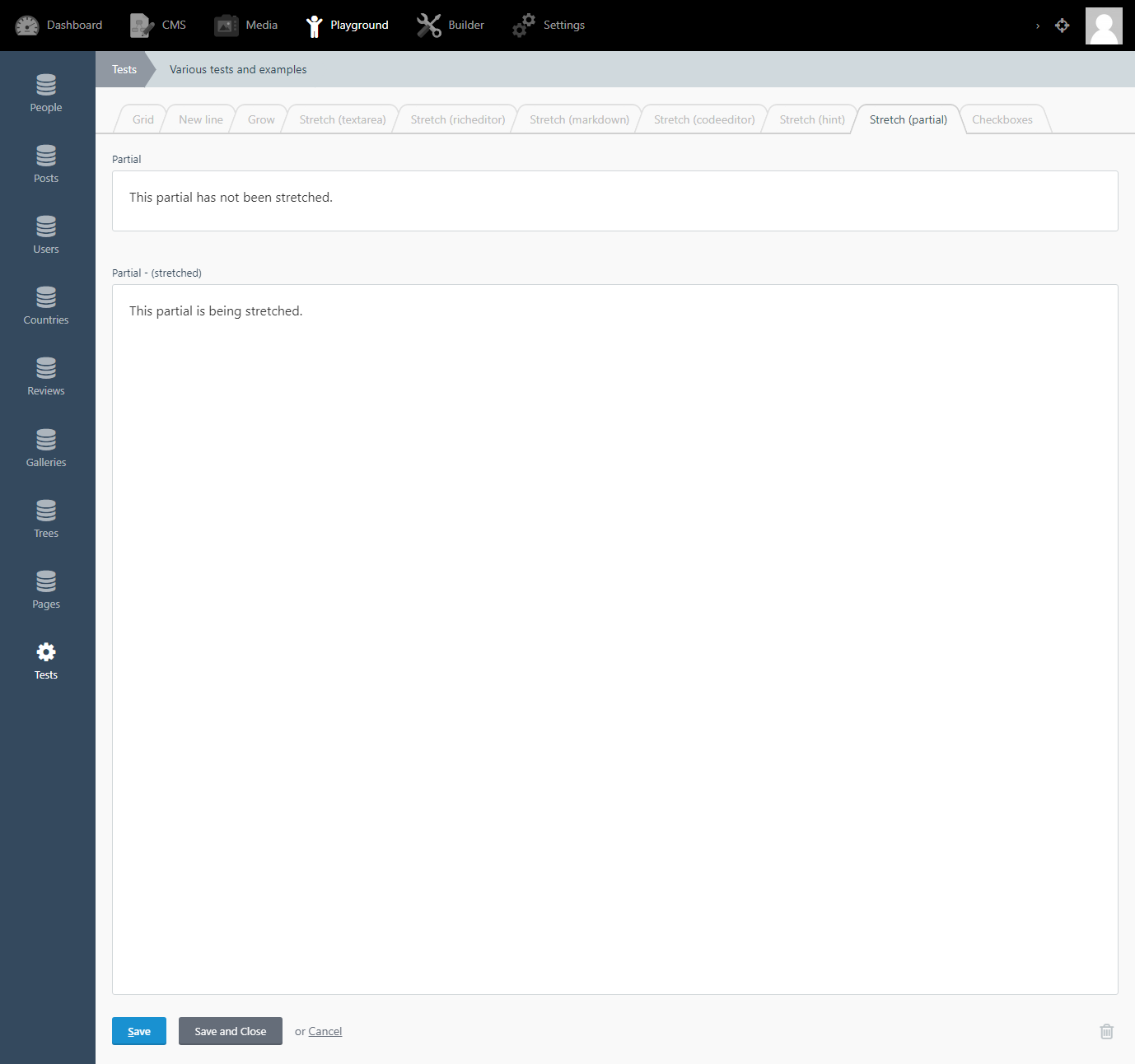
Stretch feature to partial fields:
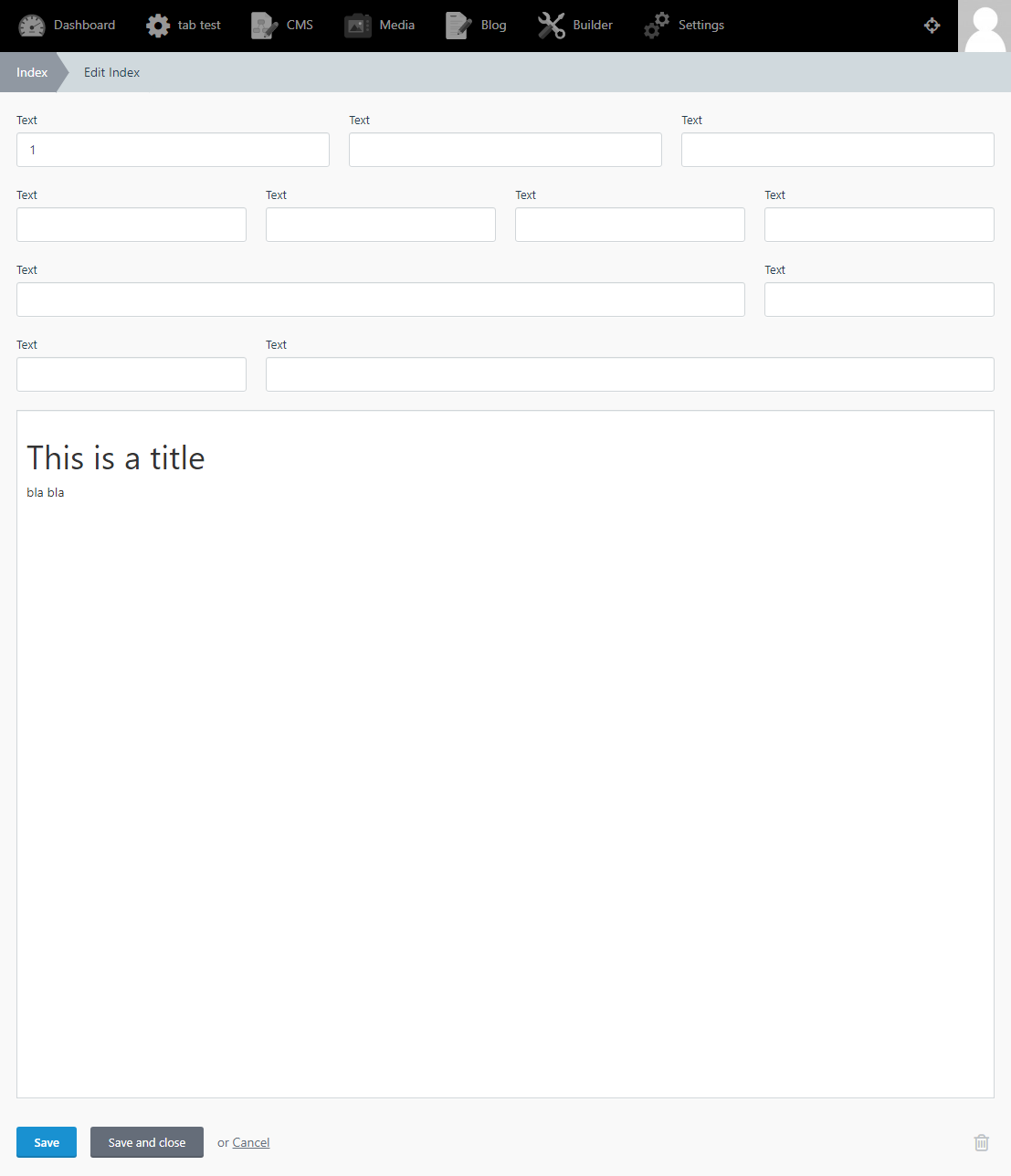
Grow is not added to them.
Right now it's not possible to add Stretch to YAML for these two fields, due to the code setup. Instead all you need to do is the following:
<div class="stretch">
    ..
</div>
Add the class stretch to your container in your hint or partial file and October will do all the rest for you.
I will add a note of this in the doc's.
Peace.
ghost
on 23 Jul 2019
Cool, going to test it by the end of the weekend.
Eoler
on 27 Aug 2019
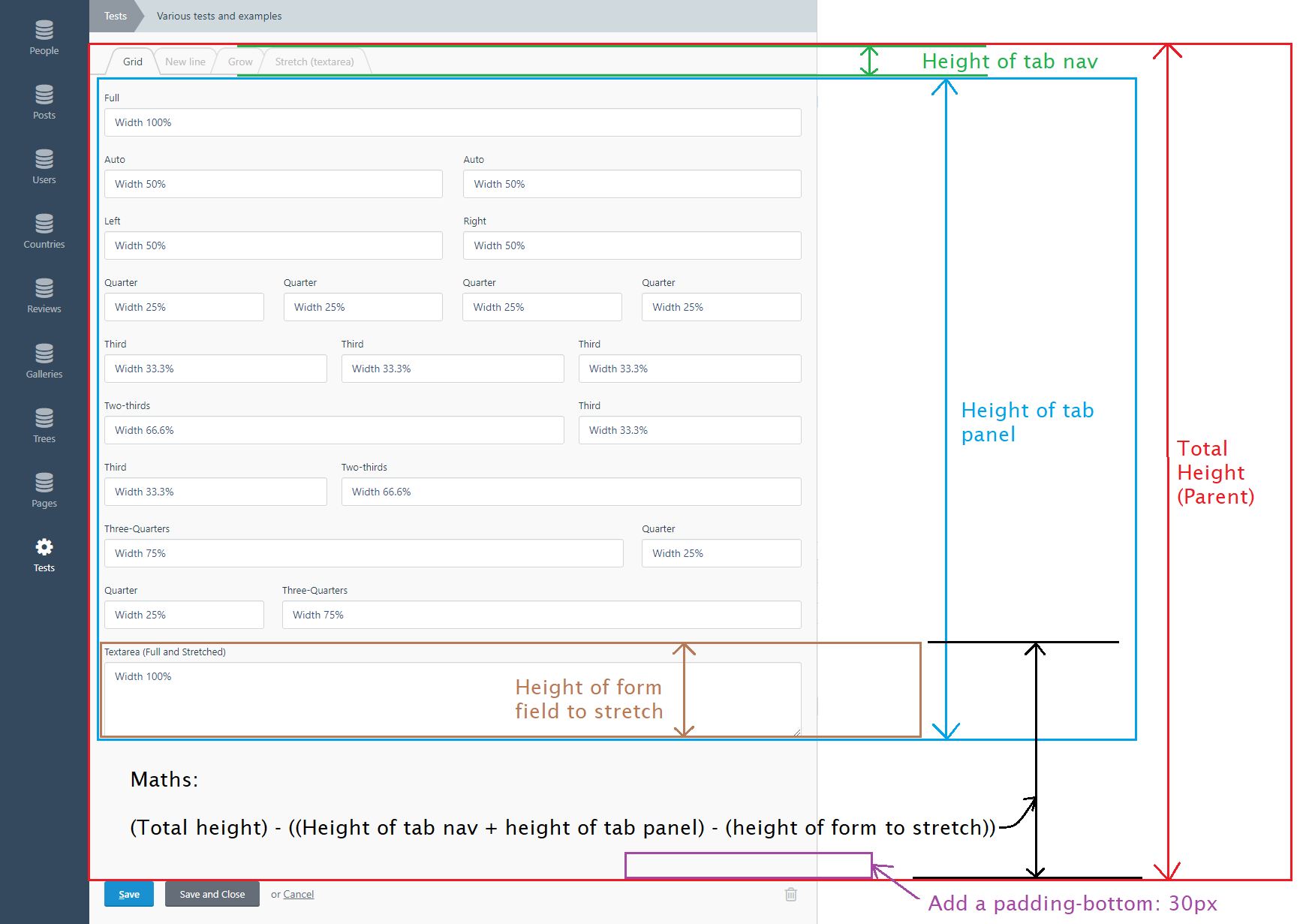
My notes
Maths to work out stretch amount for tabs:
ghost
on 31 Aug 2019
Rich editor has been upgraded to using flexbox
The Rich editor failed my testing, to fix it I have converted the Rich editor from using display:table-row to using flexbox.
The CSS fix is as follows:
.field-richeditor.stretch .fr-box:not(.fr-fullscreen) {
    display: -webkit-box;
    display: -ms-flexbox;
    display: flex;
    -webkit-box-orient: vertical;
    -webkit-box-direction: normal;
        -ms-flex-direction: column;
            flex-direction: column;
}
Test results:
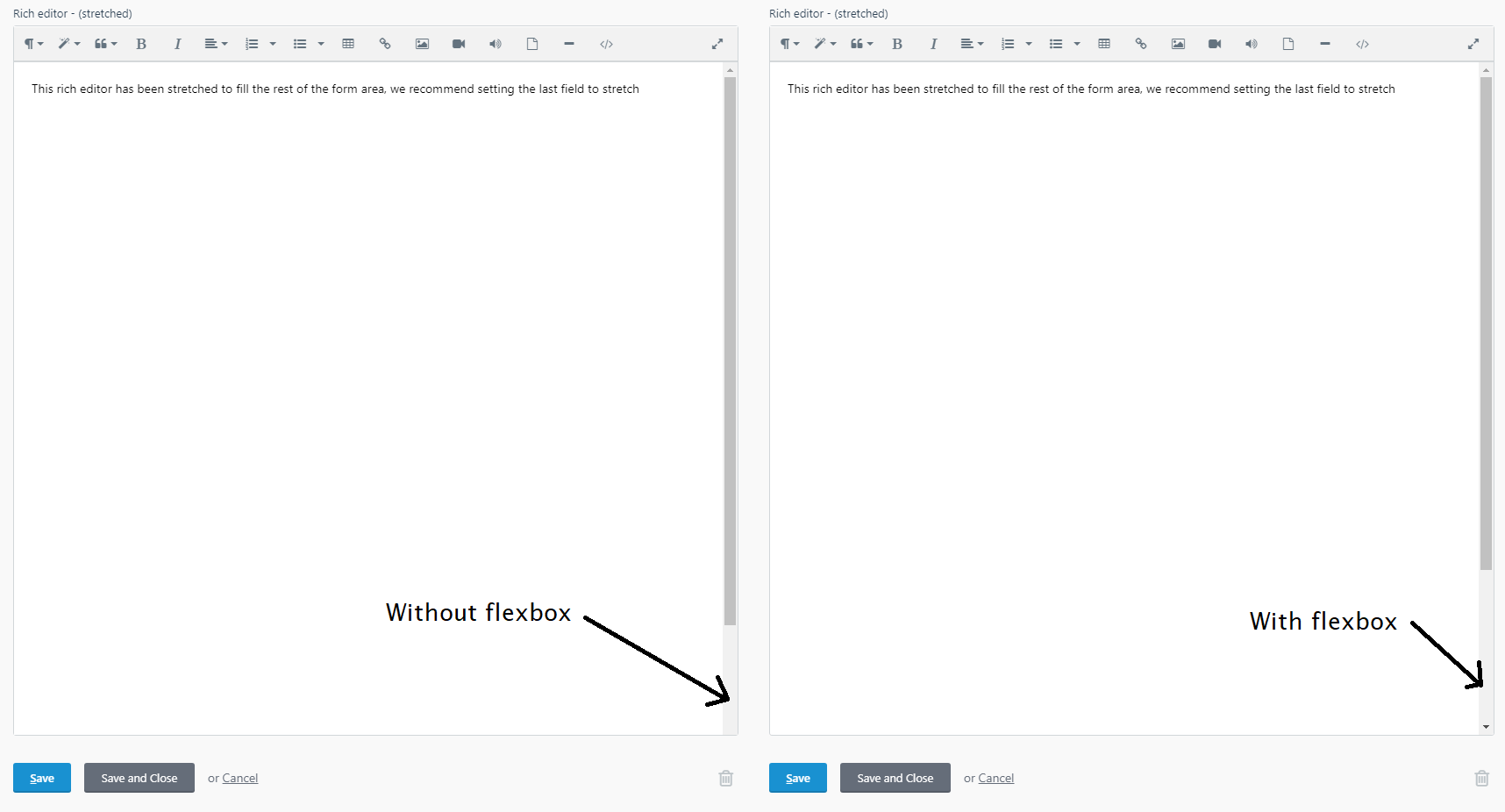
PLEASE NOTE: THIS SHOULD NOT CHANGE ANYTHING ON THE USER SIDE!
I have left this comment just as a future ref note.
ghost
on 1 Sep 2019
PR now finished
This PR is now completely finished - there is nothing more I need to do now!
This PR: https://github.com/octobercms/october/pull/4509 (finished)
Doc's PR: https://github.com/octobercms/docs/pull/387 (finished)
Test plugin PR: https://github.com/octoberrain/test-plugin/pull/77 (finished)
Please install this PR and use the Test plugin PR I created and you should see the following results:
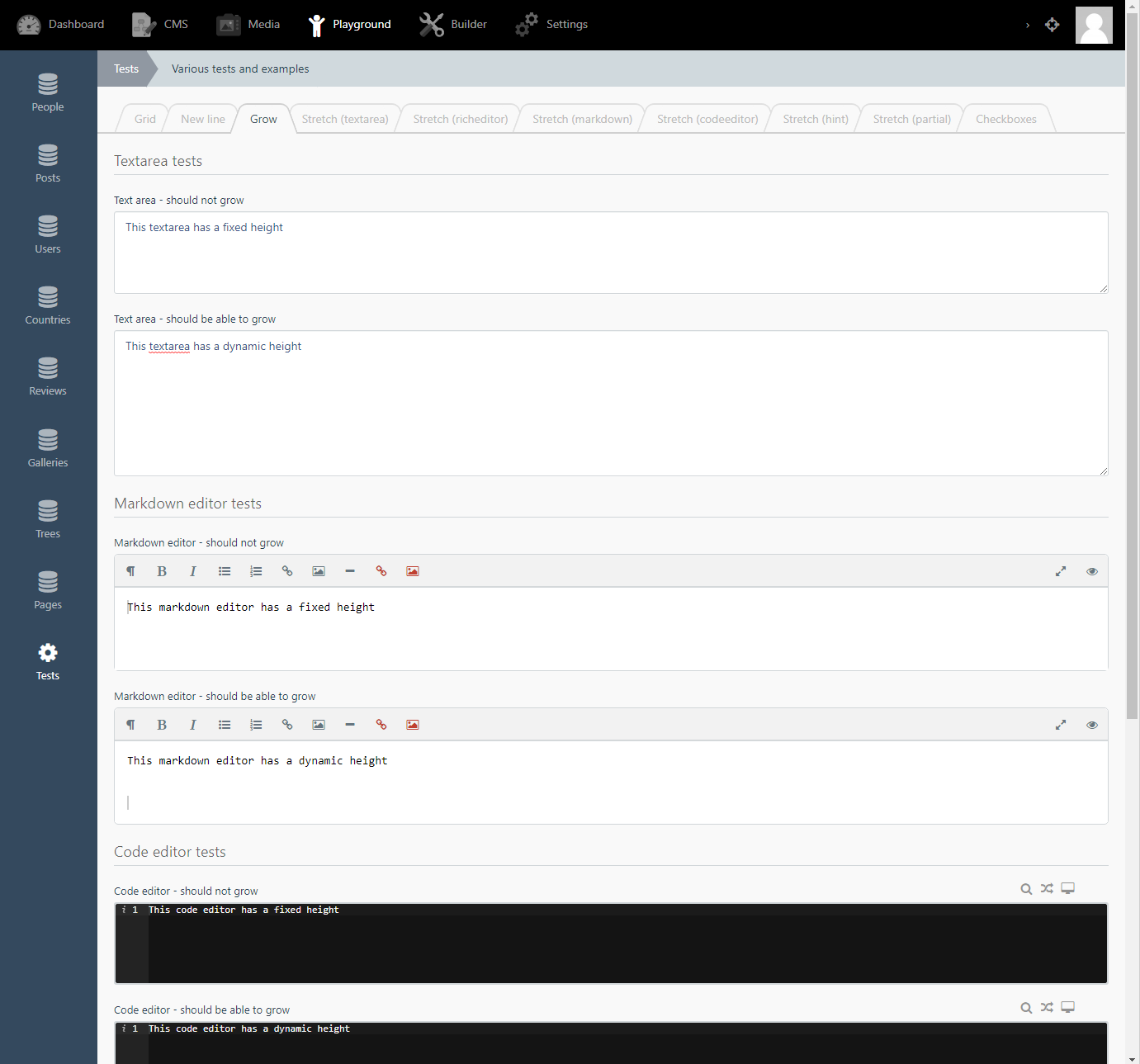
Grow
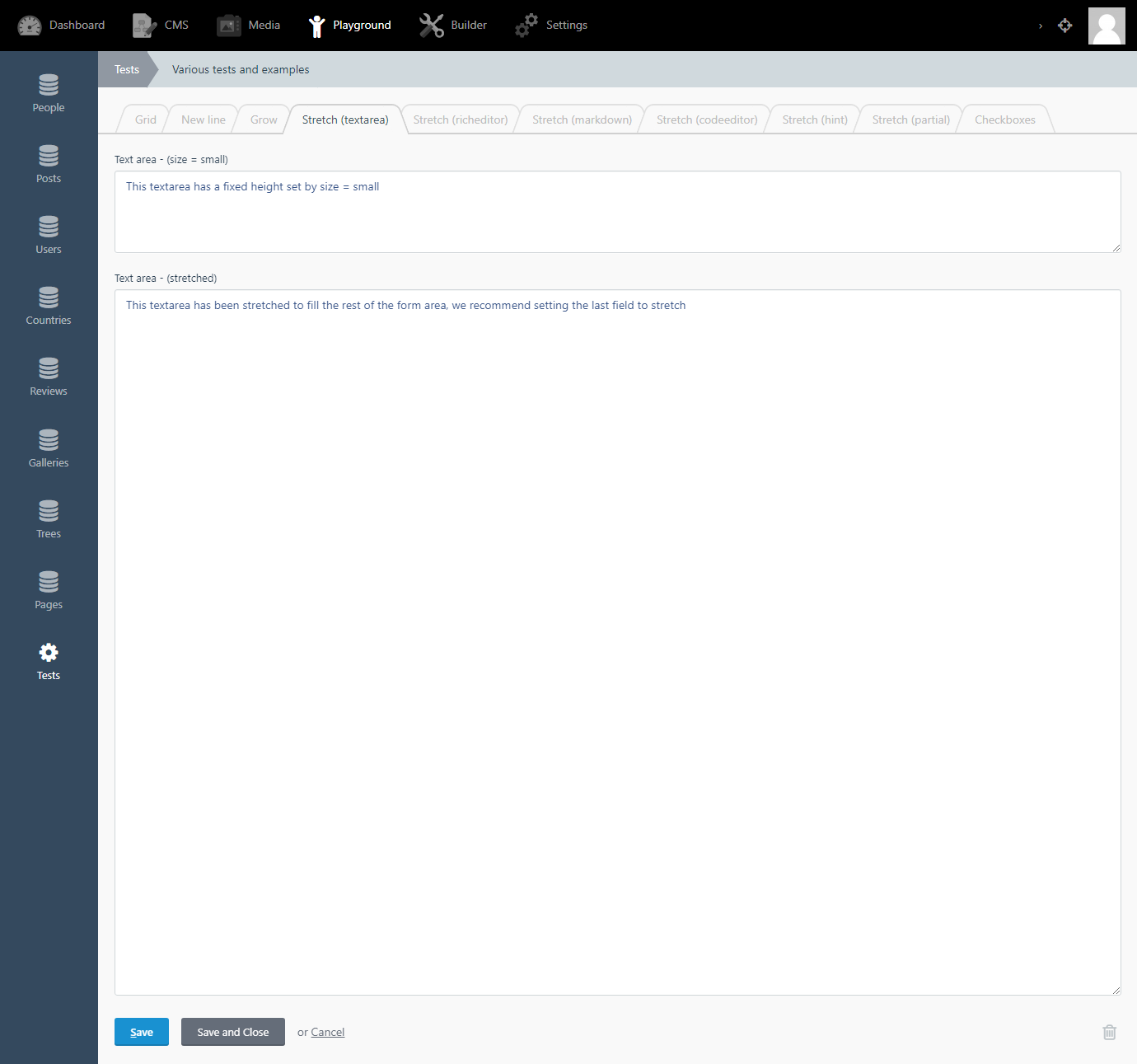
Stretch (textarea)
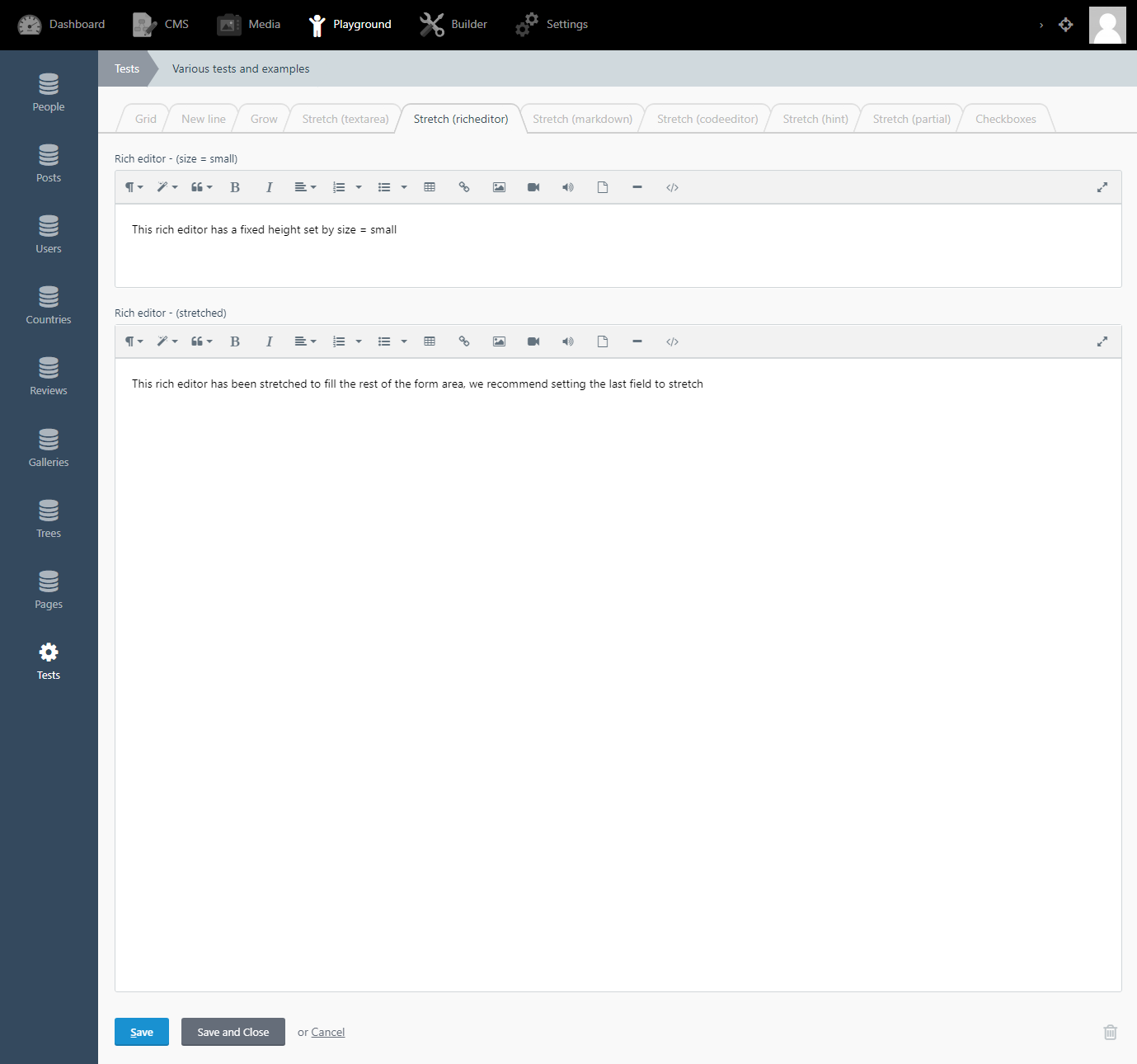
Stretch (rich editor)
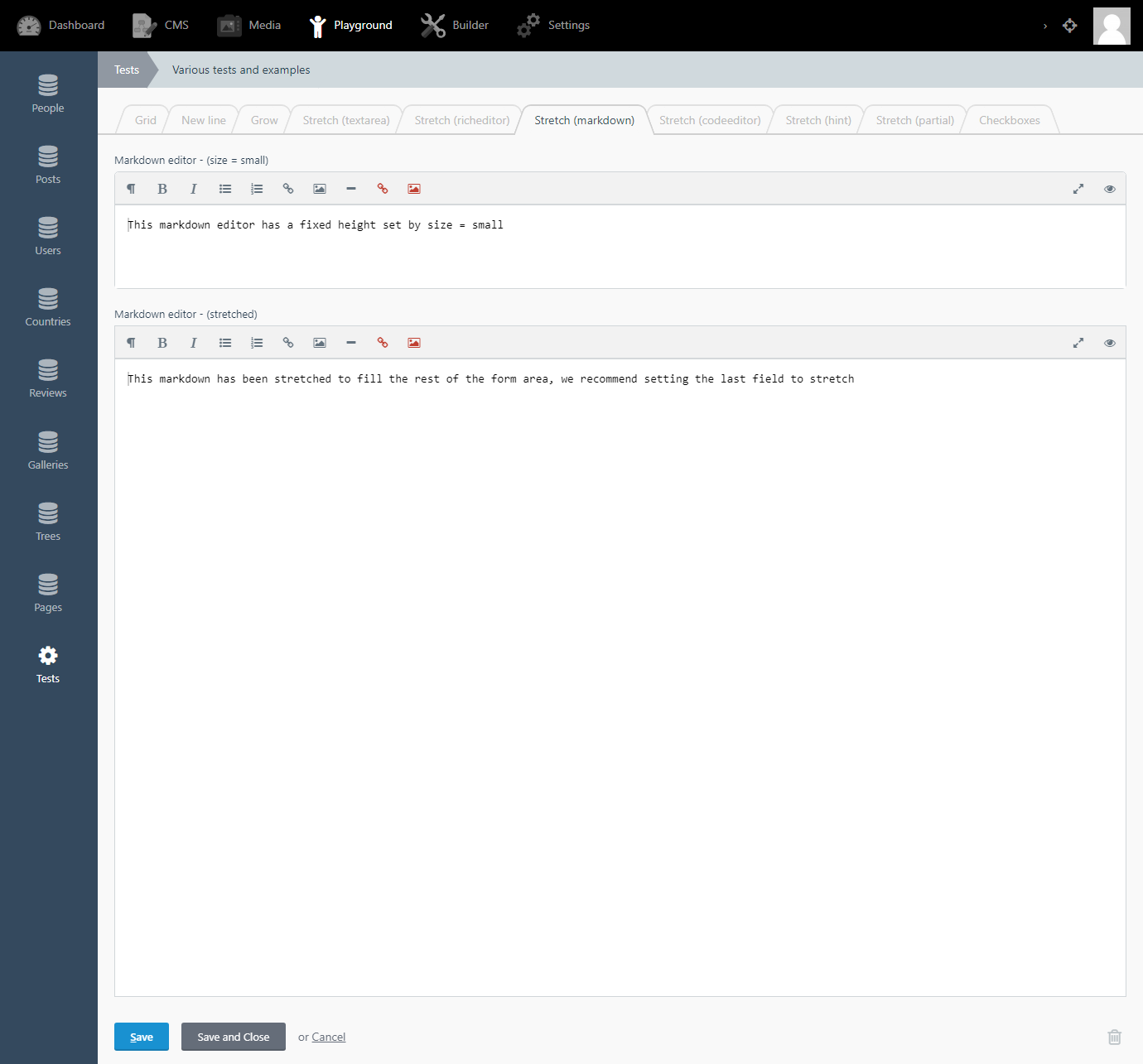
Stretch (markdown editor)
Stretch (Code editor)
Stretch (Hint)
Stretch (Partial)
Test results in test plugin
[x] - New grid fields - passed testing (Stable)
[x] - New line fields - passed testing (Stable)
Grow tests:
- [ ] - Grow - not passing - see below
- [x] Textarea (Stable)
- [x] Rich editor (Stable)
- [x] Markdown editor (Unstable due to Ace version)
- [x] Code editor (Unstable due to Ace version)
There is a bug with the grow on the Markdown editor and Code editor widgets, it sometimes doesn't work and some times does, without changing any code. This strange bug seems to be from using an old version of Ace Editor. This PR might fix all these issues found here: Update Ace Editor from 1.2.6 to 1.4.5 and emmet.js
Stretch tests:
- [x] - Stretch - passed testing (Stable)
- [x] Textarea (Stable)
- [x] Rich editor (Stable)
- [x] Markdown editor (Stable)
- [x] Code editor (Stable)
- [x] Hint (Stable)
- [x] Partial (Stable)
ghost
on 1 Sep 2019
This issue will be closed and archived in 3 days, as there has been no activity in the last 30 days. If this issue is still relevant or you would like to see action on it, please respond and we will get the ball rolling.
![github-actions[bot] picture](https://avatars.githubusercontent.com/in/15368?v=4&s=40) github-actions[bot]
on 19 Oct 2019
github-actions[bot]
on 19 Oct 2019
This issue will be closed and archived in 3 days, as there has been no activity in the last 60 days.
If this issue is still relevant or you would like to see it actioned, please respond and we will re-open this issue.
If this issue is critical to your business, consider joining the Premium Support Program where a Service Level Agreement is offered.
github-actions[bot]
on 3 May 2020
@CptMeatball why'd you close this?
LukeTowers
on 17 Jun 2020
Related issues
 mittultechnobrave
·
3Comments
mittultechnobrave
·
3Comments
 atrauzzi
·
3Comments
atrauzzi
·
3Comments
 oppin
·
3Comments
oppin
·
3Comments
 ChVuagniaux
·
3Comments
ChVuagniaux
·
3Comments
 SeekAndPwn
·
3Comments
SeekAndPwn
·
3Comments