October: New rich editor (Froala) strips out empty <i> tag
I'm using the new rich editor (build 345) and included the "italics" tag "i" at the allowed empty tags section, which is accessible via the settings page, but my setting is ignored.
The following:
<div class="item"><i class="right triangle icon"></i> Item 1</div>
always becomes
<div class="item">Item 1</div>
Is this intended (if so can I avoid this issue) or a bug?
 Verbat
All 23 comments
<p>Test sentence <i class="fa fa-cal"></i></p>
This doesn't get stripped for me, see if putting a in there stops it from being stripped for you.
 Benpxpx
on 8 Jun 2016
Benpxpx
on 8 Jun 2016
Another workaround would be to use a <span> tag instead.
<i> stands for "Italics", and since this is a WYSIWYG with an italics option I would want empty <i> tags to be removed.
 jeremymouton
on 8 Jun 2016
jeremymouton
on 8 Jun 2016
Did some further test.
The following works
<div class="item"><i class="fa fa-cal"></i> Test sentence</div>
This does not work. If the first css class "fa" is removed the complete i tag gets stripped
<div class="item"><i class="fa-cal"></i> Test sentence</div>
Workaround is as Benpxpx already mentioned to use a
This works
<div class="item"><i class="fa-cal"> </i> Test sentence</div>
Unfortunately using spans is not a option for me as semantic-ui uses <i> for all icons.
For now i think i can use the to avoid this behavour but i still think it's not an intended behavior.
Verbat
on 8 Jun 2016
This does not work. If the first css class "fa" is removed the complete i tag gets stripped
<div class="item"><i class="fa-cal"></i> Test sentence</div>
Just tried this myself, and the i element is being stripped for me as well. A WYSIWYG is a finicky at the best of times.
Glad the work around done the trick, hopefully this use case can be resolved in the future.
Benpxpx
on 8 Jun 2016
Settings > Editor settings > Markup tags > Allowed empty tags
Add i.fa to this textarea and save.
 daftspunk
on 8 Jun 2016
daftspunk
on 8 Jun 2016
Hi,
Settings > Editor settings > Markup tags > Allowed empty tags is still not working. Can confirm?
 claudchan
on 13 Jul 2016
claudchan
on 13 Jul 2016
Hello, I have built 419 and it still not working. I have i in Allowed empty tags and editor always clean it.
 tombien
on 4 Jul 2017
tombien
on 4 Jul 2017
@tombien did you add i.fa like @daftspunk said?
 LukeTowers
on 4 Jul 2017
LukeTowers
on 4 Jul 2017
I have another icon font for our customer. We have classes like .zi, .zi-... So I made it like for .fa, it doesnt work. Now I try it with .fa classes - it works. You made it only for Font Awsome Icons :) ?
tombien
on 4 Jul 2017
I'm not sure, did you try i.zi as well?
LukeTowers
on 4 Jul 2017
I hope yes. I have this in empty tags
textarea, a, iframe, object, video, style, script, i.zi
tombien
on 4 Jul 2017
Hmm, it should be working then.
LukeTowers
on 4 Jul 2017
.fa class works when I have in empty tags i.zi or whatever.... also if I dont have i in empty tags.
but another class then .fa doesnt work anytime.
tombien
on 4 Jul 2017
I can make screen video, if you want.
tombien
on 4 Jul 2017
I have another icon font for our customer. We have classes like .zi, .zi-... So I made it like for .fa, it doesnt work. Now I try it with .fa classes - it works. You made it only for Font Awsome Icons :) ?
I confirm this. This only works fori.fa. For other tags and classes does not work, empty tags are deleted when saved. I wanted to add span.iconify to the allowed empty tags, but that didn't help. Have to add inside.
October 465
 igor-tv
on 9 Apr 2020
igor-tv
on 9 Apr 2020
@igor-tv
This is still not fixed. I can confirm it. October 465. I mentioned this 3 years ago :)
I can put to Froala <i class="fa fa-bulb"></i> and it will stay.
I can put <i class="xx xx-bulb"></i> and it will not stay.
I have <i> in my allowed empty tags.
Class "fa" does not need allowed empty tags - it stays always - with or without allowed empty <i>
I know, this is not a "big problem" but we use custom icon fonts, not always Font Awesome. And sometimes it is useful to let our customer to use some icons thru css classes in Froala.
tombien
on 9 Apr 2020
Hi,
yes in some cases.
for example Font Awesome docs still use it:
https://fontawesome.com/how-to-use/on-the-web/referencing-icons/basic-use
And yes I think it is useful for our customers - normal people which can write for example blog post using Froala Editor. And they can put (this is a button in toolbar)
and they can put a css class „fa fa-whatever“ to this :)
- 2020 v 18:29, Jeremy Mouton notifications@github.com:
@tombien https://github.com/tombien 3 years and you're still using for icons? :)
—
You are receiving this because you were mentioned.
Reply to this email directly, view it on GitHub https://github.com/octobercms/october/issues/2108#issuecomment-632192190, or unsubscribe https://github.com/notifications/unsubscribe-auth/AEUG3U2OJ373NWOZIKNGJ7TRSVJGHANCNFSM4CGD627A.
tombien
on 21 May 2020
But this is not the problem. This bug is also for span.
You can put but you can not put - only fa class is accepted - this is the problem - if you have a custom icon font.
- 2020 v 19:48, Tomas Bien bien@dynweb.cz:
Hi,
yes in some cases.
for example Font Awesome docs still use it:
https://fontawesome.com/how-to-use/on-the-web/referencing-icons/basic-use https://fontawesome.com/how-to-use/on-the-web/referencing-icons/basic-useAnd yes I think it is useful for our customers - normal people which can write for example blog post using Froala Editor. And they can put (this is a button in toolbar)
and they can put a css class „fa fa-whatever“ to this :)
- 2020 v 18:29, Jeremy Mouton <[email protected] notifications@github.com>:
@tombien https://github.com/tombien 3 years and you're still using for icons? :)
—
You are receiving this because you were mentioned.
Reply to this email directly, view it on GitHub https://github.com/octobercms/october/issues/2108#issuecomment-632192190, or unsubscribe https://github.com/notifications/unsubscribe-auth/AEUG3U2OJ373NWOZIKNGJ7TRSVJGHANCNFSM4CGD627A.
tombien
on 21 May 2020
@tombien If you want this issue to be given priority over others, please consider placing a bounty on it.
 bennothommo
on 22 May 2020
bennothommo
on 22 May 2020
@tombien @igor-tv @claudchan Can you test #5126?
LukeTowers
on 14 Jun 2020
@tombien @igor-tv @claudchan Can you test #5126?
This works for me on a clean project. But on a live project, after replacing files with new ones from PR, the toolbar stopped showing in the editor. There may be some conflict with already installed plugins or with existing editor settings.
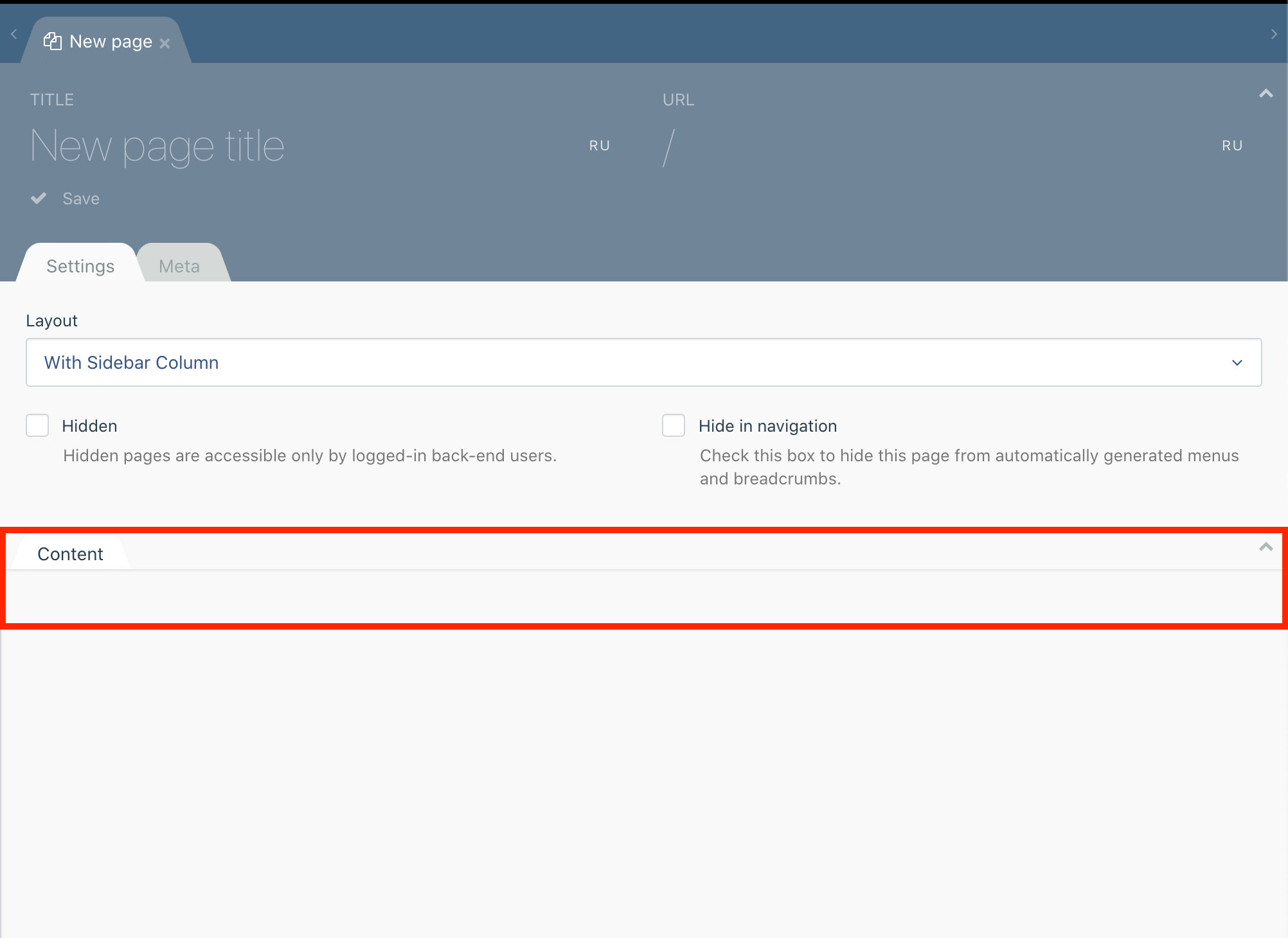
igor-tv
on 15 Jun 2020
I had a rule for allowed empty tags.
i.fa, i.fas, i.far, i.fab,
When I removed it, everything worked as it should.
igor-tv
on 15 Jun 2020
@RomainMazB could you investigate why that broke things?
LukeTowers
on 15 Jun 2020
Related issues
 atrauzzi
·
3Comments
atrauzzi
·
3Comments
 SeekAndPwn
·
3Comments
SeekAndPwn
·
3Comments
 dunets
·
3Comments
dunets
·
3Comments
 jvanremoortere
·
3Comments
jvanremoortere
·
3Comments
 sozonovalexey
·
3Comments
sozonovalexey
·
3Comments
Most helpful comment
Settings > Editor settings > Markup tags > Allowed empty tags
Add
i.fato this textarea and save.