Obs-mac-virtualcam: Simplify CoreMediaIO DAL code
Spinning this out from https://github.com/johnboiles/obs-mac-virtualcam/issues/15#issuecomment-612373633
The Apple sample code this project is based on is very hard to follow and painfully over complex in my opinion. I've found it very hard to productively modify.
I took a stab at re-implementing the DAL plugin part of the code by making the simplest implementation of a DAL plugin possible. However I haven't been able to get it to work. I see it load in host applications like QuickTime but haven't had any luck getting it to expose a virtual camera.
If anyone wants to try to see if they can find something I missed, it would be much appreciated! I think this is the biggest next step to keep this project moving forward. Instructions for building and testing are in that repo.
 johnboiles
All 19 comments
Is it just me or does Cameo.app not get built and not exist?
 gxalpha
on 13 Apr 2020
gxalpha
on 13 Apr 2020
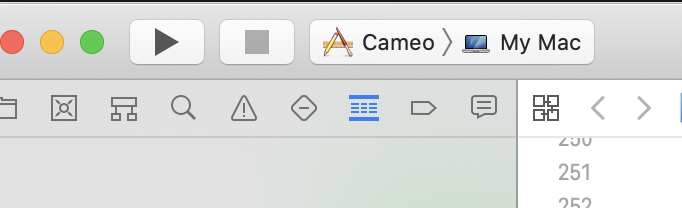
@gxalpha It works for me if I build and run from Xcode.
Update: Did you select the Cameo application and not CameoKit when building?
johnboiles
on 13 Apr 2020
oof, I'm so stupid. 🤦
Thank you!
gxalpha
on 13 Apr 2020
I knew the exact mistake you made because I did the same thing on first run too :D
I wonder if there's a way to tell Xcode which target is the default.
johnboiles
on 14 Apr 2020
To update here I spent a while Friday night on this and made some big progress: the source now shows up in QuickTime and will show the correct frame size, but QuickTime does not receive my static frame. I think there's a pixel format or a clock/time stamping problem.
johnboiles
on 19 Apr 2020
Update: I've got the simplified plugin working! If anyone wants to contribute, it'd be helpful to verify that it's working on other peoples' machines. Go follow the instructions here: https://github.com/johnboiles/coremediaio-dal-minimal-example
Next up, rip out all the Apple sample code this repo is based on and replace it with something _much_ simpler.
johnboiles
on 23 Apr 2020
Nice!
Before ripping out the Apple Sample Code, shouldn't we merge as many PRs as possible? I feel like we'll have a big mess if we didn't merge #11, #38 and #40.
gxalpha
on 23 Apr 2020
Yeah it's a good idea. I'll go through those next.
johnboiles
on 23 Apr 2020
I got started on this last night https://github.com/johnboiles/obs-mac-virtualcam/tree/new-dal-plugin
It's looking like the mach IPC code from the apple sample is probably overly-complex to reuse, so my biggest remaining challenge is learning about IPC on macOS. If anyone has expertise on that it would be very handy!
johnboiles
on 5 May 2020
Ok it's working! I'd love it if some folks test it out before I merge it to master just in case it breaks everything (it changes ~95% of the code)
Code is in the new-dal-plugin branch. Same build instructions apply just with an added git checkout new-dal-plugin
# Clone and build OBS
git clone --recursive https://github.com/obsproject/obs-studio.git
cd obs-studio

# Follow normal OBS build steps
brew install FFmpeg x264 Qt5 cmake mbedtls swig
mkdir build
cd build
# Note: if you installed homebrew to a custom location, this will be $BREW_INSTALL_PATH/opt/qt
export QTDIR=/usr/local/opt/qt
cmake .. && make -j

# Clone this repo
cd ../..
git clone https://github.com/johnboiles/obs-mac-virtualcam.git
cd obs-mac-virtualcam
git checkout new-dal-plugin

# Set an environment variable that points to the directory for your OBS clone
export OBS_DIR=$PWD/../obs-studio

# Build the plugin
mkdir build
cd build
cmake -DLIBOBS_INCLUDE_DIR:STRING=$OBS_DIR/libobs -DLIBOBS_LIB:STRING=$OBS_DIR/build/libobs/libobs.dylib -DOBS_FRONTEND_LIB:STRING=$OBS_DIR/build/UI/obs-frontend-api/libobs-frontend-api.dylib -DQTDIR:STRING=$QTDIR ..
make -j

# Copy the OBS plugin to your local OBS build
cp src/obs-plugin/obs-mac-virtualcam.so $OBS_DIR/build/rundir/RelWithDebInfo/obs-plugins/

# Remove any existing plugin and copy the DAL plugin to the right place
sudo rm -rf /Library/CoreMediaIO/Plug-Ins/DAL/obs-mac-virtualcam.plugin && sudo cp -r src/dal-plugin/obs-mac-virtualcam.plugin /Library/CoreMediaIO/Plug-Ins/DAL

# Run your build of OBS
cd $OBS_DIR/build/rundir/RelWithDebInfo/bin
./obs
This works! Awesome and thank you.
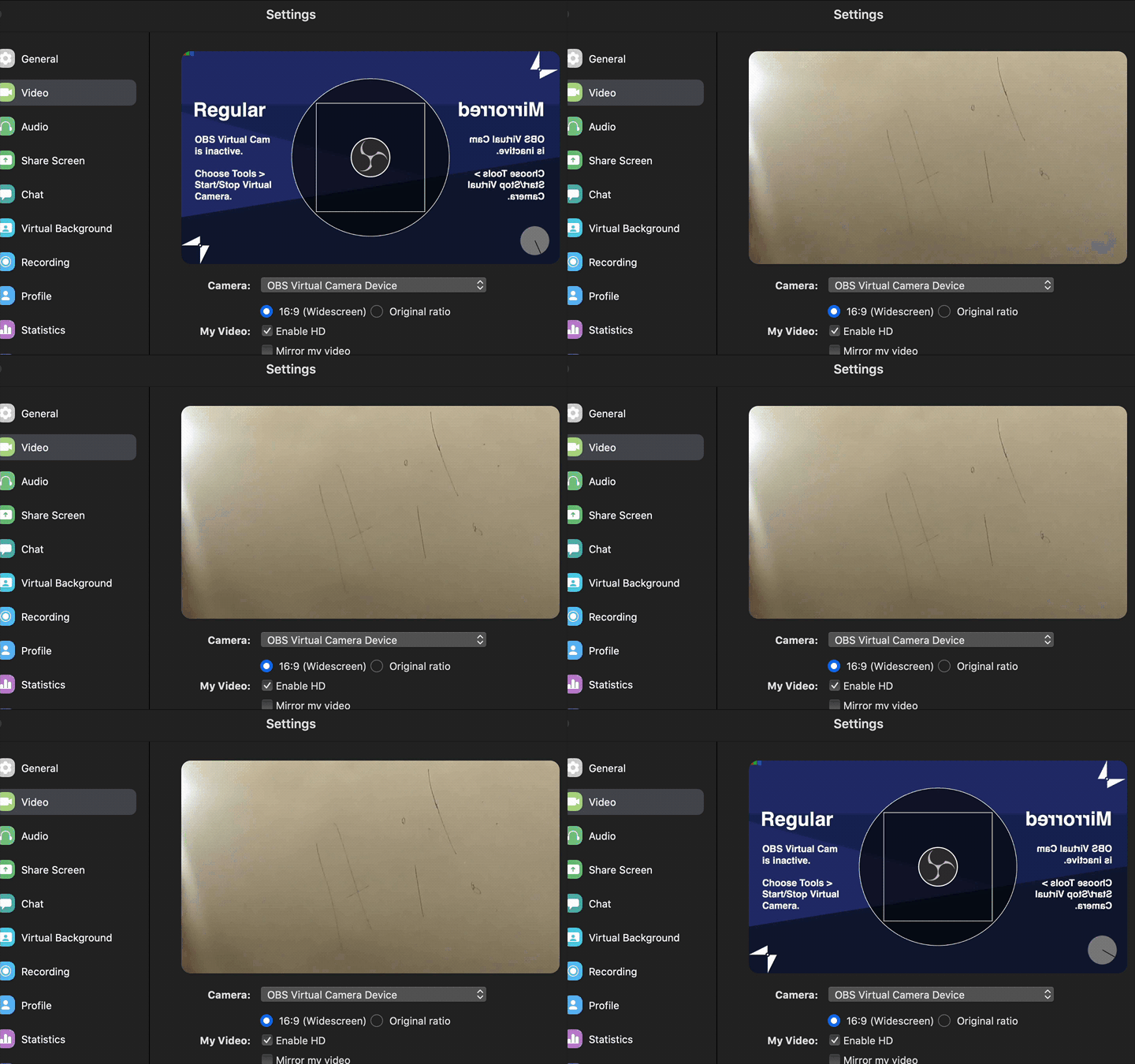
I noticed a couple of issues however.
- The supported resolution appears to only be 1280x720.
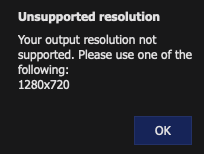
- The first time I launched Zoom, virtual cam (VC) was stopped and the test card was showing. When I started the VC it killed Zoom. This was only the first time. After that it worked each time, including after killing Zoom, stopping VC, starting Zoom, and finally starting VC. May have been a Zoom issue with disabling code-signing on yesterdays update and changing the driver.
 jkuepker
on 9 May 2020
jkuepker
on 9 May 2020
Thanks @jkuepker for trying it! Great data point! Yeah 720p is all it supports right now. I tried out some other resolutions and couldn't quite get them to work consistently. More investigation is needed.
Do you have a crash log from zoom you could send? You can probably find it in Console.app
johnboiles
on 9 May 2020
I can't post them here publicly, where can I send them? I have one for OBS and Zoom about 0.009s apart.
jkuepker
on 9 May 2020
I could see the test card in QuickTime. But cannot get any stream otherwise. I did start virtual camera before launching QuickTime.
 dataopt
on 9 May 2020
dataopt
on 9 May 2020
When I selected Start Virtual Camera, it gave me the last line of the following
info: video settings reset:
    base resolution:   1280x720
    output resolution: 1280x720
    downscale filter:  Bicubic
    fps:               24000/1001
    format:            NV12
    YUV mode:          601/Full
info: NV12 texture support not available
info: Settings changed (outputs, video)
info: ------------------------------------------------
error: video_input_init: Bad scale conversion type
Did I have some bad settings?
dataopt
on 9 May 2020
Yeah, there seems to be a problem there. Restarting obs didn't help?
gxalpha
on 9 May 2020
I restarted many times. Didn't help.
dataopt
on 9 May 2020
Okay. Rebooted my computer and it works!
dataopt
on 9 May 2020
@jkuepker maybe dm me on the Discord, Twitter, or Keybase if you don't feel comfortable posting here. Thanks!
@dataopt thats not the first time we've seen that but I don't know what causes it.
johnboiles
on 9 May 2020
Related issues
 technovangelist
·
4Comments
johnboiles
·
4Comments
technovangelist
·
4Comments
johnboiles
·
4Comments
 Dyphen
·
5Comments
Dyphen
·
5Comments
 voxxit
·
6Comments
voxxit
·
6Comments
 harrisrobin
·
9Comments
harrisrobin
·
9Comments
Most helpful comment
Okay. Rebooted my computer and it works!