Nx: (6.4.0) Not able to create new workspace on windows
When I run create-nx-workspace nxt, I'm not getting any error and no workspace is created also
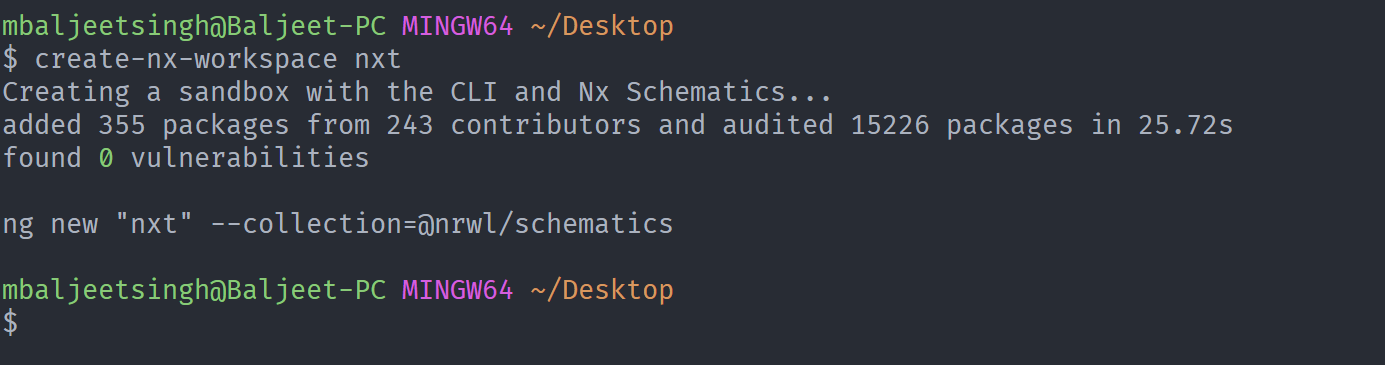
and when is create the workspace using @nrwl/schematics collection with the command
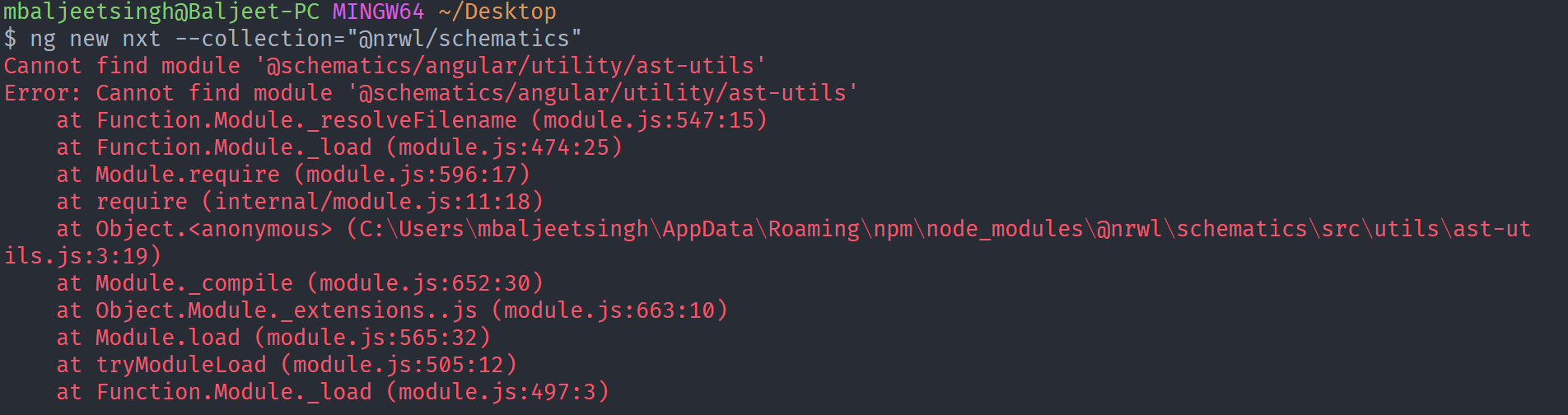
ng new nxt --collection="@nrwl/schematics". I'm getting the following error,

I recently updated the @nrwl/schematics global package. I was working before.
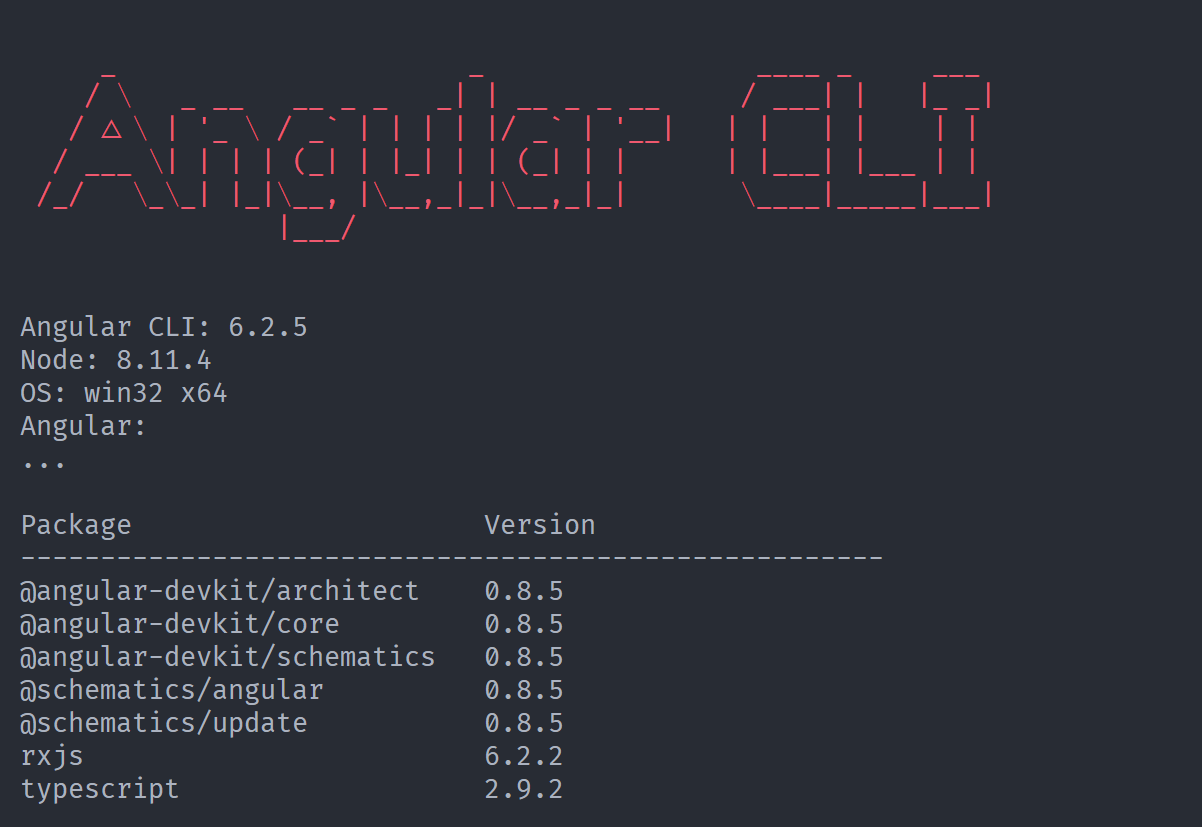
Angular CLI info
 mbaljeetsingh
All 9 comments
Hi @mbaljeetsingh!
Would it be possible for you to test these commands? (I'm presuming that you are using npm)
npm uninstall -g @angular/cli
npm uninstall -g @nrwl/schematics
npm cache clean
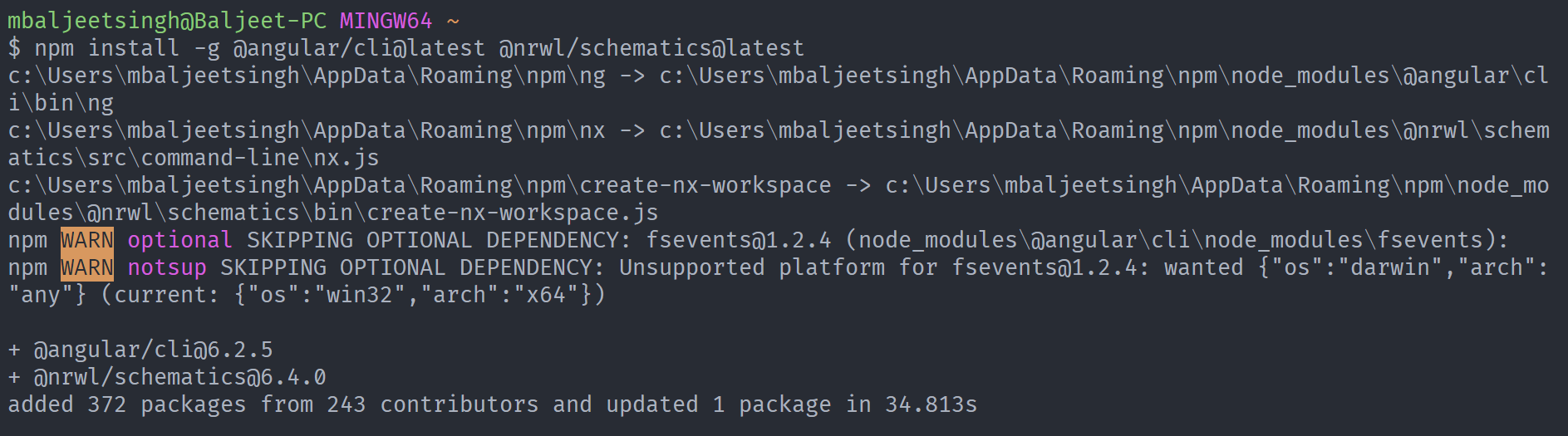
npm install -g @angular/cli@latest @nrwl/schematics@latest
And then try again to create a new workspace.
 bcabanes
on 16 Oct 2018
bcabanes
on 16 Oct 2018
Hi @bcabanes,
Did that, still getting the same error.
mbaljeetsingh
on 17 Oct 2018
same here! #838
 mathpaquette
on 21 Oct 2018
mathpaquette
on 21 Oct 2018
Same problem here. After downgrading to 6.3.1 it worked again.
+-- @angular/[email protected]
+-- @nrwl/[email protected]
+-- [email protected]
+-- [email protected]
 luchsamapparat
on 22 Oct 2018
luchsamapparat
on 22 Oct 2018
@mbaljeetsingh try create-nx-workspace myWorkspaceName to create a workspace.
Also I had the same issue as you however I installed angular cli 6.0.0 then it work fine.
 mh453Uol
on 3 Dec 2018
mh453Uol
on 3 Dec 2018
create-nx-workspace doesn`t seem to be working on windows anymore.
My setup:
- node 10.14.1
- npm 6.4.1
- ng 7.1.2
- nx 7.1.1
I tried downgrading @nrwl/schematics to 6.3.1 but no luck.
I tried installing the latest node and npm on both my mac and PC.
I succeeded running create-nx-workspace on my mac.
On my PC, I get this error
Creating a sandbox with the CLI and Nx Schematics...
child_process.js:651
throw err;
^
Error: Command failed: npm install --silent
at checkExecSyncError (child_process.js:611:11)
at Object.execSync (child_process.js:648:13)
at Object.(C:\Users\GUIBULATOR\AppData\Local\Yarn\Data\global\no
de_modules\@nrwl\schematics\bin\create-nx-workspace.js:77:21)
at Module._compile (internal/modules/cjs/loader.js:688:30)
at Object.Module._extensions..js (internal/modules/cjs/loader.js:699:10)
at Module.load (internal/modules/cjs/loader.js:598:32)
at tryModuleLoad (internal/modules/cjs/loader.js:537:12)
at Function.Module._load (internal/modules/cjs/loader.js:529:3)
at Function.Module.runMain (internal/modules/cjs/loader.js:741:12)
at startup (internal/bootstrap/node.js:285:19)
 guibulator
on 11 Dec 2018
guibulator
on 11 Dec 2018
It fails only when using npm. If I use --yarn, it will work, Any ideas why? I thought it might have been related to admin rights needed to execute the process, but it works with --yarn.
guibulator
on 11 Dec 2018
@guibulator I had the same issue I followed @bcabanes advice and upgraded the angular cli. I think the issue happens when you dont supply all the argument to create-nx-workspace
mh453Uol
on 15 Dec 2018
Closing this. If the problem persists with Nx 7.8, could you reopen it?
 vsavkin
on 15 Apr 2019
vsavkin
on 15 Apr 2019
Related issues
 jon301
·
3Comments
jon301
·
3Comments
 joelmuskwe
·
3Comments
joelmuskwe
·
3Comments
 MichaelWarneke
·
3Comments
MichaelWarneke
·
3Comments
 elliotmendiola
·
3Comments
elliotmendiola
·
3Comments
 ZempTime
·
3Comments
ZempTime
·
3Comments
Most helpful comment
Hi @mbaljeetsingh!
Would it be possible for you to test these commands? (I'm presuming that you are using
npm)And then try again to create a new workspace.