Nw.js: OSX - Closing devtools leaves transparent window background white
OSX High Sierra (10.13.2) iMac
initially found along with #6307 but is not limited to HS.
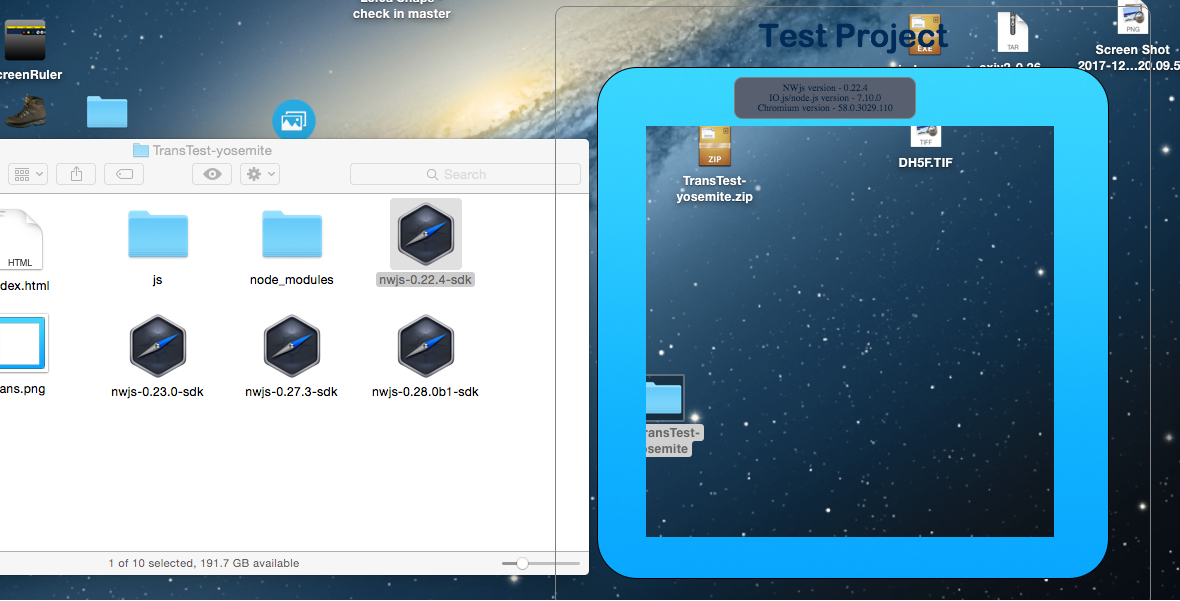
17.6 -> 22.4 OK
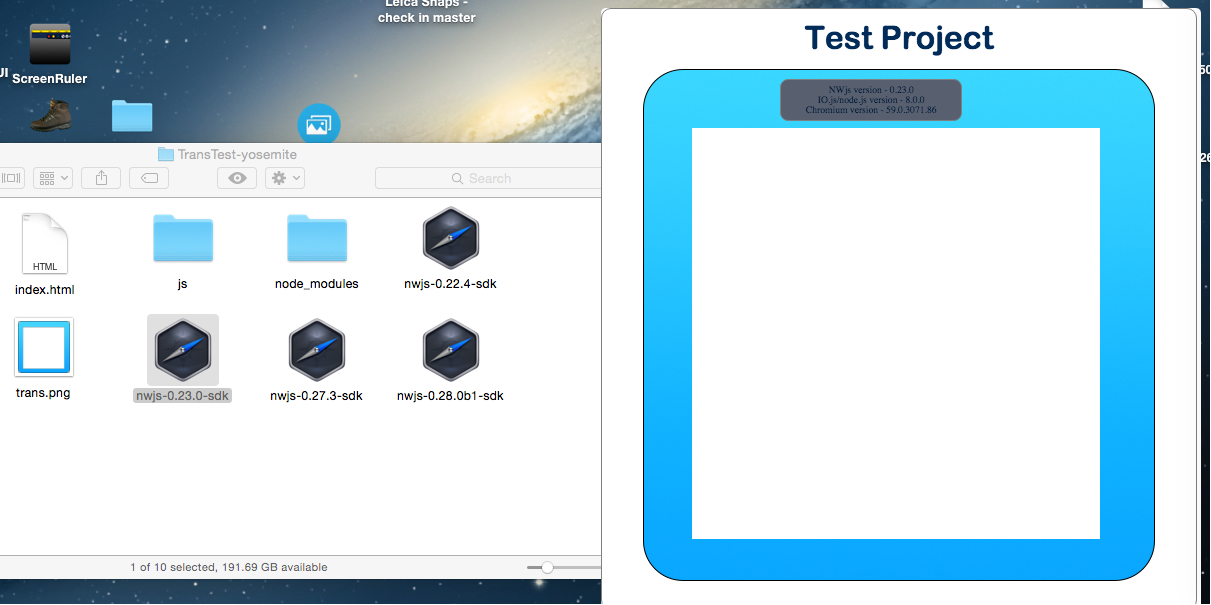
23.0 FAIL -> 28.0b1 FAIL
These results same for both High Sierra (10.13.2) and Yosemite (10.10.5) - no results for El Cap or Sierra, can't get VM's to play ball.
Test app attached - using disable-gpu-composited. Screenshots are for Yosemite but same on High Sierra.
 Blatman
All 6 comments
I can reproduce this issue on Mac(10.13) with nwjs-sdk-v0.27.2.
 Christywl
on 20 Dec 2017
Christywl
on 20 Dec 2017
Experiencing the same thing with macOS (10.13.4), NWJS-sdk 0.29.3.
If I open, and then close devtool for a transparent window, the background (transparent part) changes to white.
 tphalp
on 9 May 2018
tphalp
on 9 May 2018
I have this issue as well on Win10 and NWJS-sdk 0.33.4.
Package.json is:
"main": "./package.nw/index.html",
"chromium-args": "--mixed-context",
"window": {
"frame": false,
"always_on_top": true,
"transparent": true,
"fullscreen": false,
"resizable": false,
"focus": true,
"show_in_taskbar": false,
"width": 600,
"height": 800,
"max-width": 600,
"max-height": 800
},
The background-color of the index.html body is rgba(0,0,0,0).
And I launch the app with the following from a batch file:
start %~dp0/NWJSx64SDK/nw.exe --disable-gpu-compositing --force-cpu-draw --remote-debugging-port=1187
Then I launch DevTools, and close it, and everything that's transparent turns white. Simple Reload() calls against the window don't work- nothing short of closing and restarting does.
If I go to localhost:1187 and then open in-browser DevTools in Chrome for the page, and then close that tab, same issue occurs.
I'm not sure if there's other circumstances that bring it out, because I'm doing a lot of dev on it right now, so it's very often a mess, but I was able to reproduce these steps pretty faithfully.
 DigitalFlux
on 11 Oct 2018
DigitalFlux
on 11 Oct 2018
I can confirm this still happens on stable up-to-date nwjs-sdk-v0.44.6 running on Windows 10 x64 with or without --disable-gpu-compositing and/or --force-cpu-draw
I understand this is treated as a sub-minor issue, since DevTools is only meant to be used by developers (duh :sweat_smile:) and maybe some other kinds of "power-users". But, have anyone found any workaround for this?
Thanks!
 leonelsr
on 5 Apr 2020
leonelsr
on 5 Apr 2020
The only thing I have for this now is that I have a Reload menu option in the context menu, and when I close out the dev tools window (or tab, since I remote-debug often now) and the background goes white, I can still usually right-click on the visible GUI portions and click Reload to call chrome.runtime.reload(); and get things back. If you're running a full-screen overlay like I am and use dev tools, you gotta have that option to recover. Hope that helps.
DigitalFlux
on 6 Apr 2020
I'll add that this could be automated a bit if close-devtools was working, then I could call it when closing that out.
DigitalFlux
on 6 Apr 2020
Related issues
 Asp3ctus
·
4Comments
Asp3ctus
·
4Comments
 rumax
·
4Comments
rumax
·
4Comments
 bambooCZ
·
3Comments
bambooCZ
·
3Comments
 nawazishali
·
3Comments
nawazishali
·
3Comments
 gengshenghong
·
3Comments
gengshenghong
·
3Comments