Hey guys,
thanks for your great work on NW.js :)
On Windows it seems the size of the window is not correct. If I set a 1280x720 in package.json the window's content area is a few pixel to large. See this screenshot:
https://puu.sh/rqxay/a7ef6e8492.png
You can see the white borders on the screenshot. The black area is 1280x720. Its very easy to reproduce, just grab current NW.js Version (17.5) or even an older version and use the following package.json:
{
    "name": "test",
    "main": "index.html",
    "window": {
        "width": 1280,
        "height": 720,
        "title": "Game Test"
    }
}
with this in index.html:
<div style="position: absolute; left: 0px; top: 0px; background-color: black; width: 1280px; height: 720px;"></div>
Not sure if I did something wrong here(?), but on OS X it works fine. It seems only on Windows this bug happens. Not sure about Linux. This is a problem for games if you want the window's content area to match the resolution of the game. It would be cool if that can be fixed in future releases.
I remember there are pure JavaScript solutions to figure out the window's border and title-bar sizes so maybe that could be a workaround. But it would be cool that just could be fixed.
Thanks!
 Kajinor
All 28 comments
I think this is affecting Construct 2 games as well: https://www.scirra.com/forum/exported-nwjs-window-size-issue_t185331
I've noticed I can't reproduce it on a low DPI display (devicePixelRatio = 1), but it does happen on a high DPI display (devicePixelRatio = 2.5). So maybe it's to do with not accounting for pixel density in window size calculations.
 AshleyScirra
on 20 Dec 2016
AshleyScirra
on 20 Dec 2016
Also, not sure if maybe issue #5407 is a dupe?
AshleyScirra
on 20 Dec 2016
The frame size calculation for high DPI display was changed after 0.18.0. Could you please test if latest 0.19.3 works?
 ghostoy
on 21 Dec 2016
ghostoy
on 21 Dec 2016
Hi, I'm a guy who originally posted the issue on Construct 2 forum.
I'm told to post the problem here there.
I tested with nwjs v0.19.2 for Construct 2 which is the latest version at this moment.
The issue appears when I exported a Construct 2 project as nwjs for desktop.
I set the window size as 1280 x 720 and the exported game gives me 1291 x 726.
Here is a simple exported project to test out. This is the same files I have the issue with.
https://drive.google.com/file/d/0B1SDO1CycJ1XOWFJb01RR1pGQ2s
I lunched the files on windows7 and 10 and have the issue on both.
 taker7
on 21 Dec 2016
taker7
on 21 Dec 2016
I'm using Construct 2 as well, and the problem remains in 0.19.2. This is important for my pixel art game, so I really need a fix, as I'm sure many others do.
 Lasmelan
on 21 Dec 2016
Lasmelan
on 21 Dec 2016
I could only resize my VM to 1920x1280 with scale of 200%, which is actually 960x640. I tried to change the size of window in package.json, but it enlarged to fullscreen after splash is dismissed. Could you recreate your app with smaller size?
ghostoy
on 22 Dec 2016
Thank you for investigating. I made it 640x360.
https://drive.google.com/open?id=0B1SDO1CycJ1XelMyZ0xWZ05IUHM
I attached a screencap of the app too. Right now, the game gives me 651 x 366.

taker7
on 22 Dec 2016
This issue can be reproduce on upstream Chrome. See my bug report.
ghostoy
on 29 Dec 2016
This bug is reproduced by upstream see https://crbug.com/677381#c2
ghostoy
on 10 Jan 2017
Seeing this issue as well, the resulting window is 1-2 pixels off the given size on high-dpi displays, both width and height.
Edit: As a poor man work around, resizing the window immediately after opening works:
var desiredSize = {w: 1280, h: 720};
var win = nw.Window.get();
win.resizeBy(desiredSize.w - win.window.innerWidth, desiredSize.h - win.window.innerHeight);
 jportoles
on 27 Jan 2017
jportoles
on 27 Jan 2017
Hi, recently I found something new about the bug.
When the project is exported as "frameless", there is no resolution change issue at all.
It works perfectly as it's intended.
When the project is exported as "resizable", there are two result I got for Win7 and 10 each.
For Win7, I got 641 x 481 and for Win10 I got 640 x 481.
I still get an obscure resolution with an normal export setting.
I tested with nwjs v0.23.0 which is the latest version at this moment for C2
Here are the exported nwjs if you want to take a look at them.
And sorry this time the resolution is 640x480. I thought that's what I did last time.
Vanilla https://drive.google.com/file/d/0B1SDO1CycJ1XWW9WUW93Q0pDWVE
Frameless https://drive.google.com/open?id=0B1SDO1CycJ1XMEFHVzNseUptdGc
Resizable https://drive.google.com/file/d/0B1SDO1CycJ1XYnVscE9nMW10V00
I assume the bug is something about window size and screen size.
I hope it helps.

taker7
on 3 Jul 2017
Is there any update on this matter?
I tried with Construct2 version 247 and NW.js 0.2.50.0 for C2 but the bug still remains.
taker7
on 2 Oct 2017
I tried to reproduce my original example with the latest version 0.25.4 but it seems to be fixed now. Thats great. At least it works now with my little example. I will try it in production soon to see if it finally fixes our problems here too.
But maybe it is only because I tested on Windows 10 which has no window borders. Maybe on Windows 7 the bug still exists I haven't checked that yet.
Kajinor
on 2 Oct 2017
@Kajinor I encountered the same problem. And even though i try the latest version 0.25.4 on both simple demo and my product, it seems nothing change and still work beyond expectation.
 DarcyXf
on 11 Oct 2017
DarcyXf
on 11 Oct 2017
Ok, we updated NW.js in our production environment to latest version 0.26.4 and we figured out that the bug is still there IF the "resizable" flag in package.json is set to false. If you set it to true or just not specify it, the window size is correct. That can be reproduced even with the simple example I posted in my initial post. Hope that helps somehow. Thanks.
Kajinor
on 8 Nov 2017
I can confirm that this is still the case in 0.30.1 when settings resizable to false.
A dirty workaround is to specify the window width and height to 10px less than what you expect but I haven't tested to see if that makes the window too small on non-Windows platforms.
 ec8or
on 25 Apr 2018
ec8or
on 25 Apr 2018
I am seeing a similar issue on a high-dpi screen on linux, regardless of whether the window is resizable / has a frame or not:
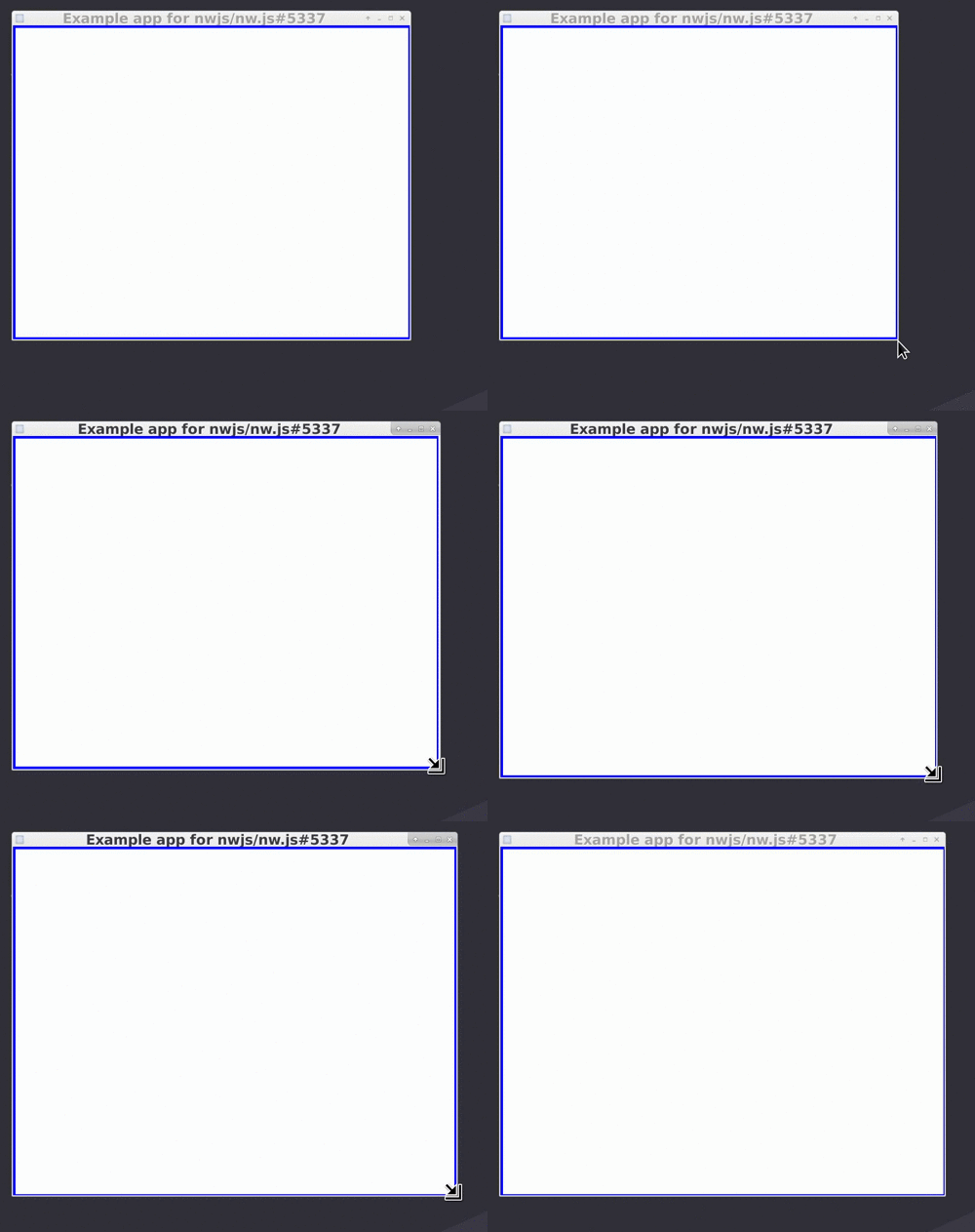
The workaround in https://github.com/nwjs/nw.js/issues/5337#issuecomment-275558313 does not help for me. This issue always appears for certain resolutions, and it looks to me like it's a problem with the high-DPI calculation.
Example app: https://github.com/nylen/nwjs-issue-5337
 nylen
on 19 Aug 2018
nylen
on 19 Aug 2018
The bug still remains. I checked it in Construct2 ver265 with NW.js v0.35.0.
It's clear that chromium has an issue. Here is a bug report. Thanks to @ghostoy
I realized I didn't mention this here but NW.js v0.13.0 alpha 5 did work.
After that version, the problem appears. Here are exported projects to prove my claim.
v0.13.0 alpha 5
v0.13.2
If you're interested in other versions, please check my post here.
All example are still available.
So my question is what the difference is between NW.js v0.13.0 alpha 5 and after that?
Did chromium change something with High DPI there?
If we could figure that out and let it know to devs, that could be a step to solve this bug.
taker7
on 7 Dec 2018
For the record I've been investigating similar problems (on Windows) for some times now.
I was using the @jportoles suggestion https://github.com/nwjs/nw.js/issues/5337#issuecomment-275558313 but I've just discovered it doesn't work well if windows display "magnification setting" is not 100%.
Beware as this is the case by default on some laptops (small screens with high resolutions).
I'm talking about this setting (Windows 10) :

 DjulLau
on 17 Jan 2019
DjulLau
on 17 Jan 2019
Have you guys tested out if this can still be reproduced in the new and upcoming window implementation?
It can be enabled by using one of the more recent versions and a chromium-arg inside the manifest.
 TheRealDannyyy
on 17 Jan 2019
TheRealDannyyy
on 17 Jan 2019
Done a quick test with @taker7 resizable files.\
On my screen at 125%
- v0.35.4 without nw2 switch -> 644x479
- v0.35.4 with nw2 switch -> white unresponsive window (had to kill task)
Can't do a quick test on my app now because it's not easy to switch node versions (native modules).
DjulLau
on 22 Jan 2019
644x479 - @DjulLau what do you mean by this?
@TheRealDannyyy Using v0.35.4 with --enable-features=nw2 does not fix the issue with my example app using a high-dpi screen on Linux.
@taker7 I also tried with v0.13.0-alpha5 under a couple of different Node.js versions but I could not get past the following error:
[1:1:0122/143039:FATAL:renderer_main.cc(156)] Failed to load node library (error: libnode.so: cannot open shared object file: No such file or directory)
nylen
on 22 Jan 2019
@nylen Sorry : I mean the size is 644x479 (should be 640x480).
DjulLau
on 22 Jan 2019
@rogerwang Do you think you could implement a workaround for this issue using the new window implementation or is this too much of an internal issue within the Chromium engine?
I've tried to get the upstream issue active again but quite frankly noone seems to care on their end.
TheRealDannyyy
on 23 Feb 2019
Will try to fix it. Thanks.
 rogerwang
on 27 Feb 2019
rogerwang
on 27 Feb 2019
I can't reproduce this since v0.43.0 with NW2.
Could anyone else test it and confirm that it's fixed?
TheRealDannyyy
on 20 Dec 2019
closing as this is fixed in nw2 mode.
rogerwang
on 28 Dec 2019
@rogerwang Can we reopen this case? I have a multi window application using NW.js 0.45.4 and we are still seeing an issue where the size we are setting for the window is creeping 4px.
 tlmason92
on 29 Apr 2020
tlmason92
on 29 Apr 2020
Related issues
 Asp3ctus
·
4Comments
Asp3ctus
·
4Comments
 hooker99
·
4Comments
hooker99
·
4Comments
 loretoparisi
·
3Comments
loretoparisi
·
3Comments
 imyzf
·
4Comments
imyzf
·
4Comments
 mmommo
·
4Comments
mmommo
·
4Comments
Most helpful comment
Will try to fix it. Thanks.