Nvim-tree.lua: Blank on Nvim NvimTreeToggle
Hello, Suddenly when I toggle nvim tree, there is no files. When I refresh, all files showing. It was perfect before. I don't what happen. Any Idea ?
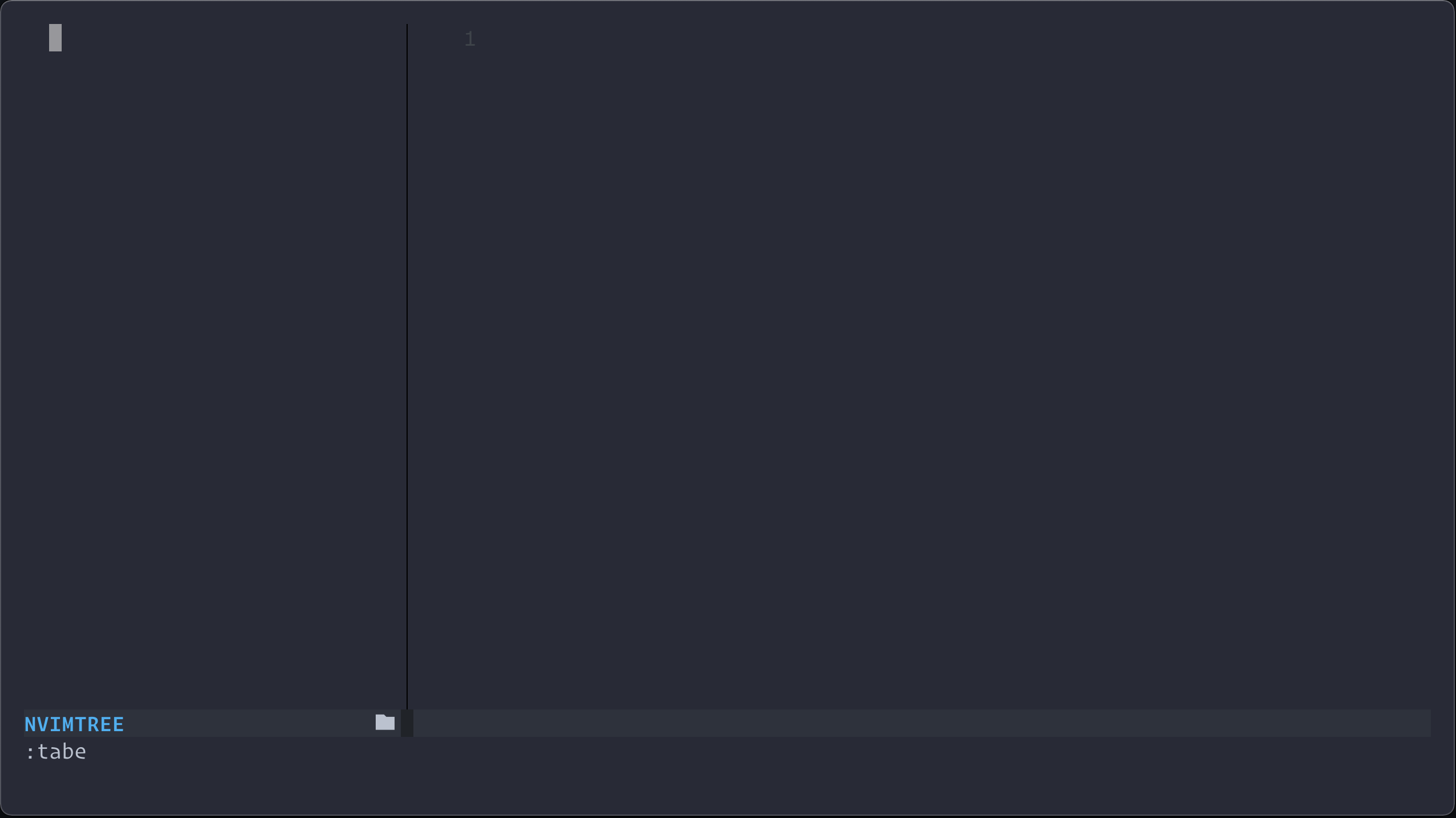
Please check this image. When toggle 2 time, Files is back. I use lazy load feature of Packer.
Any Idea ?
Thanks
 saifulapm
All 17 comments
Same here when I open with nvim +NvimTreeToggle. Refreshing the tree does work, but it's annoying :/
 kabouzeid
on 9 Apr 2021
kabouzeid
on 9 Apr 2021
same
 shadow-asd
on 10 Apr 2021
shadow-asd
on 10 Apr 2021
I think recently Nvim Tree added lsp diagnostic feature. After this update, Lazy loading not working. I solved this by remove lazy loading for Nvim Tree.
saifulapm
on 10 Apr 2021
same
 liubang
on 10 Apr 2021
liubang
on 10 Apr 2021
How can I disable lazy loading?
kabouzeid
on 10 Apr 2021
Are you using Packer ?
saifulapm
on 10 Apr 2021
No, Plug. And I'm not lazy loading via plugin manager. I use nvim +NvimTreeToggle to execute the command immediately on start
kabouzeid
on 10 Apr 2021
This happens because initialization is deferred, and so it is not always done after VimEnter.
@kabouzeid If you always want to open nvim-tree when launching nvim you should set
let g:nvim_tree_auto_open = 1 " will open the tree when the package is loaded.
If you only use that command sometimes, you should change it to: nvim -c 'let g:nvim_tree_auto_open=1'.
But I also think it would be a good idea to have some sort of callback when the plugin has finished loading. @kyazdani42 maybe we could add something like a ready event in the new event handler?
 sindrets
on 11 Apr 2021
sindrets
on 11 Apr 2021
Thanks, I must've overlooked that option :)
kabouzeid
on 11 Apr 2021
@sindrets this is a good idea, i guess we could provide this so nvim-tree.toggle is always called when setup is finished. I removed the asynchronous initialization so it might be quite easy to do (but this is also the reason why the lazy loading is not working properly anymore).
 kyazdani42
on 12 Apr 2021
kyazdani42
on 12 Apr 2021
Adding the following inside the config function for Packer use seems to work:
require"nvim-tree".on_enter()
 folke
on 16 Apr 2021
folke
on 16 Apr 2021
refer to the on_ready event if you use lazy loading ! closing this :)
kyazdani42
on 16 Apr 2021
@kyazdani42 how does one use the on_ready event for lazy loading. I read through the docs and tried to see where I'd implement it but I'm not sure how it should work? The on_enter command posted above works fine for me (note to anyone reading this you should add your config opts before you call that function), just wondering if there is a better more official way.
EDIT: a bit more context, I use packer and have it specified as
    use {
      "kyazdani42/nvim-tree.lua",
      keys = {"<c-n>"},
      cmd = {"NvimTreeToggle", "NvimTreeOpen"},
      config = conf("nvim-tree"),
      requires = "nvim-web-devicons"
    }
Not sure where on_ready would fit in
 akinsho
on 20 Apr 2021
akinsho
on 20 Apr 2021
@akinsho I think something like this would work for lazy loading:
require'nvim-tree.events'.on_nvim_tree_ready(function ()
  vim.cmd("NvimTreeRefresh")
end)
@akinsho you need to pass opt = true in order to lazy load the plugin in packer though.
but yes @sindrets is right
kyazdani42
on 20 Apr 2021
Thanks both 👍🏿 guess there's a preference issue here as on_enter will block till the tree is loaded and on_ready is async but has an empty tree for a second or less (more of a random observation than anything else since both work).
PS: re. packer you don't actually need to specify opt if any of the keys you are using imply lazy loading e.g. cmd, keys and a few more all imply lazy loading so packer will make them opt without specifying
akinsho
on 20 Apr 2021
good to know !
kyazdani42
on 20 Apr 2021
Related issues
 CantoroMC
·
7Comments
CantoroMC
·
7Comments
 kristijanhusak
·
5Comments
kristijanhusak
·
5Comments
 ziulev
·
8Comments
ziulev
·
8Comments
 DimitrisMilonopoulos
·
5Comments
DimitrisMilonopoulos
·
5Comments
 GustavoPrietoP
·
6Comments
GustavoPrietoP
·
6Comments
Most helpful comment
This happens because initialization is deferred, and so it is not always done after
VimEnter.@kabouzeid If you always want to open nvim-tree when launching nvim you should set
If you only use that command sometimes, you should change it to:
nvim -c 'let g:nvim_tree_auto_open=1'.But I also think it would be a good idea to have some sort of callback when the plugin has finished loading. @kyazdani42 maybe we could add something like a
readyevent in the new event handler?