Nvim-lspconfig: Rust analyzer going crazy with indexing causing lag
nvim --version: latest nightly- nvim-lsp version(commit hash): 60133c4
:checkhealthall checks sayOK- What language server(If the problem is related to a specific language server): rust analyzer
- Operating system/version: arch latest version
- Terminal name/version: alacritty
$TERM: alacritty
How to reproduce the problem from neovim startup
Go to a rust project (preferably one of a larger size that requires more work to index) and type/hold down a key to watch lag. Or use some method to view rust_analyzer's activity and see that it is indexing after every character is typed.
I do not encounter this issue when using coc + coc_rust_anaylzer
 jacksonludwig
All 11 comments
Are you using https://github.com/nvim-lua/completion-nvim as well?
 lithammer
on 5 Nov 2020
lithammer
on 5 Nov 2020
If so, it might be related to https://github.com/nvim-lua/completion-nvim/issues/203 and/or https://github.com/neovim/neovim/issues/13049.
lithammer
on 5 Nov 2020
Yes I do use it, I will try without completion-nvim and see if there's a difference, thanks.
jacksonludwig
on 6 Nov 2020
I've had the exact same problem with the last version of rust-analyzer and your same setup, and i solved downgrading it, but i haven't checked if it works with coc
 gfanto
on 6 Nov 2020
gfanto
on 6 Nov 2020
I've actually experienced this myself. Similar to @Fanto94, it started to happen with one of the recent versions of rust-analyzer. It's especially evident if paired with lsp-status.nvim because the statusline flickers with indexing messages on every keypress in insert mode.
lithammer
on 6 Nov 2020
So, I see it indexing on type with coc as well, but there still isn't any lag. It does lag though, with built in lsp regardless if I have completion-nvim or not.
It might be partially rust analyzer's fault and partially built in lsp not handling it well.
jacksonludwig
on 6 Nov 2020
@lithammer Were you able to find a workaround for this? I updated today my plugins and this indexing window is popping for every key press in Insert.
 LesnyRumcajs
on 11 Dec 2020
LesnyRumcajs
on 11 Dec 2020
Unfortunately not. It's unclear to me if it's a Neovim LSP, lsp-status.nvim issue or rust-analyzer issue. But for example if I open a project with VS Code the statusbar shows a constantly spinning cogwheel with the message "Starting".

It might just be an issue with the vscode-rust plugin, but almost makes it sound like it doesn't 100% finish the startup phase?? On the other hand, VS Code isn't flickering with "Indexing ..." messages when typing. But that might just be due some debouncing and/or buffering of the progress messages.
But given that the problem started by an upgrade of rust-analyzer, I suspect maybe an issue should be raised on their issue tracker as well.
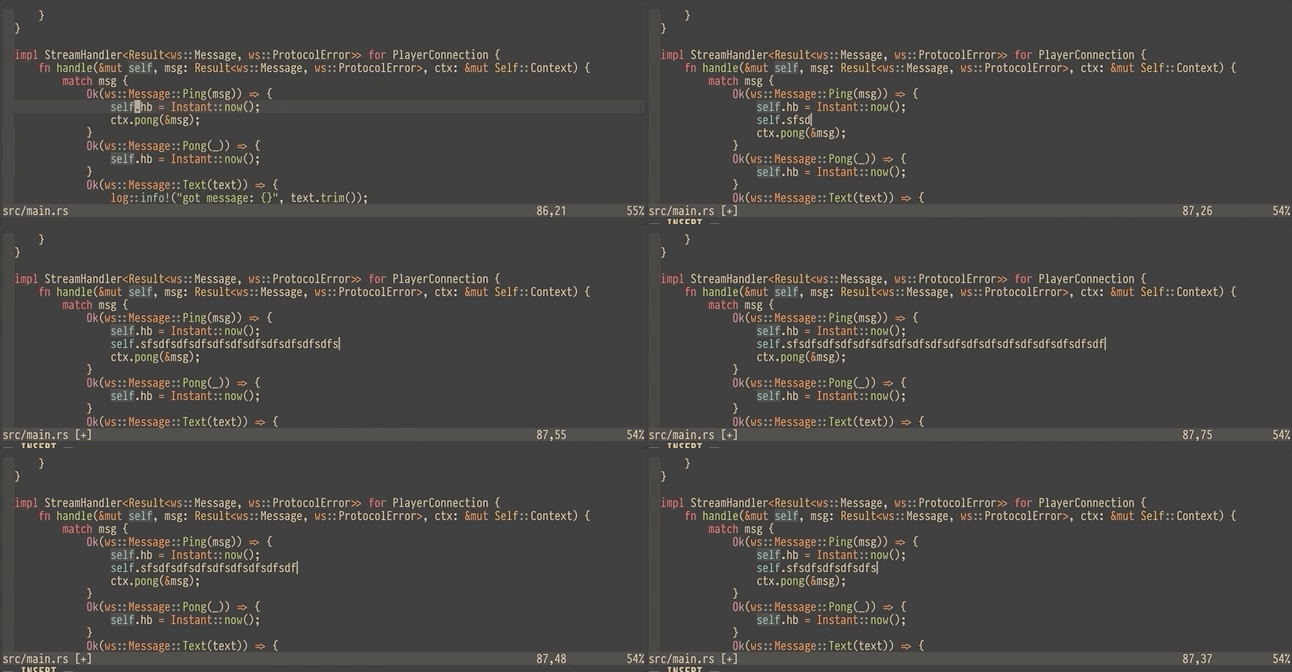
Here's a gif of the problem:
lithammer
on 11 Dec 2020
@lithammer Thanks for the reply.
I had an even more annoying constantly popping floating window with this indexing. I got rid of it by rolling back the coc.nvim update to 806ce47583d66d0b574a3c993526033971e700cf.
LesnyRumcajs
on 11 Dec 2020
Anybody got a clue for this ? Large project are extremely slow on my end and it's even barely usable
 etrnal70
on 15 Dec 2020
etrnal70
on 15 Dec 2020
I have been experiencing slowdowns as well, disabling lsp-status seems to have resolved them, Don't know if that's because of lsp-status or how it's called from vim-airline in my case
 kid
on 20 Dec 2020
kid
on 20 Dec 2020
Related issues
 Kyle-Thompson
·
7Comments
Kyle-Thompson
·
7Comments
 teto
·
10Comments
teto
·
10Comments
 justinmk
·
8Comments
justinmk
·
8Comments
 RefusesNames
·
3Comments
RefusesNames
·
3Comments
 ChrisAmelia
·
3Comments
ChrisAmelia
·
3Comments
Most helpful comment
I've actually experienced this myself. Similar to @Fanto94, it started to happen with one of the recent versions of rust-analyzer. It's especially evident if paired with lsp-status.nvim because the statusline flickers with indexing messages on every keypress in insert mode.