Nuxt.js: since [email protected] some modern files are missing?
Since nuxt 2.13.3 it seems our app is totally broken in modern mode.
e.g. https://cdn-test.hokify.com/pwa/company/_assets/commons/.2714f92.modern.js <-- see the commons/ followed by a dot immediately.
Browser console log:
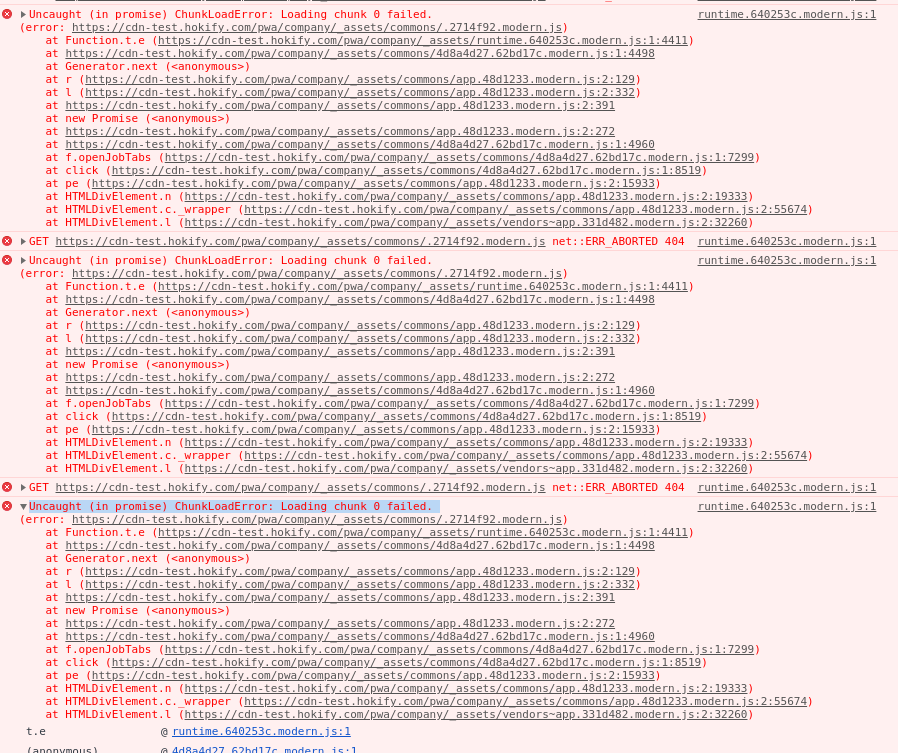
Nuxt 2.13.2 is NOT affected by this bug as far as I can tell, as the only change from yesterday to today is the nuxt version.
Maybe it's related to #7639 ?
In another app I use a custom "filename" option for the assets, It seems this one is not affecetd by this bug, but still verifying it.
filenames: {
            app: ({ isModern, isDev }) =>
                `${!isModern ? 'legacy-' : ''}${!isDev ? '[contenthash]' : '[name]'}-app.js`,
            chunk: ({ isModern, isDev }) =>
                `${!isModern ? 'legacy-' : ''}${!isDev ? '[contenthash]-' : ''}[name].js`
        }
Versions
- nuxt: [email protected]
- node: v12.18.0
Reproduction
Couldn't find time yet, will deliver a reproducable example later if needed.
 simllll
All 7 comments
Hi @simllll Sorry it seems fix with 2.13.2 is back again (dot files are generated but ignored during deployment). I can do a blind patch but would be nice if you can some how share your project with me or making reproduction or giving some hints of .27*.modern.js file contents ☺️
 pi0
on 3 Jul 2020
pi0
on 3 Jul 2020
Thanks @pi0 for the update,
as far what I can tell:
- overwriting build.optimization.cacheGroups with {} does not fix the issue, I though it might be due to https://github.com/nuxt/nuxt.js/pull/7639/files#diff-c0a7f55e7f051100414272295a7eb30bR74
- the content of the "." file is 446c55e.js.txt couldn't really figure out what kind of file it is.. seems some "common" stuff like plugins and more?
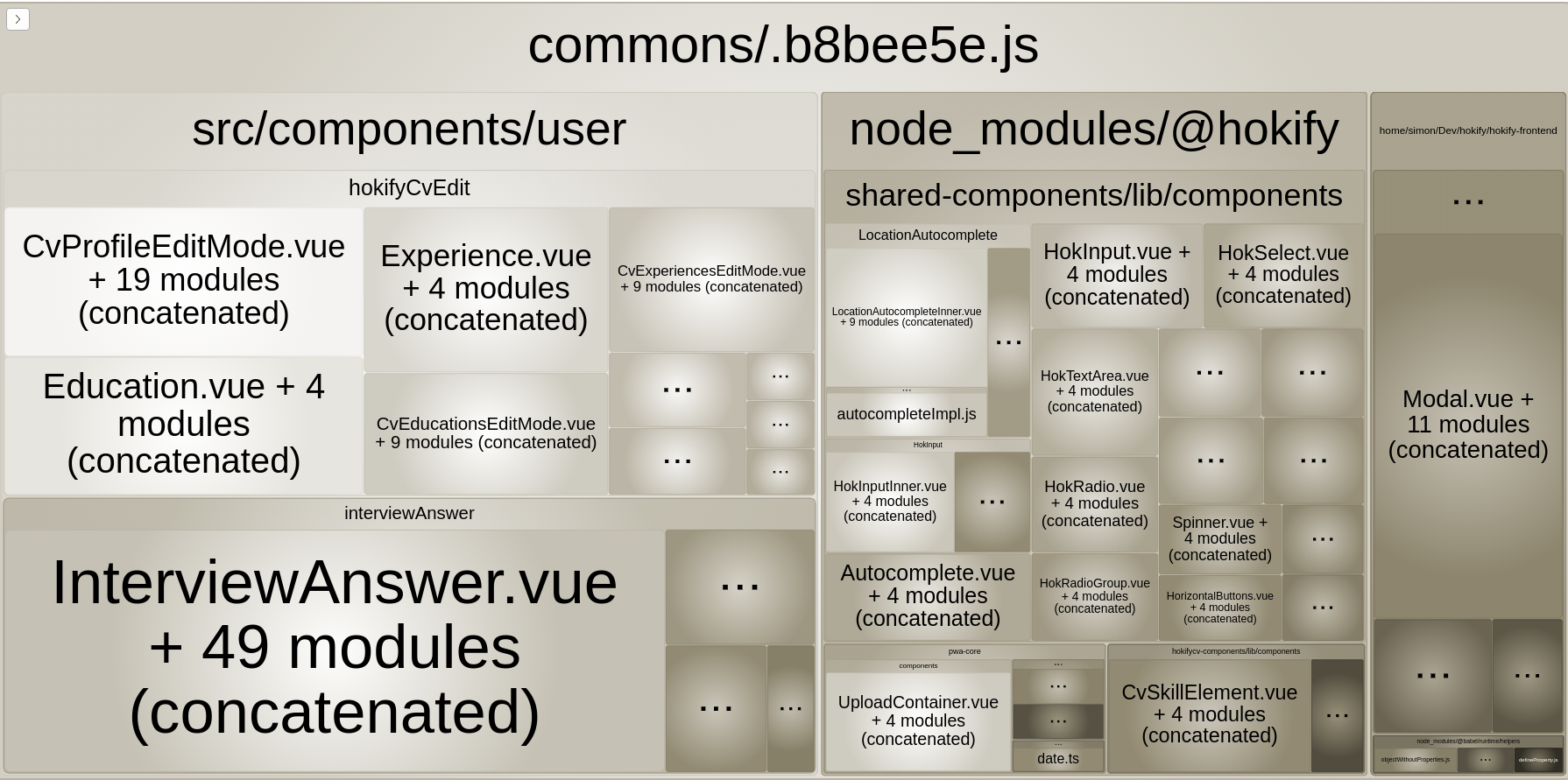
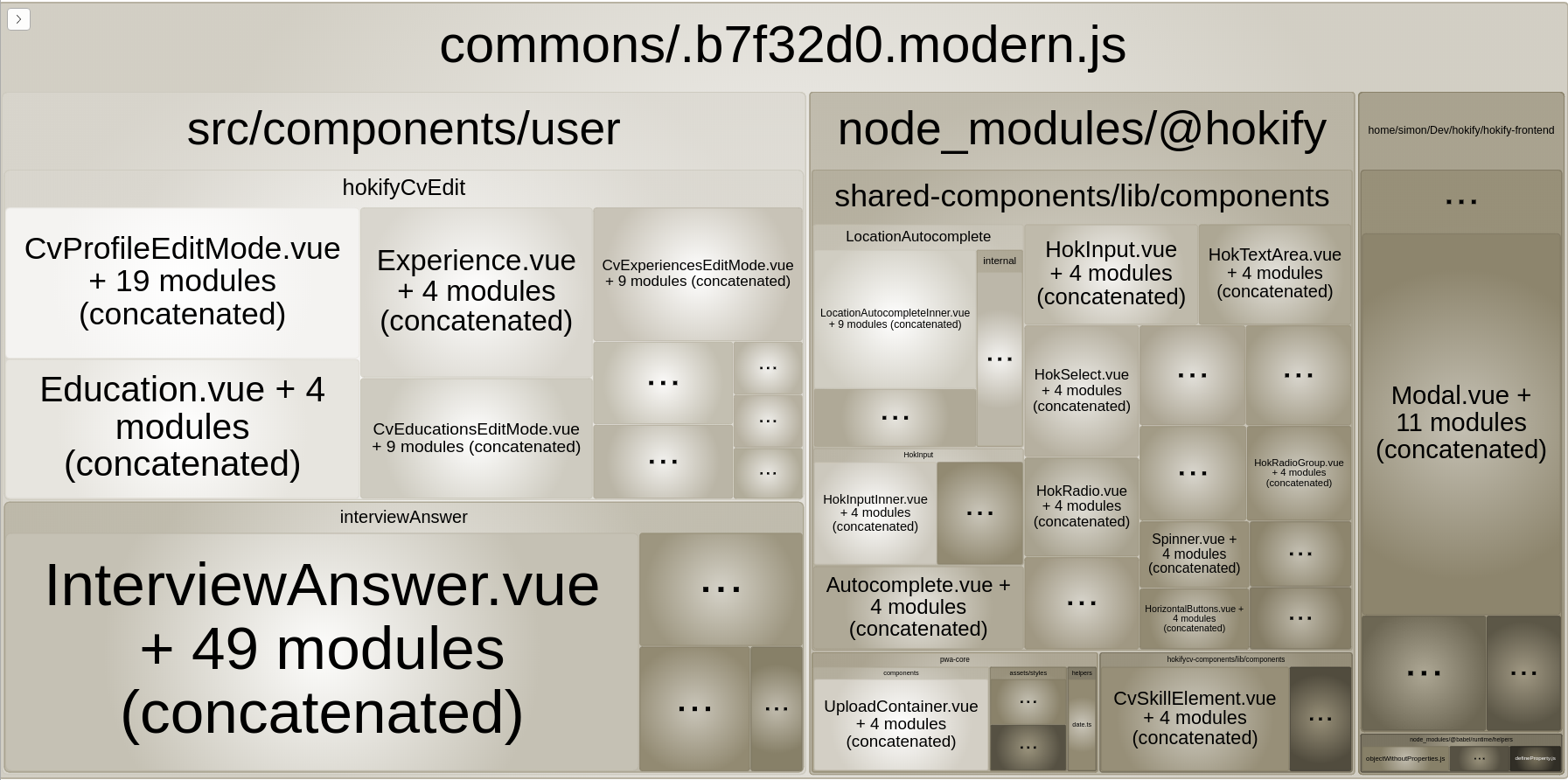
- settings filenames manually to e.g.
filenames: {
app: ({ isModern, isDev }) =>
`${!isModern ? 'legacy-' : ''}${!isDev ? '[contenthash]' : '[name]'}-app.js`,
chunk: ({ isModern, isDev }) =>
`${!isModern ? 'legacy-' : ''}${!isDev ? '[contenthash]-' : ''}[name].js`
},
results into:
https://test.hokify.at/website/_assets/a66cbbf9943e1bf58488-commons/.js
therefore does not solve the issue.
- alright, final update.. now I'm kinda stuck of more ideas:
I debugged compactName, and foudn out that this is a lot of times empty.. more than 730 times to be exact.
if (!compactName) { ... }
I added a compactName = 'default' for this case now, will let you know if this is solved in a few minutes
simllll
on 3 Jul 2020
Alright, catching !comptactName and setting it to "default" solves the issue for me. The reasno behind it seems that a lot of chunks do not have a name, not quite sure why though. They don't even have an ID, just a debugId..
e.g.:
{
id: null,
ids: null,
debugId: 1423,
name: null,
preventIntegration: false,
entryModule: undefined,
_modules: SortableSet [Set] {
[NormalModule],
....a lot of [NormalModule]s here,...
_sortFn: [Function: sortByIdentifier],
_lastActiveSortFn: null,
_cache: undefined,
_cacheOrderIndependent: undefined
},
filenameTemplate: undefined,
_groups: SortableSet [Set] {
[ChunkGroup],
[ChunkGroup],
_sortFn: [Function: sortChunkGroupById],
_lastActiveSortFn: null,
_cache: undefined,
_cacheOrderIndependent: undefined
},
files: [],
rendered: false,
hash: undefined,
contentHash: [Object: null prototype] {},
renderedHash: undefined,
chunkReason: undefined,
extraAsync: false,
removedModules: undefined
},
and if not a single chunk has a name the error results
simllll
on 3 Jul 2020
I have a similar issue, but the problem was in the default value of the build.filenames property and the dot character in the generated files' names.
Since it was undefined in nuxt.config.js the files creation process made files with a dot as the first character. Nuxt try to read this kind of the file and failed with showing the 404 error /* script not found */.
I solve this problem by specifying the filenames property with the default value from the documentation page:
build: {
    extractCSS: true,
    filenames: {
        app: ({ isDev }) => isDev ? '[name].js' : '[contenthash].js',
        chunk: ({ isDev }) => isDev ? '[name].js' : '[contenthash].js',
        css: ({ isDev }) => isDev ? '[name].css' : '[contenthash].css',
        img: ({ isDev }) => isDev ? '[path][name].[ext]' : 'img/[contenthash:7].[ext]',
        font: ({ isDev }) => isDev ? '[path][name].[ext]' : 'fonts/[contenthash:7].[ext]',
        video: ({ isDev }) => isDev ? '[path][name].[ext]' : 'videos/[contenthash:7].[ext]'
    }
},
Hope it helps somebody.
 scellige
on 8 Jul 2020
scellige
on 8 Jul 2020
I have a similar issue, but the problem was in the default value of the build.filenames property and the dot character in the generated files' names.
Since it was undefined in nuxt.config.js the files creation process made files with a dot as the first character. Nuxt try to read this kind of the file and failed with showing the 404 error/* script not found */.
I solve this problem by specifying the filenames property with the default value from the documentation page:build: { extractCSS: true, filenames: { app: ({ isDev }) => isDev ? '[name].js' : '[contenthash].js', chunk: ({ isDev }) => isDev ? '[name].js' : '[contenthash].js', css: ({ isDev }) => isDev ? '[name].css' : '[contenthash].css', img: ({ isDev }) => isDev ? '[path][name].[ext]' : 'img/[contenthash:7].[ext]', font: ({ isDev }) => isDev ? '[path][name].[ext]' : 'fonts/[contenthash:7].[ext]', video: ({ isDev }) => isDev ? '[path][name].[ext]' : 'videos/[contenthash:7].[ext]' } },Hope it helps somebody.
Unfortunately your solution does not work for me, but the following does:
    filenames: {
      app: ({ isModern, isDev }) =>
        `${!isModern ? 'legacy-' : ''}${
          !isDev ? '[contenthash]' : '[name]'
        }-app.js`,

      chunk: ({ isModern, isDev }) =>
        `${!isModern ? 'legacy-' : ''}${
          !isDev ? '[contenthash]-' : ''
        }[name].js`,
    },
 andrei-scripcaru
on 9 Jul 2020
andrei-scripcaru
on 9 Jul 2020
I have a similar issue, but the problem was in the default value of the build.filenames property and the dot character in the generated files' names.
Since it was undefined in nuxt.config.js the files creation process made files with a dot as the first character. Nuxt try to read this kind of the file and failed with showing the 404 error/* script not found */.
I solve this problem by specifying the filenames property with the default value from the documentation page:build: { extractCSS: true, filenames: { app: ({ isDev }) => isDev ? '[name].js' : '[contenthash].js', chunk: ({ isDev }) => isDev ? '[name].js' : '[contenthash].js', css: ({ isDev }) => isDev ? '[name].css' : '[contenthash].css', img: ({ isDev }) => isDev ? '[path][name].[ext]' : 'img/[contenthash:7].[ext]', font: ({ isDev }) => isDev ? '[path][name].[ext]' : 'fonts/[contenthash:7].[ext]', video: ({ isDev }) => isDev ? '[path][name].[ext]' : 'videos/[contenthash:7].[ext]' } },Hope it helps somebody.
Unfortunately your solution does not work for me, but the following does:
    filenames: {
      app: ({ isModern, isDev }) =>
        `${!isModern ? 'legacy-' : ''}${
          !isDev ? '[contenthash]' : '[name]'
        }-app.js`,

      chunk: ({ isModern, isDev }) =>
        `${!isModern ? 'legacy-' : ''}${
          !isDev ? '[contenthash]-' : ''
        }[name].js`,
    },
Not even that is working for me anymore, whenever I try to navigate (or prefetch) to some (not every) page via NuxtLink I get:
Uncaught (in promise) ChunkLoadError: Loading chunk pages/user/company/index failed.
(missing: http://localhost:1337/_nuxt/pages/user/company/index.js)
Also, sometimes it gives the same error for dynamically imported modules, for example:
await apolloClient.mutate({
  mutation: await import('~/graphql/mutations/SignOut.graphql'),
})
I have a similar issue, but the problem was in the default value of the build.filenames property and the dot character in the generated files' names.
Since it was undefined in nuxt.config.js the files creation process made files with a dot as the first character. Nuxt try to read this kind of the file and failed with showing the 404 error/* script not found */.
I solve this problem by specifying the filenames property with the default value from the documentation page:build: { extractCSS: true, filenames: { app: ({ isDev }) => isDev ? '[name].js' : '[contenthash].js', chunk: ({ isDev }) => isDev ? '[name].js' : '[contenthash].js', css: ({ isDev }) => isDev ? '[name].css' : '[contenthash].css', img: ({ isDev }) => isDev ? '[path][name].[ext]' : 'img/[contenthash:7].[ext]', font: ({ isDev }) => isDev ? '[path][name].[ext]' : 'fonts/[contenthash:7].[ext]', video: ({ isDev }) => isDev ? '[path][name].[ext]' : 'videos/[contenthash:7].[ext]' } },Hope it helps somebody.
Thanks, this worked for me...
 PMLS3
on 13 Aug 2020
PMLS3
on 13 Aug 2020
Related issues
 bimohxh
·
3Comments
bimohxh
·
3Comments
 surmon-china
·
3Comments
surmon-china
·
3Comments
 maicong
·
3Comments
maicong
·
3Comments
 VincentLoy
·
3Comments
VincentLoy
·
3Comments
 danieloprado
·
3Comments
danieloprado
·
3Comments
Most helpful comment
I have a similar issue, but the problem was in the default value of the build.filenames property and the dot character in the generated files' names.
Since it was undefined in nuxt.config.js the files creation process made files with a dot as the first character. Nuxt try to read this kind of the file and failed with showing the 404 error
/* script not found */.I solve this problem by specifying the filenames property with the default value from the documentation page:
Hope it helps somebody.