Nuxt.js: Default create-nuxt-app project generate fails
Version
Reproduction link
https://gist.github.com/DummyCo/adf66b7eb8b904f8f2f2a07c0f341ccf
Steps to reproduce
1) npx create-nuxt-app nuxt
2) npm run dev
3) npm run generate
What is expected ?
Generated dist
What is actually happening?
Error:
```ERROR /inspire 02:33:49
TypeError: Cannot read property 'props' of undefined
at D:projects\nuxt\node_modules\vue\dist\vue.runtime.common.prod.js:6:9329
at Tt (D:projects\nuxt\node_modules\vue\dist\vue.runtime.common.prod.js:6:9512)
at Tt (D:projects\nuxt\node_modules\vue\dist\vue.runtime.common.prod.js:6:9924)
at Function.Cn.t.extend (D:projects\nuxt\node_modules\vue\dist\vue.runtime.common.prod.js:6:30431)
at l (server.js:1:5043)
at Object.
at r (server.js:1:194)
at Module.
at r (server.js:1:194)
at Object.
at r (server.js:1:194)
at server.js:1:1284
at Object.
at o (D:projects\nuxt\node_modules\vue-server-rendererbuild.prod.js:1:77605)
at D:projects\nuxt\node_modules\vue-server-rendererbuild.prod.js:1:78198
at new Promise (
Additional comments?
OS: Windows 10
 dummyco
All 26 comments
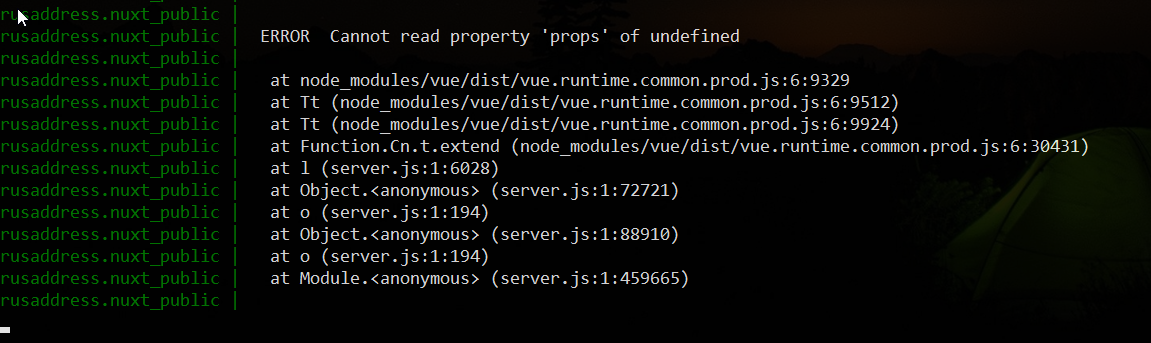
Same problem
 igorpopryadukhin
on 2 Dec 2019
igorpopryadukhin
on 2 Dec 2019
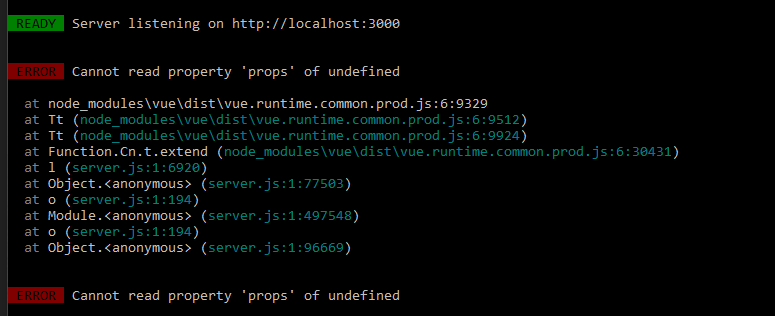
Also encountering this error with nuxt v2.10.2
Here's where the server is throwing the error - but it's so minified I'm not sure of what I'm looking at, and there are no errors when running dev.
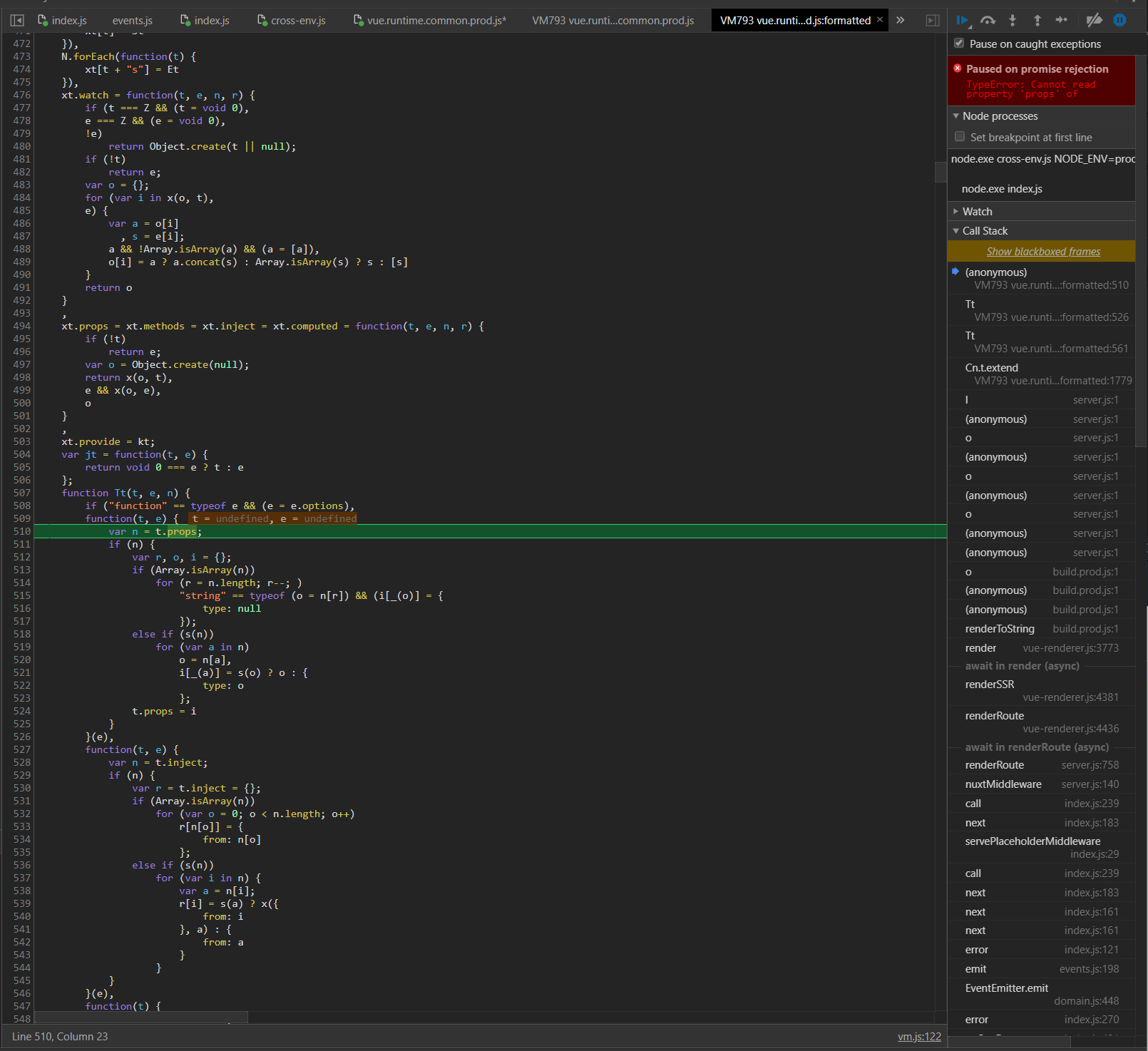
Chasing up the stack it appears to be linked to a mixin - and possibly vuetify.
 DispatchCommit
on 2 Dec 2019
DispatchCommit
on 2 Dec 2019
Same problem when generate static file for server with same line code 9329 and no problem when running nuxt dev
 gnolmon
on 2 Dec 2019
gnolmon
on 2 Dec 2019
Ok I went back through my last commit that caused this error to occur, reverted it, and I'm able to cause this error just by running npm install nuxt. Downgrading nuxt versions after the fact doesn't seem to revert the issue either. Went from 2.9.2 -> 2.10.2 (error happens) -> 2.9.2 and the error remains.
There must be a downstream issue causing this error.
DispatchCommit
on 2 Dec 2019
The blame for everything <v-app-bar>
Empirically became delete components in turn.
There is no error if there is no <v-app-bar> in the project
Sorry, I'm weak in English
igorpopryadukhin
on 2 Dec 2019
Same error :-(
 steklopod
on 2 Dec 2019
steklopod
on 2 Dec 2019
What are some suggestions to resolve this error?
igorpopryadukhin
on 2 Dec 2019
@igorpopryadukhin great investigation! Unfortunately, we're not using <v-app-bar>, but we attempted to spot a problematic component in the same way.
Under fuzzy conditions and combinations, we're getting v-tabs, v-tab, v-tabs-items, v-tab-item, v-card generate failing too...
 N7k
on 2 Dec 2019
N7k
on 2 Dec 2019
I have same error.
Last week build file is working. But today build file run start not working.
I run yarn upgrade --latest before today build.
 kichigai
on 2 Dec 2019
kichigai
on 2 Dec 2019
I'm also updated at last Node version.
npm run dev - OK
npm run start - FAIL
steklopod
on 2 Dec 2019
Is there an option to roll back?
There is an option to put a crutch?
igorpopryadukhin
on 2 Dec 2019
Rollback to the previous version did the trick for me. Just make sure you are using npm ci to install the exact previously working versions of the packages.
 lennoximus
on 2 Dec 2019
lennoximus
on 2 Dec 2019
I've changed the Dependency version in a variety of ways, everything is fail.
I try yarn upgrade --latest just a second, and run start working.
There are some suspected errors, but I am not sure and I believe they have been fixed at this time.
Try again
kichigai
on 2 Dec 2019
@kichigai can you share a diff of your package.json to understand which dependency is causing the issue?
I tried to downgrade to nuxt 2.9.2 but I got more errors on any nuxt command
ERROR in ./.nuxt/client.js
Module build failed (from ./node_modules/babel-loader/lib/index.js):
Error: [BABEL] /home/luca/dev/vjago-landing/.nuxt/client.js: Cannot find module './src/data' (While processing: "/home/luca/dev/vjago-landing/node_modules/@nuxt/babel-preset-app/src/index.js")
I needed to wipe out node_modules and revert package-lock.json changes to be able to run nuxt dev again.
Edit
Reverting to nuxt 2.8.1 generate works... not a solution of course
 lucafaggianelli
on 2 Dec 2019
lucafaggianelli
on 2 Dec 2019
Try it, it works for me | nuxt universal vuetify
package.zip
igorpopryadukhin
on 2 Dec 2019
I verified earlier today that upgrading or installing nuxt in any capacity causes this error. I took a working project and ran npm upgrade nuxt ([email protected]) and got this error. Down grading to a previously working version will fail also, npm install [email protected] will still have the error.
This must be an issue in a dependency of nuxt since a downgrade does not fix the error, but npm ci does since the dependency versions don't change with npm ci.
How can we isolate and diagnose the faulty dependency? I'll throw my working package-lock.jsob in the mix in case anyone wants to diff various ones. Here is the broken package-lock.json
I can also confirm that thankfully dev mode works fine still, but build & run/start error out.
Does anyone have any hunches on a package that could cause this? Since this appears to be related to SSR / Site generation, I don't think there is going to be any way to prevent the error from the side of nuxt our Vue related source code lives in.
The fact that downgrading nuxt isn't even a surefire fix for this error and that even old versions of nuxt show regression also makes this error a showstopper.
DispatchCommit
on 2 Dec 2019
I played around with downgrading, it did not produce results.
"nuxt": "^2.9.1"
Next, I turned to an old, abandoned project.
Extracted package-lock.json and put package.json into the problematic project.
Next npm ci.
Then i'm manually upgrade the version @ nuxtjs/vuetify to ^ 1.9.0 and performed npm install
Tried in docker, but only with npm ci
More errors not observed!
igorpopryadukhin
on 3 Dec 2019
@lucafaggianelli
I try dependency update from last run start working source.
There was no problem if the update was specified for individual dependency update.
But, It's not working using yarn upgrade --latest or clean dependency install.
I compared dependency list before and after the change. (yarn list).
When using yarn upgrade --latest or clean dependency install (rm -fR node_modules and yarn install) some dependency upgraded new version.
But I couldn't find cause dependency.
I gave up looking for a problem and ran yarn upgrade --latest and it worked.
And, I found some new dependency version.
kichigai
on 3 Dec 2019
In my case, I managed to fix the issue by upgrading to the current version 2.10.2 with npm upgrade nuxt (or npm install [email protected])
@DummyCo in the ticket you wrote that you observed the issue with 2.12.0. I assume that was a typo, as that version doesn't seem to exist yet?
 JTBrinkmann
on 3 Dec 2019
JTBrinkmann
on 3 Dec 2019
@JTBrinkmann, yeah, that was 2.12.0 for create-nuxt-app and 2.10.2 for nuxt.js. Fixed that in ticket description, thank you!
dummyco
on 3 Dec 2019
After removing ‘nodemon’ from devDependencies everything works fine. 🤯🤔
steklopod
on 3 Dec 2019
I was having similar issues, narrowed the problem down to a faulty version of core-js-compat (dependency of @babel/preset-env) which has since been fixed.
I use Yarn so I have temporarily pinned core-js-compat to the latest version and this has resolved all issues:
"resolutions": {
  "core-js-compat": "3.4.7"
}
 Mann-o
on 3 Dec 2019
Mann-o
on 3 Dec 2019
Can confirm that clean 2.10.1 rollback works:
npm install [email protected]
npm ci
Can confirm that
2.10.1rollback works:npm install [email protected] npm ci
I did not check, but it definitely works with [email protected]
igorpopryadukhin
on 3 Dec 2019
I think its caused by publishing issue of core-js. https://github.com/zloirock/core-js/releases/tag/v3.4.7
If someone still have it -> try to update your deps e.g. make sure "core-js-compat": "3.4.7"
 aldarund
on 6 Dec 2019
aldarund
on 6 Dec 2019
closing as seems to be resolved, in case opne new issue
aldarund
on 12 Dec 2019
Related issues
 vadimsg
·
3Comments
vadimsg
·
3Comments
 uptownhr
·
3Comments
vadimsg
·
3Comments
uptownhr
·
3Comments
vadimsg
·
3Comments
 maicong
·
3Comments
maicong
·
3Comments
 lazycrazy
·
3Comments
lazycrazy
·
3Comments