Nuxt.js: SASS: tilde package reference is broken on SSR
Version
Reproduction link
https://github.com/ChristianKlee/nuxt-fonts-test
Steps to reproduce
Install nuxt-fonts-test and switch between my master (Nuxt 2.1) and nuxt-142 (Nuxt 1.4.2) branch to see the error.
What is expected ?
The font of a NPM Module (in this example node_modules/test/Charmonman.ttf) are included and after a nuxt generate in the dist folder
What is actually happening?
Error Message "SyntaxError: Invalid or unexpected token" on nuxt and nuxt generate.
Additional comments?
Since Nuxt 2.0 it isn't possible to use an NPM package as a style library with fonts.
The reproduction link based on create-nuxt-app with the only addition to include a global sass file and a custom NPM module "test" with a font.
If I comment line 3 of screen.scss everything runs fine, without the included font-family.
On all version before Nuxt 2.0 it was possible to include such a NPM module.
Based on the release notes, I can't identify this as a feature/different implementation but maybe I overlook something.
 ChristianKlee
All 14 comments
~This does work when using ~/test/... (with a slash after the tilde).~
Example CSB: https://codesandbox.io/s/zl7464jo53
 manniL
on 5 Oct 2018
manniL
on 5 Oct 2018
This bug-report has been cancelled by @manniL.
![cmty[bot] picture](https://avatars3.githubusercontent.com/in/6210?v=4&s=40) cmty[bot]
on 5 Oct 2018
cmty[bot]
on 5 Oct 2018
No, this only "fixes" the error message but you could write what ever you want (e.g. ~/test/Test.tff) and there will be no error. The font file is not used at all from the node package.
ChristianKlee
on 5 Oct 2018
@ChristianKlee Please check out the linked CSB.

Be aware that the default template overrides the font used (in pages/index.vue, I removed it in my CSB)
manniL
on 5 Oct 2018
Yes the font changed but not to the right font. In your CSB link the default browser font is used.
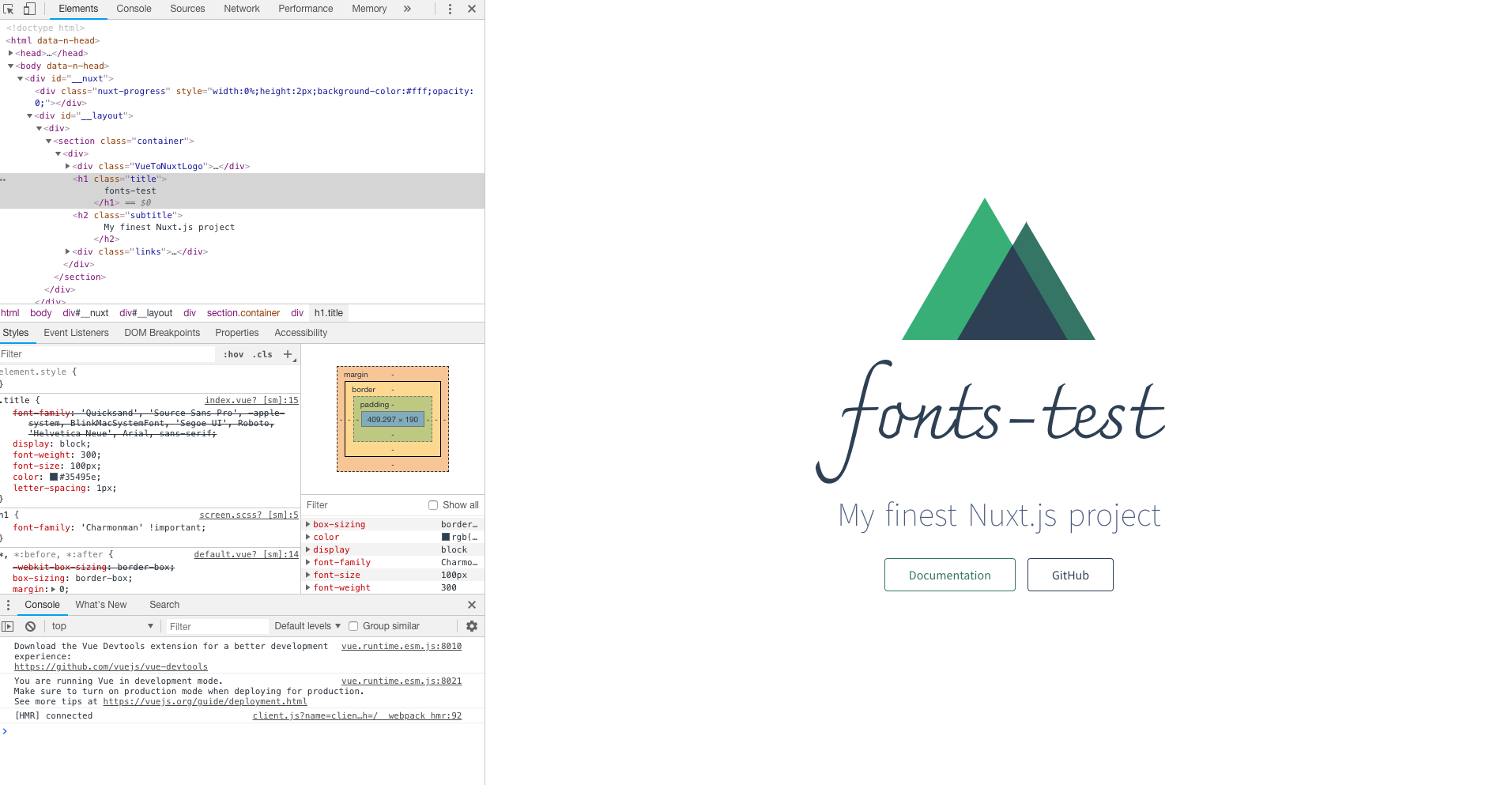
Here is a screenshot of a the correct font using my nuxt-142 branch:
ChristianKlee
on 8 Oct 2018
You are right! Will investigate.
manniL
on 8 Oct 2018
@ChristianKlee Temporary workaround: src: url("../node_modules/test/Charmonman.ttf");
manniL
on 8 Oct 2018
This issue has been automatically marked as stale because it has not had recent activity. It will be closed if no further activity occurs.
![stale[bot] picture](https://avatars3.githubusercontent.com/in/1724?v=4&s=40) stale[bot]
on 31 Oct 2018
stale[bot]
on 31 Oct 2018
Not stale
manniL
on 1 Nov 2018
I also encountered this problem when I migrated the version from 1.4 to 2.x. It seems that it can be temporarily solved by the above method.
 shuaqiu
on 21 Nov 2018
shuaqiu
on 21 Nov 2018
Thanks for your contribution to Nuxt.js!
This issue has been automatically marked as stale because it has not had recent activity. It will be closed if no further activity occurs.
If you would like this issue to remain open:
- Verify that you can still reproduce the issue in the latest version of nuxt-edge
- Comment the steps to reproduce it
Issues that are labeled as 🕐Pending will not be automatically marked as stale.
stale[bot]
on 12 Dec 2018
@ChristianKlee Could you try to upgrade to 2.4.2 and test it again? I tried it based on your repo, it works fine with:
@font-face {
    font-family: 'Charmonman';
    src: url('~test/Charmonman.ttf');
}
// copy Charmonman.ttf to node_modules/test/ Then
yarn upgrade nuxt@^2.4.2
yarn dev
Another tip:
Due to css-loader 2.0, use ~assets instead of ~/assets for alias in <url> CSS data type, e.g., background: url("~assets/banner.svg") (PR #3741)
Doc: https://nuxtjs.org/guide/assets#webpack
Release Note: https://github.com/nuxt/nuxt.js/releases/tag/v2.0.0
 clarkdo
on 31 Jan 2019
clarkdo
on 31 Jan 2019
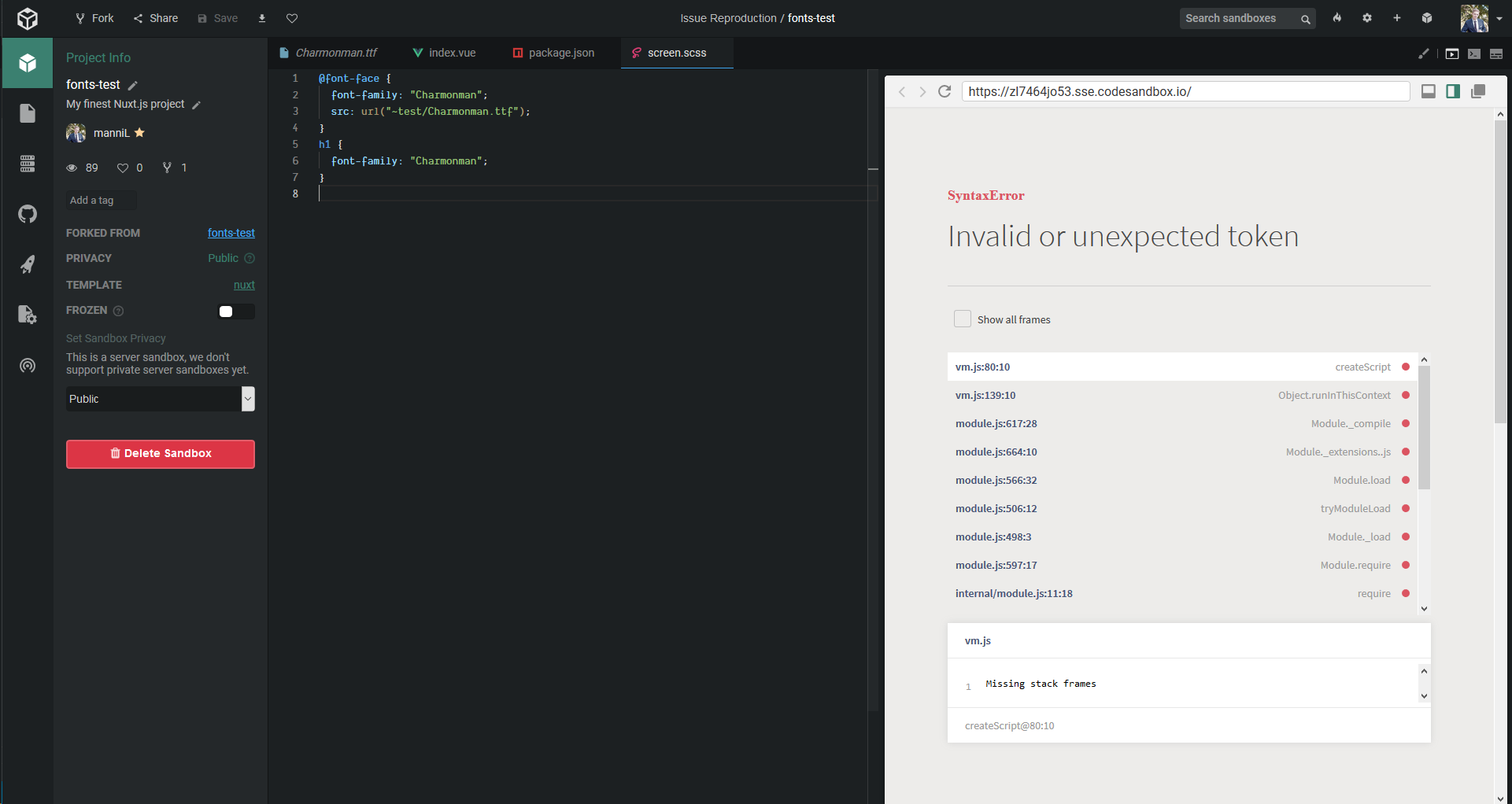
@clarkdo Can still reproduce it via https://codesandbox.io/s/zl7464jo53 :|
manniL
on 31 Jan 2019
It seemed there is an error in rendering, I'll look into it
clarkdo
on 31 Jan 2019
Related issues
 uptownhr
·
3Comments
uptownhr
·
3Comments
 gary149
·
3Comments
gary149
·
3Comments
 danieloprado
·
3Comments
danieloprado
·
3Comments
 shyamchandranmec
·
3Comments
shyamchandranmec
·
3Comments
 vadimsg
·
3Comments
vadimsg
·
3Comments