Version
Reproduction link
Steps to reproduce
Open in chrome 41

What is expected ?
Solution
What is actually happening?
Broken in chrome 41, it's same version which google use to crawler
 joaocarvalhowd
All 6 comments
Same happen here.
Link to reproduce: https://www.browserling.com/browse/win/7/chrome/41/https%3A%2F%2Fcotabox.com.br
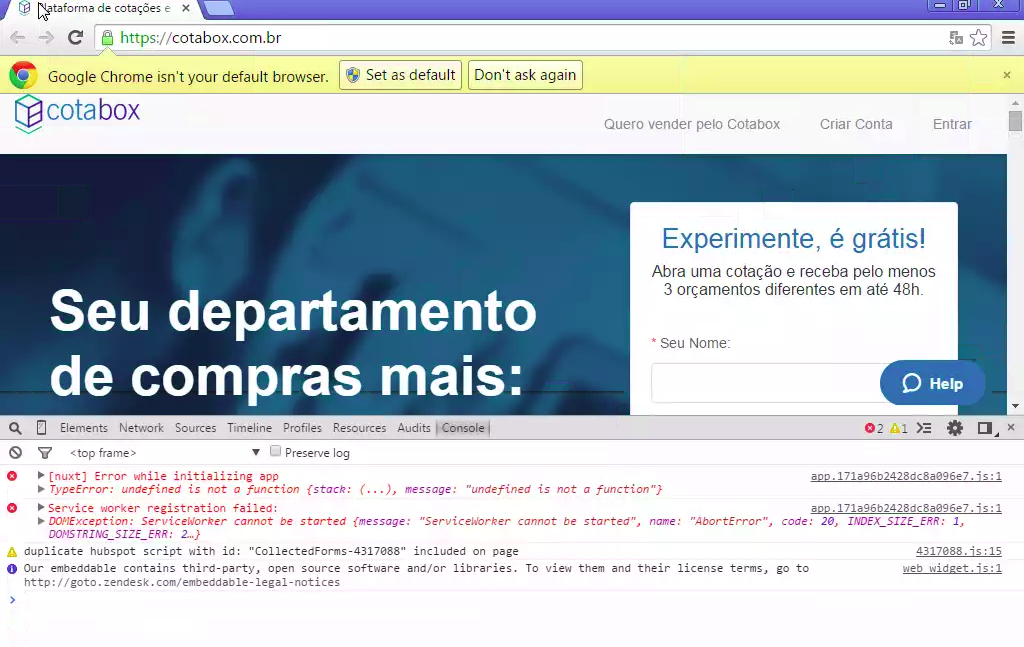
I can't use the website, all links does not open and components not react to click.
 kavalcante
on 6 Apr 2018
kavalcante
on 6 Apr 2018
@pi0
joaocarvalhowd
on 6 Apr 2018
Hi @joaocarvalhowd
Actually, I tried with Chrom 41 and I have another error:
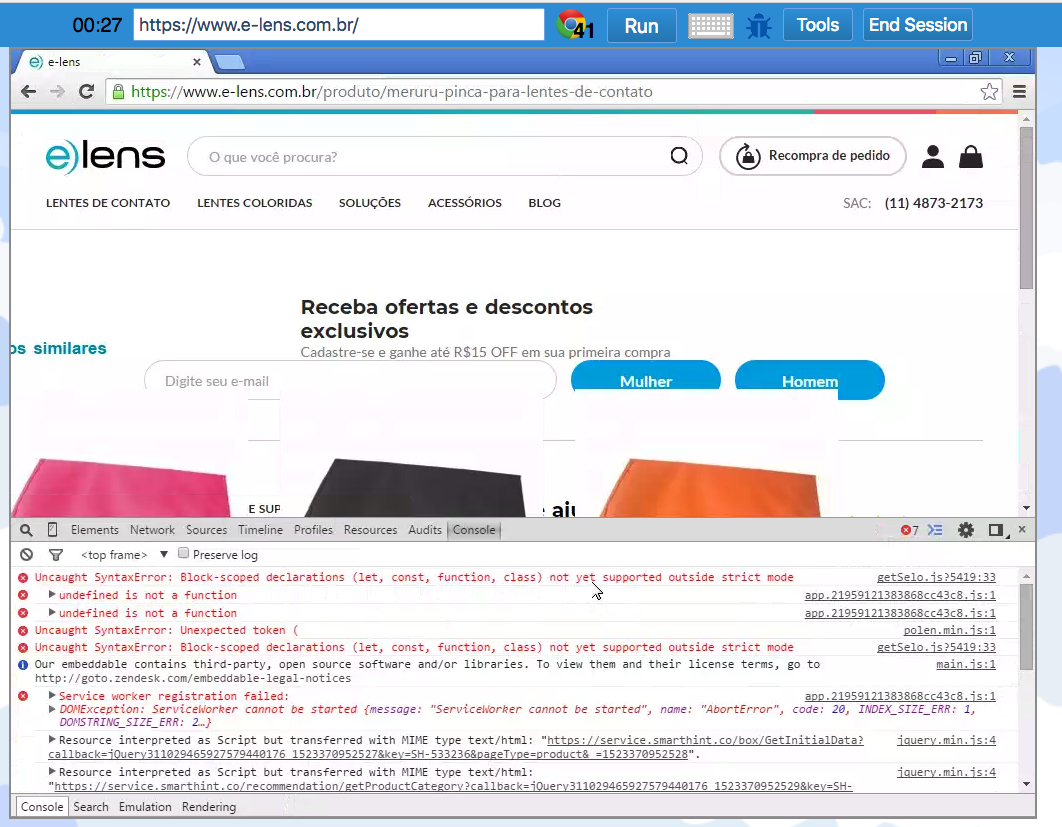
The error about client-side not matching is when you have client-side script or even Chrome that update the rendered HTML before Vue hydration, it might be because of a phone number for example.
You can update the babel env in your nuxt.config.js:
module.exports = {
  build: {
    babel: {
      presets({ isServer }) {
        if (isServer) return null // Use default
        return [
          ['vue-app', {
            targets: {
              chrome: 40,
              edge: 9,
              firefox: 40,
              ie: 9,
              safari: 7
            }
          }]
        ]
      }
    }
  },
};
 Atinux
on 10 Apr 2018
Atinux
on 10 Apr 2018
@Atinux We found the problem the real problem. And we managed to solve it.
https://github.com/zeit/next.js/issues/3529
Thanks for trying to help us 😄
joaocarvalhowd
on 12 Apr 2018
I tried both @joaocarvalhowd and @Atinux and I still get this error: TypeError: undefined is not a function
To reproduce: https://www.browserling.com/browse/win/7/chrome/41/https%3A%2F%2Fcotabox.com.br
kavalcante
on 19 Apr 2018
This thread has been automatically locked since there has not been any recent activity after it was closed. Please open a new issue for related bugs.
![lock[bot] picture](https://avatars1.githubusercontent.com/in/6672?v=4&s=40) lock[bot]
on 2 Nov 2018
lock[bot]
on 2 Nov 2018
Related issues
 vadimsg
·
3Comments
vadimsg
·
3Comments
 mattdharmon
·
3Comments
mattdharmon
·
3Comments
 bimohxh
·
3Comments
bimohxh
·
3Comments
bimohxh
·
3Comments
bimohxh
·
3Comments
 pehbehbeh
·
3Comments
pehbehbeh
·
3Comments
Most helpful comment
Hi @joaocarvalhowd
Actually, I tried with Chrom 41 and I have another error:
The error about client-side not matching is when you have client-side script or even Chrome that update the rendered HTML before Vue hydration, it might be because of a phone number for example.
You can update the babel env in your
nuxt.config.js: