Nuxt.js: How to debug nuxt in JetBrains WebStorm?
 jinhuiWong
All 6 comments
Probably \
 ishitatsuyuki
on 7 Feb 2018
ishitatsuyuki
on 7 Feb 2018
i tried add debug configuration of NPM is inoperative,i want know why
 xiaoyaosheng666
on 15 May 2018
xiaoyaosheng666
on 15 May 2018
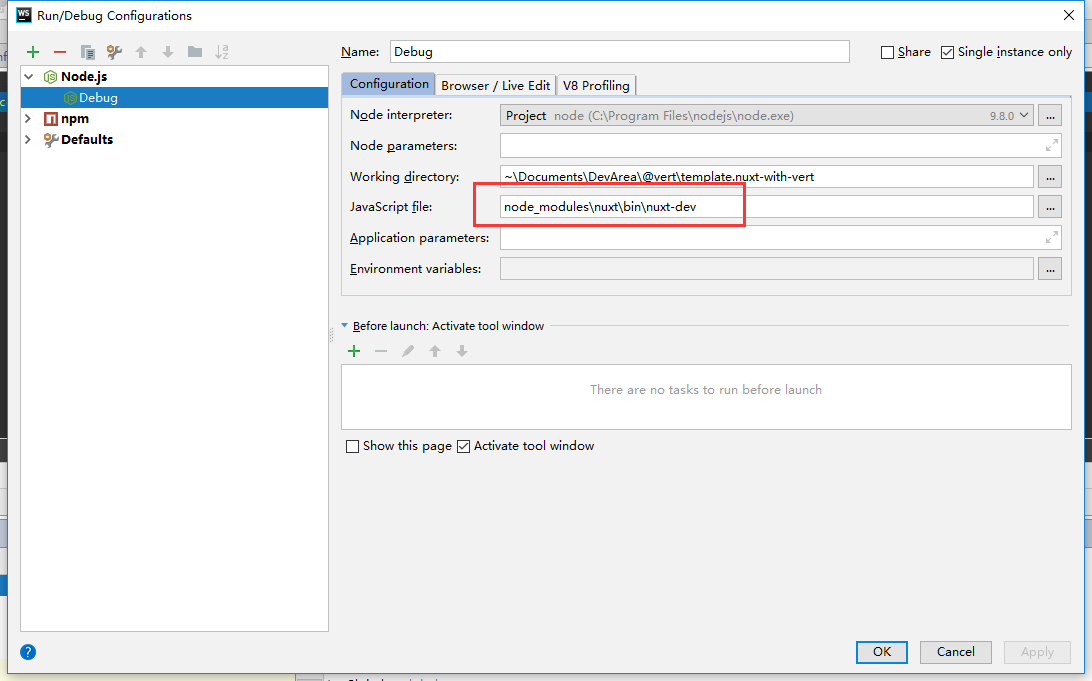
- Add a node debug in Webstorm and fill
Javascript filewith this:
node_modules\nuxt\bin\nuxt-dev
- Add
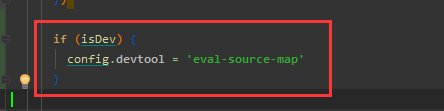
devtoolinnuxt.config.js:
extend (config, { isDev, isClient }) {
  if (isDev) {
    config.devtool = 'eval-source-map'  // Something you like
  }
}
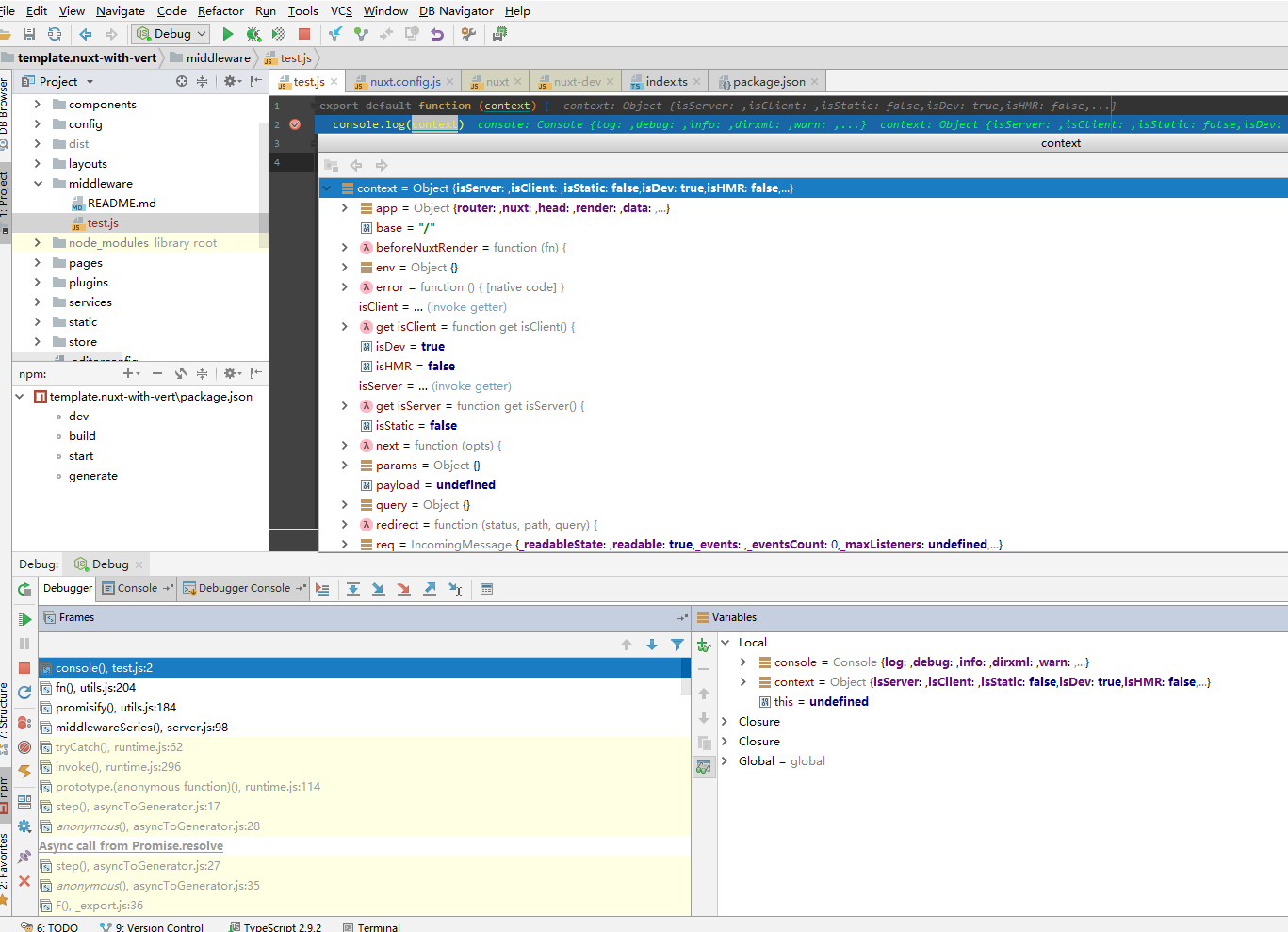
Done!
 LancerComet
on 29 Jun 2018
LancerComet
on 29 Jun 2018
👍3
This question has been resolved by @LancerComet, see answer.
![cmty[bot] picture](https://avatars3.githubusercontent.com/in/6210?v=4&s=40) cmty[bot]
on 8 Aug 2018
cmty[bot]
on 8 Aug 2018
@LancerComet in my case, this steps into a generated file pages_index.js instead of debugging inside pages/index.js itself. Is this the expected behaviour?
 blowsie
on 1 Oct 2018
blowsie
on 1 Oct 2018
This thread has been automatically locked since there has not been any recent activity after it was closed. Please open a new issue for related bugs.
![lock[bot] picture](https://avatars1.githubusercontent.com/in/6672?v=4&s=40) lock[bot]
on 31 Oct 2018
lock[bot]
on 31 Oct 2018
Was this page helpful?
0 / 5 - 0 ratings
Related issues
 vadimsg
·
3Comments
vadimsg
·
3Comments
 danieloprado
·
3Comments
danieloprado
·
3Comments
 jaredreich
·
3Comments
jaredreich
·
3Comments
 VincentLoy
·
3Comments
VincentLoy
·
3Comments
 gary149
·
3Comments
gary149
·
3Comments
Most helpful comment
Javascript filewith this:devtoolinnuxt.config.js:Done!