All 12 comments
Hi @ckken
Please take a look at examples/global-css.\
UPDATE: https://github.com/nuxt/nuxt.js/tree/dev/examples/global-css
Thank you
 Atinux
on 29 Nov 2016
Atinux
on 29 Nov 2016
I mean the style code is in current page ,for example
index.vue
<style lang=less>body{}</style>
curl /index
<header>
<style>
body{}
</style>
</header>
<body></body>
thanks for your help
 ckken
on 29 Nov 2016
ckken
on 29 Nov 2016
Actually, when the CSS is added trough the pages/*.vue file, in development mode, it will be in the JavaScript file and added dynamically in the <head> of the HTML file.
In production, the CSS will be extracted and injected in style.css which will be required in the html file, to see it, please run nuxt build && nuxt start
Atinux
on 29 Nov 2016
I know, thanks for your help, but I want add it in to page,not the common style! thanks!
ckken
on 29 Nov 2016
I am not sure to understand fully, if you want to add a CDN css for example, you can use the head property into your pages component or your nuxt.config.js file:
// nuxt.config.js
module.exports = {
  // Add CDN CSS in the <head> of all our pages
  head: {
    link: [
      { rel: 'stylesheet', src: 'https://unpkg.com/element-ui/lib/theme-default/index.css' }
    ]
  }
}
For more details, see examples/head-elements
Atinux
on 29 Nov 2016

ckken
on 29 Nov 2016
Please take a look at https://vuejs.org/v2/guide/migration.html#Fragment-Instances-removed to fix this error.
Atinux
on 29 Nov 2016
When I reload my page, contents always shows before the styles.
Anyone meet the issue?
I tried both of the dev and production mode.
Now I have to put the <style> inside the template, to ensure it loads before contents.

 fritx
on 2 Feb 2017
fritx
on 2 Feb 2017
@fritx please take a look at https://nuxtjs.org/faq/css-flash
Atinux
on 2 Feb 2017
@Atinux oh, thanks, I missed the faq.
Btw, in another way, I had solved it by the following code:
<template>
  <div class="page" hidden>
  </div>
</template>

<script>
export default {
  mounted () {
    // https://github.com/nuxt/nuxt.js/issues/22
    this.$el.removeAttribute('hidden')
  }
}
</script>
@ckken is that what u mean?
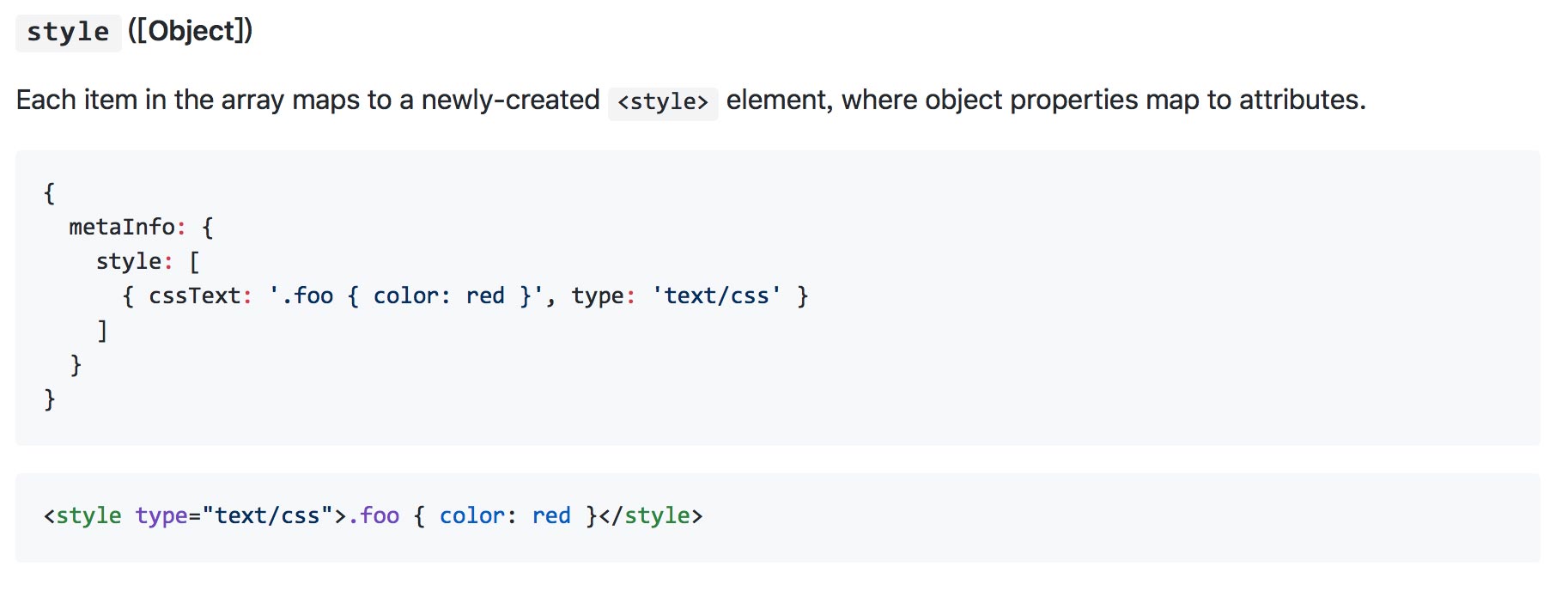
{
  metaInfo: {
    style: [
      { cssText: '.foo { color: red }', type: 'text/css' }
    ]
  }
}
<style type="text/css">.foo { color: red }</style>
 qiaoer2017
on 30 Apr 2018
qiaoer2017
on 30 Apr 2018
This thread has been automatically locked since there has not been any recent activity after it was closed. Please open a new issue for related bugs.
![lock[bot] picture](https://avatars1.githubusercontent.com/in/6672?v=4&s=40) lock[bot]
on 2 Nov 2018
lock[bot]
on 2 Nov 2018
Related issues
 vadimsg
·
3Comments
vadimsg
·
3Comments
 bimohxh
·
3Comments
bimohxh
·
3Comments
 shyamchandranmec
·
3Comments
shyamchandranmec
·
3Comments
 VincentLoy
·
3Comments
VincentLoy
·
3Comments
 danieloprado
·
3Comments
danieloprado
·
3Comments
Most helpful comment
I am not sure to understand fully, if you want to add a CDN css for example, you can use the
headproperty into your pages component or yournuxt.config.jsfile:For more details, see examples/head-elements