When I use the SetName method to name my test and the name contains a dot, the VS Test Explorer doesn't display the test properly.
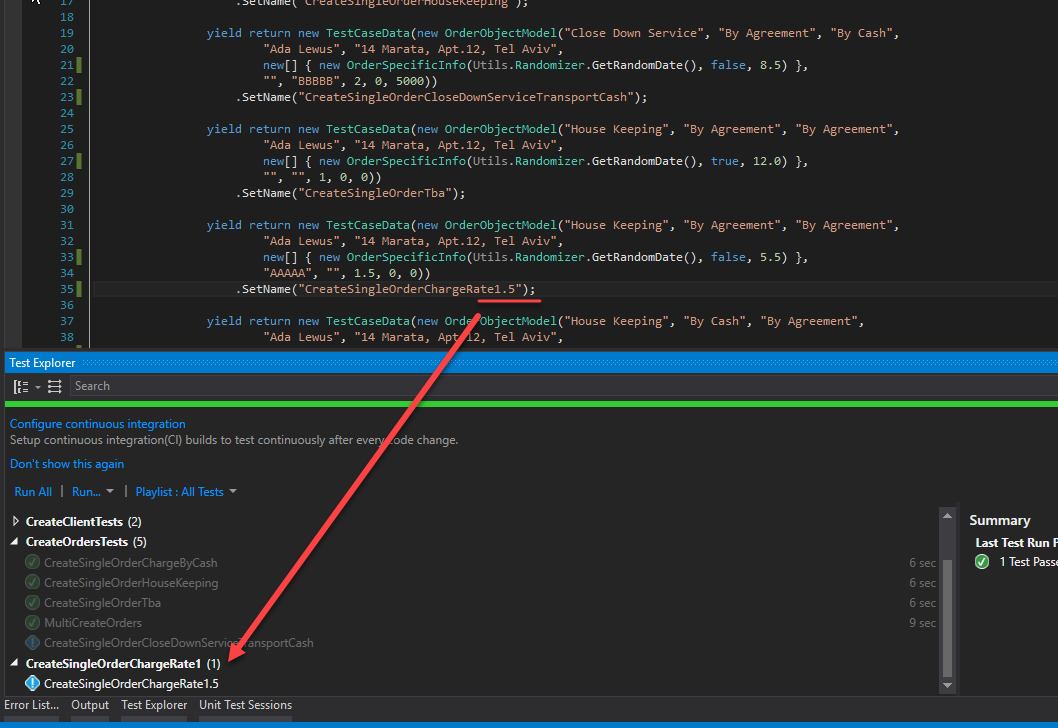
All the tests on the screen above are used in the same methods, but in the Test Explorer they are shown like different classes. All tests that don't have a dot in their name are combined in "CreateOrdersTests" - 5 items. But the "CreateSingleOrderChargeRate1.5 is put in the separate class "CreateSingleOrderChargeRate1".
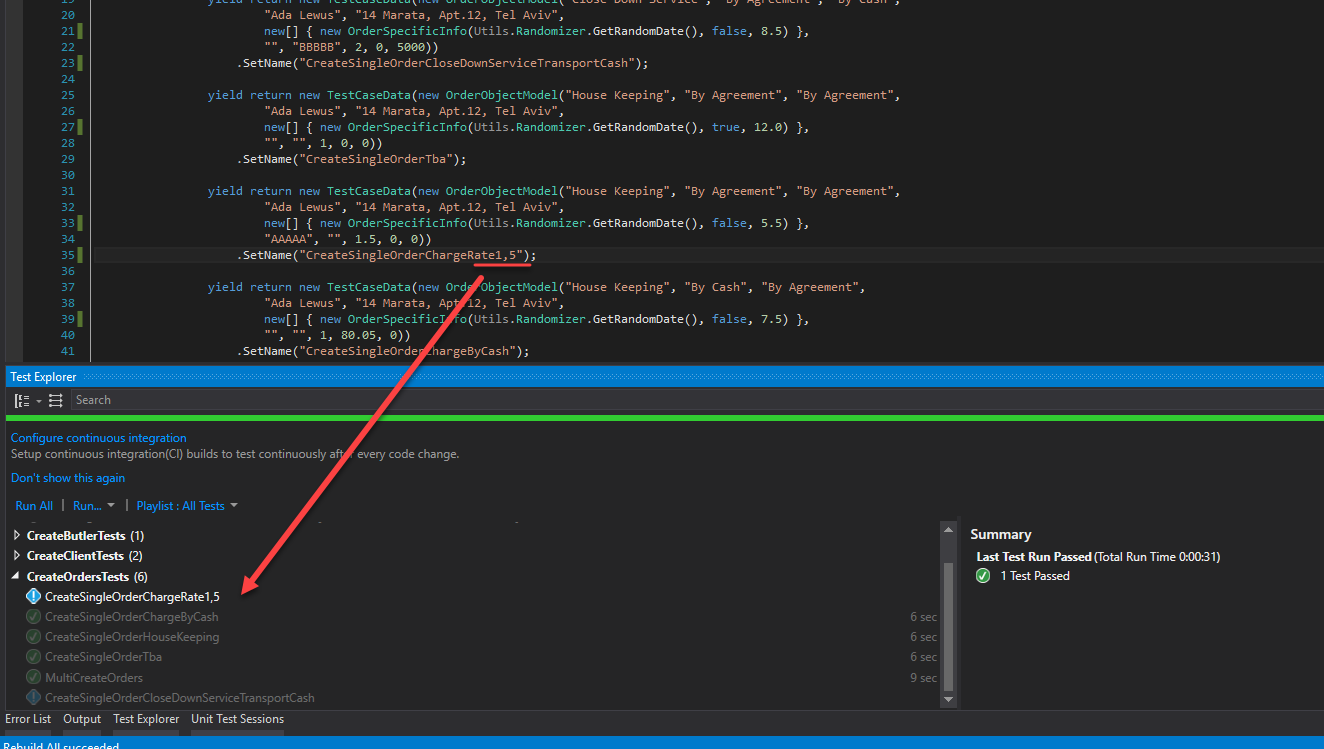
If I substitute the dot with a comma, the issue is resolved. Check the screen.
Thanks.
 dgm90
dgm90
All 5 comments
NUnit test names look like the full name of a method - plus optional arg list - by default, but we allow the user to change the name of the method part. NUnit actually has no expectations at all for the format of a name and does not even use the name to find tests unless you ask it to via a filter. IOW, an NUnit test name is an arbitrary string that does not even have to be unique.
Visual Studio, OTOH, assumes that tests are named as the full name of a test method and requires them to be unique. This is a mismatch that can never be completely overcome. For that reason, we can only suggest that users do not use names containing a dot, since it confuses visual studio.
My inclination is to close this as not a bug. An alternative is to mark it as an adapter bug. It's possible for the adapter to modify the name to meet vs requirements. I definitely do not think we should modify it generally, just for the sake of a single runner.
@OsirisTerje If you would want to accept this as an issue for the adapter, please move it. Otherwise, let's close it.
 CharliePoole
on 1 Aug 2017
CharliePoole
on 1 Aug 2017
Hello Charlie,
Thanks for your detailed response.
dgm90
on 2 Aug 2017
Closing this for the reasons @CharliePoole gives above.
 OmicronPersei
on 25 Aug 2017
OmicronPersei
on 25 Aug 2017
This actually helped me: _do not use names containing a dot_
 xhafan
on 25 Apr 2019
xhafan
on 25 Apr 2019
Solution for this case is to replace dot with \u2024. So just before naming the test use .Replace(".", "\u2024")
 ksokolowski7
on 13 Nov 2020
ksokolowski7
on 13 Nov 2020
Related issues
 fluffynuts
·
3Comments
fluffynuts
·
3Comments
 JackUkleja
·
5Comments
JackUkleja
·
5Comments
 TobiasSekan
·
4Comments
TobiasSekan
·
4Comments
 yaakov-h
·
4Comments
yaakov-h
·
4Comments
 DustinKingen
·
4Comments
DustinKingen
·
4Comments
Most helpful comment
This actually helped me: _do not use names containing a dot_