Nugetgallery: [Symbols Improvement] Unclear UI workflow on new symbols publish failure
When new symbols package is uploaded and the upload fails it is not clear what happened with the old correct published symbols.
The current behavior:
- The user has the error message that the symbols failed to be published.
- The Download Symbols button is not available anymore.
While this is fine for new symbol packages, if previous symbols were already published it is not clear if the old symbols are still available.
The old symbols are still available but the UI could lead the user to the conclusion that they are not.
More details see issue:
https://github.com/NuGet/NuGetGallery/issues/7188
 cristinamanum
All 7 comments
Also, "Download Symbols" is then unavailable.
 304NotModified
on 3 Jun 2019
304NotModified
on 3 Jun 2019
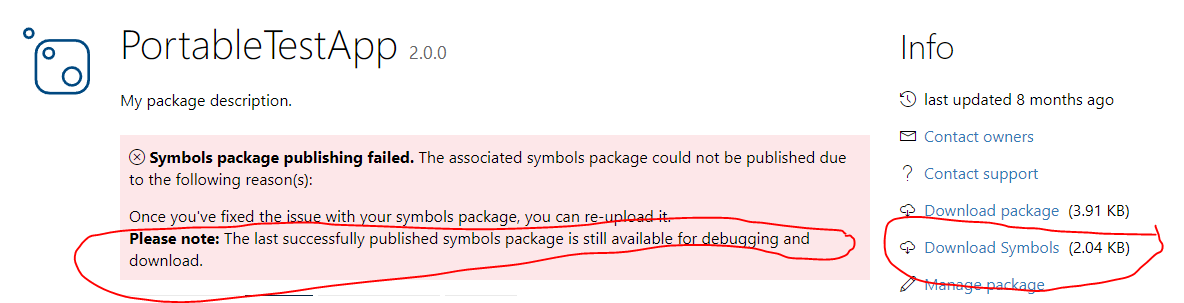
@304NotModified - I am simplifying this issue with appropriate message and making the download button available, see the screenshot below. Does this help in removing any confusion you might have with regards to this flow of symbols upload?
 shishirx34
on 6 Jun 2019
shishirx34
on 6 Jun 2019
Note: this message and download button will also be available when the newer uploaded symbols package are being indexed and validated.
shishirx34
on 6 Jun 2019
- I am simplifying this issue with appropriate message and making the download button available, see the screenshot below. Does this help in removing any confusion you might have with regards to this flow of symbols upload?
That's a real improvement! Would it be possible to only show the warning to the (logged in) owners of the package?
304NotModified
on 6 Jun 2019
Another option would be to remove the warning and just show the last datetime when the symbols are updated.
I'm afraid the warning is scaring users ;)
304NotModified
on 6 Jun 2019
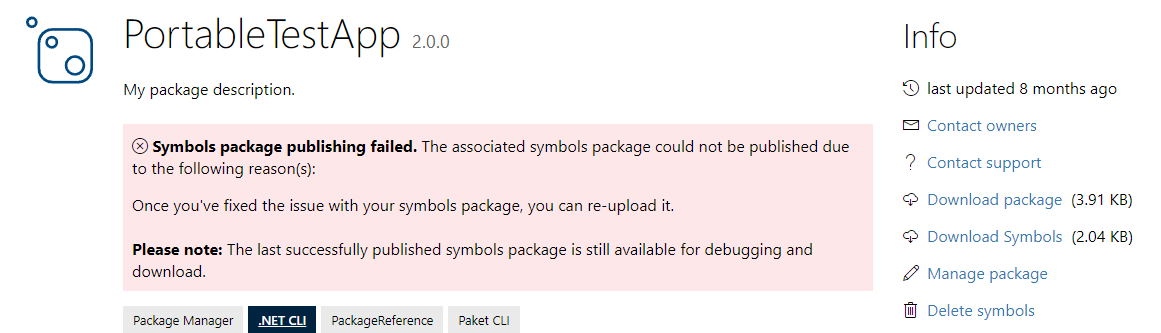
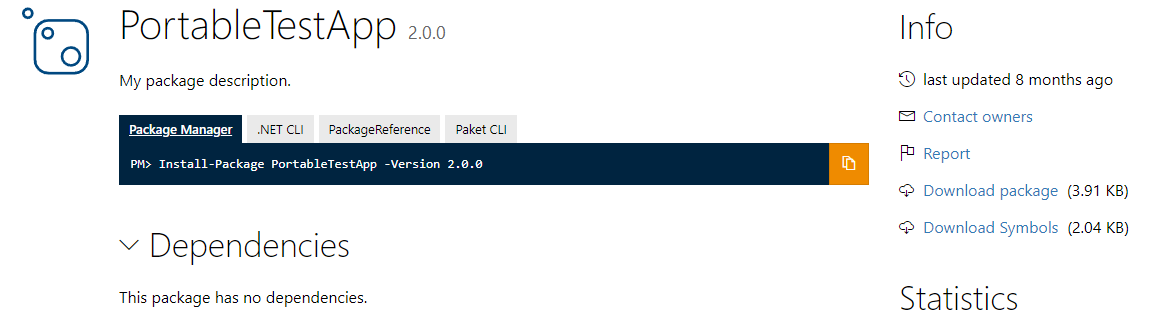
@304NotModified - I think its fair to show this message only to the logged in owners of the package and not everyone.
Owners:
Everyone else (note: download symbols is visible):
shishirx34
on 7 Jun 2019
Great!
304NotModified
on 7 Jun 2019
Related issues
304NotModified
·
3Comments
 heng-liu
·
5Comments
heng-liu
·
5Comments
 jawn
·
4Comments
jawn
·
4Comments
 anangaur
·
4Comments
anangaur
·
4Comments
 dannyvv
·
4Comments
dannyvv
·
4Comments