Nugetgallery: [ML] Recommendations for package
This is the tracking item for adding support on NuGet gallery package details page some sort of recommendation for similar packages, possible usage using Machine learning.
For an MVP consider generating a static list of recommendation packages per package which will be integrated with the gallery UI.
 shishirx34
All 22 comments
Hi Shishir! Sorry for the delay in reply.
I'm a student, so I actually have been really busy with schoolwork for the last couple of weeks and forgot about this; I haven't begun the integration work yet. I also thought this was basically a one-man effort so I wasn't holding anyone up, but I'm really glad that you've brought this up with management and are offering your help (thank you).
The good news is that it should be relatively easy to export the recommendations from the Python program to the gallery, e.g. just export a matrix of package indices in CSV format. There is only one major concern: the ML algorithm builds an n x n matrix where n is the number of instances. I only ran the algorithm on 18k packages in my app, but considering that there are 100k packages in total hosted on the gallery, it's possible that we may run into space/time issues with a 10b-item matrix. (I think there could be some ways to avert this but I'll have to think some more.)
Regarding telemetry:
- How would I store the data for each interesting event such as a user clicking on a recommended package, or search for a different package while on the page of one package? (Could you link me to the code that stores/retrieves NuGet API metadata from a DB?)
- Can I create a new API (e.g. a new endpoint in the index.json) around this, and then use that API from the code that takes that telemetry into account? I think this would simplify the work by splitting it up into 2 tasks: implementing the telemetry vs. using the telemetry.
Also just to clarify, the recommendations will initially be static (so implementing telemetry comes later). I'll have to think some more about how user behavior would be used to weigh/disweigh recommendations.
 jamesqo
on 5 Apr 2018
jamesqo
on 5 Apr 2018
Actually, nvm about the first problem: it may not take that much memory to store a 10b+ element matrix if most of the elements are 0 (a sparse matrix can be used).
jamesqo
on 5 Apr 2018
Hey @jamesqo,
That sounds really cool! I have a couple comments.
The gallery actually has around 1.2 million (listed) packages, not just 100k. There's an additional 300k-500k unlisted packages which I don't think we'd want to include in this (they were unlisted intentionally to make themselves less discoverable). Do you think the additional 12 * 12 factor would increase the size of the matrix too much?
Currently we don't have any code that accesses telemetry AFAIK--our telemetry is piped to Azure's Application Insights which we only access manually. On the other hand, I don't think Application Insights even has the data you're looking for--it mostly has "this was a request that happened" rather than "this user went from page A to page B"--but we do have Google Analytics which likely has the data you need and also the reporting APIs you need to access the data. If GA is sufficient for you than you probably won't need to implement any telemetry.
 scottbommarito
on 5 Apr 2018
scottbommarito
on 5 Apr 2018
@scottbommarito - This scenario is applicable on only package registrations, we will be showing it on the package details page, which are ~100K.
@jamesqo - Like @scottbommarito said, our telemetry is plugged into the ApplicationInsights and won't be available for public consumption as such. We can use Google analytics to know the referrer and see into exporting that data for improving the recommendations, possibly some manual exporting for the data for now.
I understand you are busy with school work, but whenever you can to start off, I think we can generate the recommendations per package, sparse matrix sounds fine for generation, however, we will need to see how we could serialize the data into the gallery. One possibility is to generate a blob per package registration, and plug it into the package details page. This would make the integration and generation of recommendations independent of each other and easy to consume. If the size of the sparse matrix isn't too big a single blob for recommendation could also be a possibility.
Let me know whenever you are able to get the recommendations for all possible packages, and we can talk about the storage then. Feel free to reach out to me with any questions you have.
shishirx34
on 6 Apr 2018
@shishirx34 What exactly is a "package registration"? I've seen that term used referred to in the API docs but I'm not sure what it means.
jamesqo
on 7 Apr 2018
@jamesqo The package registration is just a fancy name for the package id (really, it’s the name for the table in the database). A package registration may have one or more packages. For example, there is a single package registration for all versions of “Newtonsoft.Json”. This package registration includes packages like Newtonsoft.Json v11.0.1. Does that make sense?
 loic-sharma
on 7 Apr 2018
loic-sharma
on 7 Apr 2018
Hey everyone, I've been investigating this over the weekend. Ultimately, I don't think it will be practical to have a single blob for recommendations-- even with a sparse matrix, there are just too many entries. Instead, we should generate a blob per package registration, and it should be done on-demand (i.e. when the user loads the webpage). This would require my program to be somehow integrated with the website (e.g. if the user views a package and the recommendations for that package aren't cached, then call into my program via Process.Start or some other mechanism). Is that acceptable?
Right now I'm focusing on cleaning up my code and getting exporting to work. Soon I'll take a look at the frontend changes I need to make in this repo.
edit: (Self-note for more ideas: there could be a "+ See more recommendations" button at the bottom of the recommendations list, or X buttons next to each recommendation that when clicked cause that rec to disappear and another one to take its place)
jamesqo
on 17 Apr 2018
@jamesqo - do you have any idea about the performance of your algorithm to generate the recommendations on demand? I am afraid, integrating it with the gallery might possibly degrade performance for the package details page. CPU/memory utilization on gallery cloud instances are something of a factor to consider that might hamper performance of gallery for essential tasks.
Rather than doing it on-demand, have you considered generating blobs per package registration(id), it would be far simpler to generate them offline and put them up in a blob container, from were we could fetch json for the corresponding blob and show the recommendations on the details page. We can have a job that generates the blobs daily for new package Ids, I think it would be the most easy way of integrating recommendations into gallery. We will definitely want to integrate your algorithm for feedback loop to improve recommendations, but to start of I think generating blobs offline might be an easier option, given that, integrating your code into gallery will be subject to compliance requirements from Microsoft. Once we have a good idea on the success metric for this feature, we can talk about integration in the future.
shishirx34
on 17 Apr 2018
@shishirx34 Ok, thanks for your opinion. I was asking before because I was worried I would not be able to compute all pairs of recommendations for 1.2 mil packages, since under normal circumstances that would involve computing a very large matrix and result in Python OOM'ing. Happily though, I've managed to solve the problem by splitting the dataset into chunks so only part of it is in-memory at a time.
I think I'm pretty close to getting the blob generation working, just have to finish downloading the ~4000 pages first which will take a day or two. I also hit a small snag in your API: https://github.com/NuGet/Home/issues/6851 (I managed to work around it, but just FYI)
jamesqo
on 20 Apr 2018
@shishirx34 Finally finished generating the blobs :tada:. They're over here: https://github.com/jamesqo/relativity/tree/master/blobs
Now how do I upload them to Azure so that I can use them from the gallery code?
jamesqo
on 22 Apr 2018
@jamesqo The Gallery uses the local file system by default (https://github.com/NuGet/NuGetGallery/blob/master/src/NuGetGallery/Web.config#L27), so you can write an implementation without having to upload your files to Azure. I would suggest implementing something similar to JsonStatisticsService and its GetPackageDownloadsByVersion and GetPackageVersionDownloadsByClient.
scottbommarito
on 23 Apr 2018
@jamesqo - For local testing, you can use the local filesystem like @scottbommarito pointed out, or if you happen to have Azure subscription you could upload them to your storage account and set the corresponding configs(Gallery.AzureStorage.Content.ConnectionString). Let me see if we can simplify it somehow for you.
BTW, Good job on generating the blobs, I looked at them. Could you describe the structure of blobs? I would have assumed that we generate a blob with PackageId.json as the name of the blob, something like:
BlobName: recommendations/myawesomepackage.json
Content:
{
   "recommendations": ["package1", "package2", "package3", "package4", "package5"]
}
(perhaps the key is unnecessary)
With this structured format, pulling recommendation data from gallery would be straightforward.
shishirx34
on 24 Apr 2018
@shishirx34
Could you describe the structure of blobs? I would have assumed that we generate a blob with PackageId.json as the name of the blob,
It's roughly like that. I just wanted to make sure the filesystem wouldn't have any problems with weird characters, as some packages had Chinese characters and the like in their names; so I did roughly the equivalent of this, but in Python
string fileName = BitConverter.ToString(Encoding.UTF8.GetBytes(id)) + ".json";
The packages are also grouped by their catalog page number. I had this gut feeling that performance might suffer if I tried to put 1.2 million files into a single directory so I tried to avoid that.
jamesqo
on 25 Apr 2018
@shishirx34 Do you know if Azure would perform poorly if we tried to stuff all these files in the same directory? I'm guessing its storage method is a little different from a traditional filesystem's.
jamesqo
on 25 Apr 2018
Guys I need some of your feedback on my partially-implemented changes. Here's what I have so far: https://github.com/NuGet/NuGetGallery/compare/master...jamesqo:recommendations?expand=1 (I have some questions in the comments)
jamesqo
on 25 Apr 2018
Nvm, can't figure out how to make commit comments; I'll open a PR instead.
jamesqo
on 25 Apr 2018
@jamesqo we have a couple places where there is a single blob for each package in the same Azure folder. In those places, we also don't do any bit conversions for the filename. You should be fine storing a single blob for each package without making any changes to the name.
scottbommarito
on 25 Apr 2018
@scottbommarito Since the initial implementation will be based on the local (Windows) filesystem, it might still be problematic for local testing. How about I change the filenames to match the ID once I upload the blobs to Azure?
jamesqo
on 26 Apr 2018
@jamesqo Do you think it would be easier for you to test locally if you used a smaller set of packages?
We have DEV (dev.nugettest.org) and INT (int.nugettest.org) environments that you could generate blobs from and both of them are substantially smaller. That way you can perform your testing on a smaller but still substantial set of data and not need to worry about local filesystem issues.
scottbommarito
on 26 Apr 2018
@scottbommarito
We have DEV (dev.nugettest.org) and INT (int.nugettest.org) environments that you could generate blobs from and both of them are substantially smaller. That way you can perform your testing on a smaller but still substantial set of data and not need to worry about local filesystem issues.
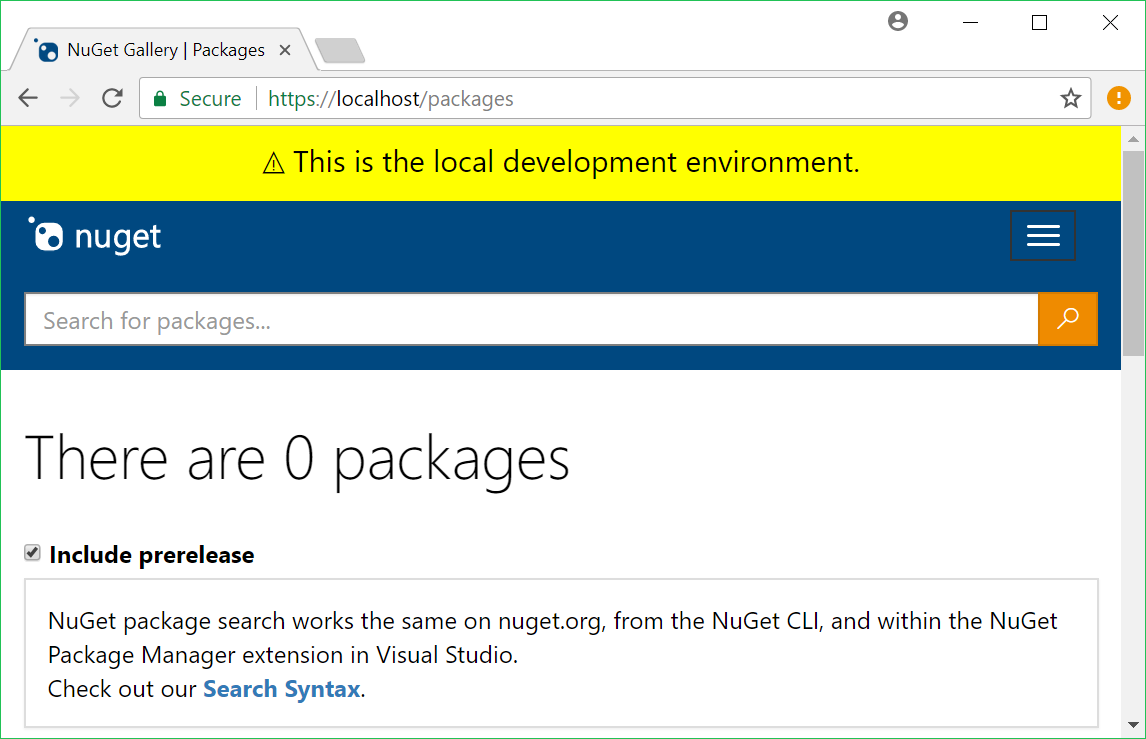
That sounds like a great idea. How would I configure the app to use these environments, then? Currently it's not picking up on any packages.
I also wonder if you can give me advice the frontend. I want to add a "+ See more" link to the bottom of the recommendations section so that it initially displays just the top 3 recs:
Related
Icon1 Package1
Icon2 Package2
Icon3 Package3
This is so that the user isn't overwhelmed with choices, and also so that they will be able to see more of the Info section without having to scroll. When the user clicks on the link, it will expand to the top 5:
Related
Icon1 Package1
Icon2 Package2
Icon3 Package3
Icon4 Package4
Icon5 Package5
(In a future iteration I'd like to store more than just 5 recommendations in the json, so while an extra 2 packages might not take up much real estate right now, IMO this will prove especially valuable later.)
Do you guys think this would be a good idea? If so, I need help. I want to make the "+" not a regular ASCII plus, but one of these plus icons (that are typical of Windows 10 apps):

Where do you guys get your other Windows 10-style icons from on your site?
jamesqo
on 29 Apr 2018
@jamesqo
Apologies, I neglected to mention that in order to run the gallery locally with the entire dataset from DEV or INT you'd need to have the database credentials, which we unfortunately can't give you.
What you could do is
1 - use DEV or INT to generate your blobs (V3 API indexes located at https://apidev.nugettest.org/v3/index.json and https://apiint.nugettest.org/v3/index.json)
2 - choose a package or a couple packages to test
3 - download those packages and the packages that your tool recommends for them
4 - upload them to your local gallery
5 - test as normal
Regarding the UI, I would suggest, for simplicity and consistency, using the same UI as our other lists of packages around the site. This can be done with:
    <div class="list-packages" role="list">
        @foreach (var package in Model.RecommendedPackages)
        {
            @Html.Partial("_ListPackage", package)
        }
    </div>
See ListPackages.cshtml for an example.
scottbommarito
on 30 Apr 2018
@scottbommarito Made some more progress on things. It appears that configuring for the local filesystem currently results in null being returned by the report service, though: https://github.com/NuGet/NuGetGallery/blob/master/src/NuGetGallery/App_Start/DefaultDependenciesModule.cs#L527
jamesqo
on 11 May 2018
Related issues
 yishaigalatzer
·
4Comments
yishaigalatzer
·
4Comments
 xied75
·
5Comments
xied75
·
5Comments
 anangaur
·
4Comments
anangaur
·
4Comments
 304NotModified
·
3Comments
304NotModified
·
3Comments
 gep13
·
4Comments
gep13
·
4Comments
Most helpful comment
@jamesqo - do you have any idea about the performance of your algorithm to generate the recommendations on demand? I am afraid, integrating it with the gallery might possibly degrade performance for the package details page. CPU/memory utilization on gallery cloud instances are something of a factor to consider that might hamper performance of gallery for essential tasks.
Rather than doing it on-demand, have you considered generating blobs per package registration(id), it would be far simpler to generate them offline and put them up in a blob container, from were we could fetch json for the corresponding blob and show the recommendations on the details page. We can have a job that generates the blobs daily for new package Ids, I think it would be the most easy way of integrating recommendations into gallery. We will definitely want to integrate your algorithm for feedback loop to improve recommendations, but to start of I think generating blobs offline might be an easier option, given that, integrating your code into gallery will be subject to compliance requirements from Microsoft. Once we have a good idea on the success metric for this feature, we can talk about integration in the future.