Nswag: Change generated clients to be noob-safe in how they use HttpClient
_Edit_ So I had some noob misunderstanding in HttpClient best practice.
- Some Microsoft sources say you should keep a static HttpClient forever, to avoid socket exhaustion
- Others point out that, no, holding sockets forever is bad (for instance if you are using load balancing) so you should recycle your HttpClient now and then, (just not on every request)
I appreciate you have added stuff for control of HttpClient lifecycle, but perhaps you can make this safe out of the box? Noobs like me might also learn something by reviewing the generated code.
Here is one approach: https://github.com/dotnet/corefx/issues/11224#issuecomment-347361456
_Original comments..._
According to https://aspnetmonsters.com/2016/08/2016-08-27-httpclientwrong/
After each call, even though you've disposed the HttpClient, Windows holds the socket(s) it was using open for 240 seconds. There are only thousands of sockets available, so you can achieve socket exhaustion quite easily.
Although [HttpClient] implements the IDisposable interface it is actually a shared object. This means that under the covers it is reentrant) and thread safe. Instead of creating a new instance of HttpClient for each execution you should share a single instance of HttpClient for the entire lifetime of the application.
...
- Make your HttpClient static.
- Do not dispose of or wrap your HttpClient in a using unless you explicitly are looking for a particular behaviour (such as causing your services to fail).
 ishepherd
All 17 comments
Reading further...
Although some MSDN agrees...
HttpClient is intended to be instantiated once and reused throughout the life of an application. The following conditions can result in SocketException errors:
- Creating a new HttpClient instance per request.
- Server under heavy load.
Creating a new HttpClient instance per request can exhaust the available sockets.
...it can create another issue: You don't want to keep a socket open forever, for example if there is a DNS flip to a different deployment, you will still be talking to the old one.
Some people have custom logic so that both issues are solved. http://disq.us/p/1d4okj9 https://github.com/dotnet/corefx/issues/11224#issuecomment-347361456
ishepherd
on 11 Dec 2017
My problem with HttpClient is that there is no single or commonly used best practice... This is why I it is currently up to the user to correctly use it :-). The question: What is the best approach to solve this problem?
As you may know there are currently three ways to handle HttpClient in the generated code:
- Create an HttpClient per request (no injection, default)
- Inject HttpClient, handled by client
- Change the HttpClient type, to e.g. "MyNamespace.IHttpClient" (the interface just needs the required methods which are generated).
Maybe we should implement a separate library which provides which provides HttpClient proxy implementations which internally manage HttpClient based on time or whatever - the library could provide different implementation which can be chosen depending on the use case/scenario?
 RicoSuter
on 11 Dec 2017
RicoSuter
on 11 Dec 2017
I'll bet the commonly used 'best' practice is
- ~Create an HttpClient per request (no injection, default)~
Devs think "I Disposed it, I did the right thing!", not realizing that creating too many HttpClients within 240 seconds will break their system...
My conclusion is that HttpClients should always be static (per my MSDN link) but, because this might lead to it reusing a single socket forever, kept in a pool with round-robin and expiry time.
The pool would need a couple of parameters
- Size (Reasonable default - 8?)
- Expiry (Reasonable default - 10 seconds?)
I think this would work for everyone?
Obviously I will be looking for a prebuilt pool class... will have a dig around
Apparently this is faster as well as safer: https://github.com/mspnp/performance-optimization/blob/master/ImproperInstantiation/docs/LoadTesting.md
Edit collection of info on this issue https://softwareengineering.stackexchange.com/a/330379/199040
ishepherd
on 11 Dec 2017
So is there a widely used NuGet package with a good HttpClient wrapper which we could use or propose to use?
RicoSuter
on 19 Dec 2017
@RSuter I haven't had time to look into this any further. Hopefully next month.
ishepherd
on 20 Dec 2017
How about this wrapper? https://github.com/NimaAra/Easy.Common/blob/master/Easy.Common/RestClient.cs
 bulfonjf
on 6 Jan 2018
bulfonjf
on 6 Jan 2018
You could code a basic version directly in the generator to avoid sprouting another dependency. What we're now doing is
private static readonly ObjectWithLifespan<HttpClient> OurHttpClient = new ObjectWithLifespan<HttpClient>(
lifespan: TimeSpan.FromSeconds(30),
creator: () => new HttpClient());
public class ObjectWithLifespan<T>
{
private class Box
{
public T Instance;
public DateTime Expiry;
}
private Box Instance;
private readonly TimeSpan Lifespan;
private readonly Func<T> Creator;
/// <summary>
/// Function provided must be safe. It might be invoked multiple times needlessly or concurrently,
/// the value you get may not be from the latest invocation
/// </summary>
public ObjectWithLifespan(TimeSpan lifespan, Func<T> creator)
{
Lifespan = lifespan;
Creator = creator ?? throw new ArgumentNullException(nameof(creator));
}
public T Value
{
get
{
var current = Instance;
if (current == null || current.Expiry <= DateTime.UtcNow)
{
current = new Box { Instance = Creator(), Expiry = DateTime.UtcNow + Lifespan };
Instance = current;
}
return current.Instance;
}
}
}
I think we should provide an implementation for IHttpClient in a NuGet package so that you can specify IHttpClient instead of HttpClient in the NSwag settings and use this NuGet package with the special implementation...
RicoSuter
on 30 Jan 2018
Whatever approach, I think it should be the default. I don't see that all the confusion around this is really justified, it oughta be completely possible to have a 'right' solution
@bulfonjf How about this wrapper? https://github.com/NimaAra/Easy.Common/blob/master/Easy.Common/RestClient.cs
depends on ServicePointManager - looks like it's problematic on .NET Core... https://github.com/dotnet/corefx/issues/11224
ishepherd
on 30 Jan 2018
Microsoft will provide a HttpClientFactory in ASP.NET Core 2.1. See https://github.com/aspnet/HttpClientFactory for the code and https://blogs.msdn.microsoft.com/webdev/2018/02/02/asp-net-core-2-1-roadmap/#httpclientfactory for some documentation.
 cremor
on 27 Apr 2018
cremor
on 27 Apr 2018
Probably the implementation of Flurl could help. It uses HttpClient under the hood and a factory to instantiate it.
 reberinformatik
on 7 Jun 2018
reberinformatik
on 7 Jun 2018
Now that we have services.AddHttpClient in .Net Core 2.1+, I would suggest changing the C# client template in the following way:
The public constructor:
        public ProcessmotorClient(System.Net.Http.HttpClient httpClient)
        {
            BaseUrl = baseUrl;
            _httpClient = httpClient;
            _settings = new System.Lazy<Newtonsoft.Json.JsonSerializerSettings>(() =>
            {
                var settings = new Newtonsoft.Json.JsonSerializerSettings();
                UpdateJsonSerializerSettings(settings);
                return settings;
            });
        }
is changed to
        public ProcessmotorClient(string baseUrl, System.Net.Http.HttpClient httpClient)
        {
            _httpClient = httpClient;
            _settings = new System.Lazy<Newtonsoft.Json.JsonSerializerSettings>(() =>
            {
                var settings = new Newtonsoft.Json.JsonSerializerSettings();
                UpdateJsonSerializerSettings(settings);
                return settings;
            });
        }
BaseUrl is removed in favor for httpClient.BaseAddress
This change will make it possible to do this (in startup.cs) without adding any extra code:
    services.AddHttpClient<MyClient>(client =>
    {
        client.BaseAddress = new Uri("https://api.myclient.com/");
    });
Using AddHttpClient this way also solves problems with port starvation and DNS lookup issues in Micro Services.
 Eneuman
on 10 Feb 2019
Eneuman
on 10 Feb 2019
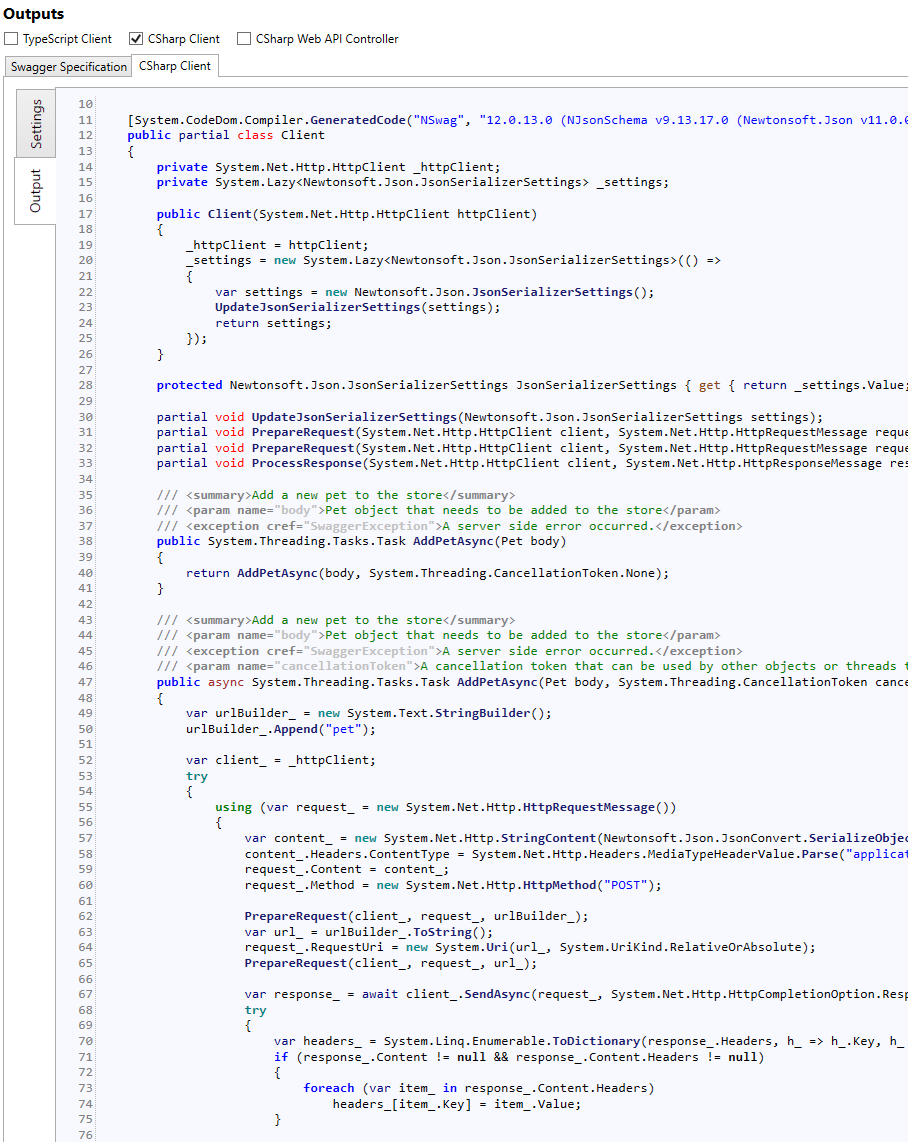
Have you tried to disable the UseBaseUrl setting?

Produces:
RicoSuter
on 14 Feb 2019
Nice :)
I didn't know this already existed.
Can this also be set as a parameter in .projcs when using the preview of NSwag.MSBuild.CodeGeneration?
(I'm trying to automaticly create a Nuget Package of the client each time I check in code to Azure DevOps)
Eneuman
on 14 Feb 2019
I think with the NSwagOptions attribute you can pass /UseBaseUrl:false - but not sure if the attribute is called like this...
RicoSuter
on 14 Feb 2019
It worked great! Thanks!
I added the following parameter: GenerateNSwagCSharpOptions="/UseBaseUrl:false"
Eneuman
on 14 Feb 2019
BTW: NSwag.MSBuild.CodeGeneration has been unlisted/renamed to NSwag.ApiDescription.Design
RicoSuter
on 14 Feb 2019
Related issues
 rh78
·
3Comments
rh78
·
3Comments
 alanedwardes
·
3Comments
alanedwardes
·
3Comments
 RawsomeGH
·
4Comments
RawsomeGH
·
4Comments
 Rui90
·
4Comments
Rui90
·
4Comments
 blackbaud-GavinNicol
·
3Comments
blackbaud-GavinNicol
·
3Comments
Most helpful comment
Now that we have
services.AddHttpClientin .Net Core 2.1+, I would suggest changing the C# client template in the following way:The public constructor:
is changed to
BaseUrl is removed in favor for
httpClient.BaseAddressThis change will make it possible to do this (in startup.cs) without adding any extra code:
Using AddHttpClient this way also solves problems with port starvation and DNS lookup issues in Micro Services.