Np: Command failed: npm access ls-collaborators X
❯ np --version
4.0.1

❯ np patch --yolo
  ❯ Prerequisite check
    ✔ Ping npm registry
    ✖ Verify user is authenticated
      → npm ERR! npm access edit [<package>]
      Check git remote
      Validate version
      Check for pre-release version
      Check git tag existence
    Git
    Bumping version using npm
    Publishing package using npm
    Pushing tags

✖ Command failed: npm access ls-collaborators supports-webp
npm ERR!
npm ERR! Usage: This command is only available for scoped packages.
npm ERR!
npm ERR! npm access public [<package>]
npm ERR! npm access restricted [<package>]
npm ERR! npm access grant <read-only|read-write> <scope:team> [<package>]
npm ERR! npm access revoke <scope:team> [<package>]
npm ERR! npm access 2fa-required [<package>]
npm ERR! npm access 2fa-not-required [<package>]
npm ERR! npm access ls-packages [<user>|<scope>|<scope:team>]
npm ERR! npm access ls-collaborators [<package> [<user>]]
npm ERR! npm access edit [<package>]
❯ npm i [email protected] -g

❯ np --version
3.1.0

❯ np patch --yolo
  ✔ Prerequisite check
  ✔ Git
  ✔ Bumping version using npm
  ✔ Publishing package using npm
  ✔ Pushing tags

 supports-webp 1.0.7 published 🎉
 fregante
All 17 comments
@itaisteinherz Seems like this broke after the move to npm-util.js?
 sindresorhus
on 24 Jan 2019
sindresorhus
on 24 Jan 2019
I'm experiencing this as well, thought it was another issue so tried solving it in #342, will try and find and fix
 voxpelli
on 24 Jan 2019
voxpelli
on 24 Jan 2019
The only change that has happened to the relevant file in npm, lib /access.js, lately is that a commit has been merged 7 days ago, https://github.com/npm/cli/commit/b100ea8d6dd982016862223ff2c3294068b078c3#diff-b3d4d93df05cefeb70b0ea67d8a5801d, and released as part of npm 6.6.0: https://github.com/npm/cli/compare/v6.5.0...v6.6.0
I reinstalled npm 6.5.0 and the command npm access ls-collaborators np began to work again.
From the file itself it do looks like the error that we run into here is the intended since 6.6.0. Looking at the file in its 6.5.0 version paints a different picture: https://github.com/npm/cli/blob/ab0f0260e5b6333f98062fb2d9f4f9954d3ee6cd/lib/access.js
It relied on https://github.com/npm/npm-registry-client/blob/latest/lib/access.js#L82-L94, which does not require a scoped package.
So this is a regression in npm 6.6.0 and hopefully an unintended one.
I can't find it reported at https://npm.community/c/bugs
voxpelli
on 24 Jan 2019
@itaisteinherz Seems like this broke after the move to
npm-util.js?
I don't think the origin of this is #327 since the npm commands themselves weren't modified. Also, when I tried running npm access ls-collaborators supports-webp on my machine the command successfully returned
{
  "bfred-it": "read-write"
}
@bfred-it Are you certain you've logged in to npm?
 itaisteinherz
on 24 Jan 2019
itaisteinherz
on 24 Jan 2019
@itaisteinherz Please read the thread. I dug into the code of npm + tried out multiple versions of npm and discovered a regression in npm 6.6.0. If you don't experience the problem and uses npm 6.6.0 or later, then include that info.
voxpelli
on 24 Jan 2019
@voxpelli I'm using npm v6.4.1. Also, earlier I replied to https://github.com/sindresorhus/np/issues/339#issuecomment-457115761 and not to your message.
itaisteinherz
on 24 Jan 2019
I am also experiencing this. I went through the git history and it looks like this command was added in PR https://github.com/sindresorhus/np/pull/201. I haven't tried that commit yet, but I don't think this is np's fault. Seems to be an npm bug.
$ npx [email protected] access ls-collaborators
npx: installed 389 in 20.35s
{
  "sholladay": "read-write"
}

$ npx [email protected] access ls-collaborators
npx: installed 429 in 18.654s
npm ERR!
npm ERR! Usage: This command is only available for scoped packages.
npm ERR!
...
// cc @NeekSandhu
 sholladay
on 25 Jan 2019
sholladay
on 25 Jan 2019
confirming the downgrade to 6.5 helped ;/
 moimikey
on 26 Jan 2019
moimikey
on 26 Jan 2019
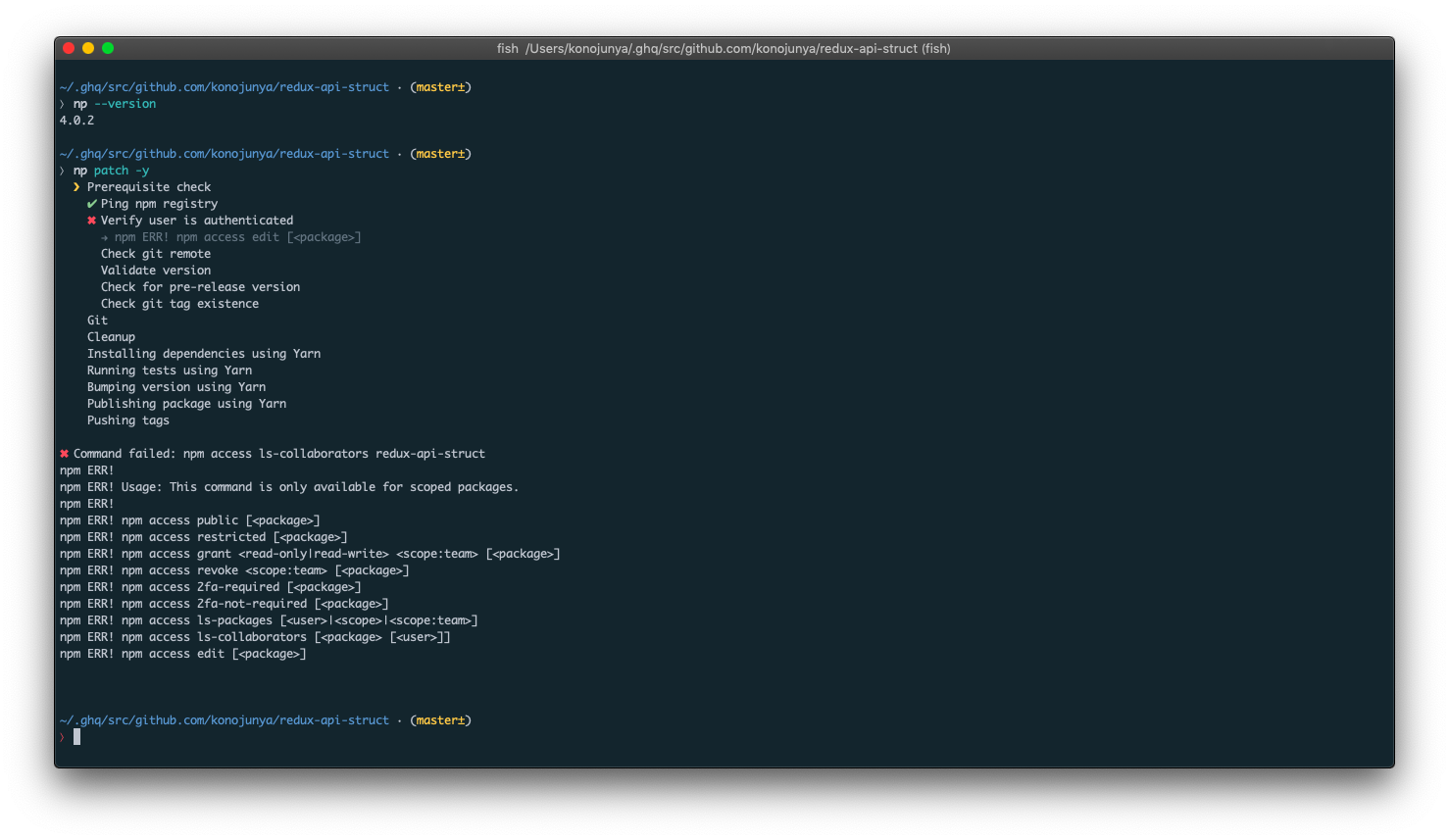
same issue...
 konojunya
on 1 Feb 2019
konojunya
on 1 Feb 2019
Someone should report it to npm.
sindresorhus
on 1 Feb 2019
Filed an official bug on npm.
https://npm.community/t/npm-6-6-0-breaks-access-to-ls-collaborators/5101
 alexlee-dev
on 3 Feb 2019
alexlee-dev
on 3 Feb 2019
Hey~
Thanks for sleuthing on this. I've posted on the npm.community report about the issue, and we'll get it fixed soon. Please feel free to stick to 6.5.0 until this is fixed (which will likely be 6.8.0, which is currently in prerelease).
 zkat
on 3 Feb 2019
zkat
on 3 Feb 2019
Hey~
Thanks for sleuthing on this. I've posted on the npm.community report about the issue, and we'll get it fixed soon. Please feel free to stick to 6.5.0 until this is fixed (which will likely be 6.8.0, which is currently in prerelease).
@zkat Thanks! Will be sticking to 6.5.0 for the moment. Glad there are eyes on it.
alexlee-dev
on 4 Feb 2019
I've patched this npm-side. It will be available as part of [email protected]. Sorry for the trouble, and thanks for reporting it!
zkat
on 4 Feb 2019
@bfred-it @sindresorhus I think this can be closed now that npm v6.8.0 has been released.
itaisteinherz
on 20 Feb 2019
For those who are installing it from nvm, you can upgrade your local npm with:
npm i [email protected] -g
 franciscop
on 8 Apr 2019
franciscop
on 8 Apr 2019
@franciscop you can also do:
npm i npm@latest -g
just because the latest release is now [email protected] 👍
 mansona
on 8 Apr 2019
mansona
on 8 Apr 2019
Related issues
sindresorhus
·
4Comments
 jescalan
·
3Comments
jescalan
·
3Comments
 natesilva
·
5Comments
natesilva
·
5Comments
 nickthesing
·
5Comments
nickthesing
·
5Comments
 inker
·
4Comments
inker
·
4Comments
Most helpful comment
I've patched this npm-side. It will be available as part of [email protected]. Sorry for the trouble, and thanks for reporting it!