Notepads: [Feature request] i need GBK or GB2312 encoding choice
need a GBK encoding option
I am a user from china , and lots of txt stuff I download from internet are encoding by GBK which is not readable under utf-8 encoding style.
I need to have a GBK encoding option or you can give me a button to easy change the encod from GBK to utf-8 , then i don't have to change the encode using vscode every time
 kasusa
All 9 comments
I am planning to work on a feature called "Reopen with encoding.." option to switch encoding on the fly on top of Unicode we already have. For the time being, you can use ANSI as fallback encoding instead. It is in the settings.
 JasonStein
on 4 Mar 2020
JasonStein
on 4 Mar 2020
For the time being, can you try use "ANSI" as default encoding in the setting menu? It will treat files with no BOM as ANSI and use default Windows code page. If your system is using Chinese as main language, it should use GBK as default.
JasonStein
on 4 Mar 2020
ANSI setting isn't really working...
I guess i have to hope for the next version have a Reopen button
ps: attached photo here

kasusa
on 4 Mar 2020
ANSI setting isn't really working...
I guess i have to hope for the next version have a Reopen button
ps: attached photo here
你的这个记事本是utf8,当然不起作用,看右下角
 xieccc
on 8 Mar 2020
xieccc
on 8 Mar 2020
i
Can the new feature be like vscode, click the lower right corner button to switch coding?
xieccc
on 8 Mar 2020
i
Can the new feature be like vscode, click the lower right corner button to switch coding?
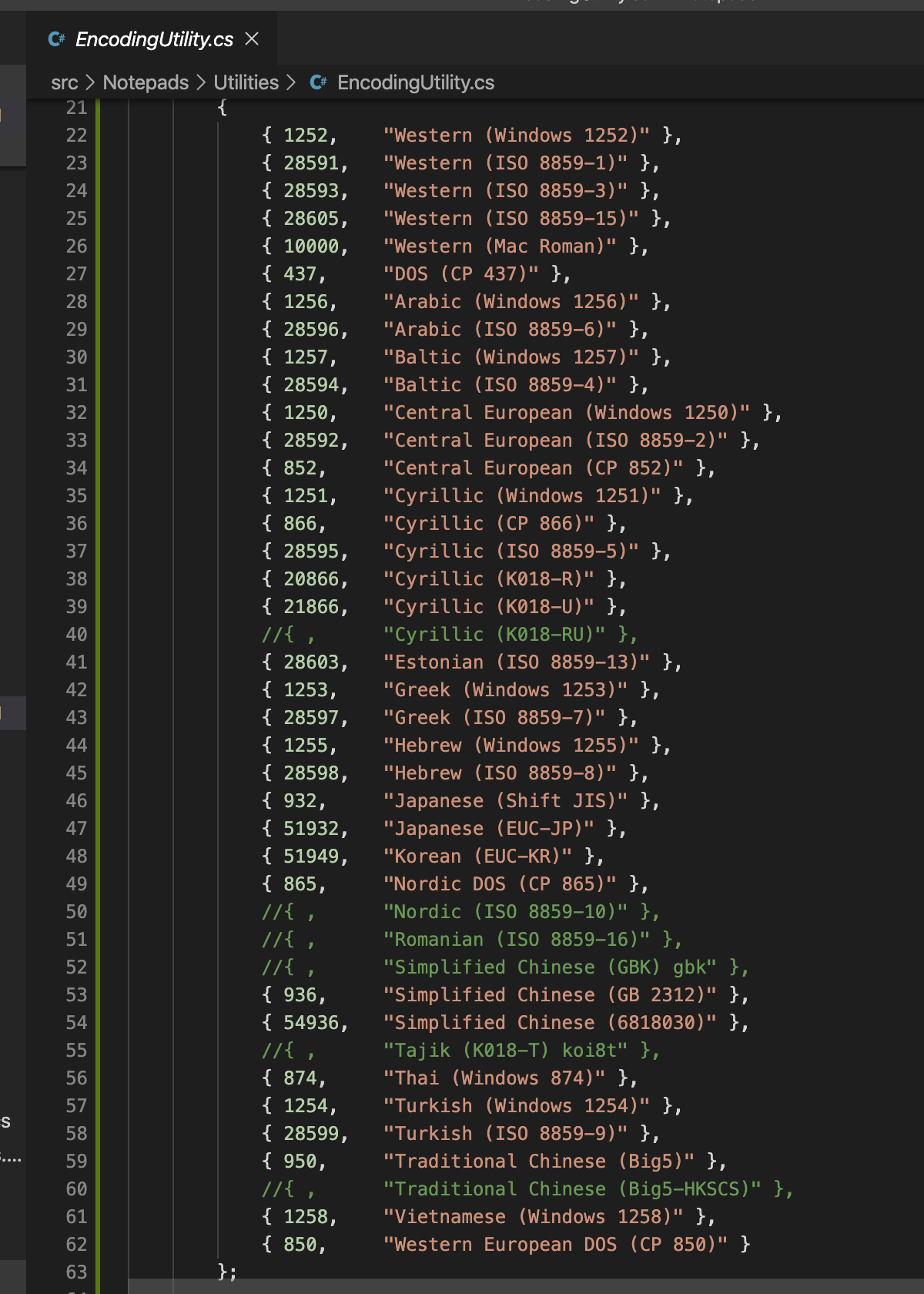
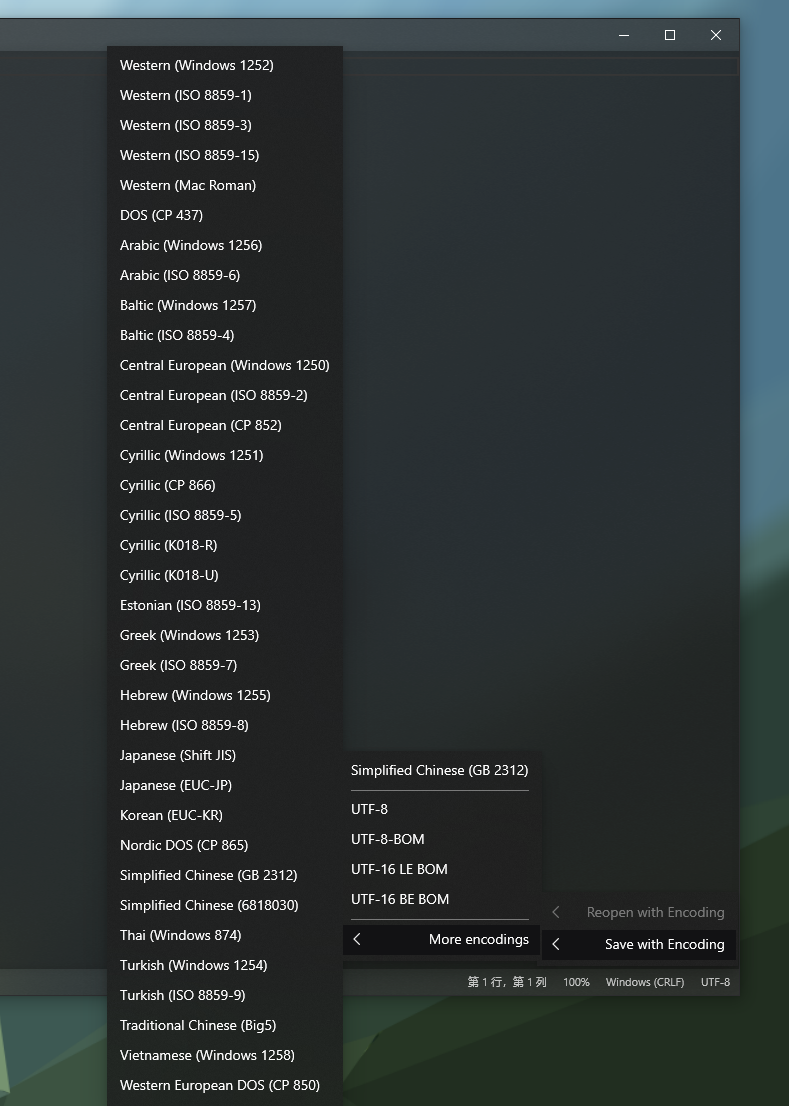
Yes, I am working on the feature (reopen with encoding + save as encoding). Basically I am going to add all ANSI encodings including GB2312.
JasonStein
on 8 Mar 2020
JasonStein
on 8 Mar 2020
JasonStein
on 10 Mar 2020
Closing this thread since v1.1.4.0 is released with "Auto Guess Encoding" feature.
JasonStein
on 16 Mar 2020
Related issues
 pnp0a03
·
6Comments
pnp0a03
·
6Comments
 kompjoefriek
·
4Comments
kompjoefriek
·
4Comments
 MC-Guan
·
4Comments
MC-Guan
·
4Comments
 Jnss98b
·
3Comments
Jnss98b
·
3Comments
 frousselet
·
3Comments
frousselet
·
3Comments
Most helpful comment
Closing this thread since v1.1.4.0 is released with "Auto Guess Encoding" feature.