Notebook: Unable to launch notebook on Windows 10 Python 3.6
I am working on Windows 10 machine and trying to run Jupyter Notebook over Python 3.6. However, I get stuck when starting Notebook. Below are the screenshot of cmd and chrome.

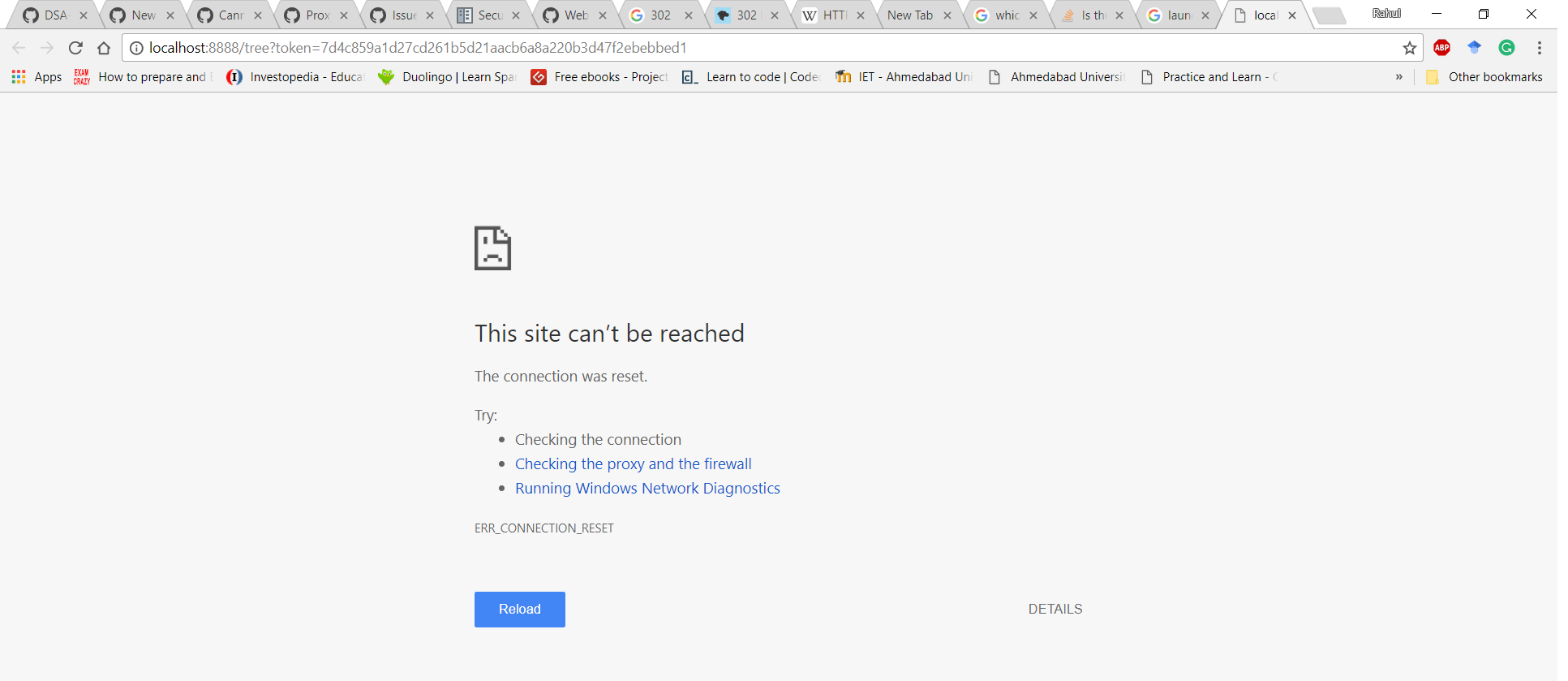
After a while, I start seeing 302 GET calls on cmd as below.

I have used Notebook with Python 3.5 and never faced such issues on the same machine. I have no clue why this is happening or how to solve the same. Any help would be much appreciated.
 rahulptel
All 14 comments
I notice that the security token doesn't match the token once it gets to the browser. You might copy and pasting the URL exactly into the browser directly.
 dsblank
on 16 Jan 2018
dsblank
on 16 Jan 2018
Even when I copy paste the URL mentioned after the line _Copy/paste this URL ..._ , I get 302 GET /?token=<_token_mentioned_in_copy_paste_link_> and nothing gets loaded eventually into the browser.
rahulptel
on 16 Jan 2018
Might I suggest a workaround? You can install linux subsystem for windows and run everything from there (https://www.howtogeek.com/249966/how-to-install-and-use-the-linux-bash-shell-on-windows-10/)
Also, I believe there were some issues with launch folder being hidden/starting with '.' - might that be the case?
Other option is that the problem is in your antivirus/firewall (even though it's localhost).. maybe add jupyter to exceptions?
Oh, and one standart windows advice that seem to work waay too often - reboot maybe? :)
 OrangeBot
on 17 Jan 2018
OrangeBot
on 17 Jan 2018
We have seen some problems like this with security software, so if you've got any, try disabling it. Other things to try:
- Change
localhostin the URL to127.0.0.1 - If you've got a proxy set up, ensure that
localhostand127.0.0.1don't go through the proxy. - Try copying the URL into a different browser.
I'm puzzled as to why the 302 codes start showing up if the browser can't connect.
 takluyver
on 17 Jan 2018
takluyver
on 17 Jan 2018
@takluyver
1. I pinged at 127.0.0.1 instead of localhost which helped me render the notebook. However, I had the following issues.
- The notebook always kept loading
- The notebook behaved abnormally, not allowing to write.
- 404 in cmd


There are no proxies set up on my machine
I turned off firewall and checked. The issue still persisted.
@OrangeBot
The launch folder is not hidden.
rahulptel
on 18 Jan 2018
That's weird. I've got no idea what proptyt-compat is - I don't seem to have a file called that anywhere on my machine. How did you install Jupyter?
takluyver
on 18 Jan 2018
I installed ipython and jupyter using pip.
rahulptel
on 19 Jan 2018
Maybe try removing them and installing again? Sorry, I'm out of good ideas to try.
takluyver
on 19 Jan 2018
Already tried the same natively and also in Anaconda environment. The problem still persists.
rahulptel
on 19 Jan 2018
The same thing was happening to me. Ended up being that nodejs didn't get installed. When I pip installed nodejs, it all worked.
 DeltaCharlieAlpha
on 6 Apr 2018
DeltaCharlieAlpha
on 6 Apr 2018
Thats interesting. The notebook doesn't require nodejs if you install a prebuilt package (you need it to install from Github), and I'm pretty sure you can't install nodejs with pip. So I'm not sure what happened. But I'm glad you got it working!
takluyver
on 6 Apr 2018
I definitely did some sort of nodejs install:
>pip install nodejs
Collecting nodejs
  Downloading nodejs-0.1.1.tar.gz
Collecting optional-django==0.1.0 (from nodejs)
  Downloading optional-django-0.1.0.tar.gz
Building wheels for collected packages: nodejs, optional-django
  Running setup.py bdist_wheel for nodejs ... done
  Stored in directory: C:\Users\david\AppData\Local\pip\Cache\wheels\5d\3e\10\4c849e533db93962941d161b7cf06f8990f39ad63dfcbb7012
  Running setup.py bdist_wheel for optional-django ... done
  Stored in directory: C:\Users\david\AppData\Local\pip\Cache\wheels\80\b6\20\3aeee7b395637ff94b2ca0cfbd0d9654136fc31b96748fc1d2
Successfully built nodejs optional-django
Installing collected packages: optional-django, nodejs
Successfully installed nodejs-0.1.1 optional-django-0.1.0
After that, it started working. I was also installing on a clean Windows 10 machine. I suspect there is something about installing into a very fresh Anaconda environment where Jupyter is one of the only things installed. I am also wondering based on some of the path names I see in if there is something specific about 64-bit Anaconda Windows 10 install that is making something not right.
DeltaCharlieAlpha
on 6 Apr 2018
There's a Python package called nodejs, but it's a binding for nodejs, not nodejs itself. It looks like it's unmaintained, and as far as I know we've never used it, so I don't know why it would make a difference. :confused:
takluyver
on 7 Apr 2018
The more I am looking into this, the more I think something is definitely subtly wrong on this clean install. I think the bogus nodejs install sucked in a dependency that didn't get installed correctly before. I suspect that I may have used a pip install where i should have used a conda install or vice versa.
If I can get a clean repro, I'll open a separate issue if it is actually an issue. Basically, I did a clean Anaconda install, then created one environment, then installed some basic libraries like Pandas, Numpy, Scikit Learn, etc, and Jupyter. I will see if I can get it down to a simple repro with Anaconda, 1 env, and Jupyter on a clean install.
DeltaCharlieAlpha
on 7 Apr 2018
Related issues
 SmnHgr
·
3Comments
SmnHgr
·
3Comments
 fonnesbeck
·
3Comments
fonnesbeck
·
3Comments
 jonatanblue
·
3Comments
jonatanblue
·
3Comments
 itoed
·
3Comments
itoed
·
3Comments
 qnicole-zakka
·
3Comments
qnicole-zakka
·
3Comments
Most helpful comment
We have seen some problems like this with security software, so if you've got any, try disabling it. Other things to try:
localhostin the URL to127.0.0.1localhostand127.0.0.1don't go through the proxy.I'm puzzled as to why the 302 codes start showing up if the browser can't connect.