Node: How can I find directory of basic module?
- Version: latest
- Platform: Mac
- Subsystem:
Hi, I'm korean student.
I usaully use basic module such as 'http' , 'url', 'fs' etc...
I would like to see source cod of http module. but I couldn't find it.
In my global node_module directory, I could find five directory.
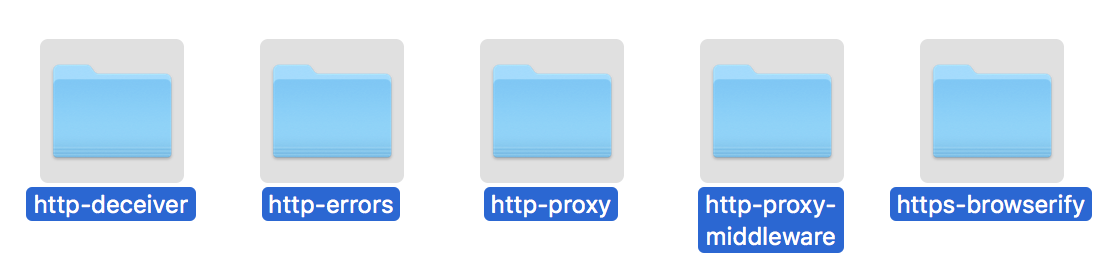
but I think that these are not relavant what I wanna find.
I saw _http_client.js (https://github.com/nodejs/node/blob/master/lib/_http_client.js).
but it is not existed in my global directory of node_modules.
How can I find it?
 hyunsooda
All 6 comments
Core Node.js modules are incorporated in the binary executable. You can see them only in the source code:
 vsemozhetbyt
on 1 Apr 2018
vsemozhetbyt
on 1 Apr 2018
Core module source code can be found in the lib directory of this repo, as it is described in the official docs. For example, the http is here: https://github.com/nodejs/node/blob/master/lib/http.js
As you can see, each module is in a separate .js file.
 aduh95
on 1 Apr 2018
aduh95
on 1 Apr 2018
If Corde node.js modules were incorporated into one file(such as webpack), how can I find it?
there is a point that I wanna edit in Core module..
hyunsooda
on 1 Apr 2018
@hyunsooda They are incorporated in the binary file (for example, node.exe on Windows), not in a text .js file.
You can only recompile the node executable with the edited module:
vsemozhetbyt
on 1 Apr 2018
oh! ... It seems to be not easy..
Thank you for responding.
Have a nice day:)
hyunsooda
on 1 Apr 2018
Closing as answered. If you have any additional questions, please ask them at https://github.com/nodejs/help
 cjihrig
on 1 Apr 2018
cjihrig
on 1 Apr 2018
Related issues
 fanjunzhi
·
3Comments
fanjunzhi
·
3Comments
 srl295
·
3Comments
srl295
·
3Comments
 Brekmister
·
3Comments
Brekmister
·
3Comments
 ksushilmaurya
·
3Comments
ksushilmaurya
·
3Comments
 addaleax
·
3Comments
addaleax
·
3Comments