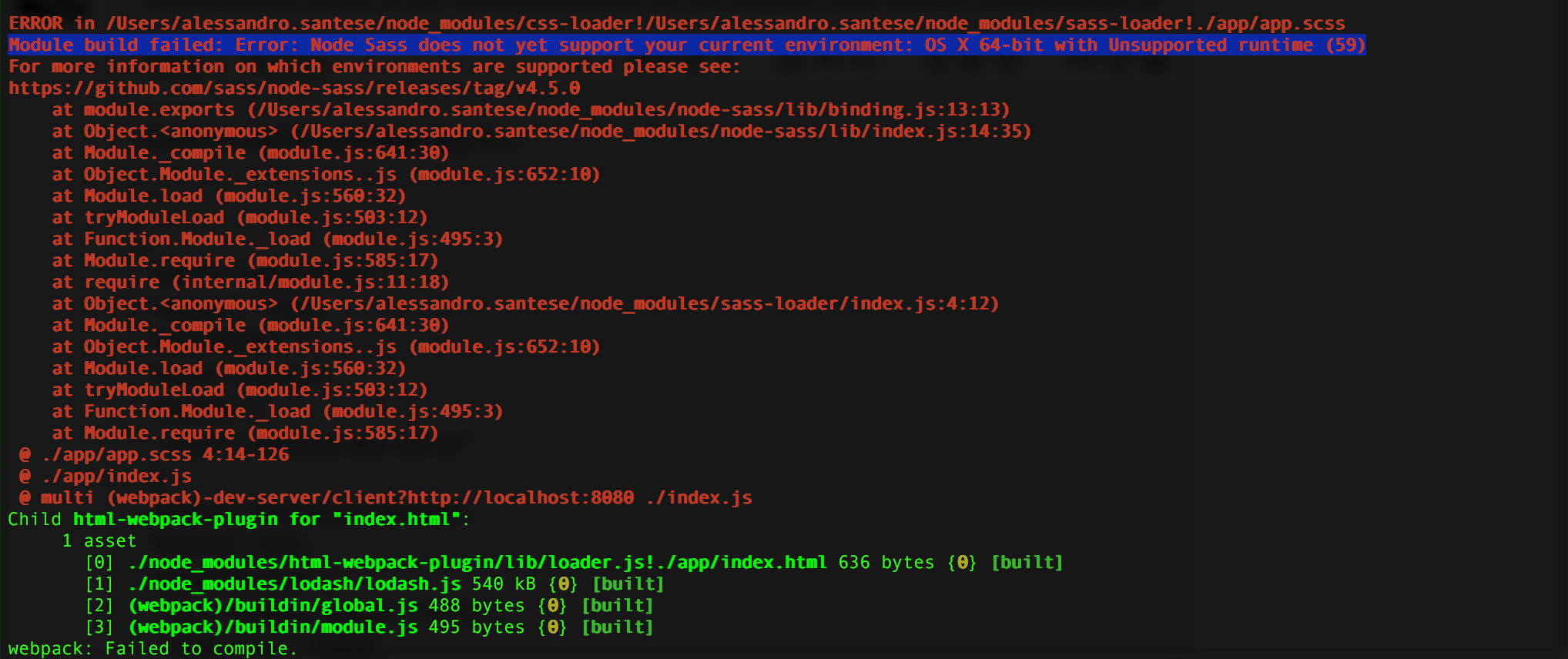
Node-sass: Module build failed: Error: Node Sass does not yet support your current environment: OS X 64-bit with Unsupported runtime (59)
I have the following package.json file:
{
  "name": "react-chart",
  "version": "1.0.0",
  "description": "",
  "main": "index.js",
  "scripts": {
    "start": "webpack-dev-server"
  },
  "author": "Alessandro Santese",
  "license": "ISC",
  "dependencies": {
    "html-webpack-plugin": "^2.30.1",
    "node-sass": "^4.6.0",
    "react": "^16.0.0",
    "react-dom": "^16.0.0",
    "react-easy-chart": "^0.3.0",
    "recharts": "^1.0.0-beta.0",
    "webpack": "^3.8.1",
    "webpack-dev-server": "^2.9.4"
  },
  "devDependencies": {
    "babel-plugin-transform-class-properties": "^6.24.1",
    "babel-plugin-transform-object-rest-spread": "^6.26.0"
  }
}
when I run "npm run start" I get:
 WebTerminator
All 3 comments
Had to do the following:
sudo npm cache clean -f
sudo npm install -g n
sudo n 6.0.0
WebTerminator
on 6 Nov 2017
The above fix was not able to solve my case:
>npm install -g n
npm ERR! code EBADPLATFORM
npm ERR! notsup Unsupported platform for [email protected]: wanted {"os":"!win32","arch":"any"} (current: {"os":"win32","arch":"x64"})
npm ERR! notsup Valid OS:    !win32
npm ERR! notsup Valid Arch:  any
npm ERR! notsup Actual OS:   win32
npm ERR! notsup Actual Arch: x64
So after going through the Web, found another site where i was suggested to downgrade the Node version from 9.2.0 to the Stable version 8.9.1.
And remove the Node Packages and install npm again inside the folder.
Which worked for me.
 Wolf00Bomber
on 21 Nov 2017
Wolf00Bomber
on 21 Nov 2017
Downgrading Node may not be necessary. I had the same error (albeit on Linux: "Node Sass does not yet support your current environment: Linux 64-bit with Unsupported runtime (59)") running node-sass 4.5.3, installed as dependency of gulp-sass. A regular npm update will only check the top-level packages, but after running npm --depth 9999 update, node-sass was updated to 4.7.2 and the problem was solved.
 marcvangend
on 26 Nov 2017
marcvangend
on 26 Nov 2017
Related issues
 nagyfej
·
3Comments
nagyfej
·
3Comments
 paulcpederson
·
3Comments
paulcpederson
·
3Comments
 YepFury
·
4Comments
YepFury
·
4Comments
 ruchern-chong
·
3Comments
ruchern-chong
·
3Comments
 liuyuqiang
·
3Comments
liuyuqiang
·
3Comments
Most helpful comment
Had to do the following:
sudo npm cache clean -f
sudo npm install -g n
sudo n 6.0.0